
Why Employment I-9 Documents Are Critical for Every U.S. Employer
Employment i9 documents are the foundation of legal hiring in the United States. Every employer must verify that new hires are legally authorized to work, and Form I-9 is the federal tool that makes it happen.
Here’s what you need to know right now:
- What it is: Form I-9 (Employment Eligibility Verification) proves both identity and work authorization
- Who needs it: Every employee hired after November 6, 1986, regardless of citizenship
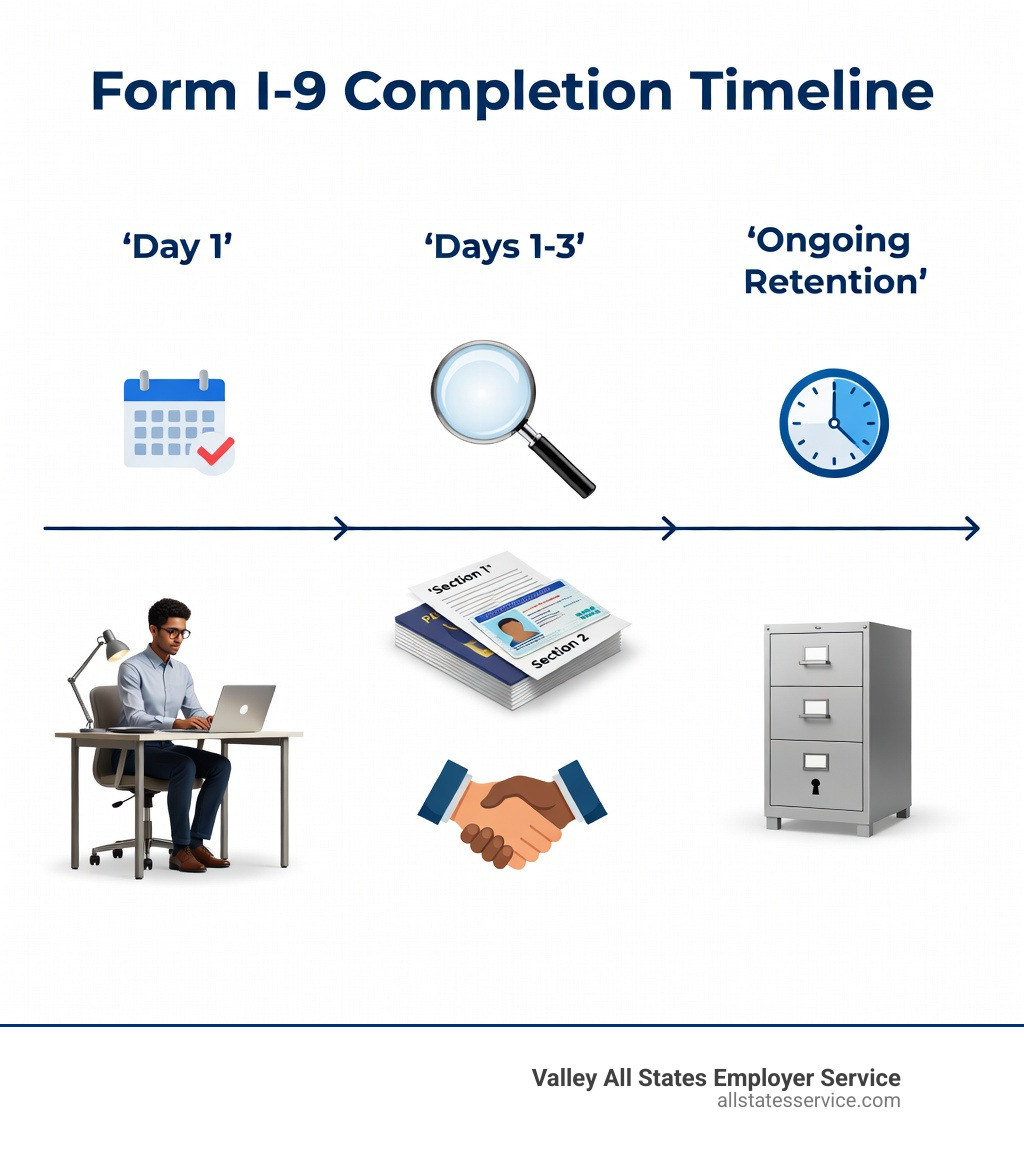
- When to complete it: Section 1 by the employee’s first day of work, Section 2 within three business days
- What documents work: One from List A (like a U.S. Passport), OR one from List B (identity, like a driver’s license) plus one from List C (work authorization, like a Social Security card)
- How long to keep it: Three years after hire OR one year after termination, whichever is later
When you start a new job, federal law requires you to prove two things: who you are and that you’re allowed to work in the U.S. That’s where Form I-9 comes in. The Immigration Reform and Control Act of 1986 made this verification mandatory for all U.S. employers.
Getting it wrong isn’t just a paperwork headache. Incomplete forms, missing deadlines, or accepting the wrong documents can trigger ICE audits, hefty fines, and even discrimination lawsuits if you’re not careful about how you handle document selection.
The good news? Once you understand which documents are acceptable and how the timeline works, I-9 compliance becomes straightforward. You’ll learn to spot the difference between List A documents (which prove both identity and authorization) and the List B plus List C combination (which does the same job using two separate documents).
This guide walks you through every detail, from the three-business-day rule to remote verification options, retention requirements, and what to do when documents expire.
Employment i9 documents vocab to learn:
Understanding the Core Requirements for Employment I-9 Documents

The Form I-9 might look like just another piece of paper in a thick onboarding packet, but it is actually a high-stakes legal document. Since the passage of the Immigration Reform and Control Act (IRCA) in 1986, every employer in the U.S. has a legal obligation to verify the identity and work eligibility of their staff. This applies to every single hire, whether they are a U.S. citizen or a noncitizen.
To get started, it is helpful to learn more about what an I-9 form is and why the government takes it so seriously. Essentially, the Department of Homeland Security (DHS) uses this form to ensure the American workforce is documented and legally permitted to work. You can find the official version and instructions at the Employment Eligibility Verification | USCIS website.
Who Must Complete the Form and When?
If you are hiring someone for “employment for pay or other compensation,” you need an I-9. This includes full-time, part-time, and even temporary workers. The only major exceptions are people hired on or before November 6, 1986, who have been continuously employed by the same company, or certain independent contractors.
The timeline is non-negotiable. The employee must complete Section 1 of the form no later than their very first day of work. They can actually fill it out anytime after they have accepted a job offer, but they cannot be asked to do it before then.
For you as the employer, the “three business day rule” is the golden standard for Section 2. You must examine the employment i9 documents and sign the certification within three business days of the employee’s first day of employment. If a person starts on a Monday, you need that verification finished by Thursday. If you want to dive deeper into the mechanics, read our guide on I-9 form completion.
The Legal Purpose of Verification
The purpose of the I-9 is twofold: identity verification and work authorization. It is not enough to just know who someone is, you have to know they are legally allowed to earn a paycheck in the U.S. This oversight is managed by several agencies, including U.S. Citizenship and Immigration Services (USCIS) and Immigration and Customs Enforcement (ICE).
Failing to verify these two components correctly can lead to “paperwork violations,” which carry fines even if the employee is actually authorized to work. To stay on the right side of the law, it is important to discover why the I-9 form is needed and how it protects both the business and the worker.
Breaking Down the Three Lists of Acceptable Documents
The most confusing part of the process for many is the “List” system. USCIS provides three lists of acceptable employment i9 documents, and understanding how they interact is key to compliance.
| List A | List B | List C |
|---|---|---|
| Both Identity & Authorization | Identity Only | Authorization Only |
| U.S. Passport or Passport Card | Driver’s license or State ID | Social Security Card (unrestricted) |
| Permanent Resident Card (Green Card) | School ID with photo | Birth Certificate (Original/Certified) |
| Employment Authorization Document (EAD) | Voter’s registration card | Native American tribal document |
| Foreign Passport with I-94 | U.S. Military card | Certification of report of birth |
The “Employee Choice Rule” is a major legal hurdle for employers. You cannot tell an employee which documents to bring. You must provide them with the official Form I-9 Acceptable Documents – USCIS list and let them decide. If they bring you a valid List A document, you cannot ask for anything else. If they bring a List B and List C combo, you cannot demand a passport instead. Doing so could lead to a discrimination claim. To avoid these traps, explore the A-Z of valid I-9 documents before your next hire.
List A: Establishing Identity and Authorization with Employment I-9 Documents
List A documents are the “one and done” options. Because these documents establish both who the person is and their right to work, they are often the preferred choice for employees who have them.
Common examples include:
- U.S. Passport or Passport Card: Must be unexpired.
- Permanent Resident Card (Form I-551): Also known as a Green Card. USCIS redesigns these every few years, so older versions are still valid if they aren’t expired.
- Employment Authorization Document (Form I-766): Commonly called a work permit.
- Foreign Passport with Form I-94: This is used for nonimmigrants authorized to work for a specific employer.
For a deep dive into these high-level documents, check our guide on List A documents.
List B and List C: The Identity and Authorization Duo
If an employee doesn’t have a List A document, they must provide one document from List B (Identity) and one from List C (Employment Authorization).
List B is all about identity. Most people use a driver’s license or a state-issued ID card. For minors who might not have a license, a school record or report card can sometimes suffice.
List C is about the right to work. The most common document here is an unrestricted Social Security card. Be careful, though: if the card says “NOT VALID FOR EMPLOYMENT” or “VALID FOR WORK ONLY WITH DHS AUTHORIZATION,” it is not a valid List C document. In those cases, the employee needs to provide a different document, like an original birth certificate. To see the full range of possibilities, see the ultimate guide to acceptable documents.
Compliance Standards for Verification and Remote Hiring
In the past, the law was very strict: you had to physically hold the documents in your hands to verify them. However, the rise of remote work has changed the landscape. While physical examination remains the standard, there are now “DHS-authorized alternative procedures” for certain employers.
If you are a participant in E-Verify and in good standing, you may be eligible to examine employment i9 documents remotely via a live video interaction. This still requires the employee to transmit a copy of the documents to you and for you to “virtually” inspect them while the employee is on the call. If you aren’t using the alternative procedure, you must use an “authorized representative”—essentially someone you designate to meet the employee in person and sign Section 2 on your behalf. To understand the nuances of this modern workflow, learn about remote I-9 verification.
Handling Receipts and Special Provisions
What happens if an employee’s dog ate their Social Security card? Or if they lost their wallet right before their start date? In specific cases, you can accept a “receipt.”
The most common is the “receipt for a replacement document.” If an employee has applied for a replacement of a lost, stolen, or damaged document, they can show you the receipt. This is valid for 90 days, after which they must show you the actual replacement document.
There are also special provisions for minors under age 18 and individuals with disabilities who may not be able to produce a standard List B identity document. In these cases, a parent or legal guardian can complete the identity section. If you are dealing with documents that have recently expired, read about expired I-9 documents to see if any auto-extension rules apply.
Best Practices for Managing Employment I-9 Documents
Compliance isn’t a one-time event; it’s a habit. We recommend conducting internal audits at least once a year. Look for missing signatures, dates filled out in the wrong format (it should be mm/dd/yyyy), and expired work authorizations.
Secure storage is also vital. You should keep I-9 forms separate from general personnel files. This ensures that if a government auditor shows up, they only see the I-9s and not other sensitive employee information. Many businesses are moving to electronic I-9 systems to minimize errors like skipped fields. For a step-by-step checklist, follow our I-9 Section 2 complete guide.
Retention, Reverification, and Avoiding Costly Penalties
Once an employee leaves your company, you can’t just throw their I-9 in the shredder immediately. Federal law has a specific “retention math” formula. You must keep the form for:
- Three years after the date of hire, OR
- One year after the date employment is terminated.
You must keep it for whichever of those two dates is later. If you hire someone and they quit two weeks later, you still have to keep that form for three years. If they work for you for 20 years, you keep it for 21 years total. To make sure your filing system is up to par, understand I-9 document requirements and check the E-Verify Handbook for Employers.
When is Reverification Required?
Reverification is the process of checking a worker’s authorization again when it is about to expire. This is handled using Supplement B (formerly Section 3) of the Form I-9.
You must reverify an employee if their temporary work authorization (like an EAD) is expiring. However, you should never reverify:
- U.S. Citizens
- Noncitizen Nationals
- Lawful Permanent Residents (Green Card holders) who presented a Form I-551 (even if the card itself expires, their status generally does not)
If you fail to reverify on time, you are technically employing an unauthorized worker, which is a major violation. To stay compliant, see how to verify I-9 documents correctly.
Consequences of Non-Compliance
The penalties for I-9 errors are no joke. ICE audits can be triggered by a tip, a high-risk industry profile, or just random selection. Civil fines for paperwork errors can range from hundreds to thousands of dollars per form. If ICE finds a pattern of “knowingly hiring” unauthorized workers, the fines skyrocket, and criminal penalties can apply.
Beyond the government, you also have to worry about the Department of Justice’s Immigrant and Employee Rights (IER) section. If you ask for too many documents or target certain ethnicities for extra scrutiny, you could face a discrimination lawsuit. To protect your business, review the federal I-9 document guide regularly.
Frequently Asked Questions about I-9 Compliance
Can I tell my employee which documents to bring?
No. This is one of the most common mistakes employers make. While it might seem helpful to say, “Just bring your passport,” it is actually illegal. You must give the employee the full list of acceptable employment i9 documents and let them choose. Specifying documents can look like citizenship status discrimination. To learn how to handle this conversation properly, learn about navigating acceptable documents.
What happens if a document is expired?
With very few exceptions, all documents must be unexpired. If an employee brings a driver’s license that expired yesterday, you cannot accept it for Section 2. The only exceptions are certain “auto-extensions” for specific immigration categories where the government has issued a blanket extension due to processing delays. If you’re unsure about a specific document’s validity, check our guide on federal I-9 documents.
How long do I need to keep these forms?
As we covered in the retention section, it’s the later of three years from hire or one year from termination. We suggest keeping a “destruction log” so you know exactly when you are legally allowed to purge old forms. This keeps your files manageable and ensures you aren’t holding onto data longer than necessary. For a comprehensive look at the lifecycle of the form, read the ultimate guide to Form I-9.
Final Thoughts on Workforce Eligibility
Managing employment i9 documents is a high-stakes balancing act. You have to be strict enough to satisfy ICE but flexible enough to avoid IER discrimination claims. For many businesses, the administrative burden of staying up-to-date with changing USCIS redesigns and remote verification rules is simply too much to handle in-house.
Valley All States Employer Service provides outsourced E-Verify workforce eligibility verification for employers. We operate as an expert, impartial partner in the employment compliance and HR services industry. Our unique selling point is efficient E-Verify processing that minimizes errors and takes the heavy lifting off your HR team’s shoulders. By integrating E-Verify with your I-9 process, we provide an extra layer of security, ensuring that the documents presented are not only “reasonably genuine” but also match federal records.
Ready to simplify compliance and protect your business from audit risks? Ready to simplify compliance? Discover our automated eligibility verification system and see how we can streamline your onboarding today.