
Why Every Employer Needs to Understand USCIS E-Verify
USCIS E-Verify employer verification is a web-based system that allows businesses to electronically confirm the employment eligibility of newly hired employees. The system compares information from an employee’s Form I-9 to records available to the Department of Homeland Security and the Social Security Administration.
Quick Overview: What You Need to Know
- System: Free, internet-based verification tool operated by USCIS
- Users: Nearly 800,000 enrolled employers across all 50 states and U.S. territories
- Speed: Nearly all employees confirmed as work-authorized instantly or within 24 hours
- Requirement: Mandatory for federal contractors and some state employers
- Process: Complements (not replaces) the Form I-9 verification process
If you’re an HR manager struggling to steer E-Verify requirements, you’re not alone. The system has grown from a voluntary program to a mandatory compliance tool for hundreds of thousands of businesses. Federal contractors must use it. Many states now require it for public employers or businesses with 25+ employees.
The stakes are high. Non-compliance can mean daily fines, loss of state licenses, or debarment from federal contracts. But the system itself can feel overwhelming, especially when you’re already juggling dozens of hiring responsibilities.
Here’s the good news: E-Verify is actually designed to make your life easier, not harder. Once you understand how it works and what’s required, you can verify new hires in minutes rather than hours. You’ll reduce paperwork errors, protect your business from penalties, and demonstrate good-faith compliance with federal immigration law.
This guide walks you through everything you need to know, from basic enrollment to handling system updates, so you can use E-Verify with confidence.
Uscis e verify employer vocab to learn:
Understanding E-Verify: The Basics for Employers
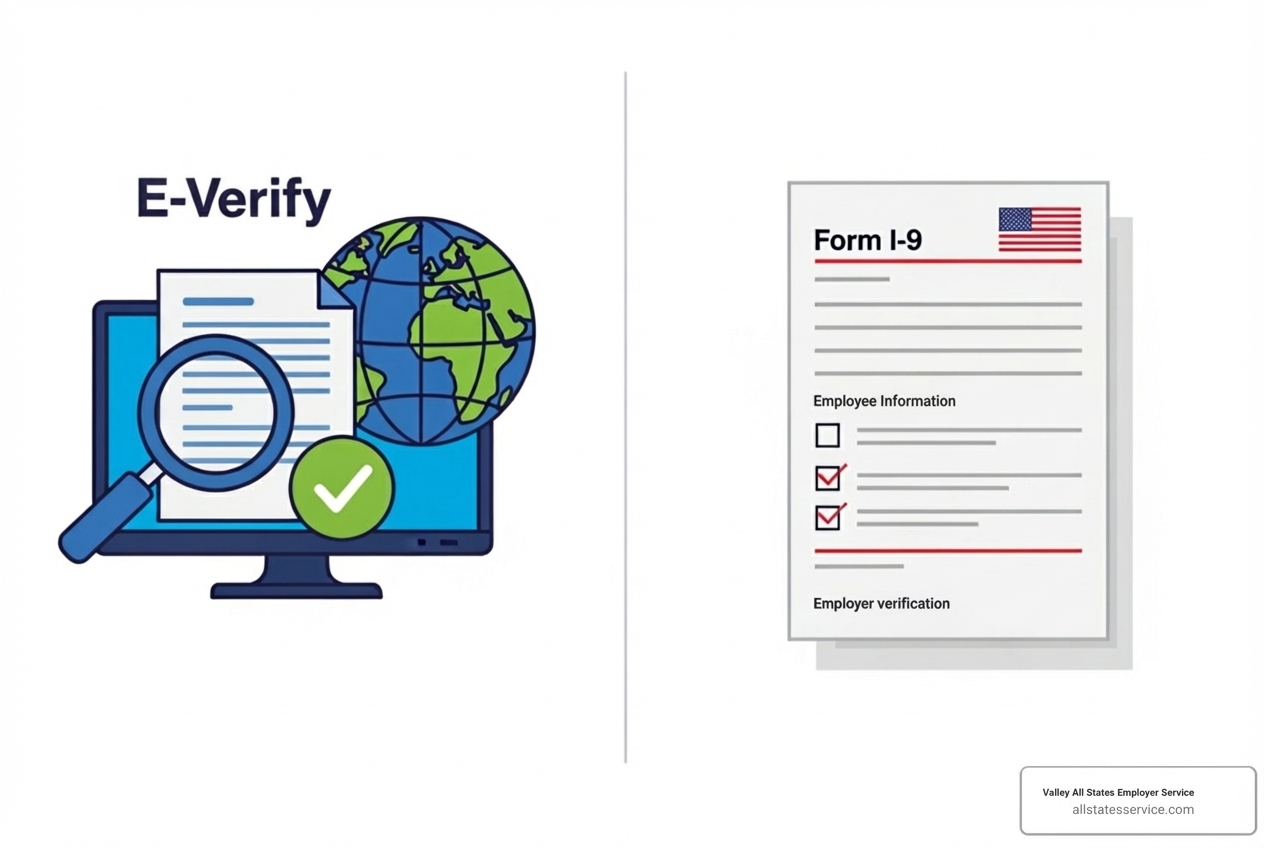
E-Verify is a web-based system that allows enrolled employers like us to confirm the employment eligibility of newly hired employees in the United States. It’s a critical tool in maintaining a legal workforce and upholding federal immigration laws. This system is operated by the U.S. Department of Homeland Security (DHS) in partnership with the Social Security Administration (SSA). When we use E-Verify, we are essentially comparing the information from an employee’s Form I-9 against vast government databases to ensure they are authorized to work here.
Using E-Verify helps us stay compliant, prevent unauthorized employment, and protect our business’s reputation. It also offers significant Benefits of E-Verify by ensuring we hire legally authorized individuals, safeguarding our brand and minimizing potential legal risks.
How E-Verify and Form I-9 Work Together
Think of Form I-9 as the cornerstone of employment eligibility verification. Since 1986, federal law has required all employers to verify the identity and employment authorization of every new hire using Form I-9. It’s a mandatory document that both the employee and employer complete.
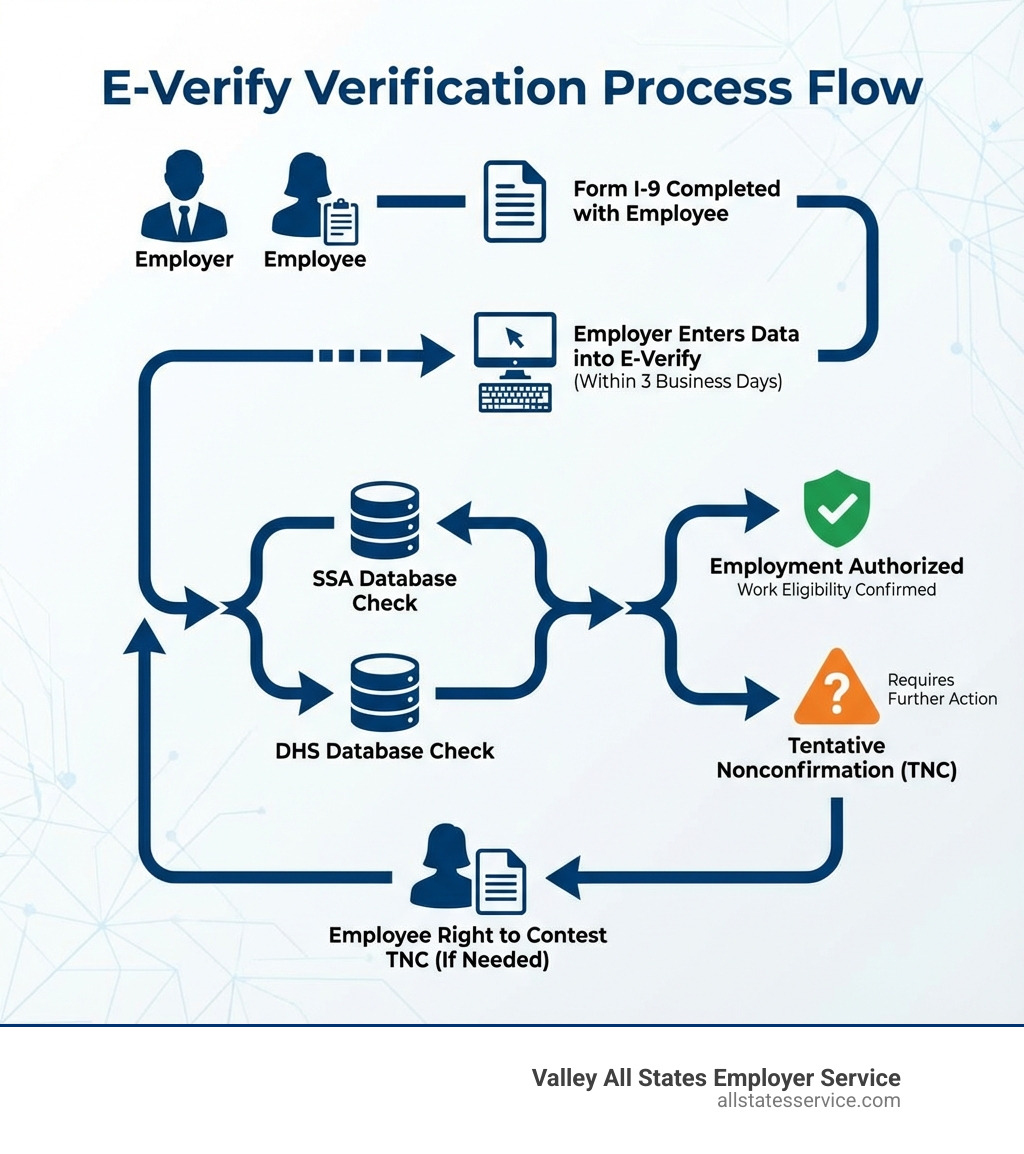
E-Verify doesn’t replace Form I-9, but rather acts as its electronic companion and a vital second check. After we complete the Form I-9 for a new employee, we then take key information from that form and enter it into the E-Verify system. This must be done within three business days of the employee’s first day of employment. The system then electronically matches this data against records held by the SSA and DHS.
For employers participating in E-Verify, there are a few specific considerations related to Form I-9. Employees must provide their Social Security number (SSN) on Form I-9, even if they choose to present a List B document (identity) that doesn’t include an SSN. Additionally, if an employee presents a List B and C combination for Form I-9, the List B document must have a photograph. Understanding these nuances is key to seamless compliance. For a deeper dive into their relationship, check out our E-Verify vs I-9 Guide.
Key Benefits of Using E-Verify
Using E-Verify offers a treasure trove of benefits for employers. It’s not just about compliance; it’s about smart business practices.
Here are some of the key advantages we’ve found:
- Increased Accuracy: E-Verify electronically compares employee data against federal databases, significantly reducing the chance of human error in verifying work authorization. Nearly all employees are confirmed as work-authorized instantly or within 24 hours.
- Reduced Fraud: By cross-referencing information with government records, E-Verify helps detect fraudulent documents and identity theft, protecting your business from hiring individuals who are not legally authorized to work.
- Minimized Paperwork Errors: The system guides users through the process, helping to ensure that information is entered correctly and consistently, which can cut down on common Form I-9 mistakes.
- Upholding a Legal Workforce: This is paramount. E-Verify helps us ensure that our workforce is legally authorized, fostering fair competition and a stable work environment.
- Demonstrating Good-Faith Compliance: Actively using E-Verify shows that we are committed to following federal law, which can be a significant advantage if ever audited.
- Protecting Your Business from Penalties: By proactively verifying employment eligibility, we drastically reduce our risk of facing hefty fines and other legal repercussions associated with hiring unauthorized workers.
- Streamlining the Hiring Process: While it adds a step, the electronic nature and quick response times of E-Verify can make the overall verification process more efficient than manual methods.
Getting Started: Enrollment and Key Responsibilities
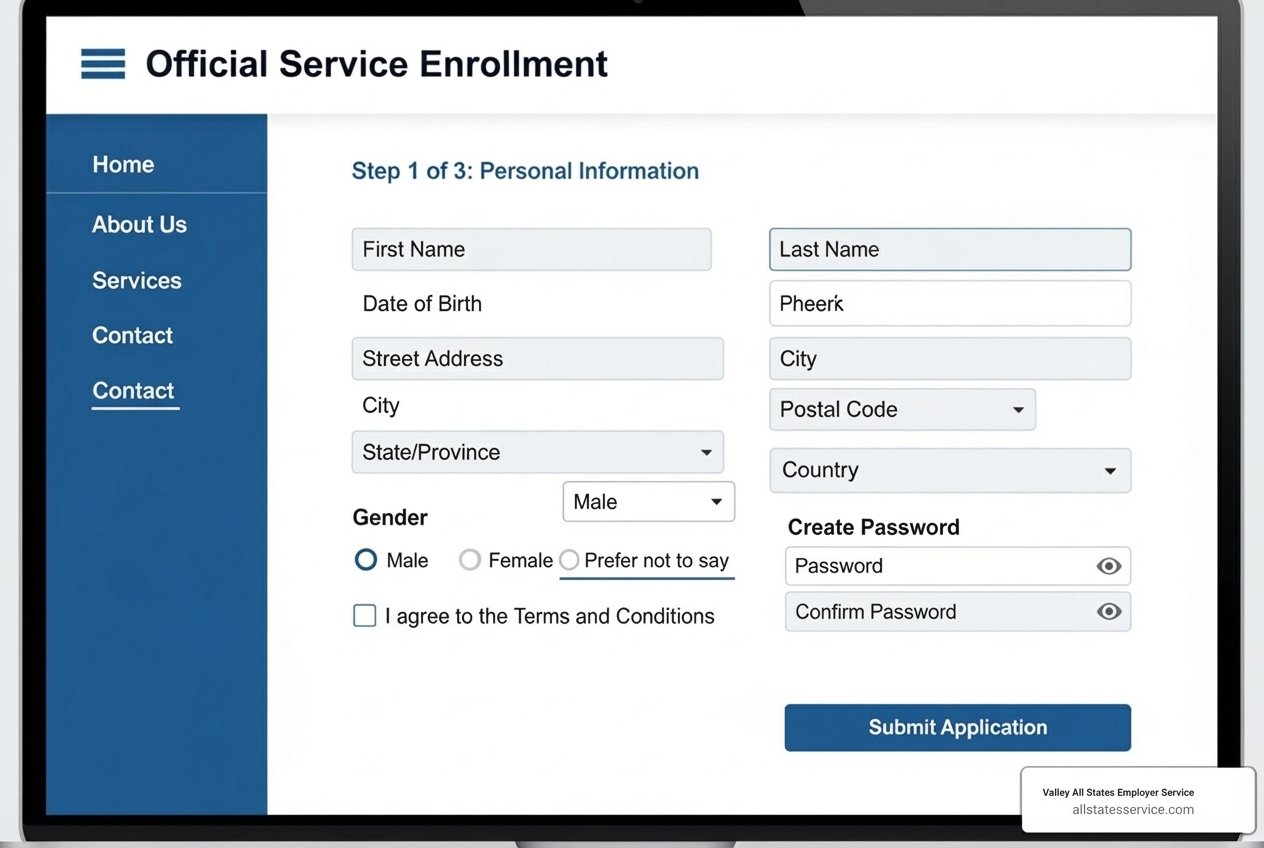
Ready to dive into E-Verify? Getting started is a straightforward process, but it requires attention to detail. Once enrolled, you’ll have specific responsibilities that ensure you use the system correctly and ethically. These include completing a Memorandum of Understanding (MOU), participating in user training, and understanding your ongoing duties as an E-Verify employer.
The E-Verify Enrollment Process, Step-by-Step
Enrolling in E-Verify is designed to be user-friendly, but preparation is key. We always recommend gathering all necessary information before you begin, as the enrollment process cannot be saved mid-way if not completed immediately. Mobile users should complete enrollment on a desktop computer for the best experience.
Here’s a step-by-step look at how to get your business enrolled:
- Gather Necessary Information: Before you start, have your company’s legal name, physical address, mailing address, employer identification number (EIN), and information about your business structure ready.
- Visit the Official Site: Head over to the official E-Verify website. You can Enroll in E-Verify today directly from there.
- Sign the Memorandum of Understanding (MOU): This is a legally binding agreement between your company, DHS, and SSA. It outlines the terms and conditions of your participation, including your responsibilities and the program’s rules.
- Create User Accounts: You’ll create accounts for your program administrator and any users who will be creating E-Verify cases.
- Complete Required Training: All E-Verify users must complete mandatory online training. This ensures everyone understands the system’s functionalities, legal requirements, and best practices.
For a comprehensive guide on this initial phase, our E-Verify Registration Process is an excellent resource.
Handling a Tentative Nonconfirmation (TNC)
Sometimes, when we submit an employee’s information to E-Verify, the system returns a Tentative Nonconfirmation (TNC), also known as a mismatch. This simply means that the information provided on the Form I-9 doesn’t immediately match the records in the SSA or DHS databases.
A TNC does not mean an employee is unauthorized to work. It merely indicates that there’s a discrepancy that needs to be resolved. As an E-Verify employer, your responsibilities when a TNC occurs are clear:
- Notify the Employee: You must promptly inform the employee of the TNC result and provide them with a “Further Action Notice” from E-Verify.
- Employee Rights: The employee has the right to contest the TNC. They will be given a specific timeframe (usually 8 federal government workdays) to contact the appropriate agency (SSA or DHS) to resolve the discrepancy.
- Resolution Process: During this period, you cannot terminate, suspend, or take any adverse action against the employee based solely on the TNC. The employee is presumed work-authorized until the TNC is resolved. If the employee chooses not to contest or cannot resolve the TNC, then E-Verify will issue a Final Nonconfirmation, at which point you may take adverse employment action.
For detailed guidance on managing these situations, our E-Verify Tentative Nonconfirmation guide provides in-depth steps and best practices.
Navigating USCIS E-Verify Employer Compliance and Mandates
For any uscis e verify employer, understanding compliance isn’t a one-size-fits-all scenario. Requirements can vary significantly based on whether you’re a federal contractor or operate in a state with specific E-Verify mandates. Non-compliance carries serious risks, from financial penalties to the inability to secure government contracts.
Who is Required to Use E-Verify?
While E-Verify is voluntary for most employers in the United States, there are significant exceptions that make its use mandatory for many.
- Federal Contractors: If your business holds a federal contract that includes the Federal Acquisition Regulation (FAR) E-Verify clause, then E-Verify use is mandatory. This requirement applies not only to new hires but also to all existing employees assigned to the federal contract. There are some exemptions, such as contracts lasting fewer than 120 days or valued at $150,000 or less, and contracts involving only off-the-shelf products and services. For federal contractors, this is a critical aspect of compliance, and our Federal Contractor E-Verify resources can provide more details.
- State-Specific Mandates: Beyond federal requirements, many states have enacted their own laws mandating E-Verify use. These state laws can vary widely, often requiring it for:
- Public employers (state agencies, municipalities).
- Private employers who contract with state or local governments.
- Private employers who receive state-funded economic development incentives.
- In some cases, specific types of private employers or those above a certain employee threshold. For instance, a new law in Florida, effective July 1, 2023, mandates that private employers with at least 25 employees must use E-Verify as part of their onboarding process. This significantly expands the scope beyond previous state-specific mandates.
It’s crucial to stay updated on the specific laws in your operating states. Our E-Verify State Requirements Guide 2025 provides valuable insights into these varied requirements across the U.S.
Penalties for a non-compliant uscis e verify employer
The consequences of non-compliance with E-Verify requirements can be severe and costly. We certainly don’t want to see any business fall into this trap.
Penalties can include:
- Monetary Fines: Employers found to be non-compliant can face substantial fines. For example, in Florida, if the Department of Economic Opportunity (DEO) determines that an employer failed to use the E-Verify system as required three times within 24 months, penalties include a fine of $1,000 per day until compliance is proven.
- Debarment from Federal Contracts: For federal contractors, non-compliance with the FAR E-Verify clause can lead to debarment, meaning your business could lose eligibility for future federal contracts. This can be a devastating blow.
- License Revocation: In states like Florida, repeated violations can lead to the revocation of state licenses until compliance is demonstrated. First-time violators in Florida face a one-year probationary period with quarterly reporting to the DEO.
- Curing Noncompliance: Some state laws, like Florida’s, offer a grace period. Businesses have 30 days to cure noncompliance after receiving notice of a violation from the DEO. However, ignoring these notices can quickly escalate to more severe penalties.
These penalties underscore why it’s so important for every uscis e verify employer to understand and adhere to all applicable E-Verify regulations.
Advanced Topics and Recent E-Verify System Changes
The E-Verify system is not static; it’s continuously evolving with new features, policy changes, and important deadlines. Staying informed about these updates, including the introduction of E-Verify+, changes to remote document review, and critical record disposal schedules, is essential for every uscis e verify employer.
What’s New? E-Verify+ and Remote I-9 Verification
We’ve seen some exciting developments in the E-Verify landscape, designed to make verification more secure and efficient:
- E-Verify+: This is a modernized, digital solution aimed at simplifying and securing the employment eligibility verification process. E-Verify+ offers an employee-driven process, enhancing privacy by allowing employees to create and log into their own E-Verify+ accounts, enter their Form I-9 information, and have it electronically confirmed. This innovative approach also helps combat identity fraud. While not currently available for Web Services or E-Verify Employer Agents, it represents a step forward in transparency and efficiency. For more on how this impacts Form I-9, check our E-Verify New I-9 Form Guide.
- Remote I-9 Verification: The Department of Homeland Security (DHS) issued a final rule, effective August 1, 2023, which allows the Secretary to authorize alternative procedures for examining the documents employees must present to complete Form I-9. This is a game-changer for employers with remote workforces. Employers enrolled in E-Verify and in good standing can now use these alternative procedures to remotely examine Form I-9 documents, moving beyond the temporary pandemic-era flexibilities. This means we can verify documents virtually, provided we follow the specific steps and conditions outlined by DHS.
These updates reflect a commitment to streamlining compliance for the modern workplace, especially as remote and hybrid work models become more prevalent.
Navigating System Updates and Outages
Even the most robust systems have their changes and challenges. For an uscis e verify employer, understanding how to steer system updates and potential outages is crucial for continuous compliance.
- USCIS Record Disposal: To reduce security and privacy risks, USCIS annually disposes of E-Verify employer records that are 10 years old or older, following National Archives and Records Administration (NARA) schedules. This is a significant point for audit preparedness. Starting January 6, 2025, USCIS will permanently delete E-Verify cases updated before December 31, 2014. This means employers must act quickly to download Historic Records Reports and retain them with corresponding Forms I-9. This ensures you have the necessary documentation should you face an audit for past hiring practices.
- Government Shutdowns and Outages: E-Verify, being a federal system, can be affected by government shutdowns or technical outages. We saw this when operations were suspended for over a week during a past shutdown. When E-Verify is down, employers still have an obligation to complete Form I-9. USCIS typically provides guidance and grace periods for creating E-Verify cases once the system is back online. For instance, following a previous outage, employers were given until a specific date (e.g., October 14, 2025, in one instance) to create E-Verify cases for employees hired while the system was unavailable, noting “E-Verify not available” as the reason for delay. During such times, we must maintain diligent records, document hiring activity, save supporting documents, and communicate with employees about any TNCs. Federal contractors, in particular, need to coordinate with their contracting officers for updated compliance timelines during outages.
These scenarios highlight the importance of vigilance and preparedness. When E-Verify is unavailable, our duty to verify employment eligibility doesn’t disappear; it simply requires us to adapt and document our actions carefully.
Best Practices and Resources for the USCIS E-Verify Employer
As an uscis e verify employer, adhering to best practices and leveraging available resources can make all the difference in maintaining compliance and operating efficiently. It’s about using the system correctly, ethically, and responsibly.
How to Use the E-Verify Employer Search Tool
Have you ever wondered if a business you’re dealing with is E-Verify enrolled? Or perhaps you’re a multi-site employer trying to confirm your own enrollment status? The E-Verify Employer Search Tool is a handy resource for this.
However, it’s important to understand its limitations:
- DBA Names: The public may not recognize the legal business name used for E-Verify enrollment, only a “Doing Business As” (DBA) name. If an employer enrolls using only their legal business name (e.g., “Baristas Incorporated”) but is publicly known by a DBA (e.g., “Coffee First”), searches for “Coffee First” won’t yield results unless the DBA name was provided during enrollment.
- Multiple Hiring Sites: An employer’s enrollment in E-Verify does not automatically mean all of its hiring sites are enrolled. Employers with multiple locations may choose which of their sites participate. Finding a business in the search tool doesn’t guarantee every single one of their locations is enrolled.
This tool is useful for general inquiry, but for definitive answers regarding specific locations or if you are the employer, directly checking your enrollment details or contacting E-Verify support is best.
Essential Resources for the uscis e verify employer
USCIS provides a wealth of resources to help employers steer E-Verify. We encourage all our clients and partners to use these tools:
- Employer Resources Page: The official Employer Resources from E-Verify page is a treasure trove of information. It includes user manuals, fact sheets, quick reference guides, and information on E-Verify+.
- User Manuals: Comprehensive user manuals are available for general employers and corporate administrators, detailing processes, rules, and responsibilities.
- Webinars and Training: E-Verify offers free webinars and on-demand videos covering various topics, from an E-Verify overview to specific guidance on Form I-9. These are invaluable for training new staff or refreshing knowledge.
- Quick Reference Guides: These concise guides offer quick answers to common questions and step-by-step instructions for specific tasks, such as enrollment or handling TNCs.
- E-Verify News Subscription: Staying updated is easy! You can subscribe to GovDelivery emails to receive the latest news, updates, and policy changes directly to your inbox.
- Contacting E-Verify Support: If you have specific questions or encounter technical issues, the E-Verify Contact Center is available to provide assistance.
Leveraging these resources helps us ensure we’re using E-Verify correctly and ethically, maintaining compliance, and protecting our employees’ privacy. We should always use E-Verify for all new hires, both U.S. citizens and aliens, and never use the system selectively or to prescreen applicants.
Conclusion: Simplify Your E-Verify Compliance
Navigating the complexities of E-Verify, from understanding federal and state mandates to handling TNCs and staying abreast of system updates, can feel like a full-time job. We understand that for many businesses, especially those without dedicated HR compliance teams, this diligence can be a significant burden.
Maintaining a legal workforce is not just a legal requirement; it’s a fundamental aspect of responsible business operation. The uscis e verify employer landscape is constantly shifting, with new laws, technological advancements like E-Verify+, and critical deadlines for record retention. Non-compliance is simply not an option, given the severe penalties involved.
This is where Valley All States Employer Service steps in. We provide outsourced E-Verify workforce eligibility verification services, offering expert, impartial, and efficient processing. Our goal is to minimize errors and administrative burden for our clients, allowing you to focus on what you do best – running your business. We stay on top of all federal and state requirements, ensuring your compliance is seamless and stress-free.
Ready to streamline your E-Verify process and ensure ironclad compliance? Let us help you steer these waters with confidence. Streamline your HR compliance today and find the peace of mind that comes with expert assistance.