
Keep Your I-9s in Check: A Retention Guide
Why I-9 Retention Compliance Keeps Your Business Out of Trouble
I-9 retention compliance is one of those HR responsibilities where getting it wrong can cost your business thousands of dollars per form. Here’s the short version if you need it fast:
Quick Answer: I-9 Retention Rules
| Situation | How Long to Keep the Form |
|---|---|
| Employee still on payroll | Keep it for the entire employment period |
| Short tenure (less than 2 years employed) | 3 years from the date of hire |
| Longer tenure (more than 2 years employed) | 1 year from the date employment ends |
| Either way | Use whichever date is later |
You must also be able to produce any Form I-9 within three business days of a government inspection request from agencies like ICE, DHS, or the DOL.
Every employer in the United States is required under the Immigration Reform and Control Act (IRCA) to verify the work eligibility of employees hired after November 6, 1986, using Form I-9. But completing the form is only half the job. Keeping it correctly, for exactly the right amount of time, in the right format is where many HR teams quietly fall short.
The stakes are real. Penalties for recordkeeping violations can run into the thousands of dollars per form, and federal agencies don’t need much notice before showing up to inspect your files.
If you manage HR for a growing business, this guide walks you through every step of I-9 retention, from calculating deadlines to choosing a storage method to safely destroying records when the time comes.
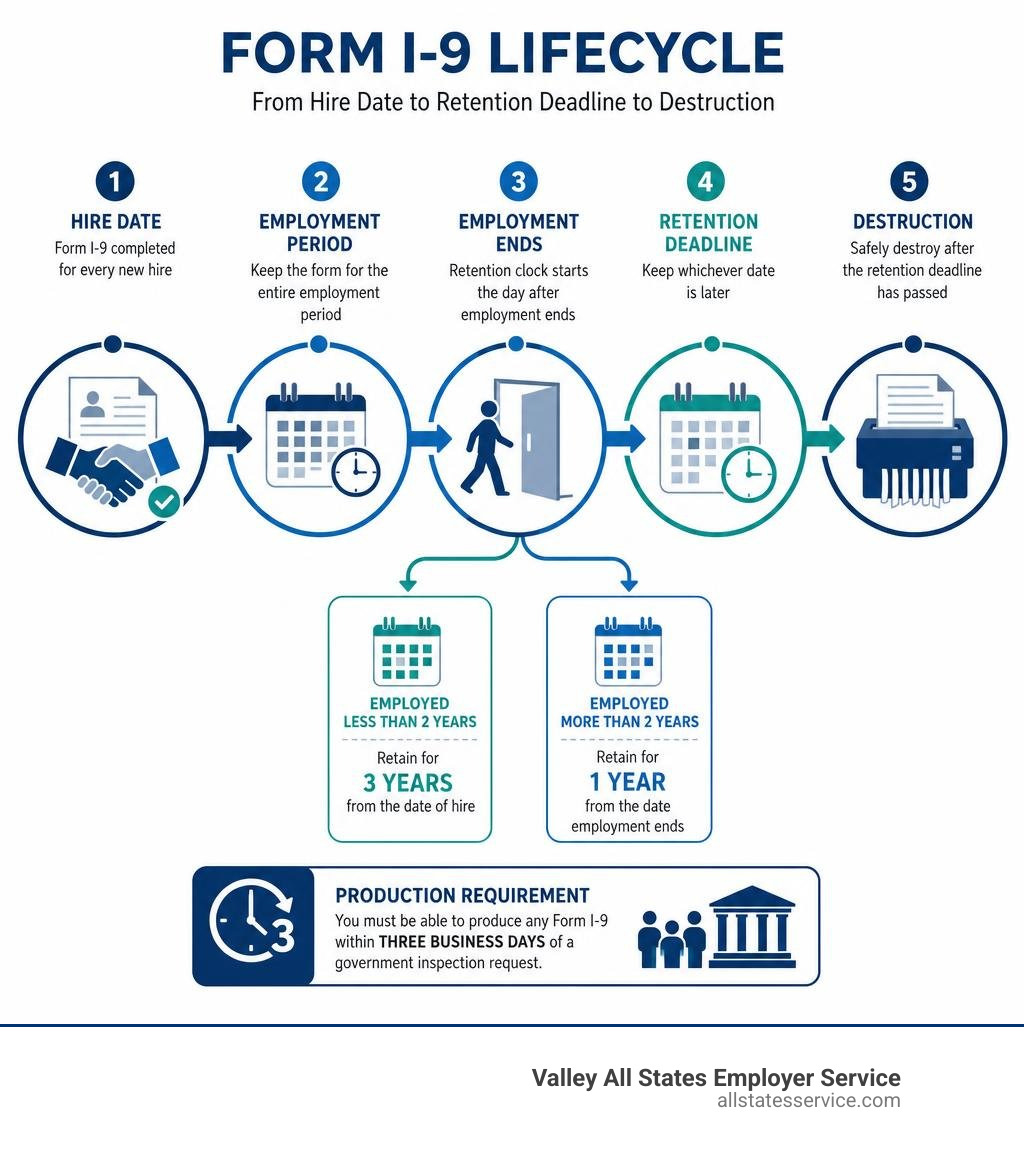
I-9 retention compliance basics:
Mastering I-9 Retention Compliance: The Core Rules
When it comes to I-9 retention compliance, the rules are strict but straightforward. For active employees, the rule is simple, you must keep their completed Form I-9 on file for as long as they remain on your payroll. There is no expiration date on an active employee’s I-9 retention requirement. Whether they have been with your company for six months or thirty years, their Form I-9 must remain safely stored and accessible.
The complexity begins when an employee leaves your organization. Once employment ends, you are allowed to purge their form, but only after a specific retention period has passed. According to the official federal guidelines on 10.0 Retaining Form I-9 | USCIS, you must keep a former employee’s Form I-9 for three years after their date of hire, or one year after the date their employment ends, whichever is later.
Failing to understand this formula is one of the most common ways employers fall out of compliance. If you discard a form too early, you are in direct violation of federal law. If you keep forms forever, you expose your business to unnecessary liability during an audit. For a deeper look at the complete landscape of employer obligations, you can consult our I-9 Compliance Employers Guide 2026.
Why I-9 Retention Compliance Matters for Audits
Why should your business worry about these timelines? The answer lies in federal enforcement. U.S. Immigration and Customs Enforcement (ICE), the Department of Homeland Security (DHS), and the Department of Labor (DOL) have the authority to audit your employment verification records.
When a government agency issues a Notice of Inspection, you do not have weeks to gather your paperwork. By law, you must present your Forms I-9 within three business days of the request. If your files are unorganized, misplaced, or prematurely destroyed, you will face significant administrative penalties.
Even simple recordkeeping mistakes, such as missing signatures, blank fields, or missing forms for terminated workers whose retention periods have not expired, can result in fines that quickly accumulate. Fines are assessed per individual form, meaning a systemic storage error across a mid-sized workforce can easily result in tens of thousands of dollars in penalties. You can read more about how these financial risks are calculated in our guide to I-9 Compliance Penalties.
Retention Rules for Seasonal and Contingent Workers
Managing retention gets trickier when your workforce includes seasonal staff, temporary hires, or contingent workers. Many employers mistakenly assume that short-term or seasonal employees do not require the same rigorous documentation. This is a dangerous misconception. The exact same retention laws apply to seasonal, part-time, and temporary employees as they do to full-time staff.
If you hire a seasonal worker for a three-month summer project, you must still complete a Form I-9. Because their total employment duration is less than two years, the three-year-from-hire rule will almost always dictate their retention deadline.
For contingent workers hired through a staffing agency, the rules are different. Generally, the staffing agency is considered the primary employer and is responsible for completing, retaining, and managing the Form I-9. However, if your business utilizes independent contractors or third-party staffing, it is vital to review your service contracts to ensure that the agency is maintaining strict compliance. This keeps your business safe from joint-employer liability risks.
How to Calculate Your I-9 Retention Deadlines
Calculating the exact date when it is safe to destroy a Form I-9 does not require an advanced degree in mathematics, but it does require close attention to detail. You must always calculate two separate dates:
- Add exactly three years to the employee’s first day of employment (hire date).
- Add exactly one year to the employee’s official termination date.
Once you have both dates, compare them. The later of the two dates is your legal retention deadline. You must not destroy the form until that exact date has passed.
Let’s look at how this works in practice. To help you visual the math, the official guidelines at Retention and Storage | USCIS provide the framework for these exact scenarios.
The Three-Year vs. One-Year Rule
To make this calculation clear, let’s look at three distinct real-world scenarios.
Scenario A: The Short-Term Employee (Employed for less than two years)
- Hire Date: May 1, 2024
- Termination Date: August 1, 2024
- Calculation 1 (3 years from hire): May 1, 2027
- Calculation 2 (1 year from termination): August 1, 2025
- The Result: The later date is May 1, 2027. Even though this employee only worked for three months, you must retain their Form I-9 for three full years from their start date.
Scenario B: The Long-Term Employee (Employed for more than two years)
- Hire Date: January 1, 2020
- Termination Date: June 1, 2025
- Calculation 1 (3 years from hire): January 1, 2023
- Calculation 2 (1 year from termination): June 1, 2026
- The Result: The later date is June 1, 2026. Because the employee worked for over five years, the three-year-from-hire mark has already passed. You must keep the form for one year following their departure.
Scenario C: The Mid-Term Employee (Employed for exactly two years)
- Hire Date: June 1, 2024
- Termination Date: June 1, 2026
- Calculation 1 (3 years from hire): June 1, 2027
- Calculation 2 (1 year from termination): June 1, 2027
- The Result: Both calculations point to June 1, 2027. You must retain the form until this exact date.
| Employee Status | Hire Date | Termination Date | 3 Years from Hire | 1 Year from Termination | Purge Date (Later Date) |
|---|---|---|---|---|---|
| Short-Term | May 1, 2024 | Aug 1, 2024 | May 1, 2027 | Aug 1, 2025 | May 1, 2027 |
| Long-Term | Jan 1, 2020 | June 1, 2025 | Jan 1, 2023 | June 1, 2026 | June 1, 2026 |
| Mid-Term | June 1, 2024 | June 1, 2026 | June 1, 2027 | June 1, 2027 | June 1, 2027 |
Acceptable Storage Methods and System Requirements
The federal government is surprisingly flexible about the medium you use to store your forms. You are permitted to retain Forms I-9 in several different formats:
- Original paper files
- Microfilm or microfiche
- Electronic storage systems
Each of these methods has its own set of compliance rules. If you choose to keep physical paper forms, they should be stored in a secure, locked cabinet accessible only to authorized HR personnel. They should also be kept separate from general personnel folders to ensure employee privacy and facilitate quick access during an audit.
If you use microfilm or microfiche, you must use high-quality, well-maintained equipment that ensures clear, legible reproduction. You must also place detailed indexes in the first or last frames of the film rolls so that specific records can be located quickly during a government inspection. If you want to explore the pros and cons of these different storage setups, check out our comprehensive guide on I-9 Storage Solutions.
Electronic Storage and Audit Trail Requirements
For most modern businesses, electronic storage is the most efficient option. However, simply scanning paper forms and saving them as PDFs on a local hard drive does not automatically make your business compliant. The Department of Homeland Security has strict regulatory standards under 8 CFR 274a.2 for electronic I-9 storage systems.
Your electronic storage system must include:
- Integrity Controls: Security measures that prevent the unauthorized alteration, deletion, or writing of electronic records.
- An Audit Trail: A secure, automated system that records who accessed the files, when they accessed them, and any changes that were made.
- Quality Assurance: Regular checks to ensure that the digital images are completely legible and that no data is corrupted.
- Indexing Systems: A search index that allows you to retrieve records by employee name, start date, or termination date within the required three-day inspection window.
If your digital system lacks these automated audit trails, ICE can rule your entire electronic storage system non-compliant, which can lead to substantial fines even if your forms are filled out correctly.
Purging and Destroying Expired I-9 Records
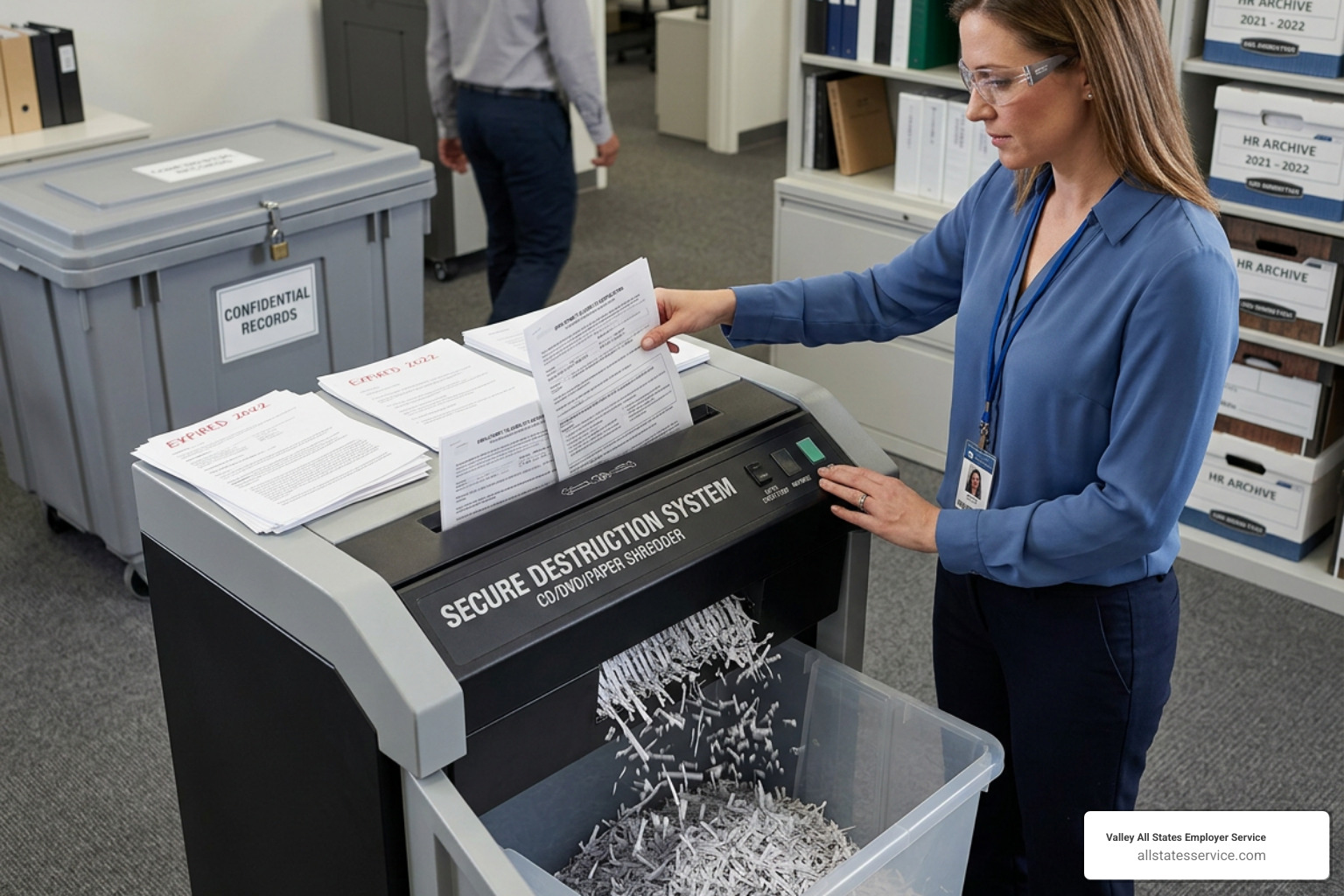
Once a former employee’s retention period has fully expired, you should purge and destroy their Form I-9. While it might seem easier to simply keep all old forms forever, doing so actually increases your business’s legal risk.
If your business is audited, ICE officers have the right to inspect every single Form I-9 currently in your possession. If you have kept expired forms from ten years ago, and those forms contain errors, you can still be penalized for those mistakes. Purging expired records is a vital part of data minimization, it limits your liability and keeps your active compliance files clean and manageable. For a complete look at how to structure your internal reviews, see our I-9 Audit Complete Guide.
Step-by-Step Purging Process
To ensure that your purging process is secure and legally compliant, your HR team should follow a structured, step-by-step workflow:
- Step 1: Identify Terminated Records: Pull the files of all employees who have left the company.
- Step 2: Run the Retention Calculation: Apply the three-year/one-year rule to determine the exact purge date for each record.
- Step 3: Update Your Retention Log: Maintain a master spreadsheet or digital log that lists the employee’s name, hire date, termination date, and calculated destruction date.
- Step 4: Perform a Double-Check: Have a second HR professional or compliance officer verify the calculation before any documents are destroyed.
- Step 5: Securely Destroy the Records: Because Forms I-9 contain highly sensitive personal data, including Social Security numbers, birth dates, and home addresses, they must be destroyed using secure methods. Use a cross-cut shredder for paper documents, or use secure digital shredding protocols to permanently delete electronic files. Never simply throw paper I-9s into a standard recycling bin.
Actionable Strategies for Audit Readiness
The best way to survive a government I-9 audit is to act as though you are already under one. Waiting for a formal Notice of Inspection to clean up your files is a recipe for stress and compliance errors.
We highly recommend establishing a routine of bi-annual internal self-audits. Every six months, your HR team should review a random sample of active and terminated I-9 forms to check for missing signatures, incomplete fields, or outdated documentation. If you find errors, correct them immediately. When making corrections, draw a single line through the incorrect information, enter the correct details, and initial and date the change. Never use correction fluid or attempt to backdate a form.
Best Practices for Long-Term I-9 Retention Compliance
To maintain a flawless compliance record, implement these long-term management strategies:
- Use Separate Storage Systems: Keep your active employee I-9s in one folder, forms requiring future reverification in a second folder, and terminated employee forms in a third, chronologically organized folder.
- Implement a Tickler System: Set up automated calendar alerts at 90, 60, and 30 days before an employee’s temporary work authorization document is set to expire. This gives you plenty of time to complete Section 3 reverification.
- Maintain Document Copying Consistency: If you choose to keep photocopies of the identity and work authorization documents presented by your employees, you must do so consistently for all employees. Copying documents for some workers but not others can expose your business to immigration-related discrimination claims.
Frequently Asked Questions about I-9 Retention
Can I store I-9 forms in the same folder as general personnel files?
No, you should never store Forms I-9 in an employee’s general personnel file. Doing so raises serious privacy concerns because these forms contain highly sensitive personal information and copies of citizenship documents.
Additionally, keeping them mixed in with general personnel files makes it incredibly difficult to comply with a government audit. If ICE requests to inspect your I-9s, you do not want to hand over general personnel files containing performance reviews, medical histories, or salary details. Storing your I-9s in a separate, dedicated folder or digital database ensures privacy and allows you to present the required documents within the three-day limit.
What should I do if I discover a missing Form I-9 during an audit?
If you discover that you are missing a Form I-9 for an active employee, do not panic, and do not attempt to backdate a new form. Backdating is a serious compliance violation that demonstrates bad faith.
Instead, have the employee complete the current version of Form I-9 as soon as possible. Use the current date for all signatures, and enter the employee’s actual first day of work in Section 2. To demonstrate your good faith efforts to comply, attach a brief, signed and dated memo explaining why the form was completed late and what steps you took to correct the oversight.
Do E-Verify employers have different document retention rules?
Yes, participating in E-Verify introduces a few specific recordkeeping requirements. While the core three-year/one-year retention calculation remains exactly the same, E-Verify employers must retain copies of certain documents if they are presented by the employee.
Specifically, if an employee presents a document from List A, such as a U.S. Passport, Permanent Resident Card, or Employment Authorization Document, you must retain a clear, legible copy of both the front and back of that document alongside their Form I-9. You must also record the E-Verify case verification number directly on the Form I-9 or attach the E-Verify case confirmation page to the form.
Conclusion
Navigating the complexities of I-9 retention compliance requires consistent attention to detail, secure storage practices, and a clear understanding of federal timelines. By keeping your files organized, calculating your retention dates carefully, and purging expired records on schedule, you protect your business from costly penalties and ensure you are always ready for an audit.
At Valley All States Employer Service, we specialize in helping businesses simplify their employment compliance workflows. We provide expert, impartial, and highly efficient outsourced E-Verify workforce eligibility verification services. By partnering with us, you can minimize administrative burdens, eliminate compliance errors, and focus on growing your business with peace of mind.
Ready to simplify your compliance process? Learn more about our specialized solutions in our I-9 Compliance Services Complete Guide, and contact our team today to get started.