
Mastering Employer Eligibility Compliance Without the Headache
Why Employer Eligibility Compliance Can Make or Break Your Business
Employer eligibility compliance is one of the most important, and most misunderstood, legal obligations for U.S. businesses of any size.
Here’s a quick snapshot of what it involves:
What employers must do to stay compliant:
- Complete Form I-9 for every new hire to verify identity and work authorization
- Meet strict deadlines (Section 1 by day one, Section 2 within three business days)
- Retain I-9 records for three years after hire or one year after termination, whichever is later
- Use E-Verify if required by federal contract, state law, or if using remote document inspection
- Comply with ACA mandates if you employ 50 or more full-time equivalent employees
- Follow state-specific rules that may layer additional requirements on top of federal law
If you’re an HR manager juggling onboarding, payroll, and a dozen other priorities, staying on top of all this can feel like a full-time job on its own. And the stakes are high.
In fiscal year 2019, ICE initiated more than 6,400 I-9 audits, roughly double the average under the prior administration. Then in just the first half of 2025, more than 1,800 Notices of Inspection were issued, representing a ten-fold increase compared to previous years. Enforcement is not slowing down.
Fines for substantive I-9 violations range from $110 to $1,100 per violation. Penalties for knowingly hiring unauthorized workers can reach $16,000 per violation. And that doesn’t count the reputational damage, lost government contracts, or potential criminal exposure for willful violations.
The good news? With the right tools, processes, and partners, employer eligibility compliance doesn’t have to be a headache.
This guide walks you through everything you need to know, from Form I-9 basics and remote verification rules, to ACA employer mandates and state-specific requirements, so your business stays protected.
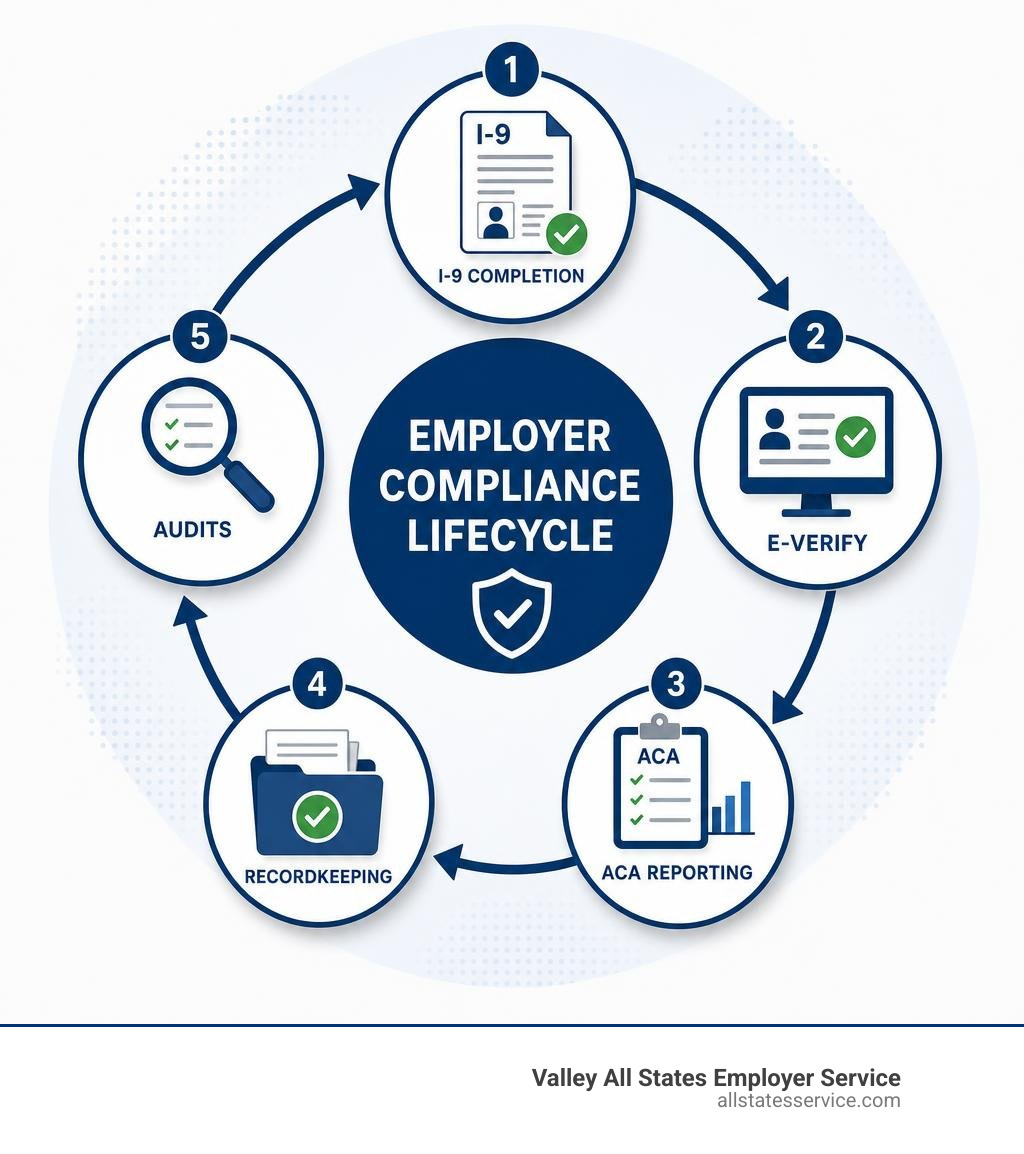
Basic employer eligibility compliance glossary:
The Core of Federal Employer Eligibility Compliance: Form I-9
At the heart of federal work authorization laws is the Form I-9. Created under the Immigration Reform and Control Act of 1986, this form is a mandatory requirement for every single employer in the United States. Whether you are hiring a part-time retail associate in Maryland or a remote executive, you must complete this form.
The purpose of the form is straightforward: it verifies both the identity of the individual and their legal authorization to work in the United States. Although the purpose is simple, the process of filling it out is where many businesses stumble.
Every new hire must complete the form, regardless of their citizenship status. This means U.S. citizens, non-citizen nationals, lawful permanent residents, and aliens authorized to work must all complete the same documentation. You can read more about the official document guidelines directly on the I-9, Employment Eligibility Verification page or dive into our Employment Eligibility Verification Complete Guide for a step-by-step breakdown.
Key Deadlines for Form I-9 Sections 1 and 2
Timing is everything when it comes to avoiding costly government fines. The government does not look kindly on late completions, and “we were too busy onboarding” is not a valid legal defense.
Here is the exact timeline you must follow:
- Section 1 (Employee Attestation): The employee must complete and sign Section 1 after accepting the job offer, but absolutely no later than their first day of paid employment.
- Section 2 (Employer Review): You, the employer, must review the employee’s physical documents and complete Section 2 within three business days of the employee’s first day of work. For example, if an employee starts working on Monday, you must complete Section 2 by Thursday.
If you hire someone for a project lasting fewer than three business days, both Section 1 and Section 2 must be completed on the very first day of work. For more on these critical timelines, check out our I-9 Employer Compliance Guide.
Document Retention and Employee Reverification Rules
Completing the form is only half the battle, you also have to store it correctly and know when to update it.
Federal law has a very specific formula for how long you must keep a completed Form I-9 on file. You must retain the form for three years after the date of hire, or one year after the date employment ends, whichever date is later.
Let’s look at two quick examples to see how this works:
- Scenario A: You hire an employee who leaves your business after six months. You must keep their I-9 for three years from their hire date, because three years is longer than one year post-termination.
- Scenario B: You hire an employee who works for you for ten years and then retires. You must keep their I-9 for one year after their retirement date, because that date is later than three years from their initial hire date.
When it comes to reverification, you must track expiration dates for employees who have temporary work authorization. You do not need to, and should not, reverify U.S. citizens or lawful permanent residents who presented permanent green cards. Doing so can actually expose your business to discrimination claims. When reverifying, you will use Supplement B of the form to record the new document details. For a complete blueprint on managing these documents, read our resource on I-9 Compliance Made Easy with the Handbook for Employers.
Remote Verification and the Role of E-Verify

With the massive shift toward remote and hybrid work environments, physical document inspection has become a significant logistical challenge. Fortunately, the Department of Homeland Security introduced an alternative procedure that allows certain employers to verify documents virtually.
However, this virtual option is not a free-for-all. It is a privilege reserved for employers who actively participate in the federal E-Verify program and remain in good standing. This means if you want to inspect documents over a live video call, you must be enrolled in E-Verify. To understand how these rules fit into the current regulatory landscape, you can read about U.S. Employers and Immigration Compliance in a Heightened Enforcement Environment or explore our I-9 Compliance Services Complete Guide.
How E-Verify Enhances Employer Eligibility Compliance
E-Verify is a web-based system that works alongside the Form I-9. While the I-9 is a paper or electronic record kept by the employer, E-Verify takes that information and electronically compares it against records available to the Social Security Administration and the Department of Homeland Security.
This system provides an extra layer of protection by instantly confirming whether the Social Security number and work authorization documents presented by the employee are valid. It is important to remember that E-Verify does not replace the Form I-9, it is an additional step that confirms the accuracy of the form. To find out if your business is legally required to participate, look at our guide on What Employers Are Required to Use E-Verify and read up on E-Verify Employer Requirements.
Rules and Limitations for Virtual Document Inspection
If you choose to use the DHS alternative procedure for remote employees, you must follow a strict protocol:
- Receive the documents: The employee must transmit clear copies of their front and back work authorization documents to you.
- Conduct a live video call: You must hold a live, interactive video meeting with the employee. During this call, the employee must hold up the original physical documents so you can compare them against the copies they sent.
- Retain copies: Under the remote verification rules, you must retain clear copies of both the front and back of all documents presented. This is different from standard in-person verification, where copying documents is optional but recommended.
- Mark the form: You must check the box on the Form I-9 indicating that you used the alternative procedure to verify the documents.
Failing to follow these steps precisely can result in your virtual verifications being treated as non-compliant, which can lead to hefty fines during an audit. You can learn more about the operational costs and logistics of maintaining this system in our analysis of the E-Verify Compliance Cost.
Understanding the Affordable Care Act (ACA) Employer Mandates

While work authorization is a major pillar of employer eligibility compliance, health coverage compliance under the Affordable Care Act is another critical area that demands your attention. Under the ACA’s Section 4980H, certain employers are required to offer affordable health insurance to their full-time staff or face steep financial penalties.
These rules are known as the employer shared responsibility provisions. If your business grows to a certain size, you must offer minimum essential coverage that provides minimum value to at least 95% of your full-time employees and their dependents. You can find detailed statutory explanations on the Employer shared responsibility provisions | Internal Revenue Service page and read our HR Compliance Complete Guide Businesses.
Determining Applicable Large Employer (ALE) Status
How do you know if your business is subject to these ACA mandates? The key is determining whether you qualify as an Applicable Large Employer.
An employer is considered an ALE if they employed an average of at least 50 full-time employees, including full-time equivalent employees, during the preceding calendar year.
To calculate your business size, you must use the following rules:
- Full-Time Employees: Anyone who averages at least 30 hours of service per week, or 130 hours of service in a calendar month.
- Full-Time Equivalents (FTEs): To calculate FTEs, combine the hours of all part-time employees for a month (up to 120 hours per employee) and divide the total by 120. Add this number to your full-time employee count.
If your business is part of a controlled group with common ownership, you must combine the workforces of all entities to determine if you meet the 50-employee threshold. For step-by-step math and examples, refer to the IRS guide on Determining if an employer is an applicable large employer | Internal Revenue Service and review the federal definition under 29 CFR § 825.104 – Covered employer. | Electronic Code of Federal Regulations (e-CFR) | US Law | LII / Legal Information Institute.
Form 1094-C and 1095-C Information Reporting Requirements
Once your business is classified as an ALE, you must report your health coverage offers to both the IRS and your employees. This is done annually using Forms 1094-C and 1095-C.
- Form 1095-C: This form is provided to each full-time employee. It details the months they were offered coverage, the lowest cost of the monthly premium, and the type of coverage offered.
- Form 1094-C: This is the authoritative transmittal form. It acts as a cover sheet and summarizes the total number of 1095-C forms being submitted to the IRS.
Filing these forms incorrectly, or missing the deadlines, can trigger expensive IRS penalty assessments. For specific technical instructions on how to fill out these forms, read the Questions and answers about information reporting by employers on Form 1094-C and Form 1095-C | Internal Revenue Service resource.
Penalties for Non-Compliance: I-9 Violations vs. ACA Failures
To truly appreciate the importance of employer eligibility compliance, it helps to understand what happens when things go wrong. Both immigration enforcement and the IRS have the authority to levy life-altering fines against businesses that fail to comply.
| Compliance Area | Type of Violation | Penalty Range (per occurrence) | Key Enforcing Agency |
|---|---|---|---|
| Form I-9 | Substantive/Paperwork Errors | $110 to $1,100 | Immigration and Customs Enforcement (ICE) |
| Form I-9 | Knowingly Hiring/Continuing Unauthorized Work | $375 to $16,000 | Immigration and Customs Enforcement (ICE) |
| ACA Mandates | Failure to Offer Minimum Essential Coverage (Penalty A) | ~$2,970 per employee (minus first 30) | Internal Revenue Service (IRS) |
| ACA Mandates | Failure to Offer Affordable/Minimum Value Coverage (Penalty B) | ~$4,460 per affected employee | Internal Revenue Service (IRS) |
For a complete breakdown of how these penalties can impact your business operations, read the Questions and answers on employer shared responsibility provisions under the Affordable Care Act | Internal Revenue Service page and consult our Employment Compliance Guide 2025.
State-Specific Rules and Local Compliance Variations
On top of federal requirements, states often pass their own laws that add layers of complexity to your compliance program. For example, some states mandate E-Verify for all private employers, while others restrict its use.
Since our company operates in Maryland, with offices in Lutherville, we must pay close attention to local changes. Maryland has seen significant employment law updates recently, including changes to wage transparency, paid leave programs, and worker classification rules. You can stay ahead of these regional shifts by reading Maryland Employers: Six Must-Know Employment Law Changes and reviewing our Federal Employment Compliance Guide.
Other states, such as New Jersey, have implemented mandatory state-run retirement programs like RetireReady NJ for employers with 25 or more employees who do not offer a private plan. Keeping track of these state-by-state variations is critical if you employ a remote workforce across state lines.
Proactive Risk Management and Recordkeeping
The best defense against a government audit is a proactive compliance program. Waiting for an ICE Notice of Inspection or an IRS penalty letter to fix your records is a recipe for disaster.
To protect your business, you should establish a secure, centralized digital filing cabinet for all compliance records. Keep your Form I-9s separated from general personnel files to ensure that auditors only see the documents they are legally entitled to inspect. For guidance on maintaining accurate wage, hour, and eligibility records in Maryland, visit the Employment Standards Service (ESS) – Wage and Hour Information portal.
Best Practices for Internal Audits and Employer Eligibility Compliance
We highly recommend conducting regular internal audits of your Form I-9s and payroll records. An internal audit helps you catch and correct clerical errors before a federal investigator does.
Here is a simple checklist for conducting an internal review:
- Identify missing forms: Ensure you have a completed Form I-9 for every active employee hired after November 6, 1986.
- Check for timeliness: Look at the signature dates in Section 1 and Section 2 to ensure they were completed within the required federal timelines.
- Correct errors properly: If you find a mistake, do not use white-out or try to erase it. Instead, draw a line through the incorrect information, write the correct details, and initial and date the correction.
- Purge expired forms: Safely destroy I-9 forms for terminated employees who have passed the retention threshold (three years after hire or one year after termination).
For a quick reference tool to help train your HR staff on these procedures, check out the Employers’ Quick Reference Guide – Maryland Department of Labor.
Frequently Asked Questions about Employment Verification
Navigating workforce compliance can be confusing. Here are answers to some of the most common questions we receive from business owners.
What is the difference between Form I-9 and E-Verify?
While they both deal with employment eligibility, they are not the same thing. Form I-9 is a mandatory, paper-based or electronic document that every U.S. employer must complete for every new hire. E-Verify is an electronic, internet-based system that compares the information from the Form I-9 against federal databases to confirm work authorization. E-Verify is voluntary for many employers, though it is mandatory for federal contractors and employers in certain states.
Can an employer specify which documents an employee must present?
Absolutely not. Employees have the right to choose which documents they want to present from the List of Acceptable Documents, as long as the documents are unexpired and appear genuine. Specifying that an employee must show a passport or a green card is a form of document abuse and can lead to severe discrimination lawsuits from the Department of Justice.
What should an employer do if E-Verify returns a Tentative Nonconfirmation (TNC)?
A TNC means the information entered does not match government databases. If this happens, you must promptly notify the employee in writing and provide them with the official contest instructions. You cannot fire, suspend, or take any adverse action against the employee while they are actively contesting the TNC. Only if a Final Nonconfirmation is issued are you permitted to terminate their employment.
Conclusion
Mastering employer eligibility compliance does not have to be a source of stress for your business. By understanding the rules, keeping accurate records, and acting proactively, you can protect your organization from costly fines and legal disruptions.
At Valley All States Employer Service, we specialize in taking the administrative burden off your shoulders. We provide expert, impartial, and highly efficient outsourced E-Verify and workforce eligibility verification services. Our goal is to minimize compliance errors and free up your HR team to focus on what they do best: growing your business.
Ready to secure your workforce and eliminate compliance headaches? Simplify your compliance with Valley All States Employer Service today.