
Getting your employment paperwork i 9 sorted the easy way
Why Getting Your Employment Paperwork I-9 Right Matters From Day One
Employment paperwork I-9 is one of the most important compliance requirements every U.S. employer must handle, and getting it wrong can be costly.
Here’s a quick overview of what you need to know:
- What it is: Form I-9 (Employment Eligibility Verification) is a federal form required for every new hire in the United States
- Who completes it: Both the employee and the employer must complete their respective sections
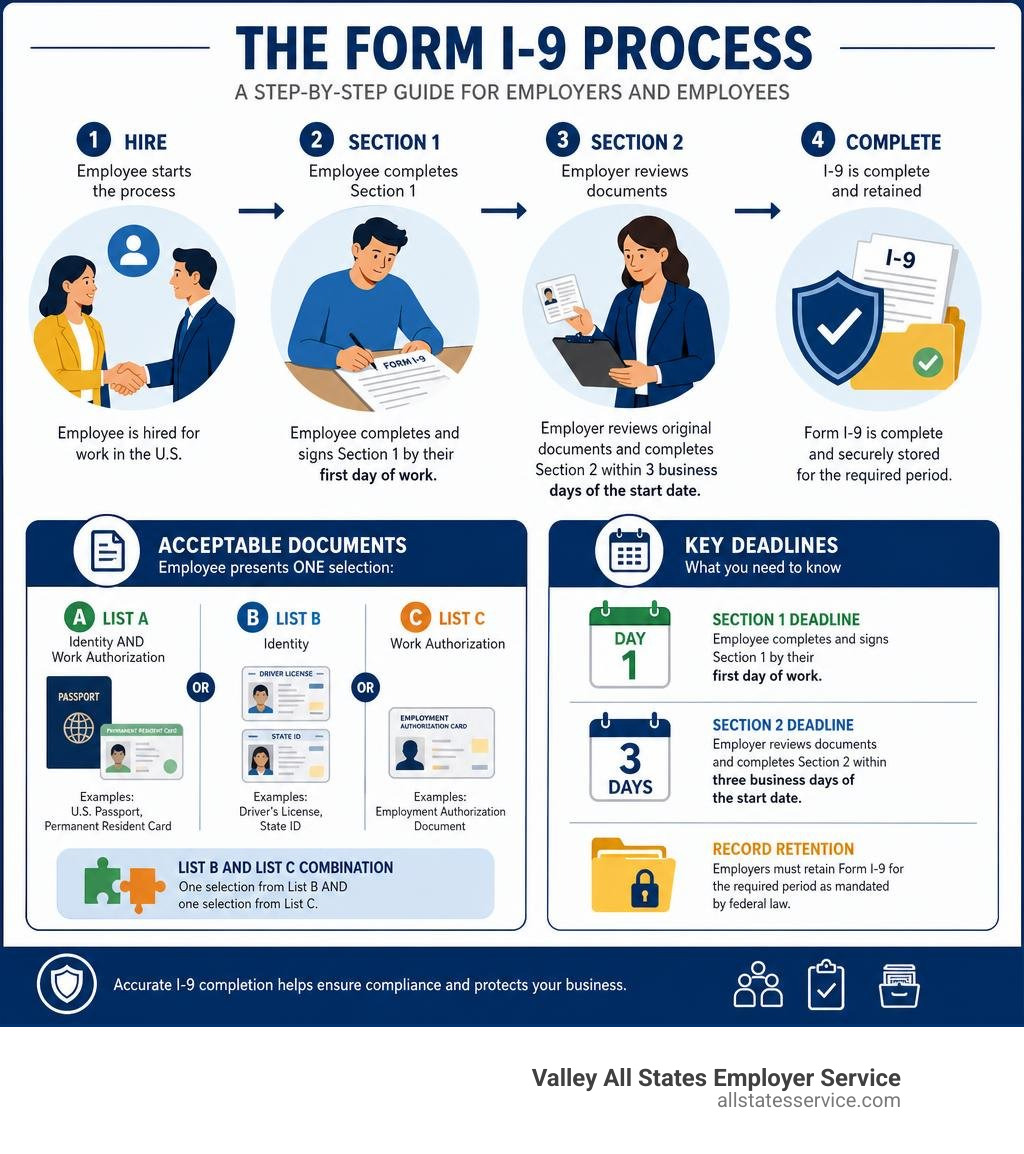
- When it’s due: Employees complete Section 1 by their first day of work; employers complete Section 2 within three business days of the start date
- What it verifies: The employee’s identity and their legal authorization to work in the U.S.
- Who requires it: All U.S. employers, regardless of company size or industry
Federal law requires every employer who hires individuals for employment in the U.S. to complete Form I-9. No exceptions.
Yet for busy HR teams, the process is surprisingly easy to get wrong. Missed deadlines, incorrect documents, outdated form versions, and errors in reverification are among the most common compliance pitfalls. And the consequences range from civil fines to criminal penalties.
This guide walks you through everything you need to know, from completing each section correctly to understanding E-Verify, acceptable documents, and record retention rules.
Employment paperwork i 9 terms you need:
What is the Employment Paperwork I 9 and Why Does It Matter?
When we talk about employment paperwork i 9, we are referring to the official Form I-9, Employment Eligibility Verification. This document is issued by the U.S. Citizenship and Immigration Services, which is a branch of the Department of Homeland Security.
The history of this form dates back to the passage of the Immigration Reform and Control Act of 1986. Before this law was passed, the federal government did not have a standardized, mandatory way for employers to verify that their workers were legally permitted to work in the United States. The act changed everything by making it illegal for employers to knowingly hire or recruit individuals who do not have legal authorization to work in the country.
As a result, completing this paperwork became a mandatory step in the onboarding process for all U.S. employers. Whether you are hiring a part-time student worker, a seasonal agricultural helper, or a high-level executive, they must complete this form. To understand the legal definition and background of the form, you can Learn more about what the I-9 form is to protect your business from compliance risks.
The form itself has evolved over the years to become more streamlined. For example, the modern editions of the form, such as the 08/01/23 edition and the subsequent updates, significantly reduced the instruction pages from 15 pages down to just 8 pages. This change made the document far easier to read and fill out on digital devices like tablets and smartphones.
Completing this form is not just a routine HR task, it is a federal record-keeping requirement. Even if all of your employees are U.S. citizens who were born in the country, you must still maintain a valid Form I-9 for every single one of them. Failing to do so can result in substantial fines during a government audit, even if every worker on your payroll is fully authorized to work.
Deadlines and Responsibilities for Completing Form I-9
Completing your employment paperwork i 9 is a collaborative effort between your new hire and your HR team. The government enforces strict, legally binding timelines for when each part of the form must be finished. Missing these deadlines is one of the most common mistakes employers make, and it is an easy way to trigger compliance penalties.
To make sure you remain compliant, you should always Read the official Instructions for Form I-9 which explain the exact legal requirements for each field. Additionally, you can Discover best practices for I-9 form completion to help establish a smooth internal workflow for your hiring team.
Let us break down the specific timelines and responsibilities for both sections of the form.
Completing Section 1 of your employment paperwork i 9
Section 1 is titled “Employee Information and Attestation.” As the title suggests, this section is the sole responsibility of the employee.
The employee must complete and sign Section 1 no later than their first day of employment. They cannot complete it before they have accepted a formal job offer, but they must complete it by the time they actually begin working for pay.
In this section, the employee must provide their basic personal details, including their full legal name, address, and date of birth. They must also select one of four citizenship or immigration statuses to attest to their work authorization:
- A citizen of the United States
- A noncitizen national of the United States
- A lawful permanent resident
- A noncitizen authorized to work
If the employee requires assistance to complete Section 1, they may use a preparer or a translator. If a preparer or translator helps the employee, they must complete Supplement A, Preparer and/or Translator Certification. This supplement is a separate sheet that must be kept alongside the main form. For a step-by-step walkthrough of this phase, you can Get tips on filling out employment eligibility verification to guide your new hires through Section 1 without any confusion.
Completing Section 2 of your employment paperwork i 9
Section 2 is titled “Employer Review and Verification.” This section is the responsibility of the employer or their authorized representative.
The employer must complete Section 2 within three business days of the employee’s first day of work. For example, if an employee starts working on a Monday, the employer must review their documents and complete Section 2 by the end of the day on Thursday. If you hire someone for a short-term project lasting less than three business days, Section 2 must be completed on their very first day of work.
During this step, the employer must physically examine original, unexpired documents presented by the employee to verify their identity and work authorization. You cannot accept photocopies or digital scans of these documents unless you are using a DHS-authorized remote verification method.
If your business operates remotely or has employees in different states, you can designate an authorized representative to complete Section 2 on your behalf. This representative can be any adult you trust to review the documents in person, though you remain legally liable for any mistakes they make. To understand how to handle this correctly, Check out our ultimate guide to completing the I-9 form for practical examples and instructions.
Acceptable Documents for Identity and Work Authorization
To complete Section 2, the employee must present original, unexpired documents from the official Lists of Acceptable Documents. These documents are divided into three categories: List A, List B, and List C.
- List A documents establish both identity and employment authorization. If an employee presents a document from List A, they do not need to show anything else.
- List B documents establish identity only. If an employee presents a List B document, they must also present a List C document.
- List C documents establish employment authorization only. If an employee presents a List C document, they must also present a List B document.
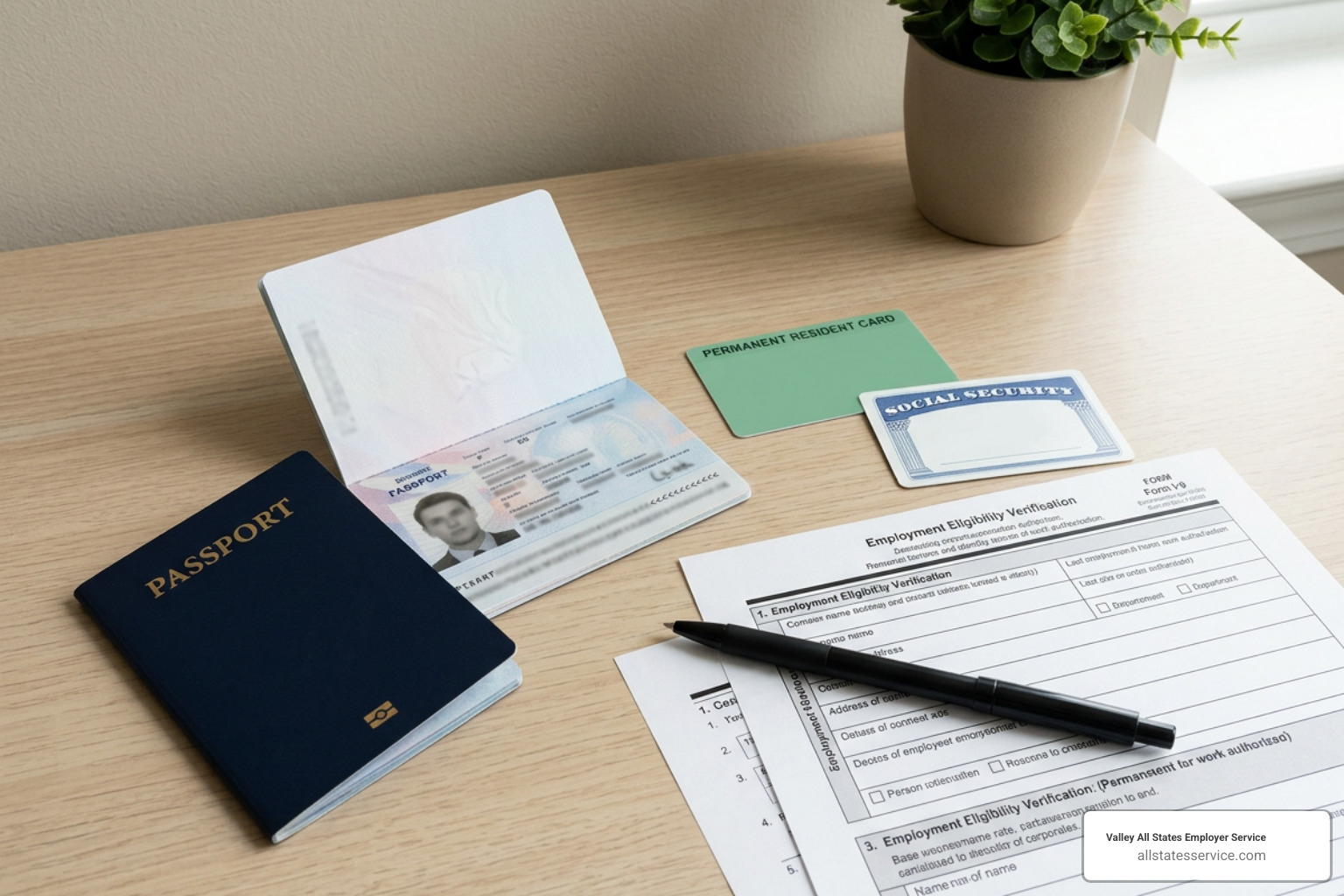
To help you visualize this, here is an image representing the verification process:
Employers must never specify which documents an employee must present. Doing so is a violation of federal anti-discrimination laws. The choice is entirely up to the employee, as long as the documents they choose appear on the official lists and are unexpired.
| List A (Identity & Authorization) | List B (Identity Only) | List C (Authorization Only) |
|---|---|---|
| U.S. Passport or Passport Card | Driver’s license issued by a State or outlying possession | U.S. Social Security Account Number card |
| Permanent Resident Card (Form I-551) | ID card issued by a State or local government | Consular Report of Birth Abroad (Form FS-240) |
| Employment Authorization Document (Form I-766) | School ID card with a photograph | Original or certified copy of a birth certificate |
| Foreign passport with a temporary I-551 stamp | Voter’s registration card | Native American tribal document |
To ensure you are using the most up-to-date document lists, you can Access the official Form I-9 document directly.
There are also specific “receipt rules” to keep in mind. If an employee’s document has been lost, stolen, or damaged, they may present a receipt showing they have applied for a replacement. This receipt is temporarily acceptable in place of the original document, but the employee must present the actual replacement document within 90 days. For more tips on document handling, you can Learn how to complete your employment authorization form like a pro to avoid common mistakes.
Remote Verification, E-Verify, and Handling Mismatches
The modern workplace is more flexible than ever, and the physical examination of documents has evolved. Under rules introduced alongside the revised Form I-9, employers who are enrolled in E-Verify can use an alternative procedure to remotely examine their employees’ documents.

To use this remote alternative procedure, E-Verify employers must follow a strict set of steps:
- The employee must transmit clear, double-sided copies of their documents to the employer.
- The employer must conduct a live video interaction with the employee while reviewing the documents.
- The employer must compare the document copies with the live video to ensure they appear genuine and relate to the employee.
- The employer must check the designated box on Form I-9 to indicate that they used the alternative remote verification procedure.
- The employer must retain clear copies of all documents reviewed during the process.
If you are not enrolled in E-Verify, you must perform a physical, in-person examination of the documents. During the COVID-19 pandemic, the government allowed temporary flexibilities for remote document review. However, those flexibilities ended, and employers who were not enrolled in E-Verify had to complete in-person physical examinations for those employees. To learn more about setting up compliant onboarding workflows for remote and hybrid teams, you can Explore our guide on new hire paperwork I-9.
When you submit an employee’s information through E-Verify, the system compares the details on the Form I-9 with records held by the Social Security Administration and the Department of Homeland Security. Most of the time, the system confirms employment eligibility within seconds.
Sometimes, however, the system returns a Tentative Non-Confirmation, which is commonly known as a TNC. A TNC means there is a mismatch between the information entered and the government databases. It is important to remember that a TNC does not mean the employee is unauthorized to work. Employers must follow a specific process to allow the employee to resolve the mismatch, and they cannot take any adverse action against the employee while the case is being resolved.
Managing Compliance: Supplement B, Retention, and Penalties
Completing the initial employment paperwork i 9 is only the beginning of your compliance journey. You must also manage updates, handle rehires, and store your records securely.
When an employee’s temporary work authorization is about to expire, you must perform a reverification. This is done using Supplement B, Reverification and Rehire. You do not need to perform reverification for U.S. citizens, noncitizen nationals, or lawful permanent residents who originally presented a Permanent Resident Card.
Supplement B is also used when you rehire an employee within three years of the date their original Form I-9 was completed. In this situation, you can review the original form to see if they are still authorized to work. If they are, you can simply complete Supplement B instead of filling out a brand-new form. You can also use Supplement B to record legal name changes for current employees.
When it comes to keeping your records, the government has strict rules for how long you must retain completed Form I-9 records. You must keep the form for either:
- Three years after the employee’s first day of work, or
- One year after the date their employment ends, whichever date is later.
Failing to comply with these rules can result in severe penalties. During an audit by Immigration and Customs Enforcement, even simple paperwork errors can lead to civil fines ranging from hundreds to thousands of dollars per form. Knowing how to store and manage these files properly is the best way to protect your business.
Frequently Asked Questions about Employment Paperwork I-9
Navigating federal compliance can lead to many questions. Here are some of the most common questions employers and HR professionals ask about managing their employment paperwork i 9.
Can employees choose which documents to present for verification?
Yes, employees have the absolute right to choose which acceptable documents they want to present. As long as the documents are on the official Lists of Acceptable Documents and are unexpired, you must accept them.
You cannot request specific documents, such as a U.S. passport or a Social Security card, nor can you refuse to accept a document because it has a future expiration date. Demanding specific documents or refusing valid ones can expose your business to costly citizenship status discrimination claims.
What should an employer do if an employee receives a Tentative Non-Confirmation (TNC)?
If E-Verify returns a TNC, you must notify the employee immediately by providing them with the official Further Action Notice. The employee must decide whether they want to contest the mismatch.
If they choose to contest it, you must refer the case to the appropriate agency through E-Verify. The employee then has eight federal government working days to contact the agency to resolve the issue. During this time, you must allow them to continue working, and you cannot cut their hours, delay their training, or take any other negative actions against them.
How long must completed Form I-9 records be retained?
You must retain a completed Form I-9 for as long as the employee works for your company. Once their employment ends, you must keep the form for either three years from their original hire date or one year from their termination date, whichever is later.
We recommend storing these forms in a secure location separate from general personnel files, so they are easily accessible in the event of a government audit.
Conclusion
Managing employment paperwork i 9 and keeping up with changing federal rules can be a heavy administrative burden for your HR team. Fortunately, you do not have to handle it alone.
At Valley All States Employer Service, we provide expert, impartial, and efficient outsourced E-Verify workforce eligibility verification services. We help employers across Maryland and the wider United States stay compliant, minimize errors, and streamline their onboarding workflows. By letting our team of experts handle your verification processes, you can focus on growing your business with complete peace of mind.
Ready to make your compliance simple and stress-free? Simplify your compliance with our comprehensive I-9 services today.