
I-9 form verification Lutherville: Essential 2025 Guide
Why I-9 Form Verification Matters for Lutherville Employers
I-9 form verification Lutherville employers need is available through local resources and expert services that ensure full compliance with federal employment eligibility laws. Whether you’re hiring your first employee or your hundredth, understanding where to get help is crucial for your business.
Quick Answer: Where to Get I-9 Verification in Lutherville:
- Baltimore County Office of Human Resources (Towson, MD) – Offers I-9 verification services for county employees.
- Valley All States Employer Service – Professional I-9 and E-Verify compliance services for businesses across Maryland, including Lutherville.
- Authorized Representatives – Third-party notaries and verification services available throughout Baltimore County.
Federal law requires every U.S. employer to complete Form I-9 for each new hire. This is not optional. The Immigration Reform and Control Act of 1986 mandates that you verify a new hire’s identity and employment authorization within three business days of their start date.
This can be a challenge for busy Lutherville employers. A single mistake on an I-9 form can lead to fines from hundreds to thousands of dollars per violation.
The good news is you don’t have to handle this alone. Local resources and specialized services can manage the verification process, ensuring accuracy and compliance without burdening your team.
Your Essential Guide to Form I-9 Compliance
The Form I-9, Employment Eligibility Verification, is a cornerstone of U.S. employment law. Its purpose is to ensure everyone hired in the United States is legally eligible for employment. This requirement from the Immigration Reform and Control Act of 1986 (IRCA) makes it illegal for employers to knowingly hire or employ individuals who are not authorized to work in the U.S.
As a Lutherville employer, you must verify the identity and employment authorization of all new hires. This involves correctly completing, retaining, and providing each employee’s Form I-9 for inspection when requested. Failure to comply can result in significant penalties. USCIS requires employees to present original, unexpired documents in person within three business days of their hire date. This tight deadline makes efficiency and accuracy essential.
The I-9 Process from Start to Finish
The I-9 process is a timed exchange between you and your new hire. Both parties have specific responsibilities, and missing a deadline can cause compliance issues.
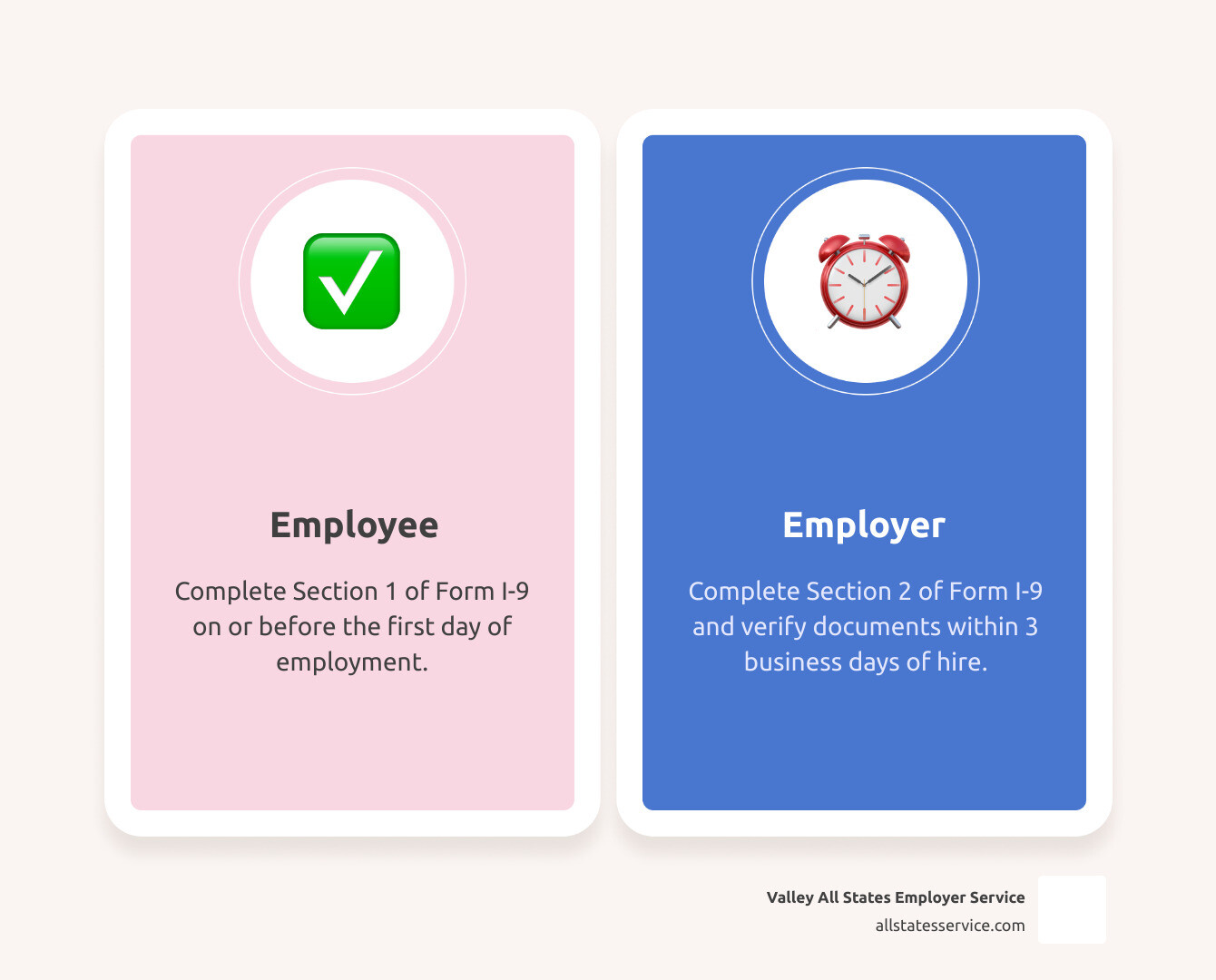
First, the new hire must complete and sign Employee Section 1 no later than their first day of work. In this section, they attest to their citizenship or immigration status. An employee cannot complete Section 1 before accepting a job offer. For more details, see our guide on What is an I-9?.
Next, you must complete Employer Section 2 within three business days of the employee’s start date. This is the non-negotiable three-day rule. During this time, you or an authorized representative must physically examine the employee’s original, unexpired documents to verify their identity and work authorization. Our article on Filling Out an I-9 Employer section provides a walkthrough.
Also, you cannot complete the Form I-9 more than 90 days before an employee’s start date, as the verification must happen close to when they begin work.
Decoding the Lists of Acceptable Documents
A key rule often surprises employers: you cannot tell an employee which documents to present. They choose from the official lists, and your job is to examine their chosen documents for validity.

List A documents establish both identity and employment authorization. A common example is a U.S. Passport. Others include a Permanent Resident Card or an Employment Authorization Document (Form I-766). One valid List A document is all that is needed.
List B and List C documents are used together. List B documents, like a Driver’s License, establish identity. List C documents, like a Social Security Card, establish employment authorization. An employee using this option must present one document from each list.
All documents must be original and unexpired. Photocopies or expired documents are not acceptable. We recommend keeping the Official USCIS List of Acceptable Documents handy and checking for updates regularly.
Section 3: Handling Rehires and Reverification
Section 3 is used to update or reverify an existing Form I-9, saving time and paperwork when used correctly.
For rehiring employees, if you rehire someone within three years of their original I-9 date and their work authorization is still valid, you can complete Section 3 instead of a new form. Our I-9 Process for Rehires guide has more details.
Reverification is required when an employee’s work authorization is about to expire. You must reverify their eligibility before the expiration date. U.S. citizens, noncitizen nationals, and lawful permanent residents never need reverification.
An employee’s legal name change is also recorded in Section 3.
You must complete a new Form I-9 if you rehire an employee more than three years after their original I-9 was completed, or if their previous work authorization has expired. Knowing when to use Section 3 versus starting a new form is key for an efficient I-9 form verification Lutherville process.
Verification for the Modern Workforce: Remote and Special Cases
The modern workplace includes many remote employees, which changes how Lutherville businesses handle I-9 compliance. The main challenge is meeting the physical document examination requirement for a new hire working in another state.

Federal law still requires a physical examination of original, unexpired documents. Simply emailing photos of documents is not compliant for the I-9 form verification Lutherville employers must perform. Fortunately, there are legitimate options. While temporary COVID-19 flexibilities have ended, new permanent procedures are available for eligible employers.
For remote employees, you have two main options. First, you can use an authorized representative to physically examine the documents on your behalf. This person completes Section 2 and sends the form to you. You are still liable for any errors they make. Our guide on Remote I-9 Compliance explains this process.
The second option is the permanent alternative verification procedure for employers enrolled in E-Verify. This method allows document examination via live video interaction. You must be enrolled in E-Verify and follow specific procedures, including retaining document copies. Learn more at USCIS I-9 Remote Verification.
Lutherville employers often hire student workers. If a student cannot provide their original, unexpired documents when required, you must delay their start date. No documents means no work.
Minors under 18 may lack standard ID. USCIS allows flexibility; if a minor cannot present a List B document, they may use a school or medical record. If no List B document is available, a parent or legal guardian can complete that portion of Section 2 for them.
For employees with disabilities, you must provide reasonable accommodations during the I-9 process. This could include assistance with the form or ensuring physical accessibility for document review.
Step-by-Step Guide for I-9 Form Verification Lutherville Remote Hires
Here is how to handle I-9 verification for a remote hire.
1. Choose your method. If you are enrolled in E-Verify, you may use the live video option. Otherwise, you must use an authorized representative.
2. Employee completes Section 1. The remote employee must complete Section 1 by their first day of work.
3. Complete Section 2 (Live Video Method). If using the E-Verify video method, the employee sends you copies of their documents. You then conduct a live video call to inspect the original documents, comparing them to the copies. After verification, you complete Section 2, note the alternative procedure was used, and retain copies. See our I-9 Verification Process for Remote Employees guide for more.
4. Complete Section 2 (Authorized Representative). The employee meets with your chosen representative, who physically inspects the documents, completes Section 2, and sends the form to you for review and filing.
5. Review and file. Carefully review the completed form for accuracy before filing it according to federal retention rules.
The answer to Can I-9 Verification Be Done Remotely? is yes, but you must follow specific procedures. Partnering with a service like Valley All States can simplify remote verification for Lutherville employers. We handle the compliance details, freeing up your team to focus on onboarding.
Navigating I-9 Form Verification Lutherville: Local Resources and Services
Finding reliable support for I-9 form verification Lutherville businesses need is important. While many handle it internally, expert help can prevent compliance headaches, especially with complex or remote hires.
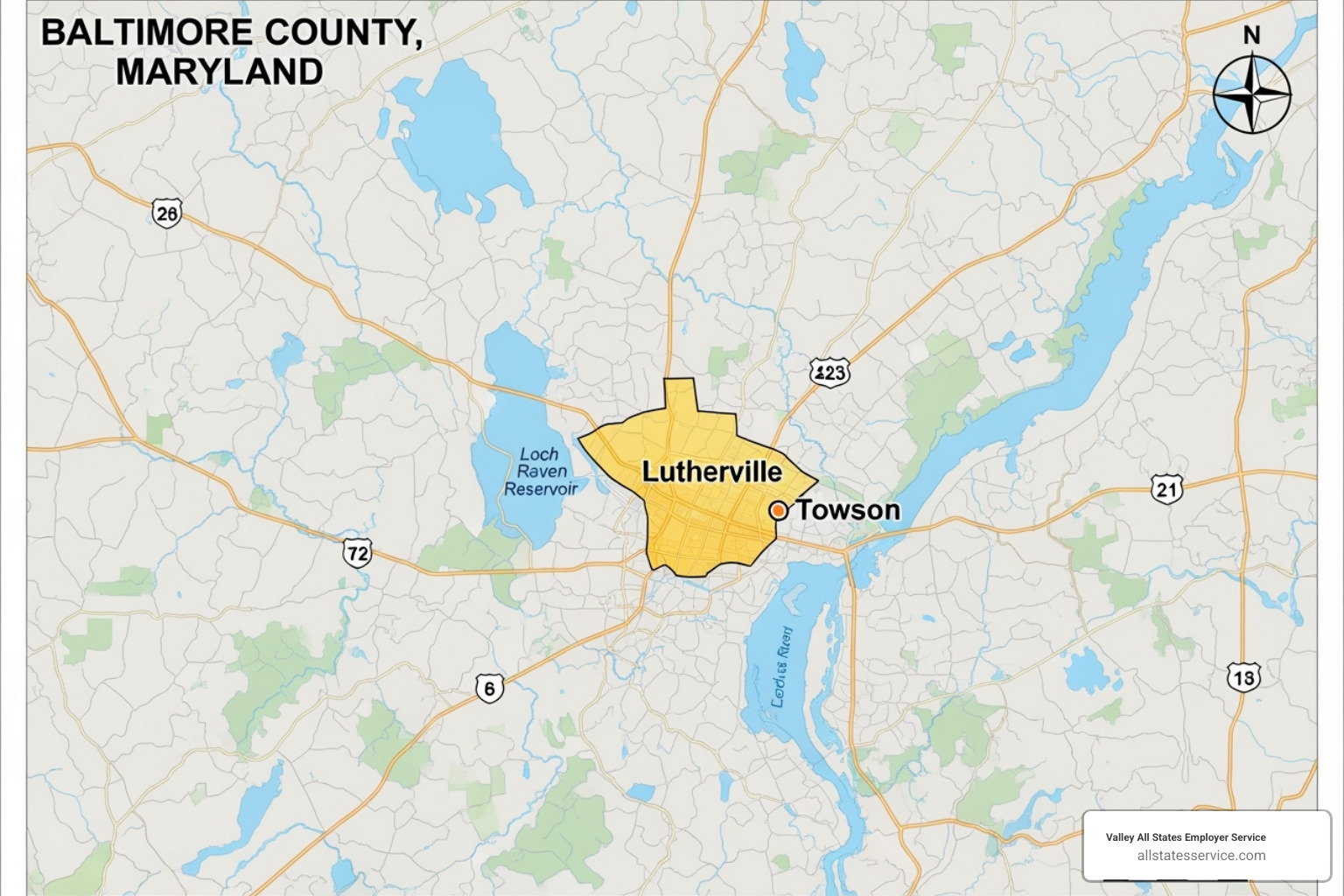
In Baltimore County, you have several options. The Baltimore County Office of Human Resources in Towson handles I-9 verification for county government applicants as part of its hiring process.
For remote hires, local notaries in Lutherville and Baltimore County can act as authorized representatives. They physically examine documents and complete Section 2, offering a practical solution for remote verification.
Specialized compliance services like Valley All States Employer Service focus exclusively on I-9 and E-Verify. We remove the administrative burden and ensure accuracy, acting as an extension of your HR team to keep you audit-ready.
Local Compliance Checklist for I-9 Form Verification Lutherville
Creating a solid compliance foundation starts with a clear plan.
– Establish a standardized process. Create a clear, written process for every new hire, whether local or remote. Consistency is key for audit protection.
– Train your staff. Anyone handling I-9 forms must understand the rules to avoid costly fines. Regular training is essential. Our I-9 Compliance Training program can help your team stay current.
– Conduct internal audits. Regularly reviewing your I-9 forms helps catch errors early, preventing expensive problems. Our Internal I-9 Audit Complete Guide shows you how to spot and fix common mistakes.
– Use the correct form version. USCIS periodically updates Form I-9. Using an outdated version is an easily avoidable violation. Always check the USCIS website for the latest form.
– Keep proper records. Store completed I-9 forms securely and separately from personnel files for the required retention period. This protects privacy and simplifies audits.
– Stay informed. Employment laws change. Subscribe to USCIS updates or partner with experts to stay current on compliance requirements.
A solid compliance program is the foundation that protects your Lutherville business.
Beyond the Form: E-Verify, Penalties, and Record-Keeping
Correctly completing Form I-9 is just the first step. Compliance also involves understanding E-Verify, proper record-keeping, and the penalties for errors.
Understanding E-Verify and Its Role
E-Verify is an internet-based system from the Department of Homeland Security (DHS) and the Social Security Administration (SSA) that works with Form I-9. It electronically checks employee information against federal databases to confirm employment eligibility.
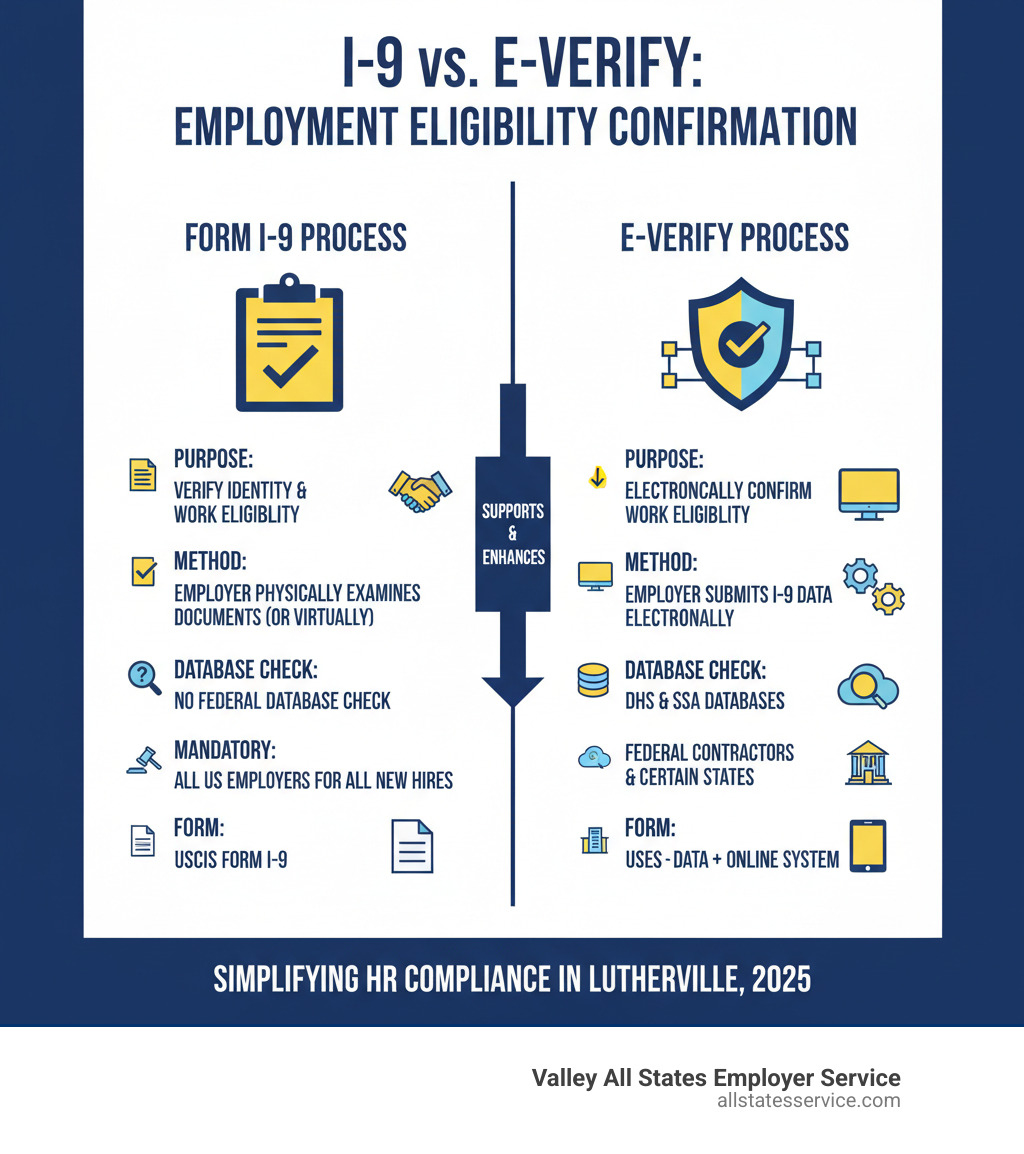
After completing Form I-9, you enter the employee’s data into E-Verify. The system returns either “Employment Authorized” or a “Tentative Nonconfirmation” (TNC). A TNC indicates a data mismatch that the employee has the right to resolve with the appropriate government agency.
E-Verify is mandatory for many federal contractors and in some states. While not required for all private employers in Maryland, certain state contractors must use it. Our Maryland E-Verify guide provides state-specific details.
E-Verify complements, but does not replace, Form I-9. Using it correctly with proper I-9 form verification Lutherville practices offers strong protection. Our I-9 E-Verify Compliance Guide explains how the two work together. For a deeper look, check out What is E-Verify?.
Penalties and Proper Record Retention
Non-compliance with I-9 rules can lead to serious consequences, including financial and criminal penalties.
Civil fines are common for paperwork errors. U.S. Immigration and Customs Enforcement (ICE) can issue fines from hundreds to thousands of dollars for each violation. These penalties can add up quickly across your workforce.
Criminal penalties apply to serious violations like knowingly hiring unauthorized workers. This can lead to fines, imprisonment, and debarment from government contracts. An ICE audit can also disrupt your business and damage its reputation. Learn more about the risks on our page about I-9 Compliance Penalties.
Proper record retention is mandatory. You must keep each Form I-9 for three years after the hire date OR one year after employment ends, whichever is later. Store I-9s separately from personnel files to protect privacy and simplify audits. Our I-9 Record Keeping resource explains how to set up a compliant system.
Federal law prohibits discrimination during the I-9 process based on citizenship or national origin. You cannot demand specific documents, reject valid-looking documents, or treat employees differently based on their status. The Immigrant and Employee Rights Section (IER) enforces these rules. Consistent, documented procedures are essential for both compliance and building a respectful workplace culture.
Simplify Your I-9 and E-Verify Compliance
Navigating the I-9 form verification Lutherville businesses face can be overwhelming. The goal is to stay compliant, avoid fines, and focus on your business, but the demands on your HR team are significant.
Valley All States Employer Service specializes in outsourced E-Verify workforce eligibility verification. Our expert and efficient processing minimizes errors and reduces the administrative burden, giving you peace of mind.
As an approved E-Verify Employer Agent by the U.S. Citizenship and Immigration Service, we are your dedicated compliance partner. We are authorized to E-Verify your workforce on your behalf, handling the entire process and ensuring compliance with all federal rules.
Our services are designed to be more economical than managing the process internally, saving you time and resources. We offer a ‘FREE Set Up for a limited time’ (normally a one-time $50.00 fee) and our service fee is just $12.00 for each I-9 form we E-Verify.
Ready to ensure your Lutherville business is fully compliant? Explore our expert I-9 Verification Assistance. Let us handle the details of employment eligibility verification so you can focus on your business. Contact us today to learn more about our E-Verify Employer Agent Service and how we can simplify your compliance journey.