
The New Era of Remote Onboarding
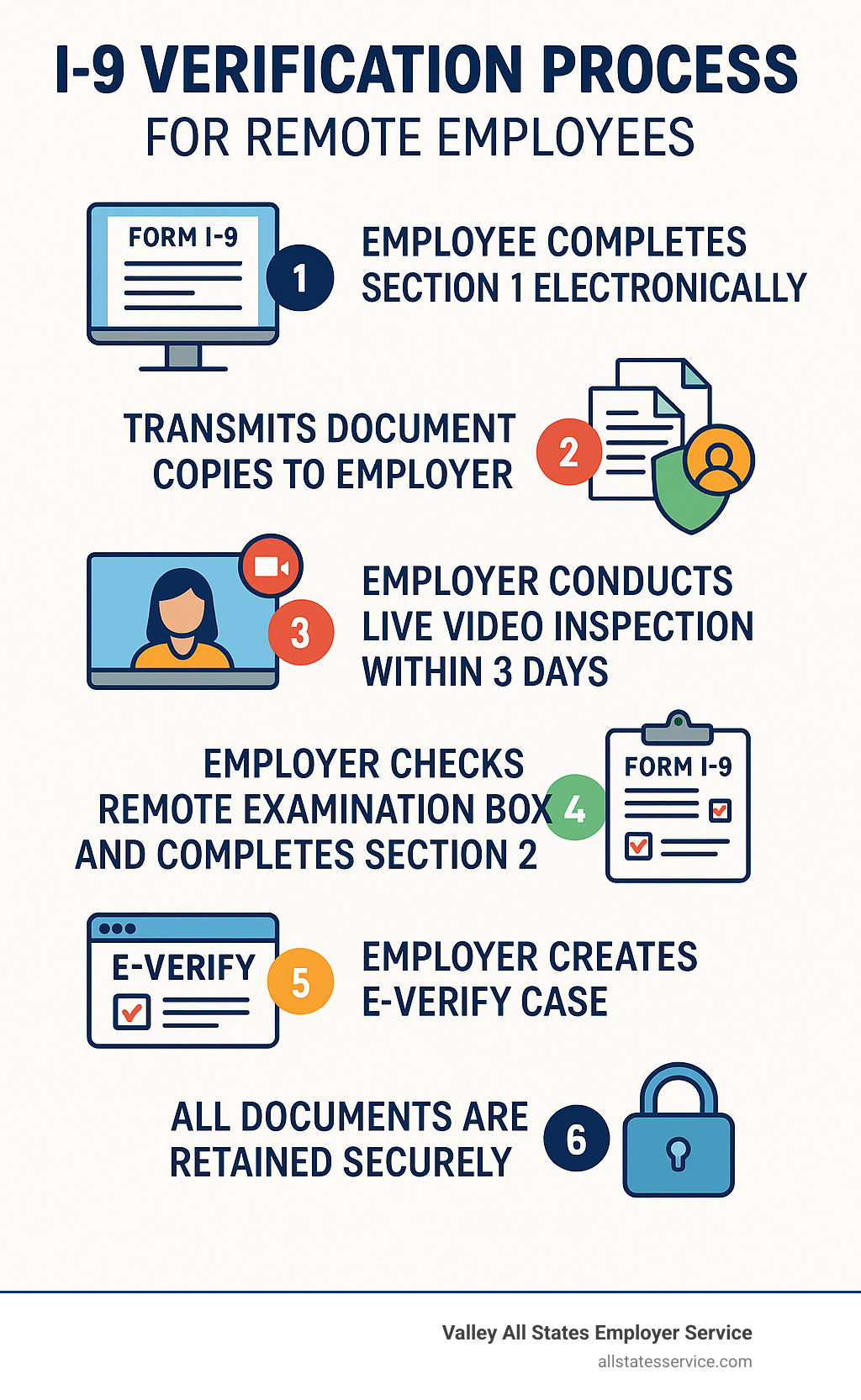
The i-9 verification process for remote employees has shifted from a temporary workaround to a permanent, streamlined option that fits how you hire today. Here is what matters most:
Quick Answer for Remote I-9 Verification:
- Who Can Use It: Employers enrolled in E-Verify in good standing
- Method: Live video interaction to examine employee documents
- Requirements: Clear document copies + video call within 3 business days
- Form: New Form I-9 (08/01/23) with remote examination checkbox
- Follow-up: Create E-Verify case after document inspection
Remote and hybrid work are here to stay, and the old in-person inspection rule could not keep up. The temporary flexibility ended on July 31, 2023, and USCIS immediately released a revised Form I-9 on August 1, 2023. The new one-page form includes a checkbox for remote examination, which confirms virtual verification as a formal, ongoing option.
For HR, this change removes major onboarding friction. No more arranging local representatives or delaying start dates for out-of-state hires. A video call, clear document copies, and a checkbox now complete the process.
Understanding Form I-9 and the Shift to Remote Verification
Think of Form I-9 as your business’s legal shield. The Employment Eligibility Verification form isn’t just paperwork, it’s what keeps you compliant with federal law. Every person you hire in the United States must complete this form, thanks to the Immigration Reform and Control Act of 1986.
For nearly four decades, the rules were crystal clear: you had to physically examine documents in person. Imagine you find the perfect candidate, but they live three states away. Under the old system, someone from your company would need to fly out just to examine their driver’s license and Social Security card. Or you’d scramble to find a trustworthy local representative who understood the complex requirements.
Many HR managers know this frustration all too well. The traditional in-person requirements created bottlenecks that slowed down hiring and added unnecessary costs to onboarding.
Then 2020 changed everything. When COVID-19 hit, the Department of Homeland Security quickly realized that forcing in-person meetings wasn’t just impractical, it was dangerous. The DHS flexibility announcement allowed employers to inspect documents through video calls, fax, or email for the first time in decades.
What started as an emergency measure revealed something important: remote verification actually worked better for many businesses. The temporary policy officially ended on July 31, 2023, but instead of going backward, DHS and USCIS created something even better.
They introduced a permanent, streamlined i-9 verification process for remote employees that acknowledges how modern workplaces actually operate. With hybrid and remote work becoming the norm rather than the exception, this change makes perfect sense. For comprehensive guidance on navigating these requirements, explore our Workforce Eligibility Verification resources.
What is E-Verify and How Does It Support Remote I-9 Verification?
E-Verify acts like a digital detective for employment verification. This internet-based system, run jointly by DHS and the Social Security Administration, cross-references the information on your employee’s Form I-9 against official government databases. Within seconds, you’ll know if the details match up.
Here’s where it gets interesting for remote hiring: E-Verify enrollment is your ticket to using remote verification. Only employers who are enrolled in E-Verify and maintain “good standing” can use the new DHS-authorized alternative procedure.
Good standing means more than just signing up. Your business needs to be enrolled for all hiring locations where you plan to use remote verification. You’ll need to complete the required tutorial covering fraud detection and anti-discrimination practices. Most importantly, you must consistently use E-Verify for every new hire, not just the remote ones.
The system creates a powerful partnership between traditional I-9 completion and modern database verification. When you complete the i-9 verification process for remote employees, you’ll still create an E-Verify case after your video document inspection. This dual-layer approach actually strengthens your compliance compared to the old paper-only system.
Ready to get started? Check out our detailed guide on E-Verify and I-9 compliance or learn How to enroll in E-Verify directly through the official portal.
Key Changes to the Form I-9
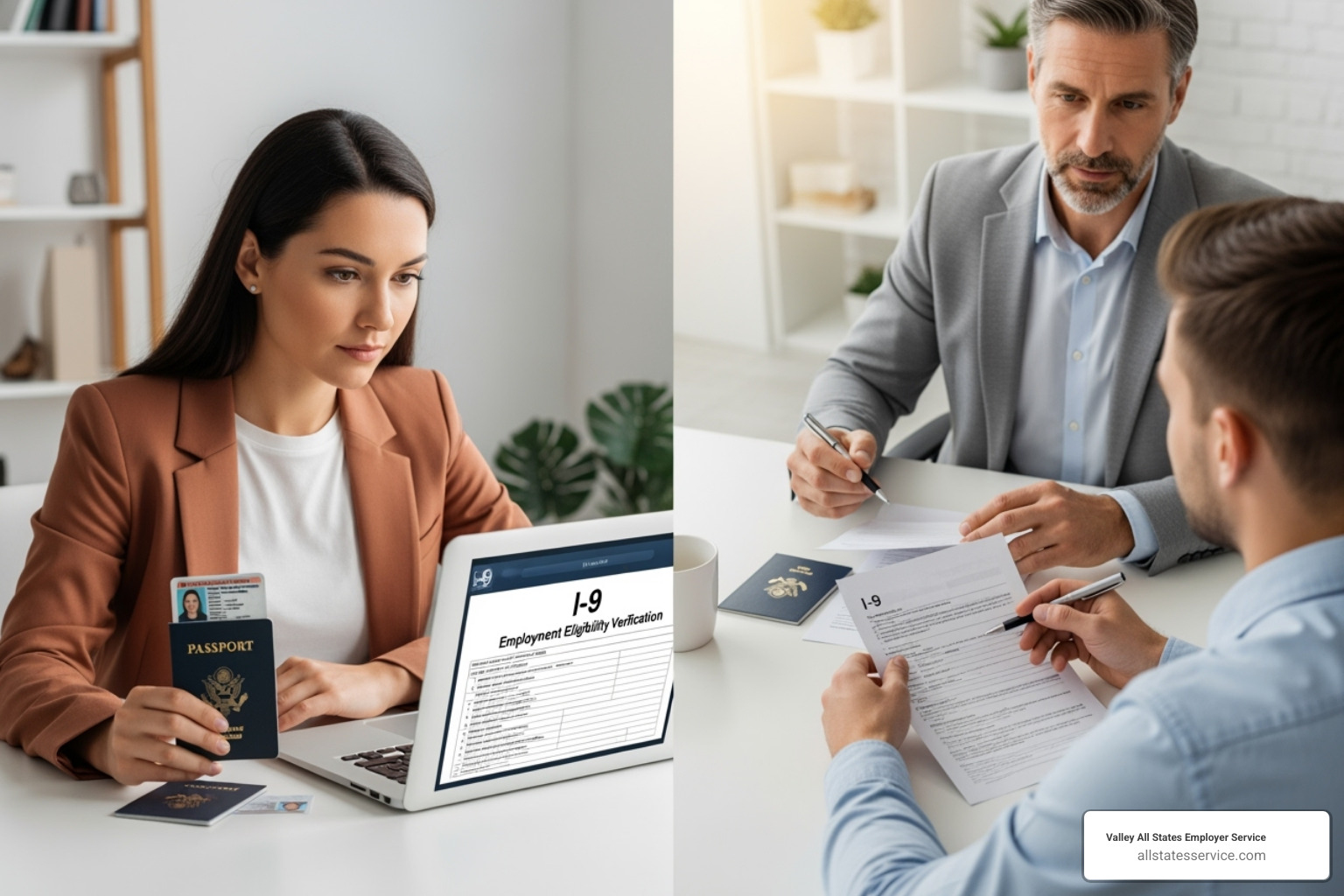
The new Form I-9, released on August 1, 2023, feels like getting an upgrade from a flip phone to a smartphone. USCIS didn’t just update the form, they completely reimagined it for the digital age.
The most obvious change? Everything important now fits on one single page. The old multi-page format that often confused new hires has been streamlined into something much more manageable. Instructions that once stretched across 15 pages now cover just 8, making the process less intimidating for everyone involved.
You’ll find Sections 1 and 2 right on the front, exactly where you need them most. The employee completes Section 1, you handle Section 2, and you’re done with the main form. The preparer and translator sections moved to a separate Supplement A, which keeps the primary form clean for typical use cases.
But here’s the game-changer: there’s now a dedicated checkbox for remote examination right in Section 2. When you conduct your video call to verify documents, you’ll check this box to indicate you used the DHS-authorized alternative procedure. This small addition formally recognizes remote verification as a legitimate, permanent option.
The form also works much better on phones and tablets. Since remote employees often complete paperwork from various devices, this mobile-friendly design removes another potential friction point from your hiring process.
Even the language got an update. You’ll notice “non-citizen” has replaced outdated terminology, reflecting more inclusive and respectful communication standards.
These thoughtful changes show that USCIS understands how businesses actually operate today. The updated form makes the i-9 verification process for remote employees feel natural rather than like a workaround. You can always download the latest version from the official USCIS Form I-9 Page.
A Step-by-Step Guide to the I-9 Verification Process for Remote Employees
Think of the remote i-9 verification process for remote employees as a virtual handshake that’s both personal and professional. You’re meeting face-to-face through a screen, examining documents together, and building that crucial foundation of trust and compliance.
The beauty of this process lies in its simplicity. You’ll conduct a live video call where you examine your new hire’s documents in real-time, just like you would in person. The key difference? You’re working with document copies and checking that special remote examination box on the new Form I-9.
The three-business-day timeline remains the same, so there’s no rushing or scrambling. Your new employee completes their part, sends you clear document copies, and then you both hop on a video call to wrap things up. It’s that straightforward.
For companies looking to streamline this entire process, our Automated Eligibility Verification System can handle the heavy lifting, from document collection to E-Verify case creation.
The Employee’s Role in the I-9 Verification Process for Remote Employees
Your new remote employee has a pretty straightforward job in this process, though getting the details right matters for smooth sailing.
Completing Section 1 happens first, just like always. They’ll fill out their personal information, address, date of birth, and Social Security Number on or before their first day. The citizenship status attestation is crucial here, and if they’re a non-citizen authorized to work, they’ll need their USCIS A-Number or Form I-94 Admission Number handy. No back-dating allowed when they sign and date this section.
Document selection is where things get interesting for remote work. Your employee needs to choose from the acceptable documents list, and they should pick documents they can photograph or scan clearly. A U.S. Passport works beautifully for remote verification since it’s a single document that covers everything. A Driver’s License paired with a Social Security Card is another popular combo that photographs well.
Other solid choices include a Permanent Resident Card, which scans clearly, or an Employment Authorization Document for those authorized to work temporarily. School ID cards and voter registration cards are acceptable for identity, though they require pairing with employment authorization documents.
Creating and transmitting clear copies is where many remote employees need a little guidance. They’ll scan or photograph both sides of each document, making sure every detail is readable. These copies go to you through whatever secure method your company uses, whether that’s email, a document portal, or secure file sharing.
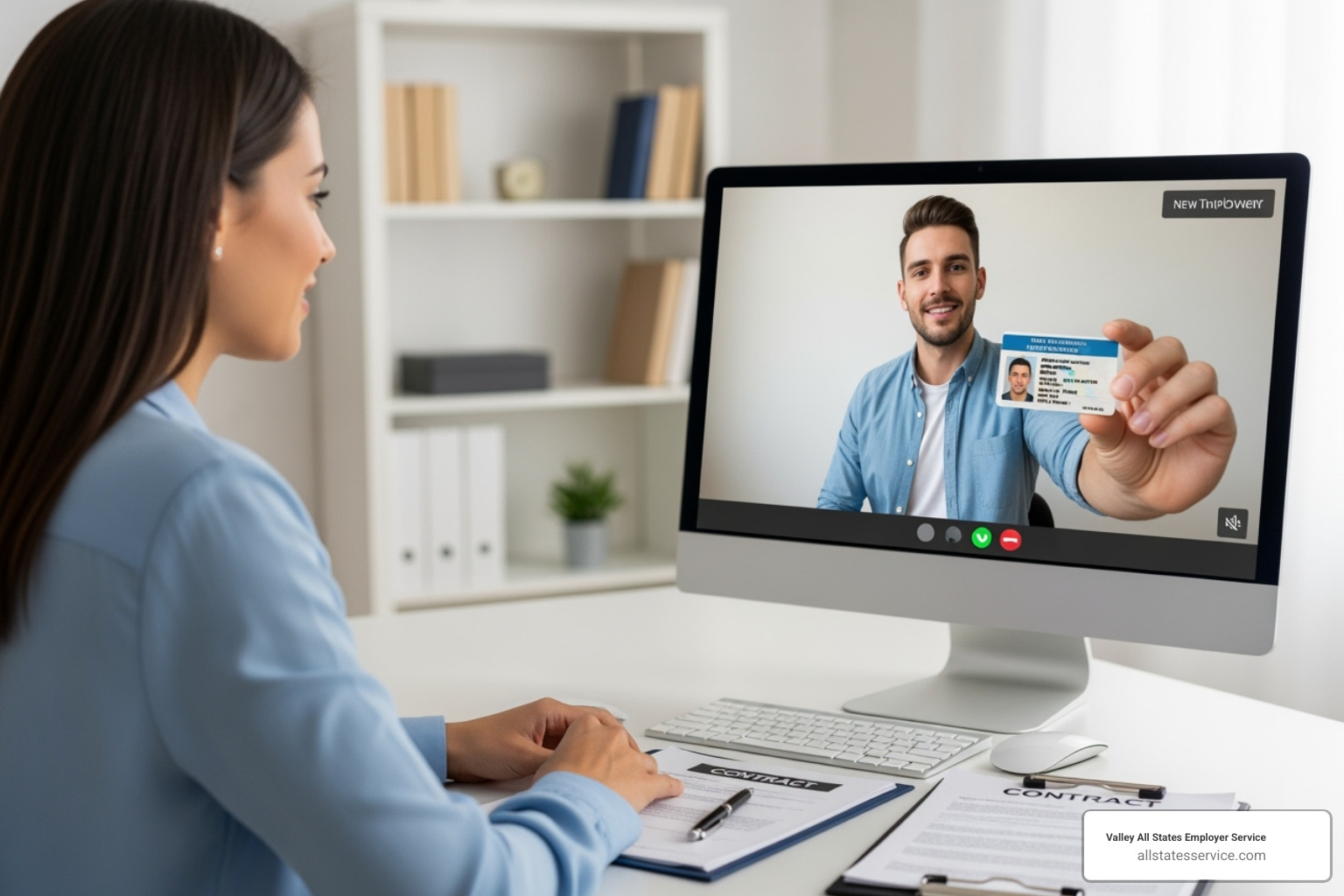
The golden rule? They must have those original documents in hand during your video call. That’s how you’ll verify the copies match the real deal.
The Employer’s Role in the I-9 Verification Process for Remote Employees
As the employer, you’re orchestrating this entire remote verification dance, and honestly, it’s more neat than you might expect.
Setting up the live video call starts the process. Any video platform that allows clear, real-time interaction works perfectly. Zoom, Teams, Google Meet, whatever your team already uses. The key is making sure both you and your employee can see each other clearly and that they can hold up their documents to the camera.
During the video examination, you’re doing detective work with a friendly face. Your employee holds up their original documents while you compare them to the copies you received earlier. You’re checking that the documents look genuine, that the photos match the person on screen, and that all the details align between the copies and originals.
This is your moment to catch any red flags. Does the person on the video match the photo on their ID? Do the document details match what they wrote in Section 1? Are there any obvious signs of tampering or alteration? Trust your instincts here.
Completing Section 2 happens after your successful video examination. You’ll record all the document information, including titles, issuing authorities, document numbers, and expiration dates. Then comes the important part: checking that remote examination box in the Additional Information field. This checkbox is your official declaration that you followed the DHS-authorized alternative procedure.
Your signature on Section 2 carries weight. You’re certifying that you examined the documents, they appear genuine and relate to your employee, and that person is authorized to work in the United States.
Document retention means keeping those clear, legible copies with your completed Form I-9. Both sides of each document need to be stored securely, and they’ll live with your employee’s file for the required retention period.
Creating your E-Verify case wraps up the process. Since only E-Verify employers can use this remote procedure, you’ll input the I-9 information into the system to get that final electronic verification against government databases.
The whole process typically takes 15-20 minutes of actual video time, plus a few minutes to complete the paperwork. Not bad for ensuring full compliance while welcoming your new team member from wherever they happen to be.
Navigating Compliance and Common Challenges
The i-9 verification process for remote employees has simplified remote hiring dramatically, but like any compliance process, it comes with its own set of challenges. The good news? Most of these problems are easily manageable once you know what to watch for.
Document fraud awareness remains one of the biggest concerns for HR teams managing remote verification. While the live video interaction adds a valuable layer of security, sophisticated fake documents can still slip through if you’re not careful. The key is training your team to spot red flags, even through a computer screen. Look for documents that seem too perfect, have inconsistent fonts, or show signs of tampering around photo areas.
This is where E-Verify becomes your secret weapon. The system’s photo matching feature can catch discrepancies that even trained eyes might miss during a video call. It’s like having a compliance expert double-checking your work automatically.
Technical issues during video calls can turn what should be a smooth process into a frustrating experience for everyone involved. Poor internet connections, grainy video quality, or that dreaded “can you hear me now?” moment can make it impossible to properly examine documents. We’ve seen it all, from employees holding documents upside down to cats walking across keyboards mid-verification.
Here’s how to set yourself up for success: encourage employees to test their video setup beforehand, ensure they have good lighting (a simple desk lamp works wonders), and always have a backup plan. If the call quality is too poor to clearly see document details, don’t hesitate to reschedule. It’s better to delay by a day than risk a compliance violation.
The three-day deadline can also create pressure, especially when technical hiccups arise. This timeline starts from the employee’s first day of work, so plan accordingly. Building in buffer time for potential issues shows you’re thinking ahead.
Navigating these compliance details doesn’t have to feel like walking a tightrope blindfolded. Our HR Compliance Assistance service exists precisely because we understand these challenges. We help businesses stay ahead of potential issues, minimize errors, and keep their remote onboarding process both efficient and fully compliant.
What If Your Business Is Not Enrolled in E-Verify?
Here’s the reality check: if your business isn’t enrolled in E-Verify, you cannot use the new streamlined remote i-9 verification process for remote employees. The DHS-authorized alternative procedure is exclusively reserved for E-Verify employers in good standing. It’s like having a VIP pass, but you need to be on the list first.
So what are your options if E-Verify isn’t part of your current setup? You’ll need to stick with traditional methods that require physical document inspection, but you do have some flexibility in how you make that happen.
In-person inspection by your own team works if your remote employee lives reasonably close to one of your company locations. An authorized representative from your HR team or management can meet with the employee face-to-face to examine their documents. It’s straightforward, but geography often makes this impractical.
Using a third-party authorized representative is typically the go-to solution for non-E-Verify employers with remote staff. Here’s where it gets interesting: you can designate virtually anyone to act as your authorized representative. That could be a supervisor from another branch, a notary public, a family member, or even a trusted neighbor. The federal guidelines are surprisingly flexible.
However, your company policy should probably be more selective than federal law allows. Many businesses prefer using professional notaries or other business contacts rather than personal connections, simply to maintain clear boundaries and reduce potential conflicts of interest.
Here’s the critical part that catches many employers off guard: you remain completely responsible for any errors your authorized representative makes. If they mess up Section 2, miss a document detail, or fail to properly verify something, that compliance violation lands squarely on your company’s shoulders. It doesn’t matter if they’re a certified notary or your employee’s best friend since college.
This responsibility makes clear instructions and careful vetting of your chosen representative absolutely essential. When working with notaries, remember their role as your I-9 representative is separate from their notarial duties. They don’t need to apply their seal unless they’re also notarizing their own signature.
For businesses not ready to join E-Verify, conducting an I-9 Self-Audit becomes even more valuable. It helps identify potential issues before they turn into expensive penalties, especially when you’re relying on third parties for compliance.
Document Retention and Reverification for Remote Staff
Once your remote I-9 verification is complete, whether through the new video process or via an authorized representative, proper document storage and future reverification become your next compliance priorities. Think of this as the “filing cabinet” phase, but with some important twists for remote employees.
Document retention for remote verifications requires extra attention to detail. You must keep clear, legible copies of every document the employee presented during their verification. These copies should be stored securely alongside the employee’s completed Form I-9, creating a complete verification package.
The retention timeline follows the same rules regardless of verification method: keep everything for three years after the hire date or one year after employment ends, whichever comes later. This isn’t a suggestion, it’s a legal requirement that gets checked during government audits.
Secure storage becomes more complex when dealing with digital copies from remote verifications. Whether you use paper filing systems or electronic storage, these documents contain sensitive personal information that needs protection. If you’re going digital, make sure your system meets DHS standards for electronic storage and retention. Those fillable PDFs that seem so convenient? They often don’t meet compliance standards for electronic systems without additional security measures.
Remote reverification gets much easier with the new Form I-9 structure. When an employee’s work authorization expires (like a temporary work permit running out) or when you rehire someone, E-Verify employers can use the same live video process for reverification that they used for initial verification.
The process moves to Supplement B on the new form, which includes its own checkbox for indicating remote verification was used. You’ll examine their updated employment authorization documents via video call, complete the supplement, and retain copies of the new documents.
One important note: don’t create a new E-Verify case for reverification. E-Verify is designed for initial new hires, not for ongoing employment authorization updates.
Missing these retention and reverification requirements can result in significant penalties during government audits. The documentation you maintain today becomes your protection tomorrow. To understand the full scope of what’s at stake, review our comprehensive guide on I-9 Compliance Penalties.
Frequently Asked Questions about the I-9 Verification Process for Remote Employees
When you’re diving into the remote i-9 verification process for remote employees, questions naturally come up. We’ve been helping businesses steer these waters for years, and here are the most common concerns we hear from employers like you:
Can I require an employee to use the remote verification process?
Here’s the short answer: yes, but with some important guardrails. If you’re an E-Verify employer in good standing and you’ve decided to use the DHS-authorized alternative procedure, you can generally require your remote employees to go through this process.
The key word here is “consistently.” You can’t pick and choose which employees get the remote treatment based on personal preferences or assumptions. If you offer the alternative procedure, you need to apply it uniformly. Maybe that means all employees at a specific hiring site use remote verification, or perhaps all your remote hires go through video calls while your onsite employees get the traditional in-person review.
What you absolutely cannot do is apply the process in a way that discriminates against certain groups of people. That’s a compliance nightmare waiting to happen.
One thing to keep in mind: even if you prefer the remote route, employees can still request an in-person review if that’s what they’re more comfortable with. Being flexible here often leads to a better employee experience overall.
What happens if there is a technology failure during the live video inspection?
We’ve all been there. You’re in the middle of an important video call, and suddenly your internet decides to take a coffee break. When this happens during your i-9 verification process for remote employees, don’t panic, but don’t try to push through either.
If the video freezes, the audio cuts out, or you simply can’t see the documents clearly, stop the verification process. It’s not worth the compliance risk to squint at a blurry driver’s license or try to make out details through a pixelated screen.
Your best bet is to reschedule the call for when both you and the employee have stable connections and proper lighting. Sometimes asking the employee to resend higher-resolution document copies before the next attempt can solve clarity issues too.
For E-Verify employers, if technology keeps failing you, you’ll need to find another way to meet that “live video interaction” standard or consider whether an in-person review becomes necessary. If you’re not enrolled in E-Verify, persistent tech issues might mean falling back on a trusted authorized representative for an old-fashioned, in-person document check.
Are there specific states with different rules for authorized representatives?
This is where things get a bit more complicated, and honestly, it’s one of the trickiest aspects of the i-9 verification process for remote employees for businesses that aren’t E-Verify enrolled.
While federal guidelines are pretty flexible about who can serve as your authorized representative, some states have their own rules that can throw a wrench in your plans. California is the classic example here. In California, a notary public typically cannot complete Section 2 of Form I-9 unless they’re also a bonded immigration consultant. This restriction exists because California regulates who can provide immigration-related services.
Other states might have similar quirks that aren’t immediately obvious. What seems like a straightforward solution, hiring a local notary to help with remote employee verification, might actually violate state law depending on where your employee is located.
This is exactly why we always recommend consulting with legal counsel or an HR compliance expert before designating authorized representatives, especially if they’re not your direct employees. The last thing you want is to think you’re following the rules perfectly, only to find you’ve been inadvertently breaking state regulations.
The good news? These state-specific complications are just one more reason why enrolling in E-Verify and using the official remote alternative procedure can simplify your life significantly.
Conclusion: Streamline Your Compliance and Accept Remote Hiring
The i-9 verification process for remote employees has genuinely transformed how smart businesses approach hiring. Gone are the days when finding great talent meant worrying about whether they lived within driving distance of your office. This isn’t just a temporary fix anymore, it’s the new reality of workforce compliance.
Think about it: your next superstar employee could be working from a coffee shop in Portland while your HR team operates from Atlanta. With the new DHS-authorized alternative procedure, that geographical gap becomes completely irrelevant. You’re no longer choosing between compliance and convenience, you get both.
The benefits speak for themselves. Your HR team spends less time coordinating complex logistics and more time on strategic initiatives. New hires experience a smoother, more professional onboarding process that doesn’t involve scrambling to find notaries or authorized representatives in unfamiliar cities. Most importantly, you can confidently expand your talent pool nationwide, knowing every step meets federal requirements.
But here’s the thing about compliance, it only works when it’s done right. Small mistakes in the i-9 verification process for remote employees can lead to significant penalties and headaches down the road. The new procedures are straightforward, but they require attention to detail and consistent execution.
That’s where we come in. At Valley All States Employer Service, we’ve helped countless businesses steer this transition smoothly. We understand that you want to focus on growing your company, not memorizing federal compliance procedures. Our team handles the intricate details of E-Verify processing, document retention, and ongoing compliance monitoring, so you can hire with confidence.
Whether you’re onboarding your first remote employee or managing a fully distributed workforce, we make sure every i-9 verification process for remote employees is handled with precision. No missed deadlines, no overlooked checkboxes, no sleepless nights wondering if you’ve crossed every compliance T.
Ready to accept the full potential of remote hiring without the compliance stress?