
Form I-9 Verification: A Step-by-Step Walkthrough for Employers
What Every Employer Needs to Know About Form I-9 Verification
Form I-9 verification is the federal process employers must follow to confirm that every new hire is legally allowed to work in the United States.
Here’s the quick version of how it works:
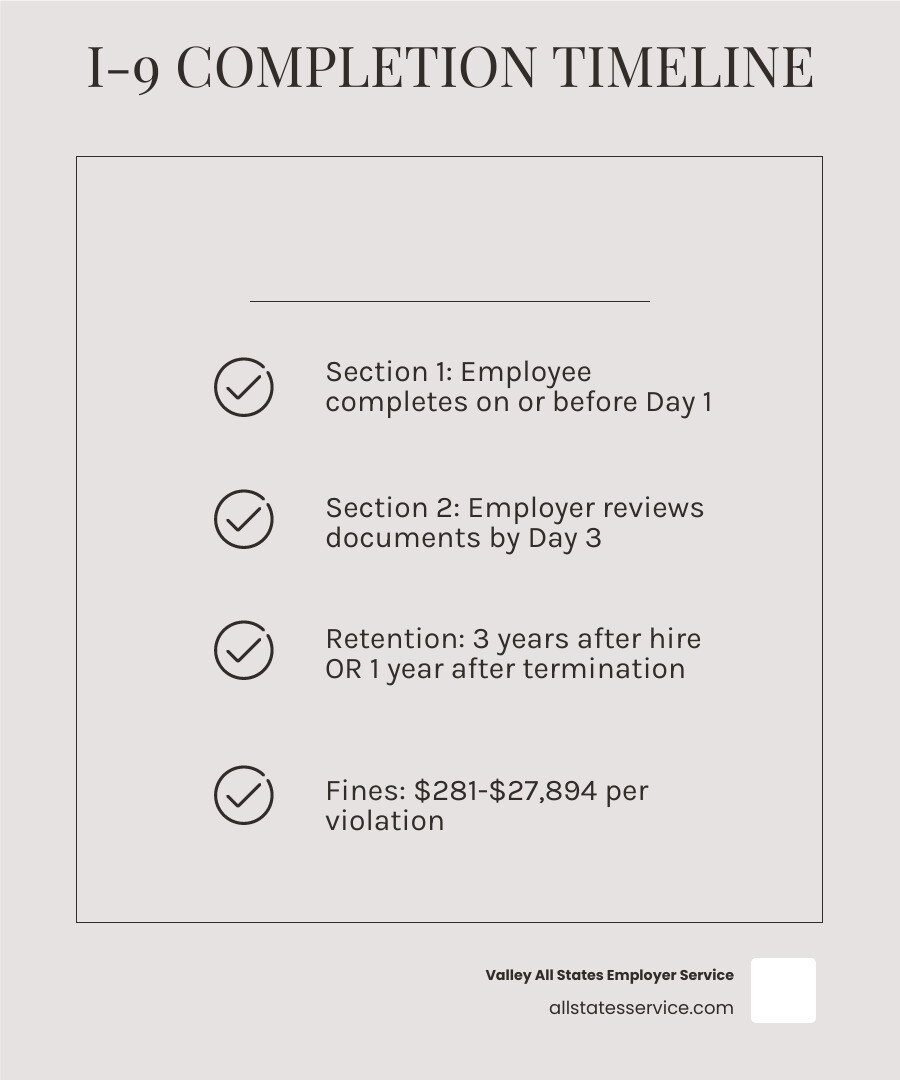
- Employee completes Section 1 on or before their first day of work
- Employer reviews identity and work authorization documents from the Lists of Acceptable Documents
- Employer completes Section 2 within three business days of the employee’s start date
- Form I-9 is stored for at least three years after hire or one year after termination, whichever is later
Every U.S. employer is required to do this for every new hire, no exceptions. The law has been in place since November 6, 1986, and is managed by U.S. Citizenship and Immigration Services (USCIS) under the Department of Homeland Security.
If you’re an HR manager juggling onboarding, benefits enrollment, and a dozen other tasks, the I-9 process can feel deceptively simple on the surface but surprisingly easy to get wrong. A missed signature, a wrong date, or an improperly reviewed document can result in civil fines ranging from $281 to $2,789 per paperwork violation. For employers who knowingly hire unauthorized workers, those fines jump to $698 to $27,894 per violation.
The stakes are real. And the rules have gotten more nuanced with recent updates, including new remote verification options introduced in 2023.
This walkthrough covers every step of the process clearly, so your team can move fast and stay compliant.
Understanding the Basics of Form I-9 Verification
At its heart, Form I-9, Employment Eligibility Verification is about two things: identity and work authorization. The federal government wants to ensure that the person sitting in your office is who they say they are and that they have the legal right to earn a paycheck in the U.S. This isn’t just a “good idea” for HR, it is a federal mandate that has been the law of the land since the Immigration Reform and Control Act of 1986.
We often get asked if this applies to everyone. The answer is a resounding yes. Whether you are hiring a U.S. citizen, a lawful permanent resident, or a noncitizen with a work permit, the form i-9 verification process must be completed. This includes every person hired for employment in the U.S. after November 6, 1986.
The process is overseen by U.S. Citizenship and Immigration Services, which is a branch of the Department of Homeland Security (DHS). While USCIS manages the forms and provides the guidance, other agencies like Immigration and Customs Enforcement (ICE) or the Department of Labor might show up at your door to inspect those records. Keeping things tidy isn’t just about being organized, it is about protecting your business from federal audits.
Step-by-Step Guide to Completing the Form
Completing the form might seem like just another piece of paperwork, but it follows a very specific rhythm. If you miss a beat, the whole process can fall out of compliance. The form is broken down into several parts, each with its own set of rules and deadlines.

To get started, we recommend that you always use the most current version of the form. USCIS released an updated I-9 form in August 2023, and as of November 1, 2023, the older versions are officially obsolete. Using an outdated form is one of the easiest ways to trigger a paperwork violation fine.
For a deep dive into the technical side of the paperwork, you can learn more about I-9 form completion to ensure your team is using the correct edition and following the latest layout.
Section 1: Completing the form i-9 verification
Section 1 is the employee’s responsibility. They must provide their full legal name, address, date of birth, and Social Security number (though the SSN is only mandatory if you participate in E-Verify). Most importantly, they must attest, under penalty of perjury, to their citizenship or immigration status.
The timing here is strict. The employee must complete Section 1 no later than the first day of employment. They can actually complete it any time after they have accepted a job offer, but they cannot be asked to do it before the offer is made.
If the employee needs help, perhaps due to a language barrier or a physical disability, a preparer or translator can assist. However, that person must complete Supplement A, Preparer and/or Translator Certification. Even with help, the employee must still personally sign the form. For more details on ensuring this part is handled correctly, check out our more info about I-9 employee verification.
Section 2: Employer Review and Attestation
Once the employee has done their part, the ball is in your court. Section 2 is where you, the employer, verify the documents. You must complete this section within three business days of the employee’s first day of work. For example, if your new hire starts on a Monday, you must have Section 2 finished by the end of the day on Thursday.
Your job in Section 2 is to physically examine the original documents the employee presents. You aren’t expected to be a forensic document expert, but you must ensure the documents “reasonably appear to be genuine” and relate to the person presenting them. You will record the document title, issuing authority, document number, and expiration date.
If you have remote employees and cannot physically meet them, you may designate an authorized representative to act on your behalf. This could be a notary public, a foreman, or even a trusted neighbor of the employee, though we usually recommend a professional service to avoid errors. You can find a more detailed guide to I-9 section 2 requirements to help navigate these nuances.
Navigating Acceptable Documents and Remote Rules
One of the biggest areas of confusion in form i-9 verification is knowing which documents to accept. Employees have the right to choose which documents they present from the “Lists of Acceptable Documents.” As an employer, you cannot tell them which ones to bring. If you tell a new hire, “I need to see your passport,” you might be committing a discriminatory act if they wanted to show a driver’s license and Social Security card instead.
| List A (Identity & Authorization) | List B (Identity Only) | List C (Authorization Only) |
|---|---|---|
| U.S. Passport or Passport Card | Driver’s license | Social Security Account Number card |
| Permanent Resident Card (Green Card) | ID card issued by state or govt | Birth Certificate (Original or certified) |
| Employment Authorization Document (EAD) | School ID with photo | Consular Report of Birth Abroad |
| Foreign passport with I-94 | Voter’s registration card | Native American tribal document |
Every document must be unexpired. If an employee brings you an expired passport, you cannot accept it for a new hire. To stay on top of these requirements, you can find more info about acceptable I-9 documents on our site.
Documents for form i-9 verification
The documents are grouped into three categories. List A documents are the “golden tickets” because they establish both identity and employment authorization all at once. If an employee provides a List A document, like a U.S. Passport or a Green Card, they are done. You don’t need anything else.
If they don’t have a List A document, they must provide one document from List B (to prove who they are) and one document from List C (to prove they are allowed to work). A common combo is a state driver’s license and an unrestricted Social Security card.
That if you participate in E-Verify, any List B document presented must contain a photograph. This is a specific requirement that differs from the standard I-9 rules. Our guide to I-9 eligibility documents provides a comprehensive breakdown of these combinations.
Remote Verification and the 2023 Updates
The world of work has changed, and the I-9 has finally caught up. In 2023, the DHS introduced an “Alternative Procedure” for document examination. This allows employers who are in good standing with E-Verify to examine documents via a live video call instead of in person.
To use this, you must:
- Be enrolled in E-Verify for the specific hiring site.
- Examine a clear copy (front and back) of the documents before the video call.
- Conduct a live video interaction with the employee while they hold the original documents.
- Check the box on the Form I-9 indicating that you used the alternative procedure.
This is a huge win for companies with a distributed workforce. However, it isn’t a free-for-all. If you aren’t using E-Verify, you still generally need to perform a physical, in-person inspection. You can read more info about remote I-9 verification to see if your business qualifies for this streamlined method.
Compliance, Retention, and Avoiding Penalties
Compliance isn’t just about filling out the form, it is about keeping it. The government doesn’t want you to mail these forms to them. Instead, you must keep them on file and be ready to produce them if an auditor knocks.
The penalties for missing forms or errors are steep. Civil fines for simple paperwork mistakes range from $281 to $2,789 per violation. If you have 50 employees and you made the same mistake on all their forms, you could be looking at a fine of over $100,000. This is why we advocate for regular internal audits. For a deeper look at what’s at stake, check out this more info about I-9 audit penalties.
Recordkeeping and Retention Rules
How long do you have to keep these forms? There is a specific “three or one” rule you need to memorize:
- Three years after the date of hire, OR
- One year after the date employment is terminated.
You must keep the form for whichever date comes later. If an employee works for you for 20 years, you’ll be keeping that form for 21 years total. If they work for you for two months, you’ll be keeping it for three years from their start date.
You can store these forms in paper, microfilm, or electronic format. The key is that they must be secure and easily accessible. If you choose electronic storage, you must have a system that ensures the integrity of the records and provides an audit trail. Our I-9 record keeping guide and our more info about I-9 storage and protection can help you set up a foolproof system.
E-Verify and Small Business Requirements
While form i-9 verification is mandatory for everyone, E-Verify is an optional (though often recommended) electronic system that compares information from the I-9 to government records. It provides an extra layer of certainty that your new hire’s documents are valid.
For some, like federal contractors or employers in certain states, E-Verify is mandatory. Even for small businesses where it is optional, it can be a lifesaver. It catches Social Security number mismatches and helps prevent the “knowingly hiring” penalties mentioned earlier.
When using E-Verify, the employee’s Social Security number becomes a required field in Section 1, and you must accept a photo ID for List B. For small business owners looking to simplify things, we have more info about small business I-9 compliance that explains how to integrate these tools without the headache.
Frequently Asked Questions about I-9s
Who qualifies as an authorized representative?
One of the most common questions we hear is, “Who can I get to sign Section 2 if I’m not there?” The law is surprisingly flexible here. An authorized representative can be almost anyone you designate to complete the form on your behalf.
However, there is a catch: you, the employer, are still 100% liable for any mistakes they make. If you ask a notary to do it, they are acting as your representative, not as a notary. This means they shouldn’t use their notary seal on the form. Because of the liability involved, provide clear instructions to whoever you choose. You can find more info about I-9 document review to help train your representatives.
How do I handle rehires or name changes?
If you rehire an employee within three years of the date their previous Form I-9 was completed, you don’t necessarily need to start from scratch. You can use Supplement B (formerly Section 3) to update their information. This is also where you record name changes or reverify employment authorization if their previous documents have expired.
Reverification is a critical step. If an employee’s work permit expires, you must reverify their authorization no later than the date it expires to continue employing them. You never need to reverify U.S. citizens or lawful permanent residents who presented a Green Card. For more on this, check out our more info about the I-9 process for rehires.
What are the anti-discrimination rules?
The Immigrant and Employee Rights Section (IER) of the Department of Justice is very serious about protecting workers from discrimination during the I-9 process. You cannot:
- Demand specific documents (e.g., “Show me your Green Card”).
- Ask for more documents than required.
- Reject valid documents because they look “foreign” or have a future expiration date.
- Treat employees differently based on their citizenship status or national origin.
Doing so can lead to lawsuits and heavy fines. The goal is to be consistent. Every employee should be treated to the same process, regardless of where they are from. Our more info about I-9 employer compliance goes into detail on how to stay on the right side of the law.
At Valley All States Employer Service, we know that staying compliant with form i-9 verification can feel like a full-time job. That is why we provide outsourced E-Verify and workforce eligibility services designed to take the weight off your shoulders. Our expert, impartial, and efficient processing minimizes errors and ensures your business is protected from administrative burdens and costly fines.
Ready to simplify your compliance? Learn more about our I-9 compliance services and let us help you build a more secure workforce.
Ready to simplify compliance? Contact our team today.