
Everify Sign Up: Seamless 3-Step Guide 2025
Why E-Verify Sign Up Matters for Your Business
E-Verify sign up is the process of enrolling your company in the federal government’s online employment eligibility verification system. Here’s what you need to know:
Quick E-Verify Enrollment Overview:
- What it is: A free, web-based system run by USCIS and SSA that verifies new hires can legally work in the U.S.
- Who needs it: Federal contractors (required), certain state-mandated employers, and voluntary participants
- Time to enroll: About 30 minutes if you have all information ready
- Must complete: In one session after clicking your activation link
- Key requirement: Must be done on a desktop computer, not mobile
What You’ll Need:
- Your company’s Employer Identification Number (EIN)
- NAICS code for your industry
- Hiring site addresses
- Contact information for your Program Administrator and Signatory
The Department of Homeland Security reports that over one million employers now use E-Verify to confirm their workforce is legally authorized. While the system was launched as voluntary, it has become mandatory for federal contractors and businesses in several states.
The E-Verify sign up process is more straightforward than many expect. You just need the right information gathered before you start and a clear understanding of each step. This guide walks you through everything from gathering your company information to submitting your Memorandum of Understanding. Whether your business is required to use E-Verify or you’re choosing to participate voluntarily, you’ll have a clear roadmap for getting enrolled correctly the first time.
First Things First: Understanding E-Verify
Before you start your everify sign up, it helps to understand exactly what you’re enrolling in.
E-Verify is an internet-based system that lets employers confirm their new hires are legally authorized to work in the United States. It connects the information on a new employee’s Form I-9 to government databases. The system is jointly run by the U.S. Citizenship and Immigration Services (USCIS) and the Department of Homeland Security (DHS), working with the Social Security Administration (SSA).
Its primary purpose is employment eligibility verification. Running a case through E-Verify ensures the person you hired has the legal right to work here. This protects your business and helps maintain a legal workforce. For a deeper dive, check our guide on What is E-Verify?
The benefits for employers are real. You get fast verification results, reduce the risk of hiring someone without work authorization, and gain confidence in meeting your legal obligations.
E-Verify isn’t mandatory for everyone, but it is required for certain employers. Federal contractors must use E-Verify for all new hires due to the Federal Acquisition Regulation (FAR) E-Verify clause. Our E-Verify Supplemental Guide for Federal Contractors details the additional requirements.
Beyond federal contracts, several states have their own E-Verify mandates. The rules vary widely, so check our E-Verify State Laws Complete Guide to see what applies to your business.
Crucially, E-Verify doesn’t replace Form I-9. They work together. You still must complete a Form I-9 for every new hire. E-Verify then takes information from that I-9 and checks it against government records. It’s an extra verification step, not a substitute. Our article on E-Verify and I-9 explains this relationship in more detail.
Understanding these basics before your E-Verify sign up will make the process smoother.
Get Ready: What You Need Before You Begin Enrollment
Because the E-Verify enrollment must be completed in a single session without the ability to save your progress, gathering everything you need beforehand is essential for a smooth process.
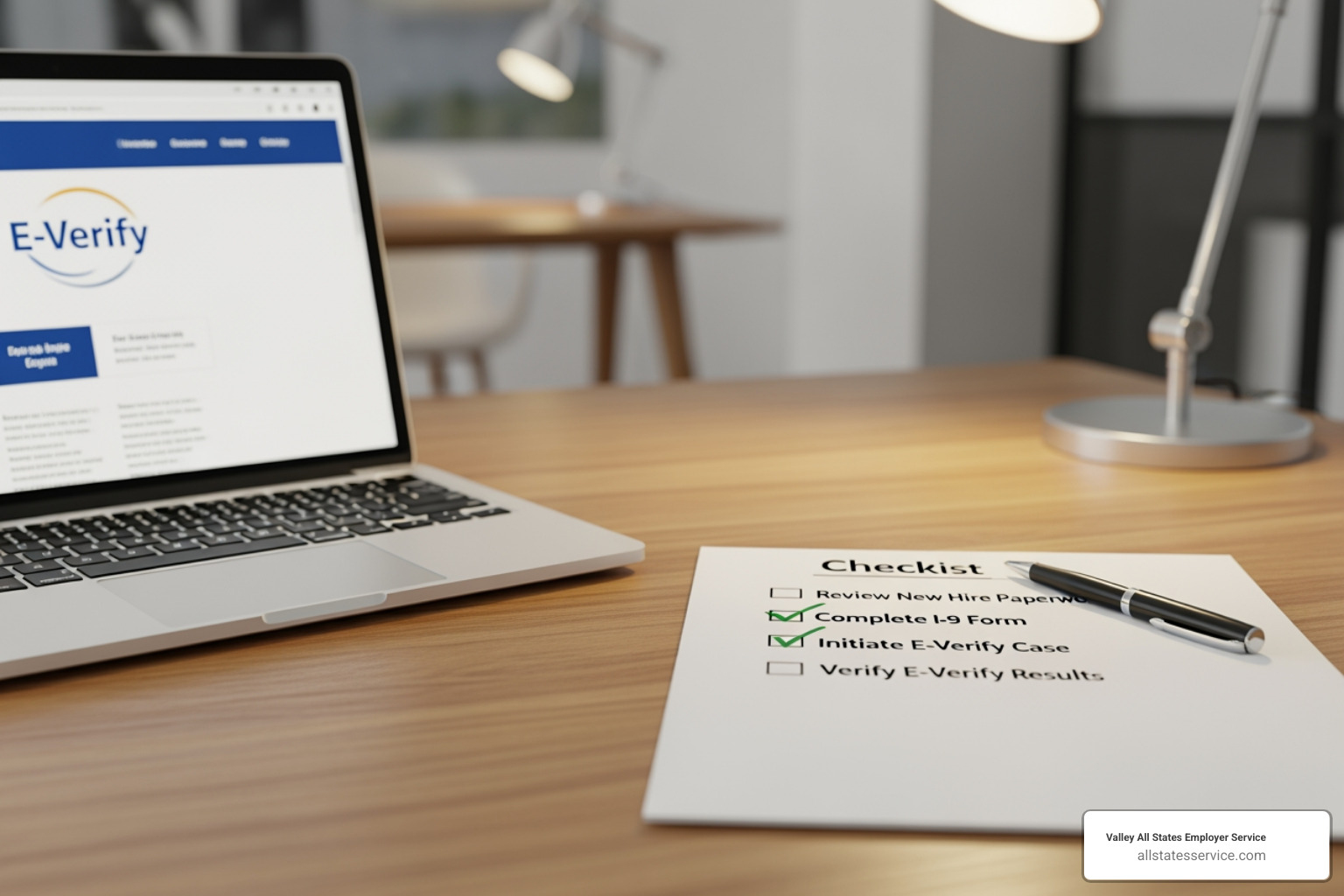
You’ll need your company’s legal name (as it appears on official documents), your Employer Identification Number (EIN), and the physical address for E-Verify checks. You’ll also need your company’s mailing address if it’s different.
Have an accurate count of your total number of employees and your NAICS code, which identifies your industry. A lookup tool is available during enrollment to find your code.
If you operate multiple locations, prepare a list of all your hiring site addresses. You’ll also need contact information for two key people: your Program Administrator (manages the account day-to-day) and your Signatory (authorized to legally bind the company). For each, have their full name, title, email, and phone number ready.
Choosing Your Account and Designating Roles
During everify sign up, you’ll choose an account access method. Most direct employers select the standard Employer option.
Other options are for specific situations. Third-party providers (like us) choose E-Verify Employer Agent. Large organizations might use the Corporate Administrator account for centralized oversight. The Web Services option is for companies integrating E-Verify into their HR software via an API.
The system will also ask for your employer category. You’ll indicate if you’re a federal contractor, a government organization, or if “None of these categories apply.” Answering accurately ensures you meet your specific obligations.
Your Program Administrator is the person who will create cases and manage daily compliance. Your Signatory has the authority to legally commit your company to the E-Verify agreement. In a small business, these might be the same person.
Preparing Your Company and Hiring Site Information
When entering company details, precision matters. The legal name must exactly match your official business and tax records to avoid delays.
Your physical verification location is the address where you’ll perform E-Verify checks. If your mailing address is different, you’ll provide that separately.
For businesses with multiple locations, you can add hiring sites one by one. For dozens of sites, use the bulk upload feature. This allows you to prepare a CSV file with all location information and upload it at once, saving time and reducing errors. Every registered hiring site will be authorized to conduct E-Verify checks.
Organizing this information before you start your everify sign up transforms the process into a straightforward administrative task.
Your Step-by-Step Guide to the E-Verify Sign Up
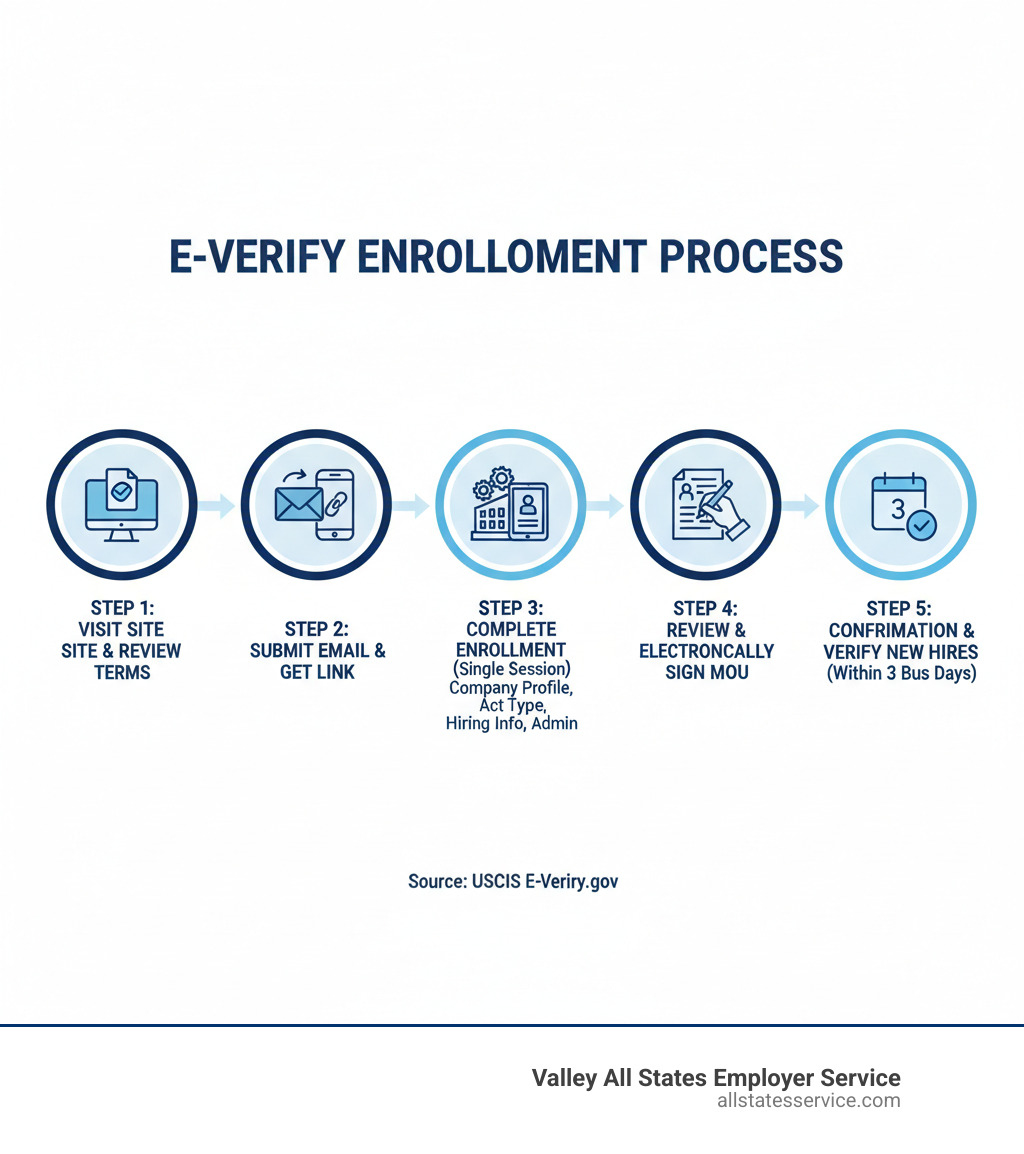
Now that you’re prepared, let’s walk through the E-Verify sign up. This enrollment must be completed in a single session on a desktop computer, as the system is not designed for mobile use.
Step 1: Kicking Off Your Online E-Verify Sign Up
Your journey begins on the official E-Verify website. Check your browser’s address bar for “https://” and “.gov” to ensure you’re on the secure government site.
Steer to the enrollment page at ENROLL NOW. You’ll first see the E-Verify Terms and Conditions. Review these, as they outline your responsibilities as an E-Verify employer.
After agreeing to the terms, submit your email address. The system will send a one-time use activation link. Check your inbox and spam folder. When you click it, be prepared to finish the entire enrollment in that session.
Step 2: Configuring Your Company Profile
This is where you’ll enter the company information you gathered earlier.
Provide your company’s legal name, Employer Identification Number (EIN), physical verification location, mailing address, and the total number of employees.
Next, select your employer category. If you are a federal contractor, you must select that option to comply with the Federal Acquisition Regulation (FAR) E-Verify clause. There are also categories for government organizations. If neither applies, choose “None of these categories apply.” This selection determines your specific compliance obligations.
Now choose your account access method. Most direct employers select “Employer.” A third-party provider like Valley All States Employer Service uses “E-Verify Employer Agent.” Large organizations might opt for “Corporate Administrator,” while companies integrating E-Verify into their HR software can choose “Web Services.”
You might see information about E-Verify+, a modernized version available if you choose the “Employer” access method. It offers improved employee privacy and fraud protection. You can learn more at the Introducing E-Verify+ webinar.
Next, add your hiring site information. For a single location, click “+ Add Hiring Site” and enter the details. For multiple locations, use the bulk upload feature with a CSV file to save time.
Finally, designate your Program Administrator and Signatory by entering their contact information.
Step 3: Reviewing and Submitting Your E-Verify Sign Up
This final step is about ensuring accuracy before your everify sign up is official.
The system will display all your entered information for a final review. Carefully check your addresses, EIN, NAICS code, and contact information. A small error can cause delays.
Once you’re satisfied, electronically sign the Memorandum of Understanding (MOU). This is the legal agreement between your company and the Department of Homeland Security.
After signing, save or print a copy of the MOU for your records. You’ll want it on file for future reference. If you chose E-Verify+, you’ll also have E-Verify+ Terms of Service to save.
Hit submit, and you’ll receive a confirmation that your E-Verify sign up is complete. You are now enrolled and can begin verifying new hires within three business days of their start date.
You’re Enrolled! Now What? E-Verify Compliance and Best Practices
Congratulations on completing your E-Verify sign up! Enrollment is just the beginning. The real work is building E-Verify into your daily hiring routine and staying compliant. Once you establish a routine, E-Verify becomes a natural part of your onboarding process. For a deeper dive, explore our guide on E-Verify Best Practices.
Managing New Hires and Timelines
Your most immediate responsibility is getting new hire verifications done on time. You have no later than three business days after an employee’s start date to create their E-Verify case. This timeline is not flexible. Our resource on E-Verify New Hire walks you through this process.
You cannot use E-Verify to screen job applicants before they’re hired. This is called pre-screening, and it is strictly prohibited. E-Verify can only be used after someone accepts a job offer and completes their Form I-9.
Once you verify a new hire, you must document it. Attach the E-Verify case number to the employee’s Form I-9, either by writing it on the form or by printing the case details and keeping them with the I-9.
Handling a Mismatch and Supporting Employees
Sometimes, information doesn’t match government databases, resulting in a Tentative Nonconfirmation (TNC). This can happen for innocent reasons, like a name change or a typo in a database.
When a TNC occurs, give your employee the Further Action Notice immediately. This notice explains the mismatch and gives them eight federal government workdays to contact the appropriate agency (DHS or SSA) to resolve it.
During this period, treat your employee normally. Do not reduce their hours, change their duties, or take any negative action based on the TNC. They have the right to contest it.
Employees can also use myE-Verify to manage their information. Self Check lets them verify their own eligibility, while Self Lock helps prevent unauthorized use of their Social Security number. The Case History feature shows when their information was checked. Learn more about tracking outcomes in our E-Verify Case Status guide.
Staying Updated and Getting Help
Compliance requires staying informed. First, display the required posters: the “Right to Work” and “E-Verify Participation” notices must be posted where employees and applicants can see them.
If you have technical issues or questions, E-Verify support is available through the official website. For detailed guidance, bookmark the official E-Verify User Manual.
The employment landscape changes regularly with updates to Temporary Protected Status (TPS) or Form I-9 guidance. Staying on top of these changes is part of your compliance responsibility. For many HR teams, this is overwhelming, which is why companies like ours exist to manage these updates for our clients.
Frequently Asked Questions about E-Verify Enrollment
Here are answers to some of the most common inquiries we receive about E-Verify sign up.
How much does it cost to use E-Verify?
The federal E-Verify program is completely free. The U.S. government provides this online service at no cost to employers, with no enrollment or per-verification fees.
However, if you work with a third-party E-Verify Employer Agent to manage the process, you will encounter service fees. These fees cover the agent’s expertise, administrative support, and additional compliance services. Many employers find this investment worthwhile to save time and reduce the risk of errors.
To understand potential costs, review our guide on E-Verify Compliance Cost.
Can I use E-Verify for existing employees?
For most employers, the answer is no. E-Verify is designed for new hires only. You should not use it to check employees hired before your company’s E-Verify sign up date or to selectively reverify current staff.
There are specific exceptions. Federal contractors with the FAR E-Verify clause may be required to verify certain existing employees assigned to a federal contract. In rare cases, E-Verify might be used for existing employees as a result of a federal audit.
For most employers, the focus remains on verifying new hires within three business days of their start date. Our resource on E-Verify For Existing Employees provides more detail on these exceptions.
What is an E-Verify Employer Agent?
An E-Verify Employer Agent is a third-party service provider that manages the E-Verify process for an employer. The agent handles data submission, monitors case statuses, and helps resolve Tentative Nonconfirmations (TNCs).
Using an agent can significantly reduce your administrative burden, especially with high hiring volumes or limited HR staff. They bring specialized expertise to ensure accuracy and compliance. A good agent service will review Form I-9s for errors or provide electronic I-9s, offering services like I-9 form tracking, submission management, and error review.
At Valley All States Employer Service, we offer a comprehensive E-Verify Employer Agent Service to help businesses maintain compliance without the headache.
Conclusion: Simplify Your Path to a Verified Workforce
Completing your E-Verify sign up is a meaningful commitment to building a legally authorized and properly documented workforce. You’ve learned how to prepare, steer the enrollment, and sign the Memorandum of Understanding. While it requires attention to detail, the process is manageable.
Hiring compliance is critical for protecting your business from costly penalties and legal issues. Verifying your workforce properly creates a foundation of integrity that benefits everyone.
However, managing E-Verify alongside all your other responsibilities can be overwhelming. Keeping up with rule changes and daily processing takes time and expertise that many businesses don’t have internally.
That’s where Valley All States Employer Service comes in. We specialize in outsourced E-Verify workforce eligibility verification. Our team brings expertise and efficiency to every case, minimizing errors and reducing your administrative burden. We act as your behind-the-scenes compliance partner, staying current on regulatory changes so you don’t have to.
Ready to take the administrative weight off your shoulders? Contact us for expert assistance with your E-Verify Employer Login and compliance needs. Let’s work together to keep your workforce verified and your business compliant.