
E-Verify for employees: 2025 Confident Guide
Why E-Verify for Employees Matters More Than You Think
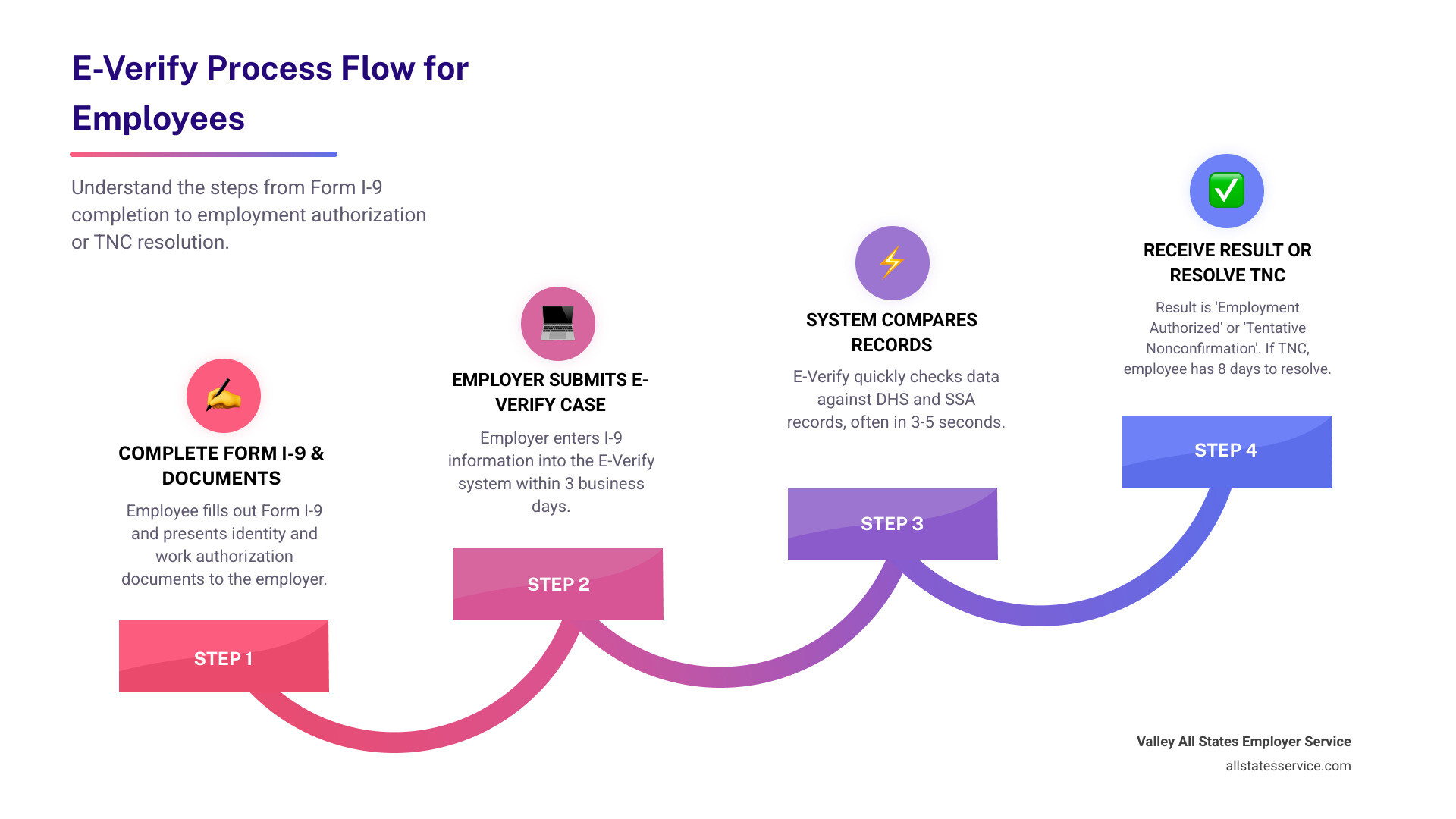
E-Verify for employees is a fast, electronic system that checks whether you’re legally allowed to work in the United States. It compares the information you provide on your Form I-9 with government records from the Department of Homeland Security (DHS) and Social Security Administration (SSA). Most E-Verify cases get resolved in just 3 to 5 seconds.
Here’s what employees need to know:
- E-Verify is not the same as Form I-9. Form I-9 is the paper form every employer must complete. E-Verify is an optional electronic check some employers use after you fill out your I-9.
- You might not even know it’s happening. Your employer creates the E-Verify case after you provide your documents. You usually only hear about it if there’s a problem.
- A mismatch doesn’t mean you can’t work. If E-Verify can’t immediately confirm your eligibility, you have the right to fix it without losing your job or pay.
- Your rights are protected. Employers can’t discriminate against you or take adverse action while you’re resolving a mismatch.
Starting a new job comes with enough stress. You’re learning names, finding the bathroom, and trying to remember where you parked. The last thing you need is confusion about employment verification.
But here’s the reality: millions of U.S. workers go through E-Verify every year. Some employers must use it because of federal contracts or state laws. Others choose it voluntarily to stay compliant with immigration regulations.
The good news? E-Verify is designed to work quickly and quietly in the background. When everything matches up (which it does about 99% of the time for U.S. citizens), you never have to think about it again.
The less good news? If there’s a mismatch, you need to act fast. You typically have just 8 federal business days to contact the right government agency and clear things up.
This guide walks you through the entire E-Verify process from an employee’s perspective. You’ll learn what information you need to provide, what the different case results mean, and exactly what to do if you receive a Tentative Nonconfirmation.
What is E-Verify and How Does it Work?
E-Verify is an internet-based system that plays a crucial role in confirming your legal authorization to work in the United States. Think of it as a digital assistant to your employer, helping them ensure all their employees are legally eligible to work. It’s available to participants in all 50 states, including Maryland, Lutherville MD, and other U.S. territories, making it a nationwide standard for many businesses.
From your perspective, E-Verify for employees is a secondary step that happens after you’ve accepted a job offer and completed your Form I-9, Employment Eligibility Verification. Your employer takes the information you provide on your Form I-9 and enters it into the E-Verify system. This system then quickly compares your details against records held by the U.S. Department of Homeland Security (DHS) and the Social Security Administration (SSA). This comparison helps confirm that your information matches government records, indicating you are authorized to work.
For a deeper dive into how E-Verify integrates with the essential Form I-9, you can explore our detailed guide on E-Verify and I-9. Understanding this connection is key to grasping the full scope of employment eligibility verification.
The Goal of E-Verify
The primary goal of E-Verify is straightforward: to confirm your work authorization in the U.S. It acts as a vital tool for employers to prevent unauthorized employment, helping them stay compliant with federal immigration law and protecting American jobs. This system isn’t about digging into your personal life; it’s solely focused on verifying your eligibility to work.
One of the most impressive aspects of E-Verify is its speed. Once your employer enters your information, the system typically provides a case result within a remarkable 3 to 5 seconds. This quick turnaround means less waiting for you and faster onboarding into your new role.
E-Verify vs. Form I-9
It’s easy to confuse E-Verify with Form I-9, but they are distinct processes that work hand-in-hand. Form I-9 is the foundational document for employment eligibility verification. Every new hire in the U.S. must complete this form, providing documents that prove their identity and work authorization. You can find more Information on Form I-9 directly from USCIS.
While Form I-9 is mandatory for all employers, E-Verify is an electronic system that complements it by taking the verification a step further. E-Verify directly checks your I-9 information against government databases. Not all employers are required to use E-Verify, but its use is growing, especially for federal contractors and in states like Maryland where certain employers may be mandated to use it. If you’re curious about the specifics, we have an article on What is an I9? that clarifies its role.
So, while Form I-9 is universal, E-Verify is a more advanced, electronic check that some, but not all, employers use. To understand if your employer falls into a category that must use E-Verify, you might want to review What employers are required to use E-Verify?.
The E-Verify Process: A Step-by-Step Guide
Once you’ve landed that exciting new job, the employment eligibility verification process begins. For many, this will involve E-Verify for employees. Let’s walk through what you can expect.
First, you’ll accept the job offer, which is always a great feeling! Next, you’ll complete Section 1 of the Form I-9. This section requires you to provide your personal details and attest to your work authorization status. After that, you’ll present specific documents to your employer from the List of Acceptable Documents. Your employer will then examine these documents to ensure they appear genuine and relate to you.
Finally, your employer takes the information from your completed Form I-9 and enters it into the E-Verify system. This step, often part of a broader E-Verify Onboarding Process, initiates the electronic check.
Information and Documents You Need to Provide
For the E-Verify process, the information you provide on your Form I-9 is crucial. This includes your:
- Biographic information: Your full name, date of birth, and Social Security number.
- Citizenship or immigration status: You’ll declare whether you are a U.S. citizen, noncitizen national, lawful permanent resident, or an alien authorized to work.
You’ll also need to present specific documents to your employer. These documents must come from the official Lists of Acceptable Documents for Form I-9. You can present:
- List A document: This establishes both your identity and employment authorization (e.g., a U.S. Passport or Permanent Resident Card).
- OR a combination of a List B and a List C document: List B establishes identity (e.g., driver’s license), and List C establishes employment authorization (e.g., Social Security card).
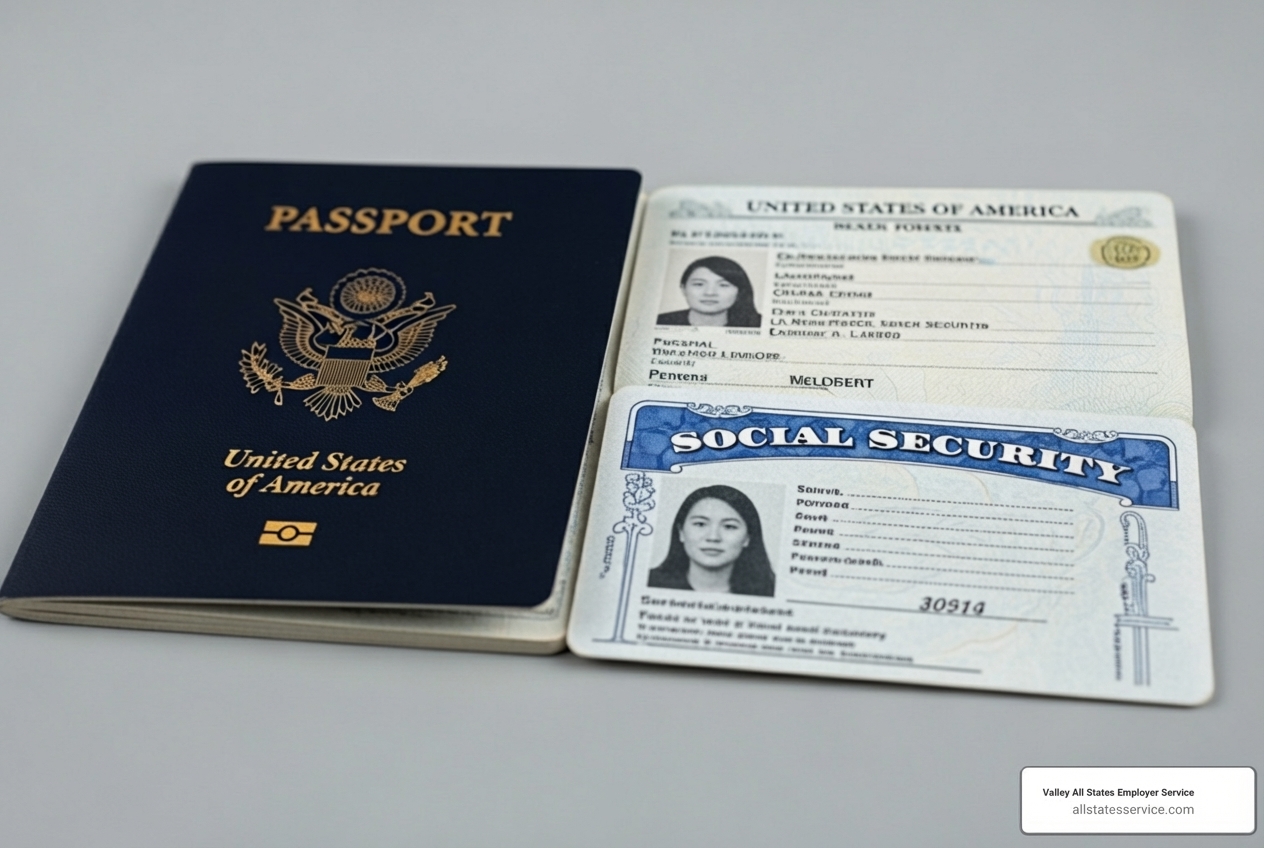
It’s important to present unexpired documents that reasonably appear genuine. Your employer cannot tell you which specific documents to provide, as that could be considered discriminatory. For a comprehensive overview of what documents are acceptable, check out our I-9 Acceptable Documents Ultimate Guide.
The E-Verify+ Experience for Employees
A newer development in the E-Verify landscape is E-Verify+, a modernized service designed to streamline the process, especially for hybrid work environments. If your employer uses E-Verify+, your experience will be a bit more interactive.
Instead of your employer entering all your details, you might receive a unique link from them to initiate your E-Verify+ case. This leads you to create or log into a myE-Verify account, where you can then perform self-service data entry for your Form I-9 information. You may even be able to upload copies of your documents directly through the system. This approach aims to improve your privacy and provides an additional layer of protection from fraud by giving you more direct control over the information submitted.
You can Learn about E-Verify+ to see how this advanced system simplifies employment eligibility verification.
Understanding Your E-Verify Case Results
After your employer submits your information to E-Verify, the system performs its checks. Within seconds, it returns a case result. E-Verify is designed to share very limited information with your employer. It simply indicates whether your provided details match government records, not your specific citizenship or immigration status.
Employment Authorized
This is the best-case scenario and the most common result. An “Employment Authorized” result means that the information your employer entered from your Form I-9 matched records available to DHS and/or SSA. Congratulations, you are confirmed to be authorized to work in the United States!
When you receive this result, no additional action is required from you or your employer regarding your employment eligibility. You’re all set to focus on your new role. You can always check the status of your case through resources like our E-Verify Case Status page.
E-Verify Needs More Time / Case in Continuance
Occasionally, E-Verify might return a result like “E-Verify Needs More Time” or “Case in Continuance.” These are not negative results. They simply mean that the system requires additional time for further verification.
- E-Verify Needs More Time: This indicates that your case has been referred to DHS for a more in-depth review. The system needs more time to provide a final case result.
- Case in Continuance: This result appears if you, the employee, have contacted DHS or visited an SSA field office to resolve an issue, but more time is still needed for a final determination.
In both these situations, you should continue working as normal unless otherwise instructed. It’s just the system taking a bit longer to confirm everything.
Tentative Nonconfirmation (TNC) / Mismatch
A “Tentative Nonconfirmation,” often called a TNC or mismatch, means that the information your employer entered into E-Verify did not match the records available to DHS and/or SSA. This is where your active involvement might be needed, but it’s crucial to understand: a TNC does not necessarily mean you are not authorized to work in the United States.
A TNC is a preliminary result. It indicates a discrepancy that needs to be resolved. It could be something as simple as a misspelled name, an outdated record, or a clerical error. You have the right to take action to resolve this mismatch. Your employer cannot take any adverse action against you, such as firing you or reducing your pay, solely because of a TNC. We cover this in more detail in our article on E-Verify Tentative Nonconfirmation.
What to Do If You Receive a Tentative Nonconfirmation (TNC)
Receiving a Tentative Nonconfirmation (TNC) can be unsettling, but it’s important to stay calm and understand your options. Your employer is legally required to notify you of the TNC and provide you with a “Further Action Notice.” This notice will explain the reason for the mismatch and outline the steps you can take.
You will also receive a “Referral Date Confirmation” document. This document is critical because it specifies the deadline by which you must contact the appropriate government agency (DHS or SSA) to resolve the mismatch. Typically, you have 8 federal government working days from the date the TNC is issued to decide whether to contest the mismatch and to initiate contact with the agency.
You have a choice: you can choose to contest the TNC, or you can choose not to. If you choose not to contest it, your employer may terminate your employment. However, if you choose to take action to resolve the mismatch, your employer cannot take adverse action against you because of the mismatch. For an official overview of TNCs from the employee’s perspective, refer to the Official TNC Overview.
Steps to Resolve a TNC
If you receive a TNC and decide to contest it, here’s a general guide on how to proceed:
- Review the Further Action Notice carefully: Check all the information for accuracy, including your name, date of birth, and Social Security number. Sometimes, a simple typographical error can cause a TNC.
- Determine the issuing agency: The notice will specify whether the mismatch is with DHS, SSA, or both (a “dual mismatch”). This tells you which agency you need to contact.
- Contact the correct agency within 8 federal government working days:
| Agency | Contact Information & Steps |
|---|---|
| SSA TNC | – Call SSA at 1-800-772-1213 (TTY: 1-800-325-0778). – Or visit a local SSA office. – Be prepared to provide your Social Security number and other identifying information. |
| DHS TNC | – Call DHS at 1-888-897-7781 (TTY: 1-877-875-6028). – If you have a myE-Verify account, you can log in at https://myeverify.uscis.gov, go to myUploads, enter your E-Verify Case Number, and upload supporting documents (max 4MB, in .jpg, .jpeg, .png, or .pdf format). – Crucially, after uploading documents, you MUST still call DHS at 1-888-897-7781 (TTY: 1-877-875-6028) to inform them you uploaded documents. Have your Further Action Notice open when you call. |
| Dual Mismatch (DHS & SSA) | – You must contact both agencies within the 8 federal government working days. – Follow the steps for both SSA and DHS TNCs outlined above. |
- Provide required documents: The agency may ask for specific documents to resolve the discrepancy. Make sure you have these ready.
- Follow up on your case: The agency will work to resolve the issue. You can often check the status through the myE-Verify portal or by calling the respective agency.
Your Rights During a TNC
It’s essential to know your rights when dealing with a TNC. Federal law protects you during this process:
- Right to continue working: Your employer cannot suspend or terminate your employment, or delay training, start dates, or pay, solely because of a TNC. You must be allowed to continue working while you are contesting the mismatch.
- Protection from adverse action: Your employer cannot take any adverse action against you, such as changing your work schedule or reducing your pay, because of a TNC.
- Uninterrupted pay and benefits: You are entitled to receive your regular pay and benefits during the period you are contesting a TNC.
- Anti-discrimination protections: Employers must treat all employees consistently, regardless of their citizenship, immigration status, or national origin. If you feel you are being treated unfairly because of your TNC, you have avenues for recourse.
Know Your Rights and Responsibilities with E-Verify for employees
Understanding your rights and responsibilities is paramount when navigating the E-Verify process. It ensures a fair experience for you and helps your employer maintain compliance. The U.S. government provides resources like the USCIS Employee Rights Toolkit to help you stay informed.
Your Rights in the Verification Process
As an employee, you have several key rights throughout the employment eligibility verification process:
- Notification of E-Verify use: Your employer must display a “Notice of E-Verify Participation” poster and a “Right to Work” poster in a prominent place. This lets you know they use the system.
- Consistent process for all employees: Your employer must use E-Verify consistently for all new hires, without singling out individuals based on their perceived immigration status or national origin.
- Protection from document abuse: Your employer cannot ask for specific documents or more documents than required for Form I-9. They must accept any valid documents from the Lists of Acceptable Documents. For example, they cannot demand a Permanent Resident Card from a lawful permanent resident if other documents suffice.
- Right to resolve a TNC: As we discussed, you have the right to contest a Tentative Nonconfirmation and continue working while it’s being resolved.
- Data privacy: Your information is handled through a secure government system, and only limited data is shared with your employer.
How E-Verify Protects Your Information
E-Verify is a secure, government-operated system designed with safeguards to protect your personal information.
- Secure government system: E-Verify compares your data against authoritative government databases (DHS and SSA), which adhere to strict security protocols.
- Limited data shared with employers: Your employer only receives a “match” or “mismatch” result; they do not receive detailed information about your citizenship, immigration status, or specific document information beyond what is on your Form I-9.
- Data disposal policies: USCIS takes steps to manage and dispose of older E-Verify case records. For instance, starting January 6, 2025, USCIS will permanently delete E-Verify cases updated before December 31, 2014. This practice helps ensure that old data doesn’t remain indefinitely.
- Login.gov for secure access: For improved account security, particularly with services like E-Verify+, access often involves a Login.gov for secure access account, which employs robust authentication methods.
Frequently Asked Questions about E-Verify for Employees
We know you might have more questions, so let’s address some common ones about E-Verify for employees.
Can I check my own E-Verify case status?
Yes, you absolutely can! While your employer initiates the E-Verify case, you have ways to independently check its status. The myE-Verify website offers a “Self Check” feature that allows you to verify your own employment eligibility. Additionally, there’s an E-Verify Case Tracker tool available.
To use the case tracker, you’ll need your E-Verify case number (which your employer should provide if you request it) and the start date of your employment. This allows you to monitor your case without needing your employer’s direct assistance. For more details on how to do this, check out our E-Verify Status Check guide.
What should I do if I believe there is an error in my E-Verify case?
If you suspect an error in your E-Verify case, especially if it leads to a Tentative Nonconfirmation (TNC), the first and most crucial step is to contest the TNC. As outlined earlier, you have a limited window, typically 8 federal government working days, to contact the relevant agency (DHS or SSA) to correct the government records.
It’s vital that the information on your Form I-9 is accurate and matches government databases. Errors can be simple typos, outdated information, or issues with how your name or date of birth is recorded. Taking prompt action to resolve these can prevent complications with your employment eligibility.
Where can I find more help or information?
Navigating government systems can sometimes feel overwhelming, but there are several reliable resources available to help you understand E-Verify for employees:
- E-Verify Contact Center: For general questions about E-Verify, you can contact the E-Verify Contact Center directly. Their number is 1-888-464-4218.
- Official E-Verify for Employees page: The U.S. Citizenship and Immigration Services (USCIS) website has a dedicated section for employees, providing comprehensive information on your rights and responsibilities. You can visit the E-Verify for Employees official page for more details.
- Immigrant and Employee Rights Section (IER): If you believe you’ve experienced discrimination during the Form I-9 or E-Verify process based on your citizenship status or national origin, you can contact the Immigrant and Employee Rights Section (IER) at 1-800-255-7688. They are part of the Department of Justice and work to prevent discriminatory employment practices.
Conclusion
Understanding E-Verify for employees helps explain a crucial part of the hiring process. Being informed reduces stress and empowers you to steer any potential issues with confidence. While your employer handles the technical side of E-Verify, knowing your role, your rights, and the steps to take if a mismatch occurs is invaluable. E-Verify is a standard compliance step for many businesses across the U.S., including those in Maryland and Lutherville MD, and it’s designed to be a quick and efficient verification system.
A TNC is not a final judgment, and you have the right to resolve it while continuing your employment. By familiarizing yourself with these processes, you ensure a smoother transition into your new role and protect your employment eligibility.
We at Valley All States Employer Service understand the complexities of E-Verify. We help employers manage E-Verify correctly, minimizing errors and administrative burden, which ultimately ensures a fair and efficient process for employees like you.
Ready to simplify compliance for your employer or want to learn more about how we can help? Find how our expertise can benefit you and your workplace. Learn more about expert E-Verify services today.