
Complete your i-9 employment authorization form like a pro
Why Every U.S. Employer Must Complete Your I-9 Employment Authorization Form Correctly
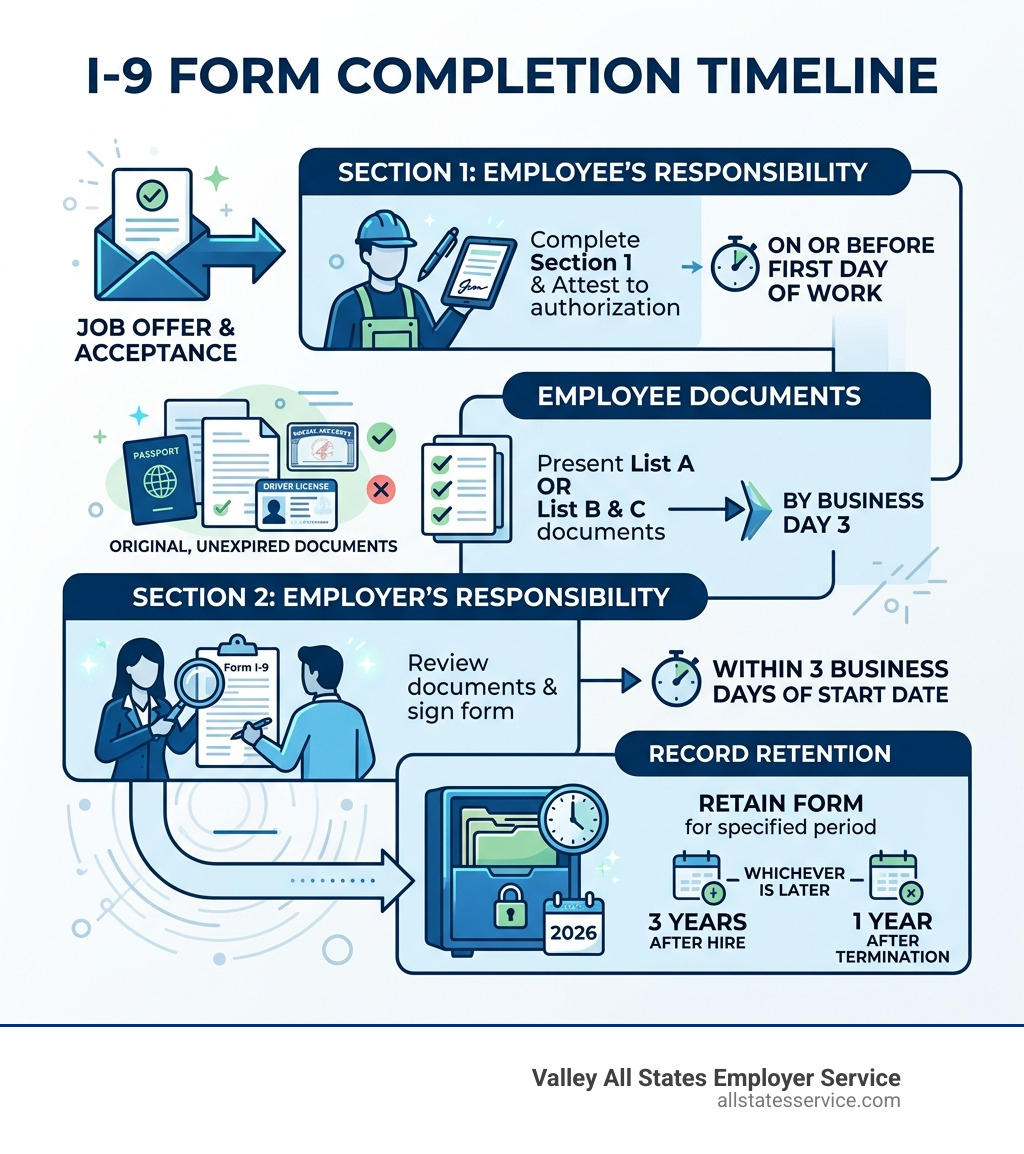
To complete your i-9 employment authorization form, follow these key steps:
- Employee completes Section 1 on or before their first day of work
- Employer completes Section 2 within 3 business days of the employee’s start date
- Employee presents original, unexpired documents from List A, or one each from List B and List C
- Employer physically examines documents and records the information on the form
- Retain the completed form for 3 years after hire or 1 year after termination, whichever is later
Federal law has required every U.S. employer to verify the identity and work authorization of new hires since November 6, 1986. That law, the Immigration Reform and Control Act (IRCA), created Form I-9 as the standard tool to do it.
No exceptions. It applies to every new hire, whether they are a U.S. citizen or a noncitizen. Skipping it, rushing it, or getting it wrong can mean serious civil fines.
For a busy HR manager juggling onboarding, benefits, and a dozen other priorities, Form I-9 can feel like a minefield. The form itself is only a few pages, but the rules around who fills out what, when, and with which documents are surprisingly detailed.
The good news? Once you understand the structure, the process becomes much more manageable. This guide walks you through every step, every deadline, and every common mistake, so your team can handle I-9 compliance with confidence.
Easy complete your i-9 employment authorization form word list:
Understanding the basics of Form I-9 compliance
When we talk about employment eligibility, we start with the fundamentals. What Is I 9 Form exactly? It is a mandatory document used by every employer in the United States to verify that a person is legally allowed to work here. Whether you are hiring a local student in Lutherville, MD, or a specialized professional from overseas, you must use this form.
The Employment Eligibility Verification | USCIS process ensures that we maintain a legal workforce. It is not just about immigration status, it is about identity. We need to know that the person standing in front of us is who they say they are and that they have the legal right to earn a paycheck in the U.S. If you are wondering What Is An I9 meant to accomplish, it is simply a way to document that verification process for the government.
Why you must complete your i-9 employment authorization form correctly
Getting the paperwork right is about more than just being organized. There are heavy legal requirements tied to this process. If we fail to complete your i-9 employment authorization form accurately, we open our businesses up to civil fines and penalties. These fines can range from a few hundred dollars for simple technical errors to thousands of dollars for substantive violations.
Understanding What Is I 9 Form Needed For helps us realize the stakes. Immigration and Customs Enforcement (ICE) can audit these forms at any time. They look for missing signatures, incorrect dates, and documents that do not match the required lists. By doing it right the first time, we protect our company from unnecessary financial and legal stress.
Key differences between Form I-9 and E-Verify
Many people confuse Form I-9 with E-Verify, but they are different tools. While every employer must use the I-9, E-Verify is a voluntary web-based system for most employers, though it is mandatory in some states or for certain federal contractors.
| Feature | Form I-9 | E-Verify |
|---|---|---|
| Requirement | Mandatory for all U.S. employers | Voluntary for most (mandatory for some) |
| Social Security Number | Optional (unless E-Verify is used) | Mandatory |
| Photo Matching | Not required | Required for certain documents |
| Verification Method | Physical document review | Electronic comparison with SSA/DHS records |
| Timing | Must be kept on file by employer | Must be submitted within 3 days of hire |
We often suggest checking I-9 Central | USCIS for the latest updates on these systems. One big difference is that E-Verify requires a Social Security number, whereas on a standard I-9, providing a Social Security number is technically optional for the employee unless the employer is enrolled in E-Verify.
How to complete your i-9 employment authorization form: Section 1
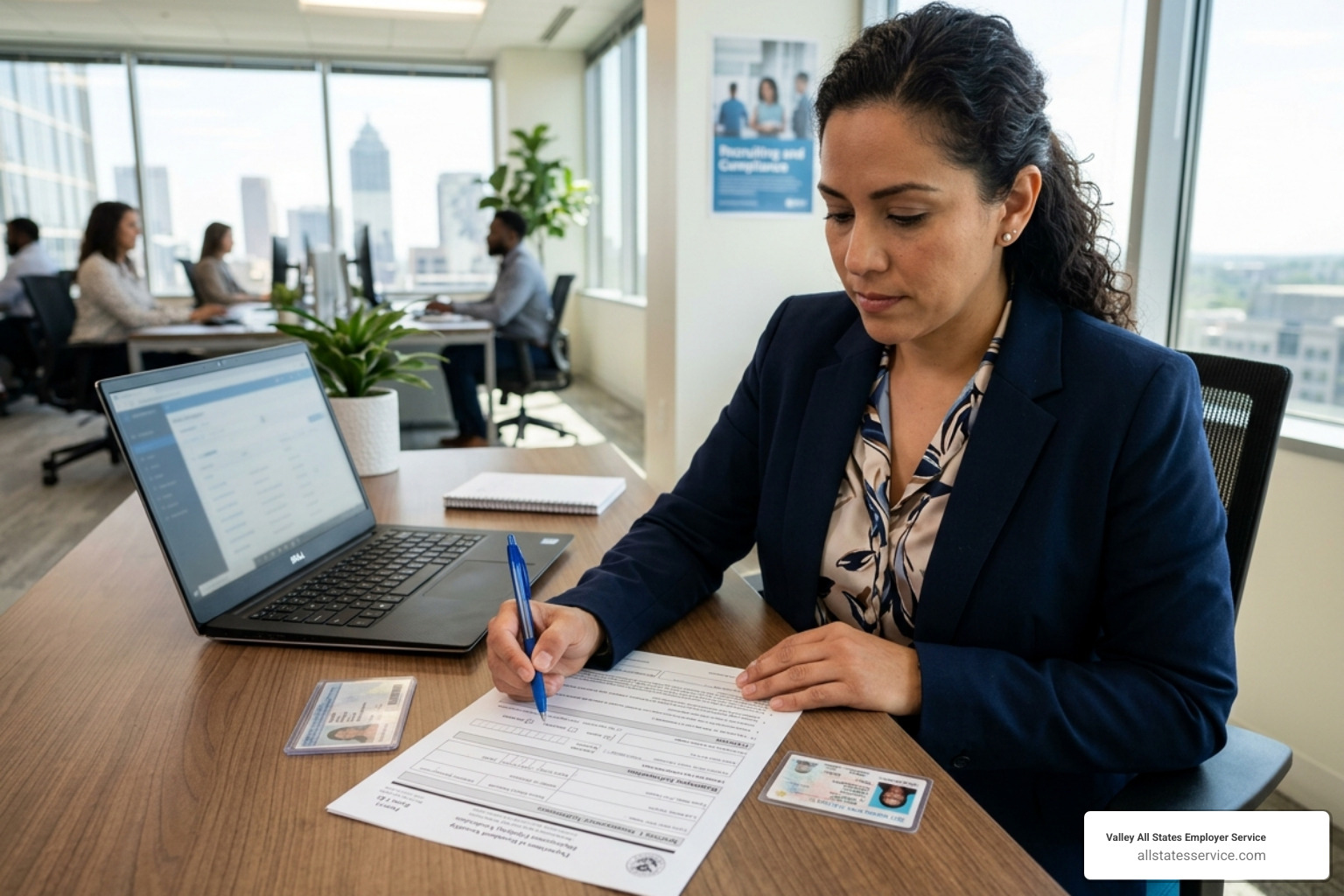
Section 1 is the employee’s responsibility. It is where they provide their full legal name, address, date of birth, and citizenship status. When we help a new hire I 9 Form Completion, we must ensure they fill out every field. If a field does not apply, like an apartment number, they should write “N/A” to show it was not overlooked.
According to the official Completing Section 1, Employee Information and Attestation | USCIS guidelines, the employee must also attest to their status. They must choose one of four categories: a citizen of the U.S., a noncitizen national, a lawful permanent resident, or a noncitizen authorized to work. If they have an expiration date for their work authorization, they must include it here.
Deadlines for Section 1 completion
Timing is everything. An employee must complete Section 1 no later than their first day of employment. They can actually complete it any time after they have accepted a job offer, but never before. This is a common area where we see mistakes, so we emphasize Mastering The I 9 Verification Form Step By Step to keep everyone on track.
If an employee needs help because of a language barrier or a disability, a preparer or translator can assist them. However, that person must complete Supplement A, which is the Preparer and/or Translator Certification. Even with help, the employee must still sign the form themselves.
Steps to complete your i-9 employment authorization form for remote hires
The rise of remote work has changed how we handle onboarding. For remote employees, we can use an authorized representative to act on our behalf. This could be a notary or even a trusted individual in the employee’s area who can physically examine the documents.
Recently, the DHS introduced an alternative procedure for employers who are in good standing with E-Verify. This allows for a remote examination of documents via a live video call. If we use this method, we must still follow specific steps, such as having the employee transmit a copy of the documents to us and then conducting the video meeting to compare them. Investing in I 9 Form Training for your HR team is the best way to ensure these remote procedures are followed to the letter.
Mastering Section 2 and document verification
Once Section 1 is done, it is the employer’s turn. We must complete Section 2 within three business days of the employee’s first day of work. For example, if someone starts on a Monday, we need to finish Section 2 by Thursday. This part of the process involves Filling Out An I 9 Employer section where we record the document titles, issuing authorities, and expiration dates.
The most important rule here is that we must examine original documents. We cannot accept photocopies or digital images on a phone. The only exception is a certified copy of a birth certificate. As we follow the Completing Form I-9 – USCIS instructions, we must ensure the documents appear genuine and relate to the person presenting them.
Navigating Lists A, B, and C
The Form I-9 includes a “List of Acceptable Documents” that can be confusing at first. We break it down into three simple categories:
- List A: These documents prove both identity and work authorization. Examples include a U.S. Passport or a Permanent Resident Card. If an employee provides one document from List A, they are done.
- List B: These prove identity only. Examples include a driver’s license or a school ID card with a photo.
- List C: These prove work authorization only. Examples include a Social Security card or a birth certificate.
If an employee does not have a List A document, they must provide one document from List B and one from List C. We often see people Filling Out I9 With Permanent Resident Card, which is a great example of a List A document that satisfies all requirements at once.
The receipt rule for lost or stolen documents
Sometimes an employee cannot present an original document because it was lost, stolen, or damaged. In these cases, the “receipt rule” applies. An employee can present a receipt showing they have applied for a replacement document.
This receipt is valid for 90 days. By the end of that period, the employee must show us the actual replacement document. It is important to note that a receipt for an initial application for a document, like a first-time work permit, is usually not acceptable. We cover these nuances in The Ultimate Guide To Completing I 9 Form Examples And Instructions to help employers handle these rare but stressful situations.
Managing reverification and record retention
Compliance does not end on the first week of work. We must keep an eye on expiring documents. If an employee’s work authorization expires, we need to perform “reverification” before that date hits. This is where we use Supplement B (formerly Section 3).
Keeping up with I 9 Form Updates is vital because rules for certain statuses, like Temporary Protected Status (TPS), can change frequently. We do not need to reverify U.S. citizens or lawful permanent residents who presented a “Green Card,” even if the card itself expires, as long as their status remains permanent.
Retention rules and non-compliance penalties
How long do we keep these forms? The rule is simple but easy to forget: we must retain the I-9 for three years after the date of hire or one year after the date employment ends, whichever is later. We recommend keeping these in a separate folder or a secure digital system rather than in the general personnel file. This makes it much easier if we ever face a government inspection.
Our Form I9 Ultimate Guide details the heavy price of non-compliance. ICE audits can result in fines that scale based on how many errors they find. Even small mistakes, like forgetting to check a box or entering a date in the wrong format, can be flagged as technical violations.
Anti-discrimination rules in the I-9 process
One of the most important things to remember is that we cannot tell an employee which documents to bring. As long as the documents are on the “Acceptable Documents” list, the choice belongs to the employee. If we insist on a passport when they want to show a driver’s license and Social Security card, we could be accused of “document abuse.”
The USCIS Form I-9 guidelines from the Department of Justice are very clear about this. We must treat all employees the same, regardless of their citizenship or national origin. Discriminating during the I-9 process can lead to lawsuits and investigations by the Immigrant and Employee Rights Section (IER).
Frequently Asked Questions about the I-9 process
Can I use a photocopy of my birth certificate?
No, you generally cannot use a photocopy. The employer must see the original document or a copy certified by the issuing government agency. This is a common point of confusion for new hires, so it is helpful to remind them to bring original documents on their first day.
What happens if I miss the three-day deadline?
If you miss the deadline for Section 2, you should complete the form as soon as possible. Do not backdate the form. Instead, record the actual date you performed the verification and attach a short note explaining why it was late. This shows “good faith” effort if you are ever audited.
Do I need to reverify a Permanent Resident Card?
Generally, no. Lawful permanent residents who provide a Permanent Resident Card (Form I-551) do not need to be reverified, even when the card expires. Their status as a permanent resident does not expire just because the physical card does. However, if they provided a temporary I-551 stamp in a passport, that would require reverification when the stamp expires.
Conclusion
Managing employment eligibility is a cornerstone of a healthy business. While the paperwork can feel overwhelming, staying organized and following the timelines ensures that we stay on the right side of the law. At Valley All States Employer Service, we specialize in taking this administrative burden off your shoulders. We provide expert, impartial, and efficient E-Verify and I-9 processing to help you minimize errors and focus on growing your team.
Whether you are in Lutherville, MD, or anywhere across the country, our team is here to ensure your onboarding process is seamless and compliant. We understand the nuances of the law and the practical challenges of HR management.
Ready to simplify compliance? Explore our I-9 Compliance Services today.