I-9 form updates: Avoid 2025 Penalties
Why Staying Current with I-9 Form Updates Matters
I-9 form updates can feel overwhelming, but here’s what you need to know right now:
Latest Form I-9 Version:
- Current Edition: 01/20/25 (expires 05/31/2027)
- Previous Valid Editions: 08/01/23 versions (valid until 05/31/2027 or 07/31/2026)
- Key Change: Checkbox terminology updated from “A noncitizen authorized to work” to “An alien authorized to work”
Remote Verification Option:
- Available ONLY to employers enrolled in E-Verify
- Requires live video interaction and document examination
- Must retain copies of all documents reviewed
Critical Deadlines:
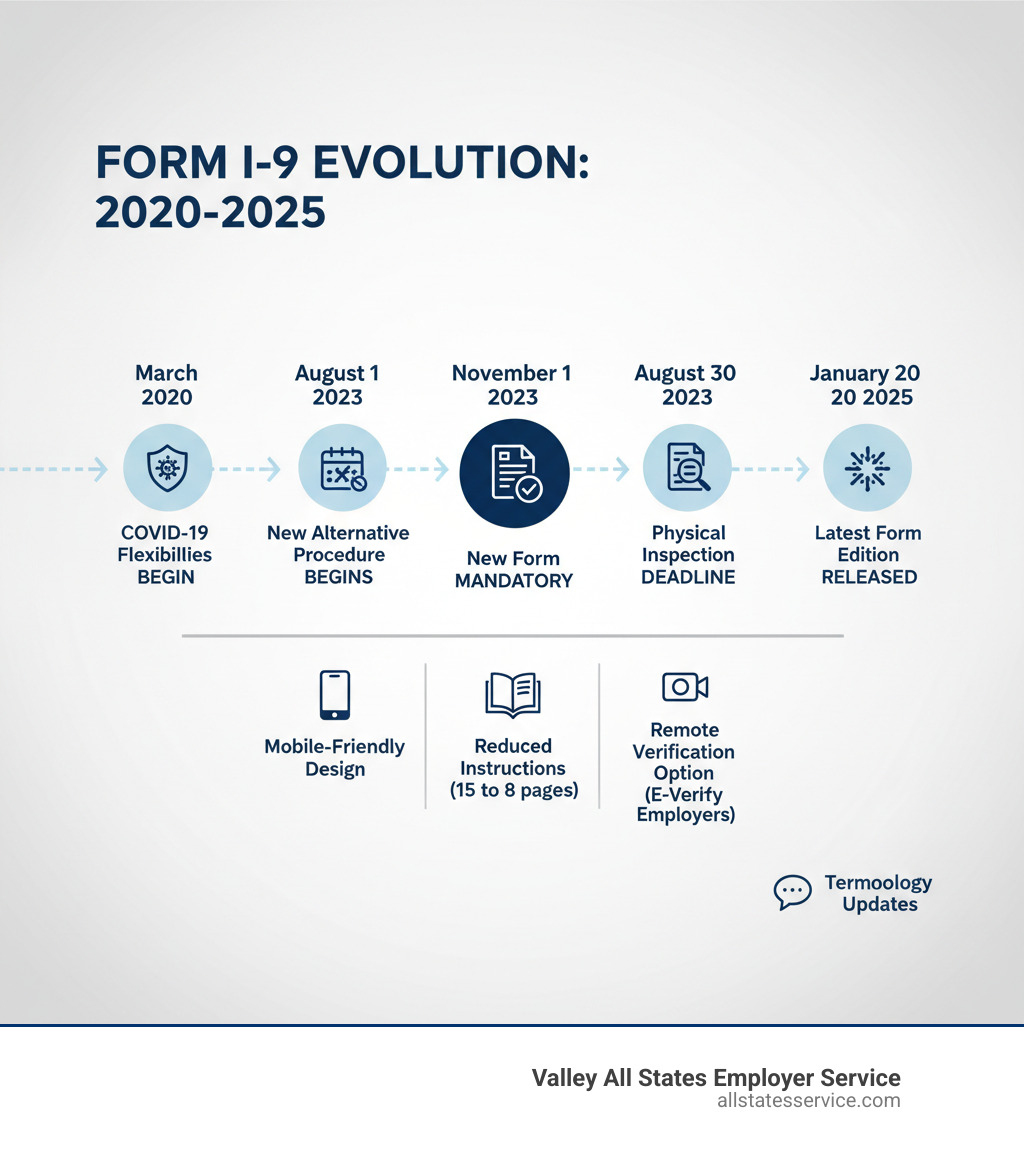
- August 30, 2023: Final deadline for physical document inspection (COVID-19 flexibility period)
- July 31, 2026: Deadline to update electronic systems with new expiration date
If you’re a busy HR manager, you probably feel like you’re constantly chasing the latest compliance requirements. And when it comes to Form I-9, the landscape keeps shifting.
The good news? The changes are designed to make your job easier in the long run. The new forms are mobile-friendly, the instructions are shorter (down from 15 pages to 8), and if you’re enrolled in E-Verify, you now have a permanent remote verification option.
But here’s the catch: you need to know which version to use, when to use it, and how to handle employees who were onboarded during the COVID-19 flexibility period. One misstep can cost your company anywhere from $272 to $2,701 per violation.
This guide breaks down everything you need to know about the latest I-9 updates, from the new form features to remote verification requirements to critical compliance deadlines.
A Closer Look at the New Form I-9 (Edition 08/01/23)
Let’s talk about what changed when USCIS rolled out the revised Form I-9 on August 1, 2023. This wasn’t just a minor tweak. The agency reimagined the entire form to fit how we actually work today.
The edition date 08/01/23 marked a significant shift. Employers could start using it right away, but it became mandatory on November 1, 2023. No more choosing between old and new. Everyone had to switch.
The biggest visual change? The form went from a multi-page maze to a clean, single-page format for Sections 1 and 2. If you’ve ever tried filling out the old version on your phone, you know why this matters. The new design is genuinely mobile-friendly, which means your new hires can complete it on a tablet or smartphone without wanting to throw their device across the room.
USCIS also moved several sections to standalone supplements. The Preparer/Translator Certification became Supplement A. The Reverification and Rehire sections became Supplement B. This modular approach keeps the main form simple while still covering all the scenarios you might encounter.
Here’s where it gets a bit tricky. The 08/01/23 edition is valid until May 31, 2027. But there was a minor update that created a 01/20/25 edition, also expiring on May 31, 2027. If you’re using electronic systems that still show the old expiration date of 07/31/2026, you’ll need to update them by July 31, 2026. The bottom line? Always grab the most current form from the USCIS website.
If you’re still getting up to speed on what this form actually does and why it matters so much, we’ve got you covered with our guide on What is an I-9 Form?.
Key Changes in the Latest I-9 Form Updates
The structural changes are impressive, but the I-9 form updates also include some specific wording and instruction changes you need to know about.
First, there’s a terminology shift in Section 1. The checkbox that said “A noncitizen authorized to work” now reads “An alien authorized to work.” USCIS made this change to match the actual statutory language. It might seem like splitting hairs, but it matters when you’re selecting the corresponding status in E-Verify. The systems need to align.
The Lists of Acceptable Documents got some minor updates too. The core documents haven’t changed (your driver’s licenses and passports are still there), but descriptions for two List B documents were clarified to reduce confusion.
And here’s something every employer will appreciate: the instructions shrunk from a dense 15 pages down to just 8 pages. That’s almost half the reading. USCIS cut the fluff and kept what matters, making it much easier to understand the process of Filling Out Employment Eligibility Verification.
Perhaps the most significant change for remote employers is the new checkbox in Section 2. This little box lets E-Verify employers indicate they used the alternative procedure for remote document examination. What was once a temporary COVID-19 flexibility is now a permanent option, as long as you’re enrolled in E-Verify. This checkbox formalizes remote onboarding and makes it clear you’re following the approved process.
These changes might seem small on their own, but together they represent a real shift toward making compliance more manageable for busy HR teams.
The New Era of Remote I-9 Verification
The COVID-19 pandemic changed everything about how we work, including something as fundamental as verifying employment eligibility. For over three years, the Department of Homeland Security (DHS) allowed temporary flexibilities that let employers examine I-9 documents remotely. Many businesses adapted their entire onboarding process around this temporary policy.
Then came the reality check: those flexibilities officially ended on July 31, 2023. If you had been using remote inspections during this period, you faced a critical deadline of August 30, 2023, to complete physical inspections for all employees hired under the temporary process. For companies with distributed teams, this created a logistical nightmare.
But here’s the good news. Recognizing that remote work isn’t just a pandemic phenomenon, DHS announced a permanent alternative procedure for remote examination of Form I-9 documents, effective August 1, 2023. This wasn’t just an extension of the old policy, it was a complete overhaul designed to provide a sustainable solution for modern workplaces.
This announcement was a lifeline for businesses that had accepted remote or hybrid work models. Instead of scrambling to bring employees into an office just to look at their driver’s license in person, employers now had a legitimate, compliant path forward. You can read more about this significant policy shift directly from the source: DHS announces new flexible option.
The new alternative procedure represents one of the most significant I-9 form updates for businesses with remote workforces. It acknowledges that the future of work looks different than it did in 1986 when Form I-9 was first introduced. For those looking to implement this method effectively, understanding Remote I-9 Verification Best Practices 2025 is essential to staying compliant while maintaining operational efficiency.
Requirements for the Remote Examination Alternative
Here’s where things get specific. Not every employer can simply flip a switch and start doing remote I-9 verifications. The new alternative procedure comes with clear requirements designed to prevent fraud while accommodating modern work arrangements.
The biggest requirement? You must be enrolled in E-Verify and maintain good standing. This is non-negotiable. If you’re not already enrolled in E-Verify, you cannot use the remote examination option. Period. For many employers, this requirement alone has driven them to finally enroll in a program they’d been putting off.
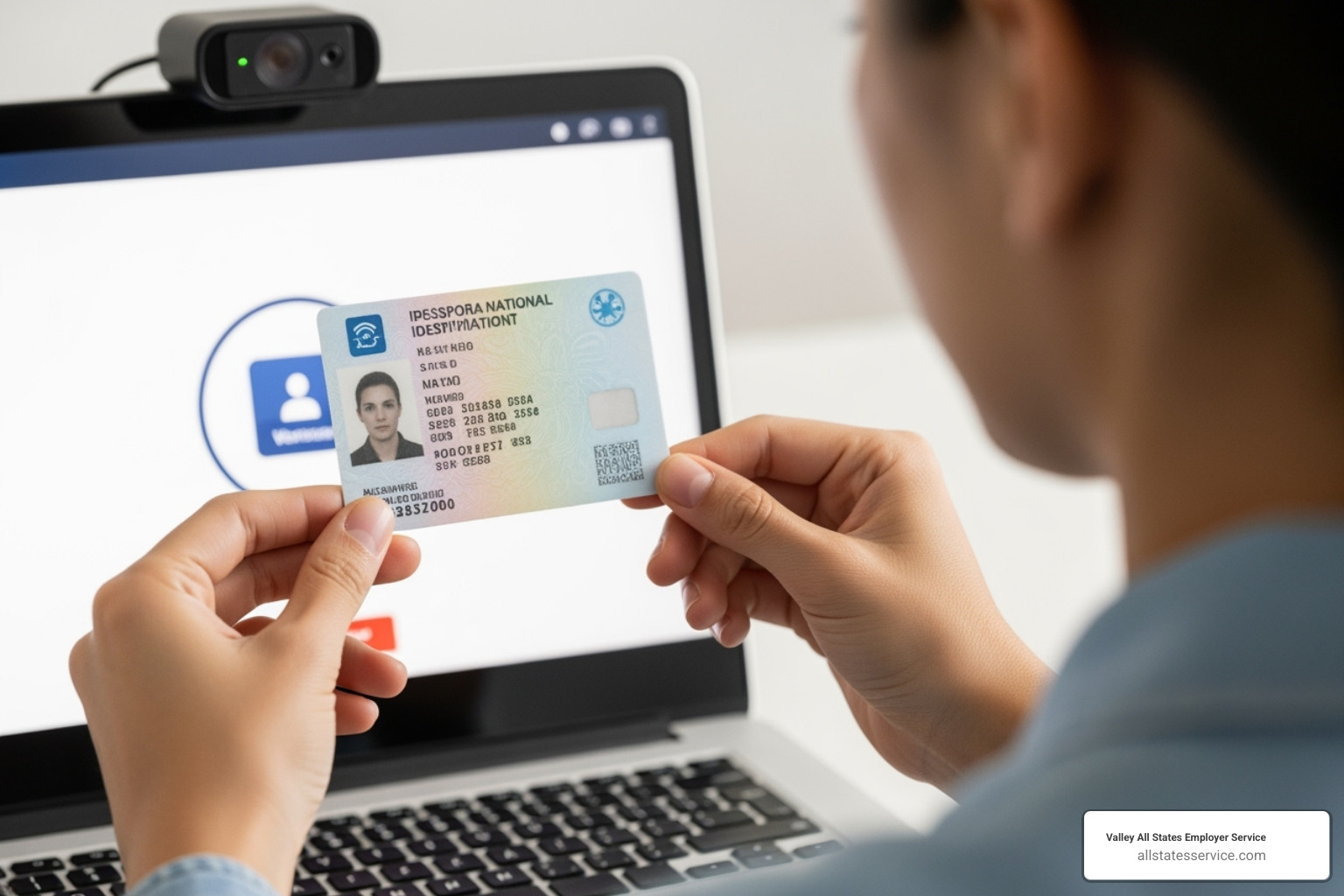
The remote verification process itself requires a live video interaction between the employer (or an authorized representative) and the employee. This isn’t just a quick video call where you wave at each other. During this interaction, the employee must present the same identity and employment authorization documents from the Lists of Acceptable Documents that they previously submitted to you.
You’ll need to examine copies of both the front and back of each document (when applicable) to ensure they reasonably appear genuine. This means actually looking at the documents during the video call, checking security features, and confirming the information matches what the employee provided. It’s not a rubber stamp process.
Document retention is critical. You must keep clear and legible copies of all documents examined via the alternative procedure, and these copies must be stored right alongside the completed Form I-9. Think of it this way: if an auditor comes knocking, they need to see exactly what you saw during that video call.
For new hires, you’ll need to create an E-Verify case, which is standard practice for all E-Verify participants. But here’s an important nuance about consistency: if you choose to offer the alternative procedure, you must apply it consistently for all employees at a given hiring site. However, you can choose to offer remote verification for remote hires only while maintaining physical inspection for onsite or hybrid employees, as long as you apply your policy consistently and without discrimination.
There’s also a transition provision worth knowing about. If you were participating in E-Verify and created a case for employees whose documents were examined during the COVID-19 flexibilities (March 20, 2020, to July 31, 2023), you could use this new alternative procedure starting August 1, 2023, to satisfy the physical document examination requirement by the August 30, 2023 deadline. This provided a clear pathway from temporary flexibilities to a permanent solution.
This procedure has transformed how distributed teams handle onboarding. For a deeper dive into the mechanics and legality of remote verification, explore Can I-9 Verification Be Done Remotely?.
E-Verify’s Central Role in the New I-9 Form Updates
If you’ve been following along, you’ve probably noticed a pattern: E-Verify keeps coming up. That’s because the latest I-9 form updates have transformed E-Verify from a helpful compliance tool into an absolute necessity for employers who want to verify documents remotely.
Think of it this way: E-Verify used to be the optional upgrade package. Now, if you want access to remote verification, it’s the standard equipment you can’t drive without.
To use the new alternative procedure for remote document examination, your company must be enrolled in E-Verify and, crucially, be in “good standing.” What does good standing mean? It’s actually pretty straightforward. You need to consistently follow E-Verify procedures, resolve any discrepancies quickly when they pop up, and stick to all program rules. It’s about showing you’re a responsible participant in the system, not just checking a box.
E-Verify has always been important for confirming that your employees are legally authorized to work. But now, its integration with Form I-9 is tighter than ever, especially for businesses with remote or distributed teams. If you’re new to E-Verify or need a refresher, the official E-Verify I-9 Central website is your go-to resource for everything you need to know. We also offer a comprehensive I-9 E-Verify Compliance Guide that breaks down the details in plain English.
At Valley All States Employer Service, we’ve built our entire business around making E-Verify work smoothly for employers. We handle the outsourced E-Verify workforce eligibility verification, so you don’t have to worry about making mistakes or getting bogged down in administrative details. We’re experts at navigating these updates and keeping your compliance on track.
How the Changes Affect E-Verify Users
If you’re already enrolled in E-Verify, the good news is that these changes mostly make your life easier. The revised Form I-9 now includes a dedicated checkbox in Section 2 where you can indicate that you used the alternative procedure for remote document examination. No more guessing or improvising. You simply check the box, and there’s a clear record for any future audit.
Now, about that terminology change we mentioned earlier. Remember how Section 1 changed from “A noncitizen authorized to work” to “An alien authorized to work”? This matters for E-Verify users because you need to make sure your form and your E-Verify case match up. Starting April 3, 2025, the E-Verify system itself updated its language to match the form. So if an employee checks “An alien authorized to work” on their Form I-9, you’ll select that same option when creating their E-Verify case. It’s all about consistency between the paper trail and the electronic system.
Here’s where things get really helpful if you hired people during the COVID-19 flexibility period. Remember those employees whose documents you examined remotely between March 20, 2020, and July 31, 2023? As an E-Verify employer, you had the option to use the new alternative procedure to re-verify those documents remotely by August 30, 2023. That meant no awkward conversations about bringing everyone back to the office just to look at their driver’s license again. You could handle it all through a live video call, check the box on the form, and move on.
These updates are designed to streamline remote onboarding for E-Verify users, making the whole process more efficient without sacrificing compliance. And if you’re looking for ways to make this even easier, Electronic I-9 Solutions can help you manage everything digitally, from start to finish.
The bottom line? E-Verify isn’t just part of the I-9 process anymore. For remote employers, it’s the foundation everything else is built on.
Staying Compliant: Retention, Audits, and Penalties
Getting Form I-9 filled out correctly is only half the battle. The other half? Keeping those forms safe, organized, and ready for inspection. The U.S. government doesn’t take I-9 form updates and compliance lightly, and honestly, neither should you. One missing signature or an outdated form tucked away in the wrong file can turn into a costly headache faster than you’d think.
Here’s the rule you need to remember: keep each completed Form I-9 for either three years after the date of hire or one year after the employee’s last day, whichever comes later. This isn’t a suggestion. It’s federal law. These records must be available for inspection by authorized officials from the Department of Homeland Security (DHS), Department of Labor (DOL), or Department of Justice (DOJ). They can request to see your I-9 records, and when they do, you need to produce them promptly.
Think of it this way: your I-9 records are like receipts for compliance. If you can’t show them when asked, it’s as if the verification never happened. Making I-9 Record Keeping a priority isn’t just good practice; it’s essential protection for your business. Whether you store them in filing cabinets or use electronic systems, they need to be complete, accurate, and easily accessible. Imagine the stress of scrambling through boxes during an audit because nobody knew where the 2022 hires were filed.

Avoiding Penalties with I-9 Form Updates
Let’s talk numbers, because they matter. Fines for Form I-9 paperwork violations range from $272 to $2,701 per violation. Per individual. Per form. If you have 50 employees with incomplete or incorrect I-9s, the math gets scary fast. We’ve seen businesses face tens of thousands of dollars in penalties simply because they didn’t stay current with the latest form version or missed a signature line.
What trips up most employers? Using an outdated form is a big one, especially after the recent I-9 form updates. Other common pitfalls include leaving sections blank, accepting expired documents, forgetting to reverify employees when their work authorization expires, or not keeping the forms for the required retention period. Sometimes it’s as simple as not checking both sides of a document or failing to note that remote verification was used.
This is where internal audits become your best friend. Set aside time quarterly or at least annually to review your I-9 files. Look for missing information, check that you’re using the current form version, and verify that all required fields are completed. Catching mistakes before a government inspection can save you thousands of dollars and countless hours of stress.
At Valley All States Employer Service, we help employers steer these complexities every day. Our expertise in outsourced E-Verify workforce eligibility verification means we understand exactly where errors happen and how to prevent them. We know that staying on top of every regulatory change while running your business is tough. That’s why we emphasize proactive compliance management, helping you build systems that work before problems arise. If you want to understand the full scope of what’s at stake, our guide on I-9 Compliance Penalties breaks down the risks in detail.
Frequently Asked Questions About I-9 Changes
Navigating the constant stream of I-9 form updates can raise many questions for employers. We hear from clients every day who want to make sure they’re doing things right. Here are the most common questions we get, with straightforward answers to help you stay on track.
Where can I download the latest Form I-9?
The official source for the latest Form I-9 and its instructions is the USCIS website. We always recommend downloading directly from the source to ensure you have the most current and valid version. You can find both the fillable PDF version of Form I-9 and its accompanying instructions there.
A quick tip: while the fillable PDF helps with completion, it generally needs to be printed and manually signed to meet DHS standards for official record-keeping. Think of it like this: the digital version helps you fill in the blanks neatly, but the physical signature is what makes it official. The USCIS provides comprehensive resources on their official I-9 page: Official USCIS I-9 Page.
What if my company isn’t enrolled in E-Verify?
If your company is not enrolled in E-Verify, the new alternative procedure for remote document examination is unfortunately not available to you. This means you must continue with the traditional method of physical, in-person examination of an employee’s identity and employment authorization documents.
For employers not enrolled in E-Verify who used the temporary COVID-19 flexibilities for remote inspections, there was a critical deadline: August 30, 2023. By this date, you were required to complete an in-person physical examination of the documents for all employees hired between March 20, 2020, and July 31, 2023, whose documents were only remotely inspected.
If you have remote employees and are not in E-Verify, you can still use an authorized representative to perform the physical inspection on your behalf. Here’s something many employers don’t realize: your authorized representative doesn’t need to be a notary or attorney. It could be anyone you designate who’s willing to review the documents in person. This is especially helpful for I-9 for Remote Employees when E-Verify enrollment isn’t part of your current setup.
What are the key deadlines I need to remember?
Keeping track of deadlines is crucial for I-9 compliance, and honestly, it can feel like you need a dedicated calendar just for Form I-9. Here’s what you need to mark down:
July 31, 2023 marked the official end of the temporary COVID-19 flexibilities that allowed for remote Form I-9 document inspection. This was the pivot point where everything changed.
August 30, 2023 was the deadline for employers to complete physical document inspections for all employees whose documents were remotely examined under the COVID-19 flexibilities. If you were an E-Verify employer, you could use the new alternative procedure instead of bringing everyone in for physical inspection.
October 31, 2023 was the last day employers could use the previous version of Form I-9 (edition date 10/21/19). After this date, using the old form would put you out of compliance.
November 1, 2023 was when the new Form I-9 (edition date 08/01/23) became mandatory for all employers. No exceptions, no grace period beyond this date.
July 31, 2026 is an important date for employers using electronic systems. This is the deadline to update those systems to reflect the 05/31/2027 expiration date for the 08/01/23 edition of Form I-9. It might seem far off, but it’s worth noting now.
May 31, 2027 is the expiration date for the current Form I-9 (edition date 01/20/25) and the 08/01/23 edition. When this date approaches, you can expect USCIS to release updated guidance and potentially a new form version.
These dates might seem overwhelming, but here’s the good news: once you’re using the current form and have your processes in place, the day-to-day compliance becomes much more manageable. The key is getting your systems right from the start.
Conclusion: Simplify Your I-9 Compliance
Keeping up with I-9 form updates can feel like chasing a moving target. Between new form versions, remote verification rules, and ever-changing deadlines, it’s easy to feel overwhelmed. But here’s the thing: proactive compliance isn’t just about dodging penalties (though that’s certainly important). It’s about creating a solid, reliable onboarding process that protects your business and supports your team.
Think of it this way: every correctly completed I-9 is one less thing to worry about when an audit comes knocking. And with fines ranging from $272 to $2,701 per violation, the stakes are too high to leave things to chance.
So what should you take away from all this? First, make sure you’re using the current Form I-9 (edition date 01/20/25, valid until May 31, 2027). Second, if you have remote employees and aren’t already enrolled in E-Verify, it’s time to seriously consider it. The remote verification option is a game-changer for distributed teams, but it’s only available to E-Verify participants in good standing. Third, keep meticulous records and conduct regular internal audits. It’s far better to catch errors yourself than to find them during a government inspection.
At Valley All States Employer Service, this is exactly what we do best. We take the complexity out of I-9 and E-Verify compliance so you can focus on running your business. Our expert team handles the intricate details, minimizes errors, and ensures your processes stay current with the latest requirements. We’re not just about checking boxes; we’re about giving you peace of mind.
Whether you’re onboarding your first remote employee or managing compliance for hundreds of workers across multiple states, we’ve got your back. Ready to ensure your I-9 process is audit-proof and seamlessly integrated with the latest requirements? Explore our complete guide to I-9 audits: I-9 Audit Complete Guide.