
E-Verify self audit: Avoid Costly Errors in 2025
Why E-Verify Self Audits Are Essential for Business Protection
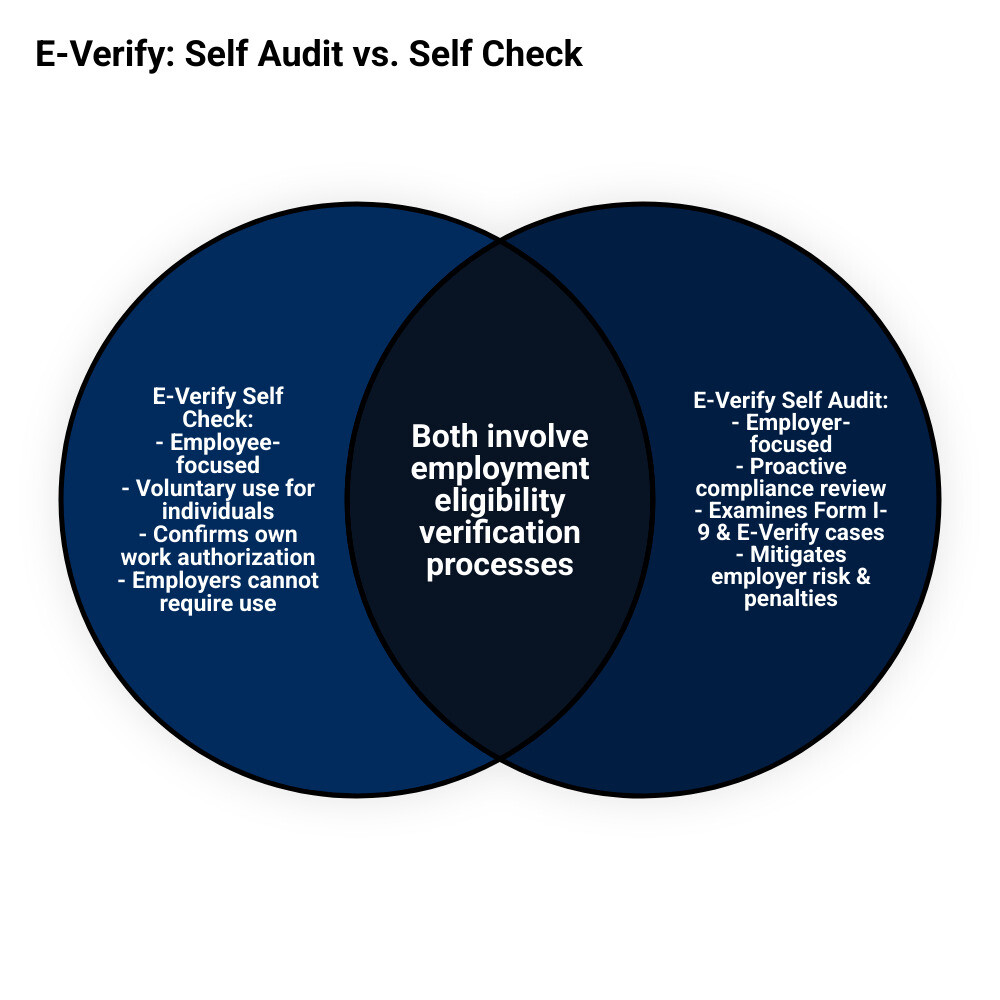
An E-Verify self audit is a proactive internal review of your Form I-9 records and E-Verify cases to ensure compliance. This employer-driven audit helps you find and fix errors before a government inspection, unlike the employee-focused E-Verify Self Check service.
Quick Answer: How to Conduct an E-Verify Self Audit
- Review all Form I-9s for completeness and accuracy in Sections 1, 2, and Supplement B
- Audit E-Verify cases to ensure timely creation, proper photo matching, and correct case closure
- Check account maintenance including user access, poster requirements, and contact information
- Identify common mistakes like duplicate cases, late submissions, or incorrect document handling
- Correct errors properly by drawing lines through incorrect information, initialing, and dating changes
- Document all corrections and maintain audit logs with Form I-9 files
The stakes are high. ICE audits can bring fines from hundreds to thousands of dollars per violation. The Department of Homeland Security also monitors E-Verify accounts for misuse.
Imagine receiving a Notice of Inspection from ICE. It’s a scenario many employers face, even when they believe their hiring practices are compliant.
The good news is that self-auditing gives you control. You can find and fix problems early, demonstrating good faith compliance that may reduce penalties if violations are found.
Many HR managers confuse the employee Self Check with an employer self-audit. Self Check lets individuals verify their own eligibility, while an employer audit examines your entire verification system.
Understanding the Foundation: I-9 Compliance and E-Verify
Before starting your E-Verify self audit, it’s important to understand the basics. A solid foundation is key to compliance.
Form I-9 is the cornerstone of employment verification. Every new hire must complete one to prove their identity and legal authorization to work in the U.S.
The employee completes Section 1. You then examine their original documents from the approved lists and complete Section 2, confirming the documents appear genuine.
E-Verify adds another layer, checking Form I-9 information against federal databases from DHS and the SSA. It’s a digital confirmation of your hiring records.
The E-Verify purpose is to help catch identity theft, fraudulent documents, and errors that could lead to compliance issues.
Your employer responsibilities include following anti-discrimination provisions. You cannot treat employees differently based on national origin or citizenship, nor can you demand specific documents.
Data privacy is also critical. All personal information on Form I-9s must be securely stored.
Want to dive deeper? Check out our guides on What is E-Verify? and E-Verify and I-9 for the full picture.
Distinguishing Employer Audits from Employee Self Check
It’s easy to confuse an employer audit with the employee Self Check.
E-Verify Self Check is a free online tool for individuals to confirm their own work eligibility information against government databases.
Who can use Self Check? Anyone 18 or older can use it to check their records, especially after a name change or work authorization renewal.
Crucially, Self Check is for voluntary use only. There is a strict employer prohibition against requiring applicants or employees to use it.
An employee’s use of Self Check does not replace your legal obligation to complete a Form I-9.
Think of it this way: Self Check is like someone checking their credit report before applying for a loan. It’s helpful for them, but you still need to do your own verification process.
Curious about how Self Check works? Your employees can learn more at Self Check | E-Verify. Just remember – you can mention it exists, but you can’t make anyone use it.
Step 1: Conducting a Thorough Form I-9 Internal Audit
Your E-Verify self audit is a health checkup for your hiring practices. Waiting for an ICE inspection to find Form I-9 problems can lead to expensive penalties.
The Form I-9 audit is the first step. Errors on these forms create a domino effect, leading to mistakes in your E-Verify cases and multiplying compliance issues.
Internal audits aren’t legally required, but they are a smart business practice. A documented audit demonstrates a good-faith effort to comply with regulations.
Selecting forms fairly is crucial. Avoid discrimination by auditing all forms or a truly random, neutral sample. Never select forms based on an employee’s perceived national origin.
Handle any issues found with care and privacy. Discuss Form I-9 problems with employees in a confidential setting.
Our Internal I-9 Audit Complete Guide walks you through this entire process step by step.
Reviewing Section 1: Employee Information and Attestation
Section 1 is the employee’s responsibility. During an audit, your role is to identify errors and guide the employee on how to make corrections.
Missing names, addresses, or dates of birth are common errors. While seemingly small, these omissions create significant compliance issues.
The citizenship status section is another common problem area. Employees must check only one box and provide all required information, like an Alien Number if applicable.
Timing is critical. Section 1 must be signed and dated by the employee’s first day of work. A late signature is a violation that must be documented.
To correct Section 1, the employee must draw a single line through the error, write the correct information, and then initial and date the change. Never make these corrections yourself.
Reviewing Section 2: Employer Verification and Certification
Section 2 is the employer’s responsibility and a common source of costly mistakes, often due to rushing or misunderstanding the rules.
Document recording errors are frequent. Forgetting a document number, recording the wrong issuing authority, or missing an expiration date are common mistakes. Every field must be accurate.
Confusion over List A versus List B and C documents causes problems. Employees can present one List A document or a combination of one List B and one List C document. You cannot demand specific documents.
Physical examination of original, unexpired documents is mandatory. Photocopies or digital images are not acceptable.
The 3-day rule requires you to complete Section 2 within three business days of the employee’s start date. Missing this deadline is a common violation.
To correct Section 2, use the same line-through method, but you must be the one to initial and date the change. For extensive errors, complete a new Section 2 and attach it to the original with an explanatory note.
Our guide on Auditing I-9 Forms covers these correction procedures in detail.
Reviewing Supplement B: Reverification and Rehires
Supplement B (formerly Section 3) is used for reverification of expiring work authorization and for certain rehires within three years.
Reverification timing is critical. You must reverify work authorization before it expires. If you miss the deadline, the employee cannot legally continue working until reverification is complete.
For rehires, you can use Supplement B if the employee returns within three years and their work authorization is still valid. Otherwise, a new Form I-9 is required.
Ensure the employee’s name and dates in Supplement B are entered correctly and match the original Form I-9 and payroll records.
Corrections to Supplement B follow the same process: line through the error, write the correction, and initial and date the change.
For comprehensive guidance on these procedures, ICE provides excellent resources in their Guidance for Employers Conducting Internal Employment Eligibility Verification Form I-9 Audits.
Step 2: Executing the E-Verify Self Audit
With your Form I-9s audited, the next step is the E-Verify self audit. This part examines your use of the E-Verify system itself.
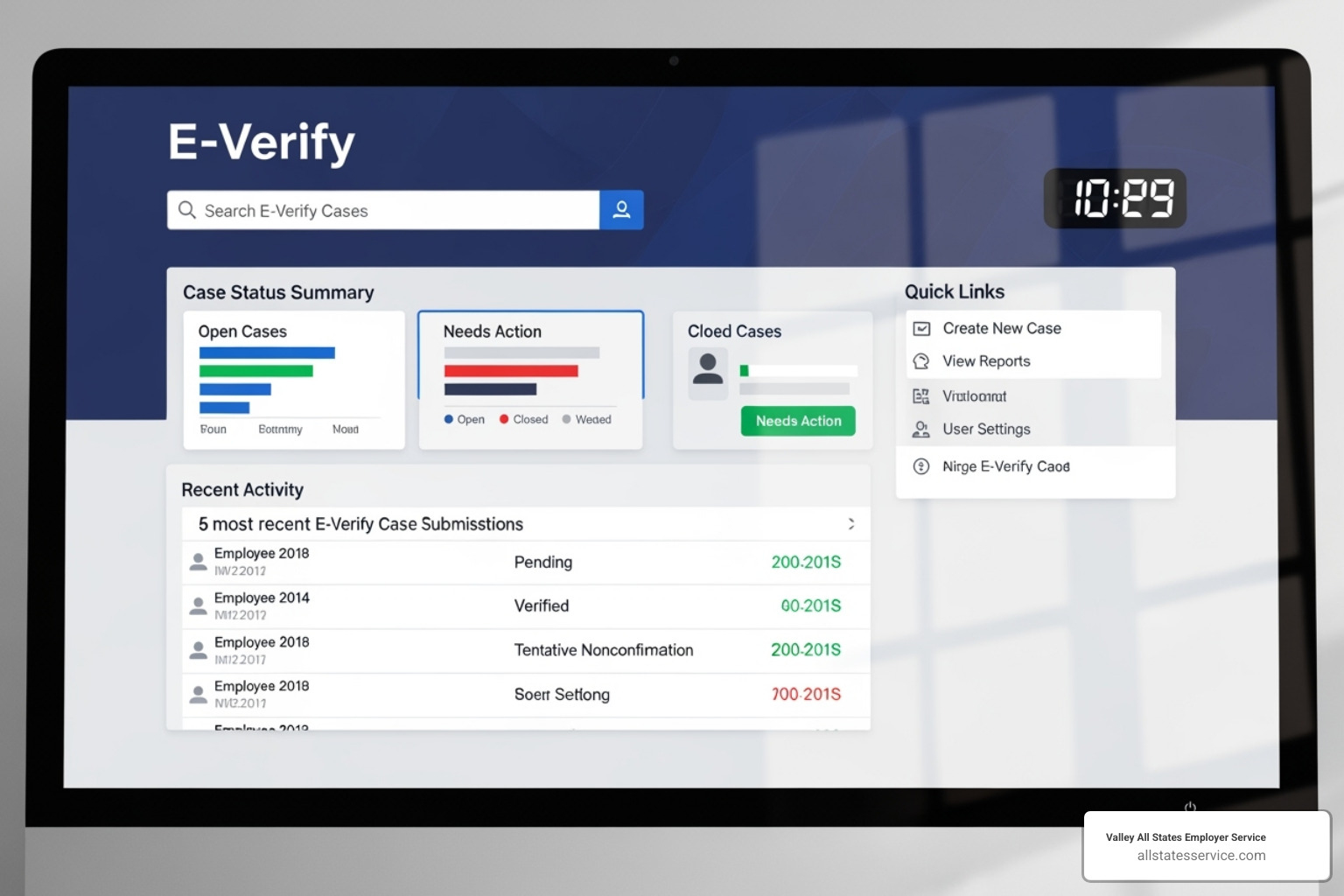
E-Verify encourages self-assessments to help you find and fix problems before they lead to penalties. A good audit process helps you identify issues, correct them, and prevent future errors.
The government provides the M-1044 – Self Assessment Guide for E-Verify Direct Users as a roadmap, which includes helpful checklists.
For additional context on what’s expected of you, check out our comprehensive guide on E-Verify Best Practices.
Key Components of Your E-Verify Self Audit
Your E-Verify self audit must cover several critical areas.
Account maintenance is foundational. Ensure all users are trained and have unique logins, remove inactive users, and keep company contact information current. Never share passwords.
Fulfill poster requirements by displaying the “Notice of E-Verify Participation” and “Right to Work” posters in English and Spanish where employees can see them.
Case creation timeliness is crucial. You must create an E-Verify case no later than the third business day after a new hire starts work for pay, and only after completing the Form I-9.
Information matching must be exact. Typos can trigger a Tentative Nonconfirmation (TNC). Double-check that all data from the Form I-9, including an employee’s email if provided, is entered correctly.
The photo matching process is required for certain documents (e.g., Permanent Resident Cards). Compare the E-Verify photo to the document photo, accounting for normal variations, and keep a copy of the document with the Form I-9.
Case closure is mandatory. Every case must be closed with the correct final status. Open cases are a common compliance violation.
Finally, record the case verification number on the employee’s Form I-9 or attach the case details printout to create a clear paper trail.
You can find more details about these requirements on our E-Verify Employer Requirements page.
Common Mistakes to Find in an E-Verify Self Audit
Your audit will likely uncover common mistakes. Pre-screening applicants with E-Verify before a job offer is illegal and discriminatory.
Creating duplicate cases, especially for rehires, is a frequent error. Always check for an existing case first.
Missing the three-day deadline for case creation is another frequent issue.
Mishandling Tentative Nonconfirmations (TNCs) is a serious violation. Never terminate an employee for a TNC. You must provide the Further Action Notice (FAN) and allow them time to resolve it.
Requesting specific documents from employees violates their right to choose which acceptable documents they present.
Other common violations include failing to complete photo matching, not closing cases, and creating cases for pre-enrollment hires (unless required by a federal contract).
The M-1044 – Self Assessment Guide for E-Verify Direct Users provides detailed checklists to help you spot every potential issue.
Step 3: Correcting Errors and Managing Mismatches
Finding errors during an E-Verify self audit is an opportunity to fix issues before they become major problems. Proper correction shows your company takes compliance seriously.
When you find problems, document each error and the corrective action taken, including the date. This paper trail is vital for an inspection. Recurring mistakes indicate a need for team training on Form I-9 and E-Verify procedures.
The Right Way to Fix Form I-9 Errors
Fixing Form I-9 errors incorrectly can create more liability. It’s crucial to follow the proper procedures.
Employee corrections for Section 1 must be done by the employee. They should draw a single line through the error, add the correct information, and initial and date the change. Employers cannot alter Section 1.
Employer corrections for Section 2 and Supplement B follow the same rule: draw a line, write the correction, then initial and date it. Never use correction fluid, as it can look like an attempt to conceal information. If white-out was used, attach a memo explaining the correction.
Never backdate corrections; always use the current date. For significant errors, you may need to complete a new section on a fresh form, attaching it to the original with an explanatory memo.
The goal is transparency. Anyone looking at your forms should clearly see what changed, who changed it, and when. Sloppy corrections can lead to serious I-9 Compliance Penalties.
Managing the Tentative Nonconfirmation (TNC) Process
A Tentative Nonconfirmation (TNC) simply means there is a data mismatch between E-Verify and government records. It does not mean the employee is unauthorized to work.
During a TNC, you must privately inform the employee, print the Further Action Notice (FAN), and review it with them. The FAN explains their options for resolving the issue.
The employee has 10 federal government workdays to decide whether to contest the TNC. If they do, you will refer their case to the appropriate agency (SSA or DHS) through E-Verify.
Most importantly, the employee continues to work normally while resolving the TNC. Taking any adverse action against them during this period is a serious violation.
Employee rights include the right to contest the TNC and continue working without any negative consequences from you during the resolution process.
When referring the case, provide the employee with a Referral Date Confirmation. They must contact the agency within eight federal government workdays.
During a TNC, do not terminate or punish the employee, try to fix the issue yourself, ask for extra documents, or ignore the TNC. You must follow the process and close the case correctly.
Understanding these responsibilities protects both you and your employees. For more detailed guidance, check out our resource on E-Verify Employer Responsibilities.
Frequently Asked Questions about E-Verify Audits
Even a thorough E-Verify self audit can raise questions. Here are answers to some of the most common concerns we hear from employers.
Can an employer require an applicant to use E-Verify Self Check?
No. You absolutely cannot require an applicant or employee to use E-Verify Self Check. It is a voluntary tool for individuals only.
Requiring its use is a misuse of the E-Verify system and can lead to penalties. An employee’s use of Self Check never replaces your legal obligation to complete a Form I-9 for every new hire.
What should I do if I find a missing or incomplete Form I-9 during an audit?
If you find a missing or incomplete Form I-9, the steps you take depend on the employee’s status.
For current employees, complete a new Form I-9 immediately. Do not backdate it. Attach a memo explaining why the form was missing and when the new one was completed.
For incomplete forms, have the employee correct Section 1 and you correct Section 2 or Supplement B, following standard correction procedures. Attach an explanatory memo if needed.
For terminated employees, you cannot create a new Form I-9. Instead, draft and file a memo explaining why the form is missing to document your acknowledgment of the error.
What are the most common and costly mistakes found in an E-Verify audit?
The most common and costly mistakes often involve timeliness and procedural errors. Late E-Verify case creation (missing the three-business-day deadline) is a frequent and expensive violation.
Improper TNC handling is another major risk. Terminating an employee based solely on a TNC can lead to E-Verify violations and discrimination charges.
Unclosed E-Verify cases are red flags for auditors. Every case must be properly closed with the correct final status.
Form I-9 errors cascade into E-Verify, as the system relies on accurate I-9 data. Missing signatures or incomplete sections lead to bigger problems.
Discrimination violations, such as requiring specific documents or pre-screening applicants, carry heavy financial penalties and can result in the loss of E-Verify access.
Fortunately, a consistent E-Verify self audit process can prevent most of these costly mistakes.
Conclusion: Simplify Your Compliance with Expert Help
An E-Verify self audit is more than a checklist item; it’s a shield against costly penalties. By taking control of your verification process, you protect your business, reputation, and employees.
Employment eligibility verification is complex. The details of Form I-9 corrections, TNC procedures, and changing regulations can be overwhelming. A small mistake can lead to significant penalties.
Proactive compliance is a competitive advantage. Identifying and fixing issues before an ICE audit demonstrates good faith and can reduce penalties if violations are found.
You don’t have to manage this alone. At Valley All States Employer Service, we make compliance simple. Our expert, impartial, and efficient E-Verify processing minimizes errors and reduces your administrative burden.
Think of us as your compliance safety net. We handle the details of E-Verify processing, staying current on regulations so you can focus on your business.
Investing in proper employment verification pays dividends, offering peace of mind that your business is protected.
Ready to transform your compliance from a source of stress into a competitive strength? Find how our comprehensive approach can support your business with our Employment Verification Services Complete Guide.