
Virtual I-9 Verification for the Modern Remote Workplace
Remote Hiring Is Booming. Is Your I-9 Process Keeping Up?
Virtual I-9 verification is the DHS-authorized process that lets employers remotely verify a new hire’s identity and work authorization documents through live video, instead of meeting in person.
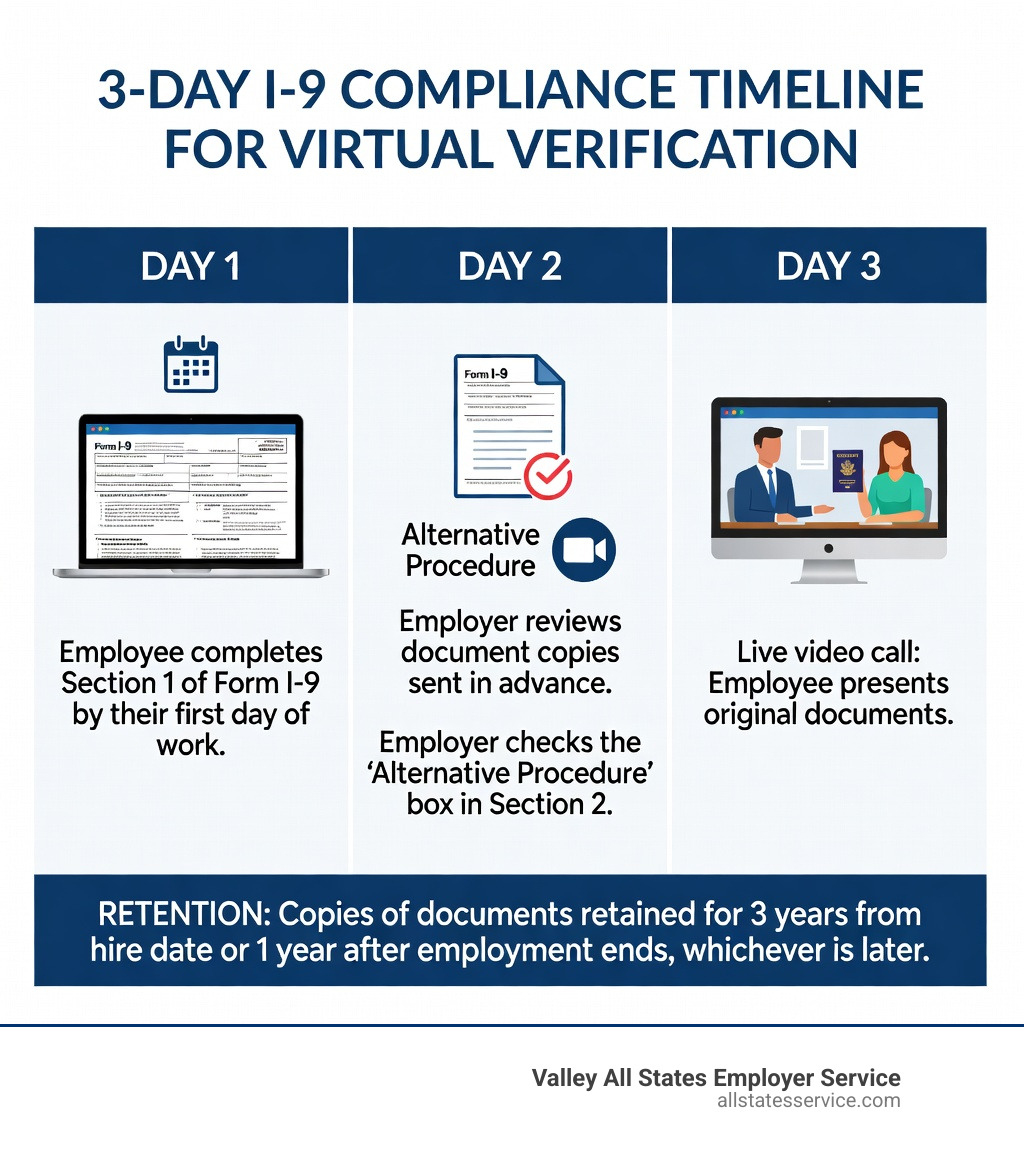
Here’s a quick breakdown of how it works:
- Employee completes Section 1 of Form I-9 by their first day of work
- Employer or authorized representative reviews document copies sent in advance
- Live video call is conducted where the employee presents the same original documents on camera
- Employer checks the “Alternative Procedure” box in Section 2 of Form I-9
- Employer completes Section 2 within three business days of the employee’s start date
- Copies of documents are retained for the required period (three years from hire date, or one year after employment ends, whichever is later)
Key requirement: Only employers enrolled in E-Verify in good standing at all relevant hiring sites can use this remote option.
Remote work has changed everything about how businesses hire. Your team might be onboarding someone in another state, and flying them in just to check a passport is not realistic anymore.
The good news: since August 1, 2023, the Department of Homeland Security (DHS) made remote I-9 document examination a permanent option for qualifying employers. This replaced the temporary flexibilities that were introduced during the COVID-19 pandemic.
But the rules are specific, and getting them wrong can be costly. I-9 paperwork errors alone can trigger fines ranging from $272 to $2,700 per document. Civil penalties for hiring unauthorized workers can reach $27,000 per violation in repeat cases.
This guide walks you through everything your HR team needs to know to run a compliant, audit-ready virtual I-9 process.
Know your Virtual I-9 verification terms:
Understanding the New Standard for Virtual I-9 Verification

For decades, the law required employers to physically touch and examine original documents in the presence of the employee. That all changed with the introduction of the Form I-9, employment eligibility verification alternative procedure. This modern approach recognizes that “presence” can happen over a high-definition video link.
But what exactly is what-is-remote-i-9-verification in the eyes of the law? It is not just a Zoom call where you glance at a driver’s license. It is a structured legal framework that requires specific enrollment and adherence to DHS standards. To use this method, we must ensure our business is enrolled in E-Verify and remains in “good standing.”
Good standing means we are enrolled for all hiring sites that use the alternative procedure, we use E-Verify for all new hires at those sites, and we comply with all program requirements, including timely case creation. If we fall out of compliance with E-Verify, we lose the right to use Virtual I-9 verification and must return to in-person inspections.
Eligibility Requirements for E-Verify Employers
Before you jump into your first video call, there are a few boxes to check. First, Enrolling in E‑Verify is the primary hurdle. Once enrolled, any person acting as a verifier on behalf of the company must complete the mandatory fraudulent document awareness training provided by E-Verify.
Consistency is another major factor. We cannot pick and choose which employees get the “easy” remote version based on their citizenship status or national origin. However, we can choose to offer the alternative procedure only to full-time remote employees while requiring hybrid or local employees to come into the office for a physical check. The key is to apply the policy fairly across a designated group to avoid discrimination claims.
How Virtual I-9 Verification Differs from Physical Inspection
The most obvious difference is the lack of physical contact. In a traditional setting, the employer handles the document to check for security features like watermarks or raised seals. In a virtual setting, we rely on a two-step “copy and call” process.
| Feature | Physical Examination | Virtual Verification (Alternative Procedure) |
|---|---|---|
| Document Review | Original document in hand | Digital copy first, then live video view |
| Interaction | In-person meeting | Live video interaction |
| E-Verify | Recommended but not required | Mandatory |
| Retention | Copies optional (unless E-Verify used) | Copies mandatory (front and back) |
| Form Notation | Standard completion | Must check “Alternative Procedure” box |
Step-by-Step Guide to the Remote Examination Procedure
To stay compliant, we follow a strict sequence of events. The i-9-verification-process-for-remote-employees begins before the employee even starts their first day.
Step 1: Section 1 Completion The employee must complete Section 1 of the Form I-9 no later than their first day of employment. They should also transmit clear, legible copies of their chosen identity and work authorization documents to us at this time.
Step 2: Document Review Before the video call, we examine the copies to ensure they appear genuine and relate to the person we are hiring. If the documents are double-sided (like a Permanent Resident Card), we need copies of both the front and back.
Step 3: The Live Video Interaction This is the heart of the Remote Examination of Documents Procedures. We schedule a call where the employee must present the same original documents they sent copies of. During the call, we compare the video image to the digital copies and the person on the screen.
Step 4: Section 2 Completion Within three business days of the employee’s start date, we must complete Section 2. We record the document information and, crucially, signal to the government that we used the remote method.
How to Indicate Virtual I-9 Verification on the New Form
The DHS released a revised version of the Form I-9 (edition date 08/01/23) specifically to accommodate this process. On this new version, there is a dedicated checkbox in the “Additional Information” field in Section 2.
According to the New Form I-9 Now Includes Alternative Procedure update, we must check this box to indicate we used the alternative procedure. If we are using an older version of the form (which was allowed during the transition period), we would have to manually write “Alternative Procedure” in the comments area. Today, using the latest form and checking the box is the only way to ensure we are audit-ready.
Best Practices for Secure Virtual I-9 Verification Storage
Retention is where many HR teams trip up. When using Virtual I-9 verification, we are legally required to keep copies of all documents examined. This is different from the traditional process where keeping copies is often optional for non-E-Verify employers.
To maintain remote-i-9-compliance, we follow the “three-year/one-year” rule. We must keep the I-9 and the document copies for three years after the date of hire, or one year after the employee leaves the company, whichever is later.
Because these documents contain sensitive data like Social Security numbers and birth dates, secure storage is paramount. We recommend using encrypted cloud storage with strict access controls. If a DHS auditor knocks on our digital door, we need to be able to produce these clear, legible copies immediately to prove the documents were genuine.
Compliance Risks and Avoiding Common Pitfalls
The stakes for I-9 compliance have never been higher. According to federalregister.gov- 2023, civil monetary penalties are adjusted annually for inflation, and they are not cheap. A simple technical error, like forgetting to check the “Alternative Procedure” box, can cost hundreds of dollars per form.
If an audit reveals that we knowingly hired or continued to employ unauthorized personnel, the fines skyrocket. First-time offenses range from $676 to $5,500 per worker. For businesses with a history of violations, that number can climb to $27,000. Beyond the money, there is the risk of debarment from government contracts and criminal prosecution in extreme cases of “pattern or practice” violations.
To avoid these uscis-i-9-remote-verification traps, we perform regular internal audits. We look for missing signatures, expired documents, and missing checkboxes. Catching an error ourselves and correcting it according to USCIS guidelines is always better than letting an ICE agent find it first.
Managing Authorized Representatives and State Restrictions
Sometimes, we cannot perform the video call ourselves. In those cases, we can appoint an “authorized representative” to act on our behalf. This could be a notary, a third-party vendor, or even a trusted individual.
However, be careful with USCIS Autofill Errors from HRIS. Some platforms try to be “helpful” by pre-populating Section 2, but USCIS is clear: Section 1 and Section 2 should not be pre-filled, except for the employer’s name and address.
State laws also add a layer of complexity. In California, for example, the law restricts who can act as an authorized representative for I-9s. Only licensed attorneys, bonded immigration consultants, or individuals authorized under federal law to provide immigration services can perform these duties. Using a standard notary in California who does not meet these criteria can lead to significant legal headaches.
Handling Rehires and Reverifications Remotely
What happens when an employee returns to the company or their work authorization expires? We use Supplement B (formerly Section 3) for these tasks.
If we are rehiring someone within three years of their original I-9 date, we can often use the remote procedure to verify their identity again, provided we are still in good standing with E-Verify. For reverifications, we must examine the new work authorization documents via live video call just as we did during the initial hire.
For those who were hired during the COVID-19 flexibility period (March 2020 to July 2023), the deadline to complete physical or “alternative procedure” inspections was August 30, 2023. If you still have “COVID-19” notations on your forms without a follow-up verification date, you are currently out of compliance and need to address those files immediately.
Frequently Asked Questions about Remote I-9 Compliance
Is E-Verify mandatory for all remote I-9 verifications?
Yes. Under the permanent DHS “Alternative Procedure,” you must be enrolled in E-Verify and in good standing to skip the in-person physical inspection. If you do not use E-Verify, you must still meet the employee in person or use an authorized representative to physically examine their documents.
How long must we retain copies of documents examined virtually?
You must retain the copies for the entire length of the I-9 retention period: either three years from the date of hire or one year after employment ends, whichever is later. These copies must be clear and available for inspection during a government audit.
Can we use virtual verification for only some employees?
Yes, but you must be careful. You can choose to use Virtual I-9 verification only for employees who work remotely, while requiring in-person checks for those who work at a physical office. However, you cannot decide based on an employee’s citizenship status or national origin, as that would constitute unlawful discrimination.
Conclusion
Navigating Virtual I-9 verification does not have to be a source of stress for your HR team. By embracing the DHS alternative procedure, we can create a seamless onboarding experience that matches the speed of the modern remote workplace. The key is staying diligent with E-Verify, keeping meticulous records, and ensuring every video call follows the legal script.
At Valley All States Employer Service, we specialize in taking the administrative weight off your shoulders. We provide expert, impartial, and efficient E-Verify processing to ensure your workforce eligibility is always handled correctly. From managing complex reverifications to ensuring your digital files are audit-ready, we help you minimize errors and stay focused on growing your business.
Ready to simplify your remote hiring? Explore our expert I-9 verification services and let us help you build a compliant, remote-friendly future.