
E-Verify login help: Unlock 2025 Solutions
Getting Back Into Your E-Verify Account: Quick Solutions for Login Issues
E-Verify login help is now easier to find since the system moved to Login.gov in mid-2024. Here’s what you need to know.
Quick Login Steps:
- Go to everify.uscis.gov (no dash)
- Click “Sign In with Login.gov”
- Enter your Login.gov email and password
- Complete Multi-Factor Authentication (MFA)
- Access your E-Verify Dashboard
Common Problems & Solutions:
| Problem | Solution | Contact |
|---|---|---|
| Forgot Login.gov password | Visit Login.gov Help Center | Login.gov: (844) 875-6446 (24/7) |
| Lost MFA access | Check Login.gov authentication help page | Login.gov: (844) 875-6446 (24/7) |
| E-Verify system issues | Contact E-Verify support | E-Verify: Mon-Fri, 8am-8pm ET |
| Need to link old account | Sign in via Login.gov, enter old User ID | Self-service during first login |
If you’re facing E-Verify login challenges, you’re not alone. As of July 1, 2024, all users must use Login.gov with mandatory Multi-Factor Authentication (MFA). This change improved security but created confusion for many.
The new process is straightforward once you get the hang of it. The system uses a single secure gateway, protecting your account with your email, password, and a second verification step, like a code sent to your phone.
Why the change matters: E-Verify uses Login.gov to protect sensitive employee information from unauthorized access. Your Login.gov account also works on other government websites, giving you one secure login for multiple services.
This guide walks you through the new login process, from creating your account to linking your old E-Verify User ID. We’ll cover common problems and how to fix them so you can get back to work.
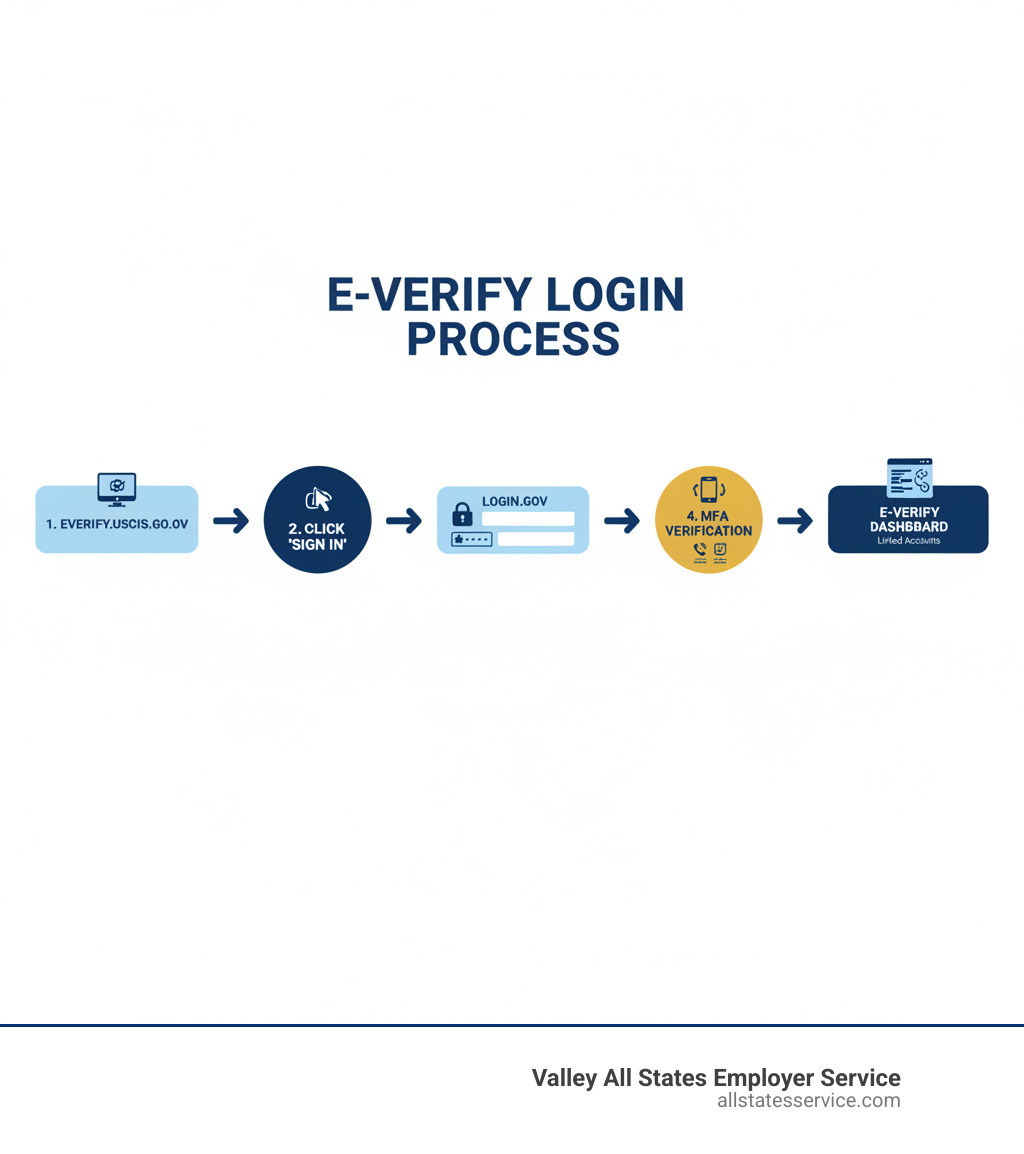
Understanding the New E-Verify Login Process
If you’ve used E-Verify for a while, you’ve noticed a big change. The E-Verify login help landscape shifted when the system integrated with Login.gov in mid-2024. This overhaul was designed to keep your sensitive employee information much safer.
The old method was a simple User ID and password on the E-Verify site. The new system adds a secure gateway through Login.gov, requiring your email address, password, and Multi-Factor Authentication (MFA).
Here’s how the old and new systems compare:
| Feature | Old E-Verify Login (Pre-Login.gov) | New E-Verify Login (With Login.gov) |
|---|---|---|
| Authentication Method | User ID & Password directly on E-Verify site | Email, Password, & Multi-Factor Authentication (MFA) via Login.gov portal |
| Security Level | Standard password protection | Improved with MFA, making it much harder for unauthorized access |
| Account Management | Managed solely within E-Verify | Managed by Login.gov for core credentials, E-Verify for application-specific roles |
| Access to Other Services | Only E-Verify | E-Verify and other participating U.S. government websites |
| User Experience | Direct entry, but less secure | Centralized, more secure, but requires initial setup/linking |
This change is a fundamental shift toward protecting your company’s data. For more background, check out our guide on What is E-Verify?.
What is Login.gov and why is E-Verify using it?
Login.gov is a secure sign-in service used by many U.S. government agencies. Instead of creating different logins for each government site, you create one Login.gov account that works across all of them.
E-Verify adopted Login.gov to strengthen security with its robust infrastructure, including mandatory MFA. This move helps protect your business from cyberattacks and ensures only authorized users can access sensitive employment data.
What is Multi-Factor Authentication (MFA) and why is it important?
Multi-Factor Authentication (MFA) adds a second layer of security to your account. It requires you to provide two or more verification factors to log in, typically something you know (your password) and something you have (your phone).
After entering your password, you’ll provide a second proof of identity, like a code sent via text or from an authenticator app. This extra step is critical. Even if someone steals your password, they can’t access your account without the second factor, drastically reducing the risk of a data breach.
How does the Login.gov integration affect existing E-Verify users?
If you were using E-Verify before July 1, 2024, you must now access your account through Login.gov. The old login method no longer works.
This is a one-time setup. During your first login, you will link your existing E-Verify User ID to a Login.gov account. You can use an existing Login.gov account or create a new one. The process takes less than 10 minutes and provides better security for all future logins. If you’re new to the system, you might also want to review the E-Verify Onboarding Process.
A Step-by-Step Guide to Account Setup and Linking
Setting up your Login.gov account and connecting it to E-Verify is a straightforward process that most people complete in under 10 minutes. This is a key part of your E-Verify Onboarding Process and ensures secure access.
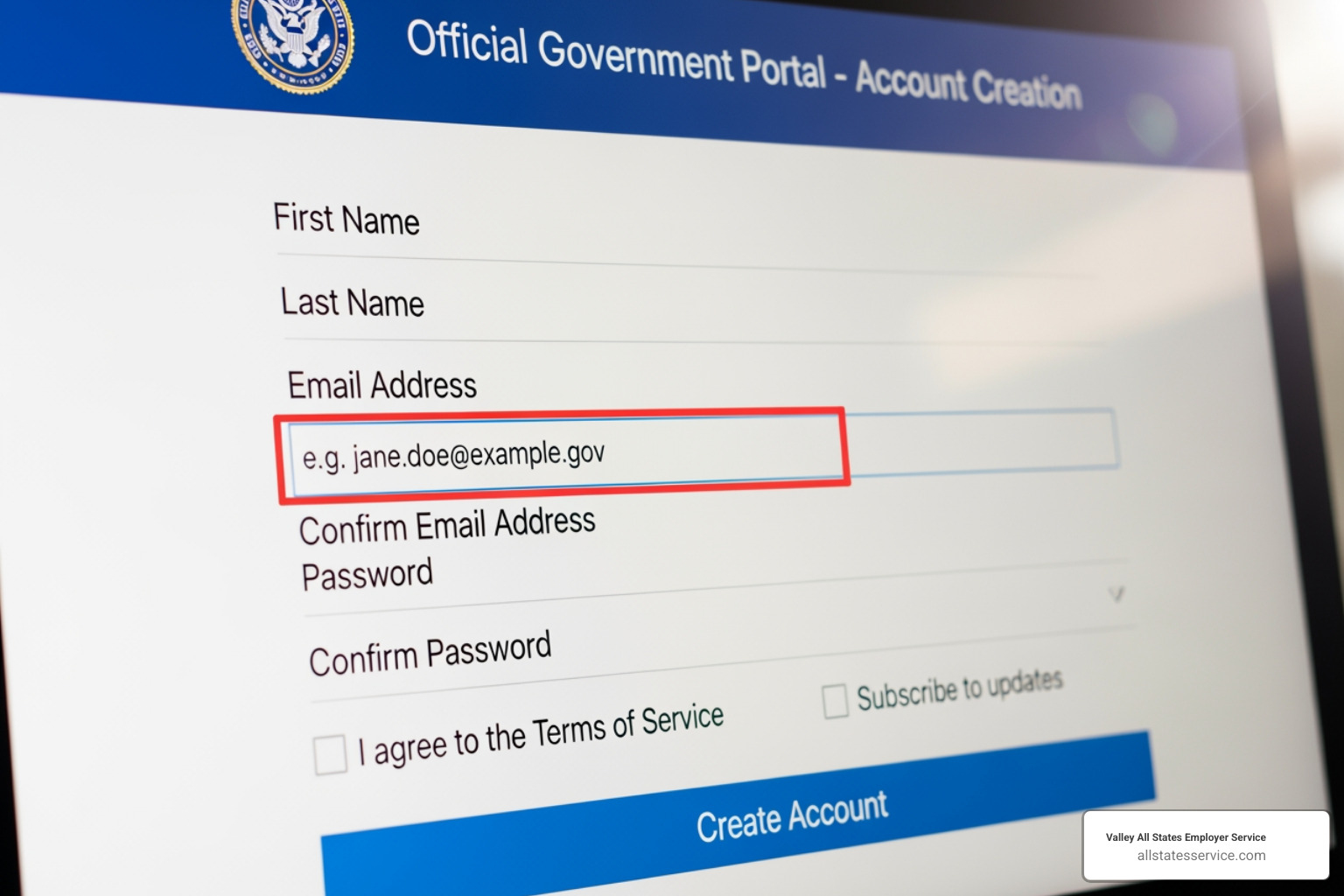
How do I create a new Login.gov account for E-Verify?
If you’re new to E-Verify or Login.gov, creating an account is your first step.
- Go to the official E-Verify website at everify.uscis.gov. Click “I Agree” on the User Agreement.
- Click the “Sign In with Login.gov” button. This takes you to the Login.gov portal. Select the “Create an account” option.
- Enter an email address you control. Use a personal email if possible, as you might lose access to a work email if you change jobs. Click “Submit”.
- Check your inbox for a confirmation link from Login.gov and click it to verify your email.
- Create a strong password. We recommend using a password manager.
- Set up Multi-Factor Authentication (MFA). This is required. You can use an authenticator app, text codes, a security key, or backup codes. We strongly advise setting up at least two MFA methods to avoid getting locked out.
- Review your account details and click “Continue to E-Verify.” You’ll be taken to your E-Verify Dashboard.
How do I link my existing E-Verify account to my new Login.gov account?
If you have an existing E-Verify User ID, you just need to connect it to your Login.gov account.
After signing in to Login.gov, you’ll be redirected back to E-Verify. The system will prompt you to link your existing account. Enter your old E-Verify User ID and password and click “Continue” or “Link Account.”
Once the system verifies your old credentials, your accounts are linked. You’ll be sent to your E-Verify Dashboard. This is a one-time process. After this, your transition to the new E-Verify login help system is complete.
Your Guide to E-Verify Login Help and Troubleshooting
Even with secure systems, login issues can happen. This section provides practical E-Verify login help and troubleshooting tips to get you back into your account quickly.
The key is knowing who to contact. Login.gov manages your credentials and authentication, while E-Verify handles everything inside the application. For more help, our E-Verify Customer Support resource can point you in the right direction.
What are the steps to sign in to E-Verify using Login.gov?
Once your account is set up, the daily login routine is simple.
- Go to the official login page: everify.uscis.gov.
- Click “Sign In with Login.gov.”
- Enter your Login.gov email and password.
- Complete the Multi-Factor Authentication (MFA) step using your chosen method (app, text, key).
- You’ll be redirected to your E-Verify Dashboard to begin working.
What should I do if I forget my Login.gov password?
E-Verify support cannot reset your Login.gov password. This is a security feature, as your credentials are managed solely by Login.gov.
If you forget your password, go to Login.gov’s Forgot your Password page. You will need to verify your identity using your email and one of your MFA methods. If you get stuck, Login.gov offers 24/7 support at (844) 875-6446.
What should I do if I have issues with my MFA authentication methods?
If you lose your phone or can’t access your MFA device, first visit Login.gov’s help page on Issues with authentication methods.
This is why having backup authentication methods is critical. If you set up a backup, you can use it to sign in.
If you lose access to all your authentication methods, the only solution is to delete your Login.gov account and create a new one. This is a major step that will block your access to E-Verify and other connected government services. You must also wait 24 hours before creating a new account with the same email address. This waiting period cannot be bypassed.
This scenario highlights why we strongly recommend setting up at least two authentication methods from the start. It’s a simple step that can prevent a major headache.
Best Practices for Managing Your Accounts
Managing your account wisely is the key to avoiding future E-Verify login help headaches. A few smart practices are an essential part of your E-Verify Employer Responsibilities.
What email address should I use and can I share an account?
You must use a unique email address that you personally control. Do not use shared inboxes or generic company accounts. For security and accountability, sharing a Login.gov account is not permitted.
Using a work email is common, but consider what happens if you change jobs. Losing access to that email can make account recovery nearly impossible. For this reason, many professionals use a personal email they will always control. Login.gov also allows you to add multiple email addresses to your account for flexibility.
Why is it recommended to have more than one authentication method?
Setting up at least two MFA methods is essential. Think of it as an insurance policy against being locked out. If your primary method (like an authenticator app on your phone) becomes unavailable, you can use a backup, such as a security key or a printed list of backup codes.
As mentioned earlier, losing access to all your authentication methods forces you to delete your account and start over after a 24-hour waiting period. Avoid this hassle by taking a few minutes to set up a second method in your Login.gov account settings.
Where can I find the correct URL for E-Verify?
Using the wrong URL can lead to phishing sites or access problems. The only official URL for E-Verify is everify.uscis.gov (with no dash).
The old address with a dash was retired on June 25. Update your browser bookmarks and any internal company guides to reflect the correct, dash-free URL. Always double-check the address bar to ensure you are on the secure, official site.
Getting Additional Support When You Need It
Sometimes you just need to talk to a human. Knowing who to contact for E-Verify login help saves time and frustration.

Who should I contact for technical issues with E-Verify or Login.gov?
Contacting the right team is key. Login.gov handles your account access, while E-Verify handles everything within the application.
- For Login.gov issues: Contact the Login.gov support center for help with forgotten passwords, MFA problems, or creating your account. They handle everything related to signing in. Reach the Login.gov Contact Center at (844) 875-6446.
- For E-Verify issues: Once you are logged in, direct questions about case status, dashboard navigation, or E-Verify policies to the E-Verify Contact Center. Find more resources on our E-Verify Customer Support page.
E-Verify support cannot help with Login.gov passwords, and Login.gov support cannot help with E-Verify cases.
What are the operating hours for E-Verify and Login.gov support?
Knowing when support is available helps you plan.
- The Login.gov Support center operates 24 hours a day, seven days a week. You can get help with login credentials anytime.
- The E-Verify Customer Support center is available Monday through Friday, from 8 a.m. to 8 p.m. Eastern time, excluding federal holidays.
This dual structure ensures your login security is supported around the clock, while application support is available during business hours.
Streamline Your Compliance and Eliminate Login Hassles
You’ve steerd the Login.gov integration, MFA setup, and account linking. Understanding the E-Verify login help resources puts you ahead of the game in maintaining compliance. With a properly configured Login.gov account and backup authentication methods, managing access becomes much less stressful.
However, E-Verify itself can be time-consuming. Staying current on policies, reviewing documents, and managing deadlines adds up. This administrative burden can pull focus away from growing your business.
That’s where partnering with an expert like Valley All States Employer Service makes a difference. We handle the entire employment verification process for you. No more login headaches, case deadlines, or compliance worries. We ensure every case is processed correctly and efficiently, so you can focus on your business.
Think of us as an extension of your team, specializing in E-Verify compliance. We stay on top of every policy update and eliminate errors that can lead to future issues.
Ready to simplify your E-Verify compliance and get hours back in your week? Explore our E-Verify Employer Agent Services to see how we can help your business stay compliant without the hassle.