
Verifying I-9 Documents: Mastering Critical 2025 Compliance
Why Accurate I-9 Document Verification Protects Your Business
Verifying I-9 documents is a federal requirement every U.S. employer must master to avoid hefty fines. The process involves examining employee documents to confirm identity and work authorization within strict timelines.
Quick Answer for Verifying I-9 Documents:
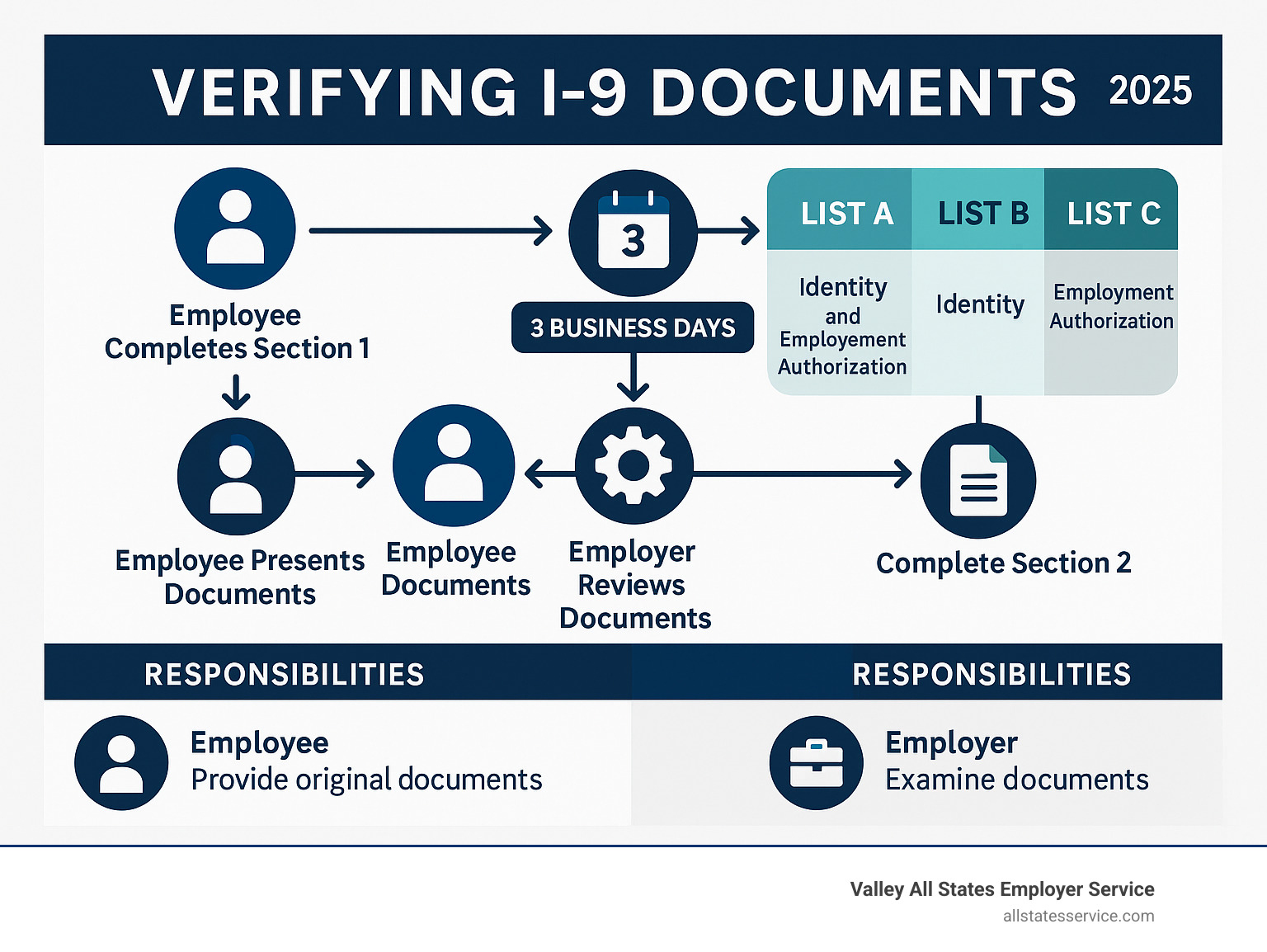
- Employee completes Section 1 on or before their first day.
- Employer examines original documents within 3 business days of the start date.
- Accept one List A document OR one List B + one List C document.
- Complete Section 2 after verifying documents appear genuine.
- Retain forms for 3 years after hire or 1 year after termination (whichever is longer).
The stakes are high. Federal law requires Form I-9 for every new hire, and incomplete or incorrect forms can result in fines from hundreds to thousands of dollars per violation.
Even small oversights like missing signatures or accepting expired documents can trigger significant penalties under the Immigration Reform and Control Act of 1986.
The challenge is that verifying I-9 documents isn’t just about rules. It’s about protecting your business from hiring unauthorized workers while respecting employee rights and avoiding discrimination. This balance requires understanding acceptable documents, proper examination, and current regulations.
Whether you’re handling in-person or remote verification, getting this process right is crucial for your business’s legal and financial health.
The First Step in Compliance: What is Form I-9?
Form I-9, the “Employment Eligibility Verification” form, is the federal government’s method for ensuring everyone working in America has the legal right to do so.
The Immigration Reform and Control Act of 1986 (IRCA) prohibits employers from knowingly hiring or employing unauthorized individuals. Form I-9 is your proof of due diligence.
In practice, a new hire completes their section of the form, attesting to their work authorization. You, the employer, then examine their documents and complete your section. Every new hire must go through this process, regardless of their citizenship or immigration status.
This system creates a clear paper trail. During an audit, your completed I-9 forms show you followed federal law when verifying I-9 documents.
Want to dive deeper? Check out our guide on What is an I-9 Form?.
Why Accurate I-9 Verification Matters
I-9 compliance penalties can seriously damage your bottom line and business reputation.
An immigration audit that uncovers missing signatures, expired documents, or incomplete forms can cost you hundreds to thousands of dollars per violation. For a business with 50 employees, minor errors can quickly add up to tens of thousands in fines.
Beyond the financial hit, non-compliance can trigger criminal charges in severe cases, disrupt operations, and damage client relationships.
When you get I-9 verification right, you build a workforce you can trust is legally authorized to work. You protect your business from hiring unauthorized workers and demonstrate your commitment to federal employment laws.
For a detailed breakdown of what violations can cost, review our guide on I-9 Compliance Penalties.
Form I-9 vs. E-Verify: Key Differences
Many employers confuse Form I-9 and E-Verify. The key distinction: Form I-9 is mandatory for all employers, while E-Verify is typically voluntary.
Form I-9 is the foundation. Every employer must complete it for every new hire by physically examining documents. The employee chooses which documents to present.
E-Verify is an extra step. This web-based system compares Form I-9 information against government databases. While voluntary for most, it’s required for federal contractors and employers in certain states.
The requirements differ:
- E-Verify always requires a Social Security number, while Form I-9 does not always.
- E-Verify requires photos on List B identity documents, but Form I-9 does not.
- You must use Form I-9 for reverification of expiring work authorization, not E-Verify.
Think of Form I-9 as checking a license at the door, and E-Verify as calling the DMV to confirm it’s valid.
Learn more about their relationship in our comparison of E-Verify and I-9.
A Step-by-Step Guide to the I-9 Verification Process
Verifying I-9 documents is a three-step process where timing and accuracy are key.
The process revolves around the critical 3-day rule: you have three business days from when an employee starts working for pay to complete document verification. For jobs lasting three days or less, you must finish by their first day.
The countdown begins the moment they start working for pay, not when they accept the job offer. Missing this deadline can lead to penalties.
For a complete walkthrough, check out I-9 Form Completion.
Step 1: The Employee Completes Section 1
The new hire completes Section 1 on or before their first day, making a legal attestation about their work eligibility under penalty of perjury.
Section 1 requires personal information and, most critically, an attestation of their citizenship or immigration status. They must check one of four boxes: U.S. citizen, noncitizen national, lawful permanent resident, or alien authorized to work.
If someone assists the employee, they must complete the preparer or translator certification, taking legal responsibility for the information’s accuracy.
You cannot help the employee choose their status box; that decision is theirs alone. Your role is to ensure Section 1 is complete before they start work.
USCIS provides detailed instructions at USCIS guidance on Section 1.
Step 2: The Hands-On Guide to Verifying I-9 Documents
Within three business days, you must physically review the original documents your employee presents. Photocopies or digital images are not allowed, except for specific remote verification procedures.
When verifying I-9 documents, ensure they are original, unexpired, and appear reasonably genuine. You are not expected to be a forensic expert, but you should check for obvious signs of fraud.
The employee chooses which documents to present from the acceptable lists. You cannot demand specific documents, as this can lead to discrimination charges.
If a document seems suspicious, you should not accept it. The government offers a Fraudulent Documents Awareness guide to help you spot potential issues.
Step 3: The Employer Completes Section 2
After examining the documents, complete Section 2 within the three-day window. You must record specific information from each document: its title, issuing authority, document number, and expiration date (if any).
Be precise and do not abbreviate. Copy all information exactly as it appears, as these details are critical during audits.
Next, sign and date Section 2, adding your business information and the employee’s first day of work. The person who physically examined the documents must be the one who completes and signs this section.
Your signature is a legal attestation that you examined the documents, they appear genuine, and the employee is authorized to work.
For more insights, visit New Hire Eligibility.
Decoding the Lists of Acceptable I-9 Documents
Understanding the “Lists of Acceptable Documents” from USCIS is key to verifying I-9 documents.
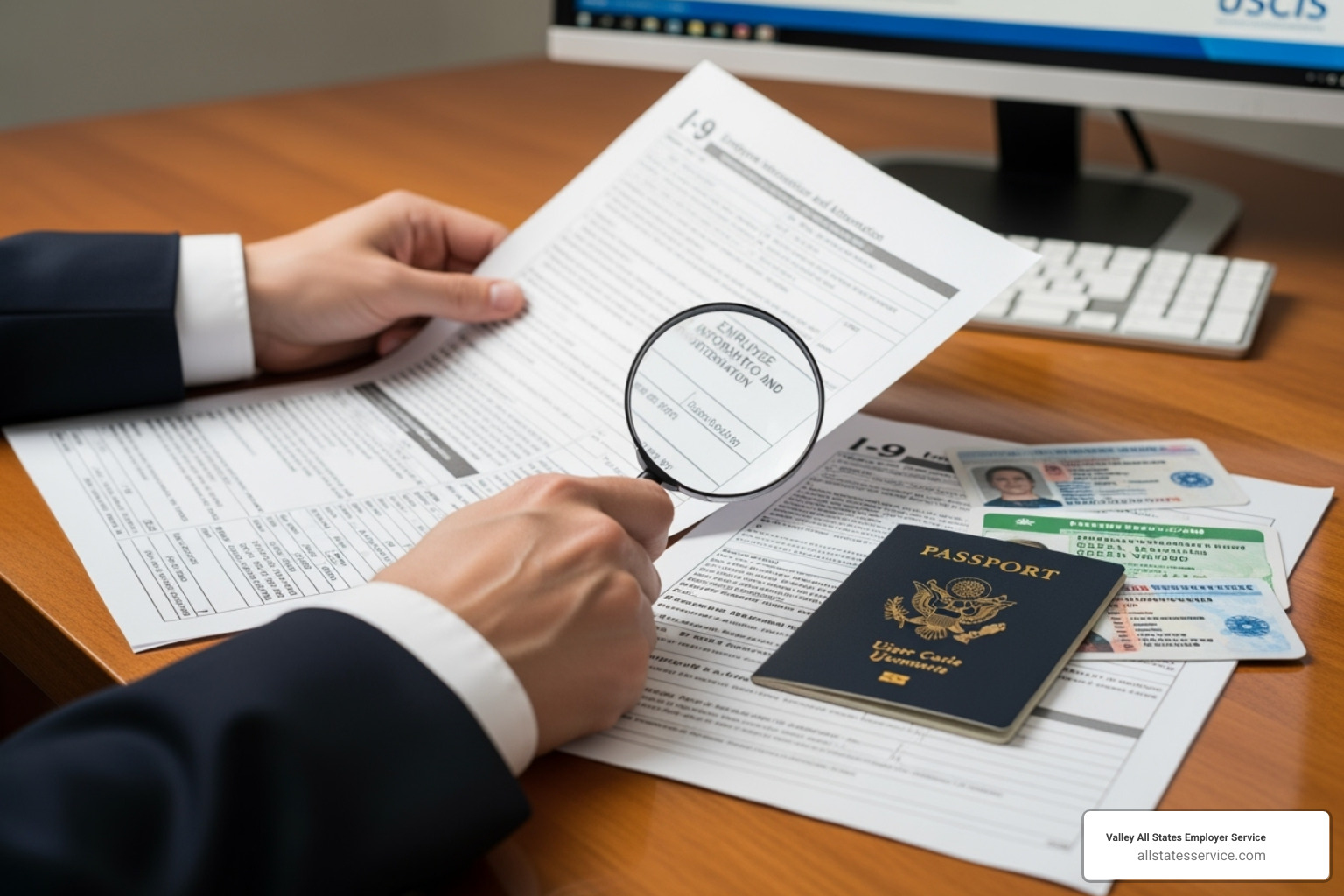
The system is straightforward: employees can present either one document from List A (proving both identity and work authorization) or a combination of one document from List B plus one from List C.
Crucially, the employee gets to choose which valid documents to present. Demanding specific documents is illegal and can lead to discrimination claims.
Always refer to the official list of acceptable documents on the USCIS website for the most current information.
List A: Documents Establishing Both Identity & Employment Authorization
List A documents establish both identity and employment authorization, so only one is needed. Common examples include:
- U.S. Passport or Passport Card: Establishes identity and U.S. citizenship.
- Permanent Resident Card (Form I-551): Also known as a “Green Card.” Older, unexpired versions are still valid.
- Employment Authorization Document (Form I-766): A “work permit” for those with temporary authorization. Note the expiration date.
- Foreign passport with a temporary I-551 stamp: Serves as temporary proof of permanent residency.
Other List A documents include certain foreign passports with I-94 endorsements.
List B: Documents Establishing Identity Only
List B documents establish identity only and must be paired with a List C document. Common examples include:
- Driver’s license or state ID card: Must contain a photograph or identifying information (name, DOB, etc.).
- School ID card with a photograph.
- U.S. Military card or draft record.
- Voter’s registration card.
For employees under 18 without one of the above, school or medical records are acceptable.
List C: Documents Establishing Employment Authorization Only
List C documents establish employment authorization only and must be paired with a List B document. Common examples include:
- Unrestricted U.S. Social Security card: Cards with restrictions like “NOT VALID FOR EMPLOYMENT” are not acceptable.
- Original or certified copy of a birth certificate issued by a U.S. state or territory. Hospital birth certificates are not valid.
- Certification of Birth Abroad (Form FS-545 or DS-1350).
- Employment authorization document issued by the Department of Homeland Security (DHS).
Understanding these lists makes verifying I-9 documents much more manageable.
Navigating Modern Challenges: Verifying I-9 Documents for Remote Employees
The rise of remote work required an evolution in verifying I-9 documents. The old rule of mandatory in-person physical examination became a major hurdle.

In response, the Department of Homeland Security introduced a permanent alternative procedure as of August 1, 2023. This allows qualified employers to verify documents remotely.
This change acknowledges that top talent can be located anywhere, making remote verification a practical necessity.
For a complete breakdown, check out Remote Form I-9.
The Alternative Procedure for Remote Verification
The remote verification process has specific requirements for security and compliance.
- You must be enrolled in E-Verify and in good standing. This is a non-negotiable prerequisite.
- The employee transmits clear copies (front and back) of their documents to you.
- You conduct a live video call where the employee presents the same physical documents. You must examine them to ensure they appear genuine, are unexpired, and relate to the employee.
- You must note on the Form I-9 that you used the alternative procedure.
- You must retain clear, legible copies of all presented documents as part of your I-9 records.
This system maintains verification integrity while accommodating remote work. For detailed guidance, visit Remote I-9 Compliance.
Using an Authorized Representative for verifying i 9 documents
If you are not enrolled in E-Verify or prefer a local examination, you can use an authorized representative.
An authorized representative is anyone you designate to complete Section 2 on your behalf, such as a notary public, colleague, or a professional third-party service. This person must physically examine the employee’s original documents in their presence.
When using a notary, they act as your agent, not in a notarial capacity. They should not use a notarial seal on the Form I-9.
You remain liable for any mistakes your representative makes. Errors in Section 2 are your responsibility during an audit, which is why many businesses opt for professional services.
This approach is useful for remote hires where you lack a physical presence, allowing for quick onboarding without travel.
Explore professional options at Third-Party I-9 Verification.
Avoiding Costly Mistakes: I-9 Compliance and Record-Keeping
Even diligent HR professionals can make mistakes when verifying I-9 documents. Attention to detail is the key to avoiding costly errors.
Common, avoidable mistakes include:
- Missing required information: Every field in Sections 1 and 2 must be complete. A single blank space can invalidate the form.
- Late completion: The 3-day rule is not a suggestion. Completing Section 2 on day four is a violation.
- Accepting invalid documents: This includes expired documents or those with restrictions (e.g., Social Security cards).
- Improper storage and retention: Scattered, insecure, or prematurely deleted forms are all violations.
- Reverification errors: Failing to reverify expiring work authorization or reverifying documents that don’t require it (like a U.S. passport) are common mistakes.
Most of these errors are preventable with regular self-audits. Reviewing your forms can help you fix problems before they become expensive.
For guidance on conducting an internal review, check out I-9 Self Audit.
Best Practices for Storing and Retaining I-9 Forms
Follow the “3-1 rule” for retention: keep completed I-9s for three years after the hire date OR one year after employment ends, whichever is later. For example, if an employee works for five years, keep their form for one year after they leave.
You can use physical or electronic storage. Electronic systems offer better organization and faster retrieval for audits.
Security and access control are non-negotiable, regardless of the storage method. Limit access to only those with a legitimate business need.
A crucial tip is to keep I-9 forms separate from personnel files. This prevents the appearance of discrimination, as I-9s contain information about national origin and citizenship that should not influence other employment decisions.
For detailed guidance, visit I-9 Record Keeping.
Reverification vs. Rehires
The I-9 process sometimes requires revisiting forms for current or returning employees.
Reverification is required when an employee’s work authorization document (like an EAD) expires. Before the expiration date, you must complete Section 3 of the I-9 after the employee presents a new, valid document. You do not reverify U.S. citizens, noncitizen nationals, or lawful permanent residents. You also never reverify expired List B identity documents.
For rehires within three years, you may be able to update Section 3 of the original I-9 if their work authorization is still valid. If more than three years have passed or their authorization expired, you must complete a new Form I-9.
Staying organized with reminder systems for expiration dates is key to managing both reverification and rehires correctly.
Simplify Your Hiring and Ensure Compliance
Verifying I-9 documents can feel overwhelming, but mastering the process is not optional. It’s a fundamental part of running a legitimate U.S. business. With solid procedures, it becomes manageable and protects you from significant legal and financial risk.
Getting it right from the start builds a compliant, legally authorized workforce and provides peace of mind. The steps outlined here, from Section 1 completion to record-keeping, create a protective shield for your hiring practices.
For many businesses, the administrative burden is too heavy. Staying current with regulations, training staff, and conducting audits consumes valuable time. This is where expert services become a game-changer.
Valley All States Employer Service specializes in taking this complex responsibility off your plate. We handle the details of verifying I-9 documents, from initial processing to ongoing monitoring. Our team stays current with every regulatory change, so you don’t have to.
Working with professionals minimizes errors, streamlines hiring, and ensures total compliance.
Ready to transform your hiring process and eliminate compliance stress? Explore our E-Verify and I-9 Compliance services to see how we can simplify this critical aspect of your business.