
I-9 E-Verify compliance: Seamless 2025 Onboarding
Why I-9 E-Verify Compliance Is Critical for Your Business
I-9 E-Verify compliance is the foundation of legal hiring in the U.S. It requires employers to verify every new hire’s identity and work authorization using Form I-9, often supplemented by the E-Verify system for electronic confirmation.
Quick Compliance Checklist:
- Form I-9: Mandatory for all employers to verify identity and work eligibility.
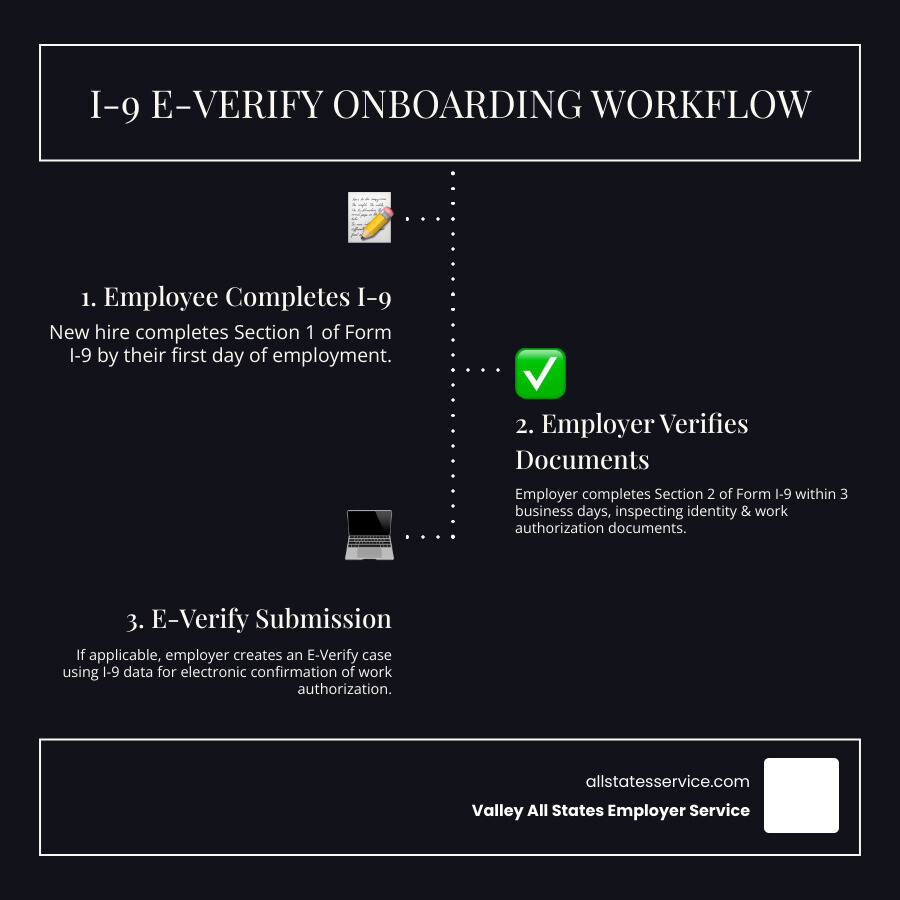
- Section 1: Employee completes by their first day of work.
- Section 2: Employer completes within 3 business days of the start date.
- E-Verify: Required for federal contractors, but voluntary for many others.
- Retention: Keep forms for 3 years from hire or 1 year after termination (whichever is longer).
- Penalties: Fines range from $110 to $16,000 per violation.
The stakes are high. Studies show that 60-80% of all completed Forms I-9 contain at least one error. An ICE audit can come with just 72 hours’ notice, demanding you produce all documentation.
For busy HR managers, this complexity can be overwhelming. You must protect your business from hefty fines without accidentally discriminating against qualified candidates. The good news is that with the right systems, you can turn this challenge into a streamlined part of your onboarding.
The Foundation: Understanding Form I-9 Requirements
Form I-9 is your first line of defense against hiring unauthorized workers. Mandated by the Immigration Reform and Control Act (IRCA) of 1986, this form is legally required for every person you hire, regardless of their citizenship status. It’s the foundation of all I-9 E-Verify compliance.
The deadlines are strict. Section 1 must be completed by the employee on or before their first day of work. Then, you must complete Section 2 within three business days of their start date. Missing these deadlines can lead to fines starting at $110 per violation.
The challenge is to prevent unauthorized employment while avoiding discrimination against authorized workers. For a deeper dive, see our guides on What is an I9? and I-9 Form Completion.
Step-by-Step: Completing the Form I-9 Correctly
Section 1 is for the employee. They enter their personal details and attest to their status as a U.S. citizen, permanent resident, or other authorized individual. This must be signed and dated by day one.
Section 2 is your responsibility. Within three business days, you or an authorized representative must examine the documents the employee presents. The goal is to determine if they appear genuine and relate to the employee. Traditionally, this required physical inspection, but E-Verify employers who meet certain criteria can now use remote inspection via live video. Our I-9 for Remote Employees guide has more details. Always use the current version from the Official Form I-9 from USCIS.
Acceptable Documents: What Can Employees Present?
A critical rule: employees choose which documents to present, not you. Demanding a specific document, like a Green Card or passport, can lead to discrimination claims. Your role is to accept any valid, unexpired document from the official lists.
- List A documents establish both identity and work authorization. Examples include a U.S. Passport or a Permanent Resident Card. If an employee presents a List A document, the process is complete.
- List B documents establish only identity. Examples include a driver’s license or a school ID with a photo.
- List C documents establish only work authorization. Examples include a Social Security card or a birth certificate.
If an employee provides a List B document, they must also provide one from List C. For a full list, see the official Acceptable I-9 Documents.
Avoiding Common Pitfalls and Penalties
With 60-80% of paper I-9s containing errors, it’s easy to make a mistake. An ICE audit can come with just 72 hours’ notice, so proper record-keeping is your lifeline. Here are common errors to avoid:
- Missing Information or Late Filing: Every field matters, and the three-day deadline for Section 2 is firm. Electronic systems can help prevent these simple but costly mistakes.
- Over-documentation: Asking for more documents than required is a serious compliance risk that can lead to discrimination complaints.
- Document Errors: You must reject documents that are expired or don’t appear genuine and ask the employee to provide another choice from the acceptable lists.
- Improper Storage and Retention: I-9s contain sensitive data and must be stored separately from personnel files. You must retain them for three years from the hire date or one year after termination, whichever is longer. Our I-9 Record Keeping guide has more details.
Penalties for paperwork violations range from $110 to $1,100 per form, while knowingly hiring unauthorized workers can cost $375 to $16,000 per violation. Understanding these risks highlights the importance of proactive compliance. For more, see our I-9 Compliance Penalties resource.
Leveling Up: Integrating E-Verify into Your Process
Once you’ve mastered Form I-9, E-Verify is the digital upgrade that takes your I-9 E-Verify compliance to the next level. It’s a web-based system that electronically compares information from an employee’s Form I-9 to records at the Social Security Administration (SSA) and Department of Homeland Security (DHS).
E-Verify doesn’t replace Form I-9; it works with it. While Form I-9 relies on your physical document review, E-Verify provides an electronic confirmation from government records. A key difference is that while Form I-9 is mandatory for all employers, E-Verify is required only for certain employers, though many use it voluntarily. Learn more about how they work together in our guide on E-Verify and I-9.
How E-Verify Works: From Data Entry to Confirmation
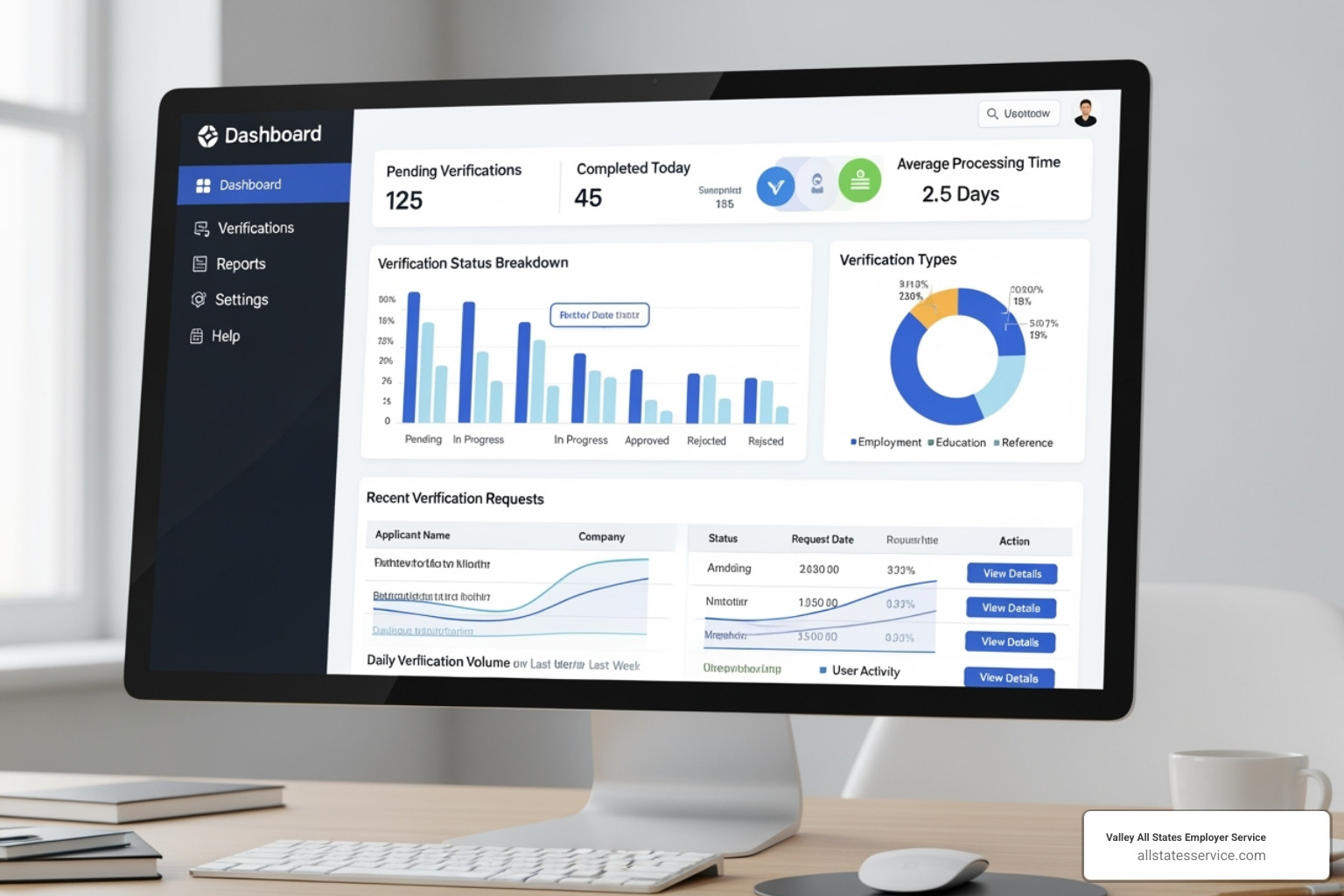
Getting started requires enrolling on the E-Verify Homepage and signing a Memorandum of Understanding (MOU). Once enrolled, you create a case for each new hire after completing their Form I-9. This must be done by the third business day after the employee starts work for pay.
The system’s Photo Matching Tool is a useful feature, allowing you to compare the photo on certain documents (like a Permanent Resident Card or U.S. Passport) with the photo in government databases.
Most cases result in an immediate “Employment Authorized” confirmation. Occasionally, you may get a Tentative Nonconfirmation (TNC), which indicates a mismatch that needs to be resolved. A TNC is not proof that an employee is unauthorized to work; it’s simply a flag for further review. You can explore the full process at E-Verify Employment Verification.
Mandatory vs. Voluntary: Who Must Use E-Verify?
Whether E-Verify is required depends on your business.
- Federal Contractors: If you have federal contracts containing the FAR E-Verify clause (often for contracts over $150,000), using E-Verify is mandatory. See our guides on Federal E-Verify Rules and E-Verify for Contractors for specifics.
- State-Level Mandates: Several states require certain employers (sometimes all employers, sometimes just public agencies) to use E-Verify. It’s crucial to know your state’s laws.
- Voluntary Participation: For all other employers, E-Verify is optional. However, many choose to participate to improve compliance confidence, reduce penalty risks, and demonstrate a good-faith effort to follow federal law. Even E-Verify for Small Businesses can simplify compliance and provide peace of mind.
Navigating Challenges in I-9 E-Verify Compliance
Even with a solid process, you’ll encounter challenges in I-9 E-Verify compliance, like a Tentative Nonconfirmation (TNC) or verifying a remote employee. These are common speed bumps, not roadblocks. Knowing how to handle them is key to staying compliant. Our guide to E-Verify I-9 Compliance covers these scenarios in detail.
Handling a Tentative Nonconfirmation (TNC)
A TNC simply means E-Verify found a data mismatch. It is not a determination that an employee is unauthorized to work. Most TNCs result from simple data entry errors or name changes.
Your responsibilities are clear:
- Do not take adverse action. You cannot fire, suspend, or withhold pay from an employee because of a TNC.
- Notify the employee promptly and provide them with the official “Further Action Notice,” which explains the issue and resolution steps.
- Give the employee time. They have eight federal government workdays to decide whether to contest the TNC by contacting the appropriate agency (SSA or DHS). They must be allowed to continue working during this period.
If the employee resolves the issue, the case will update to “Employment Authorized.” If they don’t contest it or cannot resolve it, you will receive a “Final Nonconfirmation,” at which point you may terminate employment. Employees have rights throughout this process, which are detailed at Employee Rights and Responsibilities.
Best Practices for Remote Hiring and I-9 E-Verify Compliance
Verifying documents for remote employees has become easier. Here are your options:

- Alternative Procedure for E-Verify Employers: If you are an E-Verify employer in good standing, you may be eligible to examine I-9 documents remotely via a live video call. This requires retaining clear copies of the documents and annotating the Form I-9. See the USCIS Guidance on Remote Document Examination for rules.
- Authorized Representatives: If you don’t use the alternative procedure, you can designate anyone, such as a notary public or local contact, to act as your authorized representative and complete Section 2 in person.
- Third-Party Verification Services: Many businesses use services like ours to handle remote verification. We act as your authorized representative, ensuring accuracy and compliance. For more, see our guides on Remote Form I-9 and I-9 Remote Verification Best Practices 2025.
Staying Current: Recent Updates to Form I-9 and E-Verify
Compliance rules evolve, so staying current is essential. Key recent changes include:
- New Form I-9 (Edition Date 08/01/23): This version became mandatory on November 1, 2023. It’s shorter, mobile-friendly, and includes a checkbox for the remote alternative procedure.
- E-Verify Login.gov Access: E-Verify has transitioned to Login.gov for more secure account access.
- M-274 Handbook for Employers: This is USCIS’s comprehensive guide. Always refer to the latest version for detailed instructions on all aspects of Form I-9 and E-Verify.
Streamlining Your Workflow with Electronic Solutions
Imagine an ICE auditor gives you 72 hours’ notice to produce your I-9s. Are you digging through filing cabinets or pulling up digital records in seconds? The difference is often an electronic solution for your I-9 E-Verify compliance.
Manually managing I-9s is prone to error; studies show 60-80% of paper forms have mistakes. Electronic I-9 and E-Verify systems automate manual steps, reduce human error, and turn a compliance headache into a smooth onboarding workflow.
Electronic systems offer huge advantages:
- Error Reduction: Smart forms validate data in real-time, catching missing information before it becomes a problem.
- Automated Timelines: Get automatic reminders for deadlines, so nothing slips through the cracks.
- Seamless E-Verify Integration: Information flows directly from the I-9 to E-Verify, eliminating double data entry.
- Secure Storage & Retention: Cloud-based storage keeps records secure, searchable, and automatically managed for retention.
- Reverification Alerts: The system tracks expiring work authorizations and notifies you before deadlines.
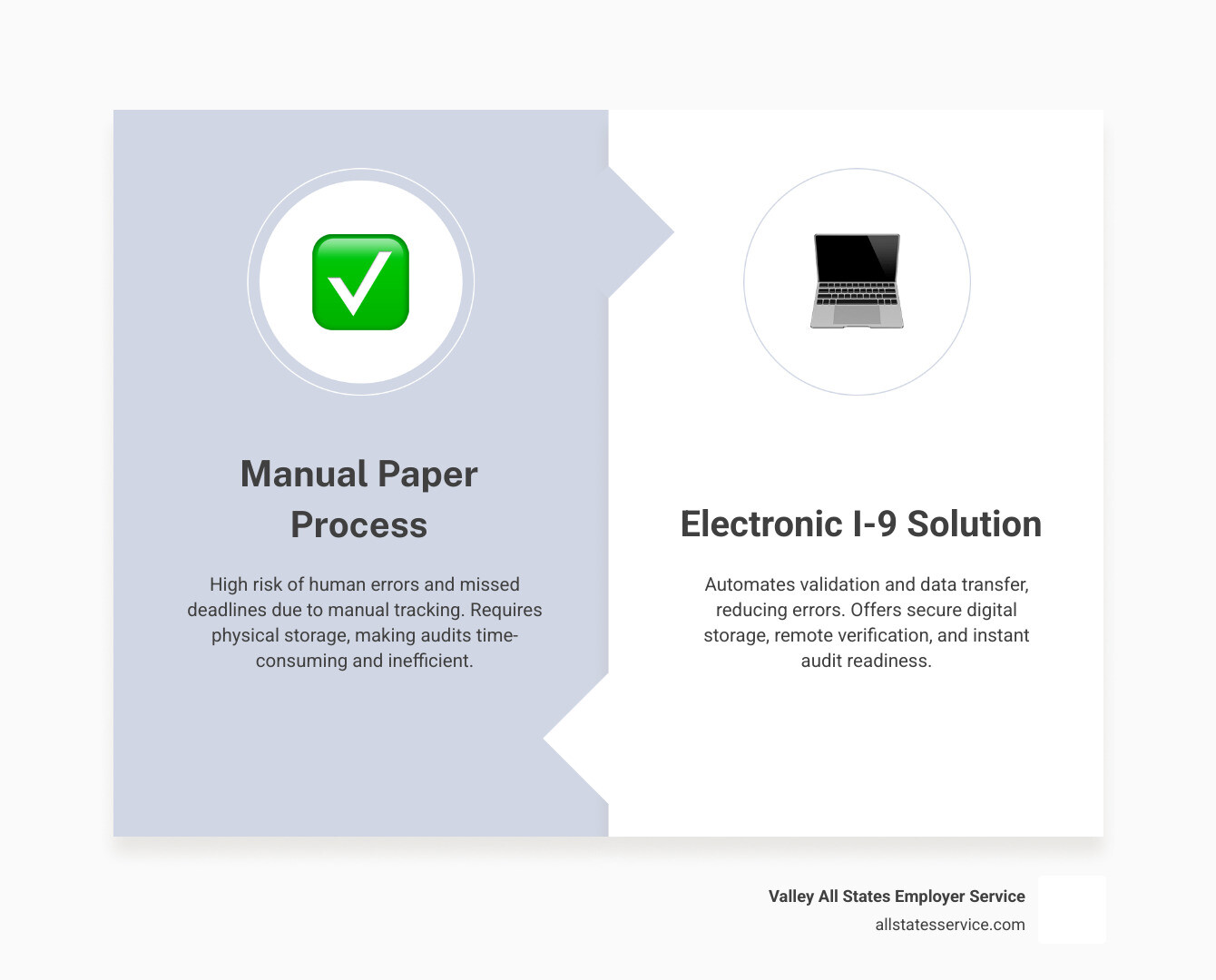
These systems also provide detailed audit trails, which are invaluable for demonstrating good-faith compliance. Businesses looking for this efficiency can explore Third-Party I-9 Verification services that handle the entire process.
Key Features of an Electronic I-9 and E-Verify System
When choosing a system, look for these game-changing features:
- Smart Form Logic: Guides users to prevent common mistakes.
- Seamless E-Verify Integration: Automates case creation accurately.
- Digital Document Storage: Provides secure, encrypted, and easily searchable storage.
- Remote Verification Tools: Supports the alternative remote procedure with live video capabilities.
- Reporting and Analytics: Offers insights into completion rates and compliance status.
- Re-verification Reminders: Automatically tracks and alerts you to expiring documents.
For help implementing these tools, our I-9 Verification Assistance can provide expert guidance.
Choosing the Right Partner for I-9 E-Verify Compliance
Selecting the right compliance partner is critical. Look for a provider that offers:
- Expertise: Deep knowledge of current and state-specific regulations.
- Accuracy: A proven track record of minimizing errors.
- Efficiency: A streamlined process that saves you time.
- Reduced Administrative Burden: Takes the compliance load off your HR team.
- Compliance Assurance: Provides robust systems and support for audit-readiness.
At Valley All States Employer Service, we provide expert, impartial, and efficient E-Verify processing that minimizes errors and administrative burden. We help you understand the E-Verify Compliance Cost and create a system that protects your business while supporting its growth.
Frequently Asked Questions about I-9 and E-Verify
Here are answers to some of the most common questions about I-9 and E-Verify compliance.
Can I ask an employee for a specific document, like a Green Card?
No. You absolutely cannot ask for a specific document. Doing so can be considered discrimination based on citizenship or national origin. The employee has the right to choose which valid, unexpired documents to present from the Lists of Acceptable Documents.
They can provide one document from List A (which proves both identity and work authorization) or a combination of one document from List B (identity) and one from List C (work authorization). Your job is only to ensure the documents appear genuine and relate to the employee.
What’s the difference between reverification and completing a new I-9?
Reverification (Section 3) is for an existing employee whose work authorization is expiring. You use Section 3 of their original Form I-9 to record their new work authorization document. You do not complete a new form.
A new Form I-9 is for a new hire. You may also use a new form when rehiring a former employee if it has been more than three years since their original I-9 was completed. If it’s been less than three years, you have the option to either complete a new form or use Section 3 of their old one.
Do I need to keep copies of the documents an employee presents?
It depends. If you are not an E-Verify employer, making copies is optional. If you choose to make copies, you must do so for all employees to avoid discrimination. Store them securely with the Form I-9.
If you are an E-Verify employer, you are required to make and retain copies of certain documents if presented by an employee. This includes U.S. Passports, Permanent Resident Cards (Form I-551), and Employment Authorization Documents (Form I-766). This is a key part of proper I-9 E-Verify compliance.
Conclusion: Mastering Onboarding with Confident Compliance
Getting I-9 E-Verify compliance right builds a foundation of integrity that protects your business from steep penalties and gives you peace of mind. It transforms a source of stress into a smooth, reliable part of your onboarding process.
However, managing compliance in-house is a significant burden, requiring constant attention to changing regulations and complex procedures. Partnering with an expert service removes that weight from your shoulders.
When you work with a specialist, you gain professionals who live and breathe employment verification. They handle the complexities, catch errors before they become problems, and ensure you are always audit-ready. The goal isn’t just compliance; it’s confident compliance, allowing you to focus on growing your business.
Ready to streamline your employment verification and ensure flawless I-9 E-Verify compliance? Explore our expert E-Verify Services today.