
Understanding Your Gateway to Employment Verification
The E-Verify employer portal is your direct access point to the federal government’s employment eligibility verification system. If you need to verify new hires, manage compliance cases, or handle tentative nonconfirmations, here’s what you need to know:
Quick Access Guide:
- Official Login URL: everify.uscis.gov (without a dash)
- Security Requirement: Multi-factor authentication (MFA) via Login.gov
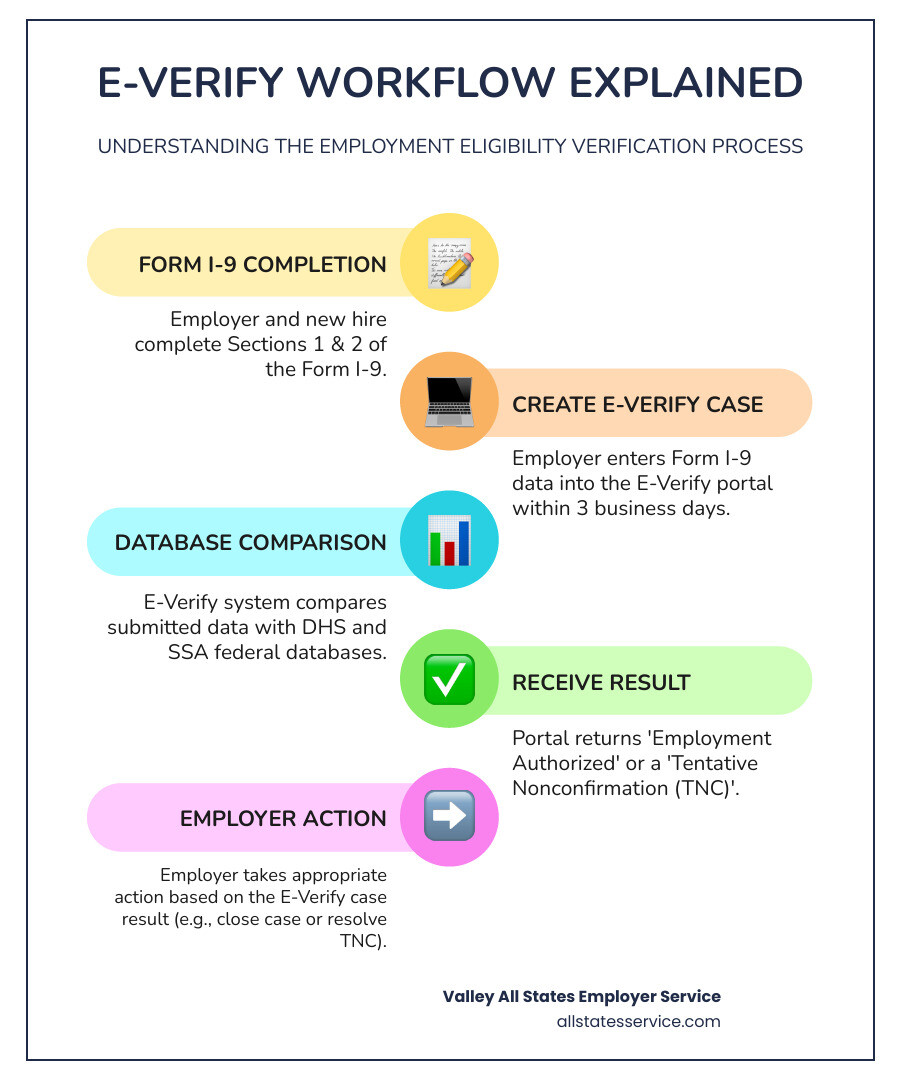
- Primary Purpose: Verify employee work authorization by comparing Form I-9 data against DHS and SSA databases
- Submission Deadline: Create cases within 3 business days after employee start date
- Account Security Update: All users must link their E-Verify account to Login.gov
The E-Verify employer portal has become the backbone of workforce verification for thousands of U.S. employers. As of 2025, the system serves federal contractors, businesses in states with E-Verify mandates, and voluntary participants who want to ensure a legal workforce.
Recent changes have made secure access more critical than ever. The Department of Homeland Security now requires multi-factor authentication for all portal users. The old URL (e-verify.uscis.gov with a dash) was decommissioned in June 2024, and employers must update their bookmarks and internal materials.
Whether you’re a federal contractor required to use E-Verify or managing compliance across multiple states with different mandates, understanding how to access and steer the portal efficiently protects your business from penalties and keeps your hiring process moving.
Basic E-Verify employer portal terms:
What is the E-Verify Employer Portal and Why is Access Critical?
The E-Verify employer portal is an internet-based system, a collaborative effort between U.S. Citizenship and Immigration Services (USCIS) and the Social Security Administration (SSA). Its core function is to allow us, as employers, to electronically confirm the employment eligibility of our newly hired employees in the United States. It’s a vital tool that supplements the mandatory Form I-9, Employment Eligibility Verification.
By using the E-Verify system, we take employment verification to the next level. It helps us stay compliant with federal immigration law, prevent unauthorized employment, and protect American jobs. This system compares employee information entered from the Form I-9 against vast federal databases, ensuring that the individual is legally authorized to work. For employers in the United States, including those in Maryland and Lutherville MD, understanding and utilizing this portal is not just a best practice—it’s often a legal necessity.
The Primary Function of the Portal
At its heart, the E-Verify employer portal serves as our central hub for employment verification. Its primary function is straightforward: once we hire a new employee and complete their Form I-9, we enter specific information from that form into the portal. The system then automatically conducts a rapid data comparison against authoritative federal databases maintained by the Department of Homeland Security (DHS) and the Social Security Administration (SSA).
Within seconds, the portal returns a result, either confirming the employee’s employment eligibility or indicating a potential mismatch. This streamlined process is critical for us because it provides an efficient and reliable method for employment eligibility confirmation. It acts as our front-line compliance tool, helping us to proactively manage our workforce and adhere to federal regulations. Without this portal, the process would be far more manual, time-consuming, and prone to error, increasing our compliance risks.
Why Secure and Timely Access Matters Now
In today’s dynamic employment landscape, secure and timely access to the E-Verify employer portal is more critical than ever. We’ve seen significant shifts in how businesses operate, from the rise of remote hiring trends to increased scrutiny through government audits. These factors, coupled with evolving state-level mandates (such as those in Maryland), mean that maintaining seamless access to E-Verify is paramount.
For us, delays or disruptions in accessing the portal can lead to serious consequences. Imagine being unable to verify a new hire within the mandated three business days—this could lead to penalties and compliance issues. Secure access ensures that our sensitive employee data is protected while we fulfill our legal obligations. A compliant workforce is not just about avoiding fines; it’s about upholding ethical hiring practices and maintaining our business’s integrity. As the system continues to evolve, staying updated on access requirements is a fundamental responsibility for every employer.
Navigating the New Secure Login: MFA and Portal Access
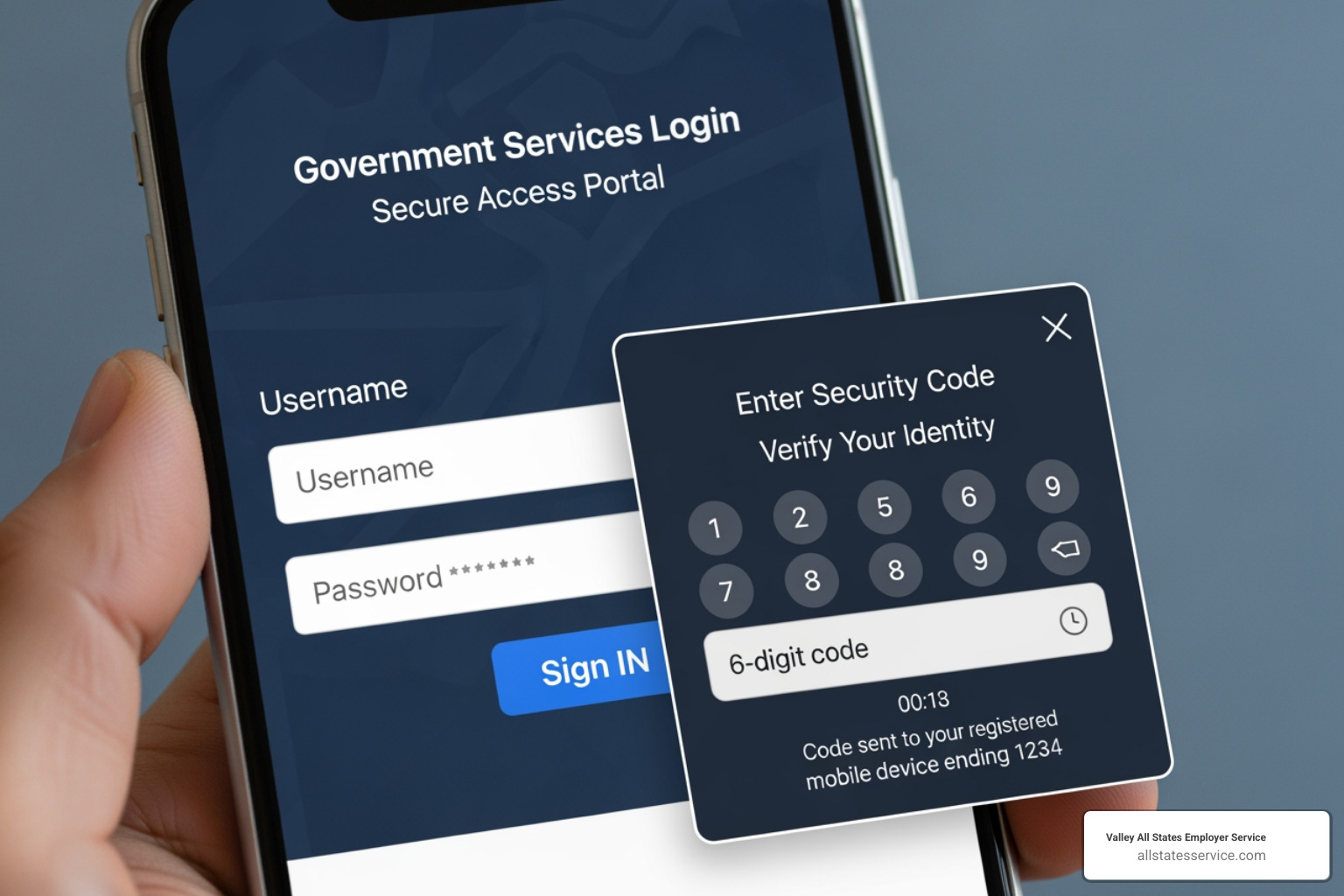
Accessing the E-Verify employer portal securely has become a top priority for USCIS, and rightfully so. To improve account security and prevent unauthorized access, multi-factor authentication (MFA) via Login.gov is now a mandatory requirement. This change directly impacts how we log in and manage our E-Verify accounts, making it crucial for us to understand and implement the new procedures.
Login.gov acts as a single sign-on solution for various government services, and its integration with E-Verify means a more robust security posture for our data. If we want to continue verifying employees and managing our compliance effectively, linking our E-Verify accounts to Login.gov is not optional—it’s essential. This update helps protect our sensitive information and ensures that only authorized personnel can access our E-Verify account.
Step-by-Step: Enabling Multi-Factor Authentication (MFA)
Enabling Multi-Factor Authentication (MFA) for your E-Verify employer portal account through Login.gov is a straightforward process designed to bolster security. Here’s how we guide our clients through it:
- Create a Login.gov Account: If you don’t already have one, your first step is to create an account on Login.gov. This acts as your secure gateway to many government services, including E-Verify.
- Link Your E-Verify User ID: During your next login attempt to E-Verify, you will be prompted to link your existing E-Verify user account(s) to your new or existing Login.gov account. This process is typically quick, often taking less than 10 minutes.
- Choose Your Authentication Methods: Login.gov offers various authentication methods to suit your preference and security needs. We recommend setting up at least two methods for redundancy. Common options include:
- Email Code: A code sent to your registered email address.
- Phone Code: A code sent via text message to your mobile phone.
- Authenticator App: Using an app like Google Authenticator or Authy to generate time-sensitive codes.
- Security Key: A physical device that you plug into your computer.
Once linked, every time you log into the E-Verify employer portal, you’ll first authenticate through Login.gov, providing your password and then a second factor (like a code from your phone). This dual layer of security significantly reduces the risk of unauthorized access, safeguarding your sensitive employee data.
Updating Your Access: The New URL
A critical aspect of maintaining seamless access to the E-Verify employer portal is ensuring we are using the correct and most up-to-date login address. Effective June 25, the old URL, e-verify.uscis.gov (with the dash), and its redirect were officially decommissioned. This means if you had that old URL bookmarked, it will no longer work.
The correct portal address for accessing E-Verify is now everify.uscis.gov (without a dash). It’s a subtle but important change. We strongly advise all employers, especially those in Maryland, to review and update any bookmarks, saved favorites, and internal materials that reference the E-Verify login page. This includes training documents, onboarding checklists, and any other resources your team uses. Making this small adjustment ensures that you and your team can always access the E-Verify system without interruption, allowing you to manage your employment eligibility verification processes efficiently and without frustration.
Key Features and Compliance Tools Inside the Portal
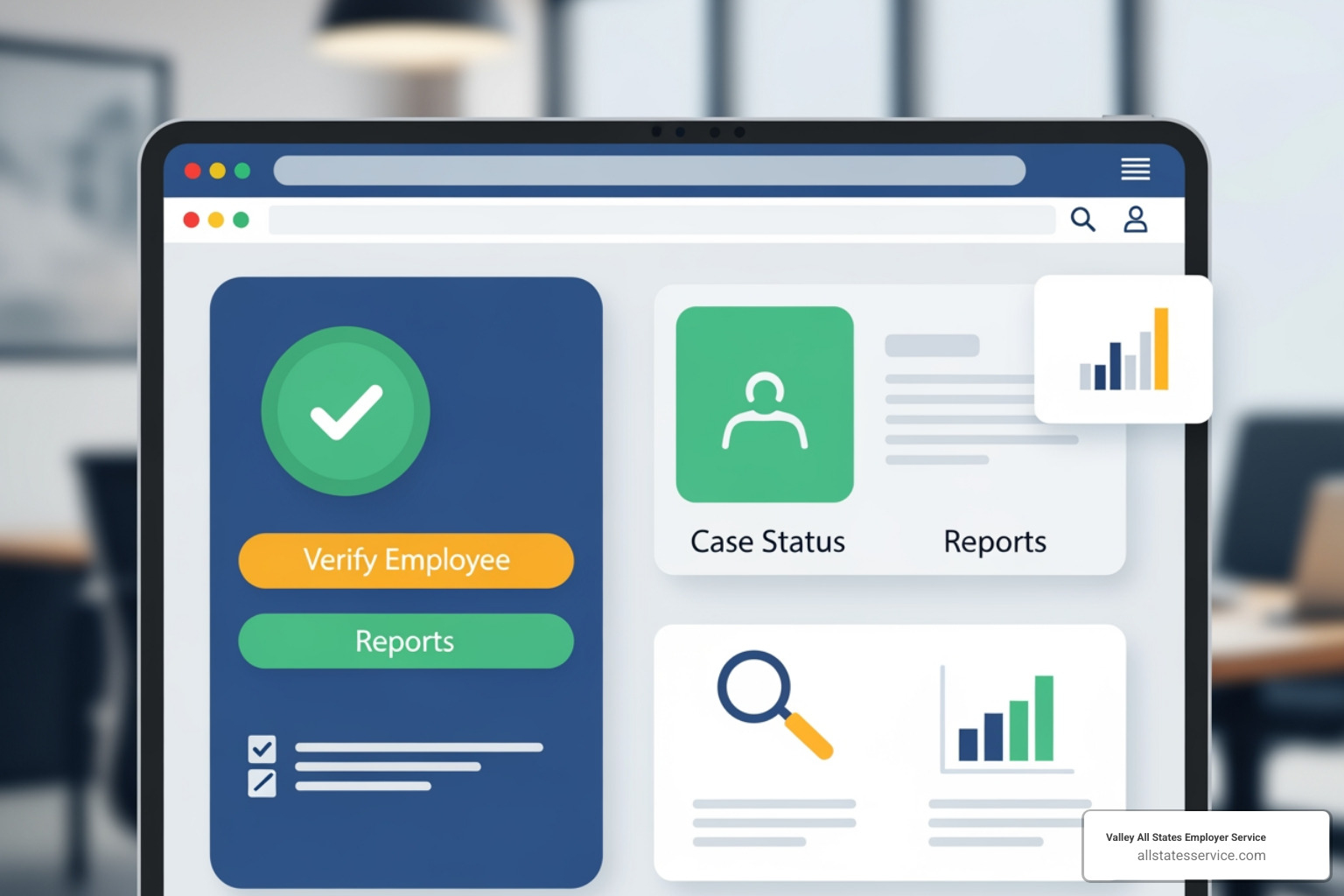
Once we’ve successfully steerd the secure login process, the E-Verify employer portal opens up a comprehensive suite of features and compliance tools designed to streamline our employment verification efforts. The portal offers more than just case creation; it’s a robust platform for managing our E-Verify account, monitoring verification statuses, and accessing vital resources.
From the main dashboard, we can quickly gain an overview of our current cases, access reporting tools to track our verification history, and manage user administration for our HR team. This centralized approach empowers us to maintain a high level of compliance and efficiency in our hiring processes.
Managing Cases and Verifying Your Workforce
The core functionality of the E-Verify employer portal revolves around managing cases and verifying our workforce. This is where we initiate the process for each new hire, adhering strictly to federal guidelines.
Here’s how we typically manage cases:
- Creating a Case: For every new employee, after they complete Form I-9, we create a new case in the portal. It’s crucial to enter the employee’s information exactly as it appears on their Form I-9 to avoid mismatches.
- The 3-Day Rule: A cornerstone of E-Verify compliance is the requirement to create a case no later than the third business day after the employee starts work for pay. Missing this deadline can lead to compliance issues.
- Checking E-Verify case status: The portal provides real-time updates on case statuses. Most cases return an “Employment Authorized” result within seconds.
- Case Results:
- Employment Authorized: This means the employee is authorized to work in the U.S. We note the case number on their Form I-9.
- Tentative Nonconfirmation (TNC): This indicates a potential mismatch, requiring further action.
- Closing Cases: Once a final decision is reached (Employment Authorized or Final Nonconfirmation), we close the case in the system.
- Recordkeeping: We must either record the E-Verify case number on the employee’s Form I-9 or print the case details and keep it on file with the employee’s I-9. This is essential for audit preparedness.
This systematic approach ensures we meet our verification obligations accurately and efficiently.
Handling Tentative Nonconfirmations (TNCs) and Mismatches
Encountering a Tentative Nonconfirmation (TNC), also known as a mismatch, through the E-Verify employer portal can be a delicate situation, but the portal provides a clear process for handling it. A TNC means that the information entered from the employee’s Form I-9 does not match records available to DHS or SSA.
Here’s how we approach TNCs:
- TNC Process: When a TNC occurs, the portal will prompt us to print a “Further Action Notice” for the employee. We must provide this notice to the employee, explain their rights, and give them the opportunity to contest the mismatch.
- Employee Rights: Employees have the right to contest a TNC. We cannot terminate, suspend, delay training, or alter work assignments based solely on a TNC. They have eight federal government working days to contact DHS or SSA to resolve the issue.
- Resolving Mismatches: If the employee chooses to contest, they will contact the relevant agency (DHS or SSA). They may need to provide additional documentation to clarify their information. The E-Verify employer portal will update us on the progress of their efforts.
- Avoiding Discrimination: It’s vital that we treat all employees consistently, regardless of their E-Verify results, to avoid any perception of discrimination. Our role is to facilitate the process, not to make judgments based on preliminary results.
For a deeper dive into this process, you can find more on TNCs. Our expert team is also here to guide you through these situations, ensuring fair treatment for employees and compliance for your business.
Exploring E-Verify+ and the Modern E-Verify employer portal
The landscape of employment verification is constantly evolving, and the introduction of E-Verify+ signals a significant modernization of the E-Verify employer portal. E-Verify+ is designed to bring innovation, protection, convenience, transparency, and efficiency to the employment eligibility verification process, especially in today’s hybrid work environments.
What makes E-Verify+ stand out? It shifts some of the initial burden to the employee, offering an employee-driven process. New hires can create their own E-Verify+ accounts, enter their Form I-9 information, and even upload necessary documents digitally. This not only streamlines the process for us as employers but also improves employee privacy by allowing them to manage their own sensitive data.
Furthermore, E-Verify+ is particularly beneficial for managing remote workforces or alternative I-9 inspection methods. With the DHS’s alternative procedure for remote I-9 inspection, E-Verify+ integrates seamlessly, providing a digital solution for verifying documents without requiring physical presence. This is a game-changer for businesses in the United States, including Maryland, that rely on remote hiring. The system also offers improved fraud protection, helping to combat identity fraud and protect jobs for authorized workers, which is a win-win for everyone involved.
Staying Ahead: Latest News and Upcoming E-Verify Deadlines
For any employer using the E-Verify employer portal, staying informed about the latest news, regulatory changes, and upcoming deadlines is not merely good practice—it’s a necessity for proactive compliance. The system and its requirements are dynamic, often influenced by federal policy shifts, court orders, and administrative updates. By keeping a finger on the pulse of these changes, we can ensure our operations remain compliant and avoid potential disruptions or penalties.
We regularly monitor official announcements and system updates to provide our clients with timely compliance alerts. This proactive management approach helps us prepare for any modifications to verification procedures, reporting requirements, or data retention policies.
Critical Update: E-Verify Records Disposal Deadline
A significant upcoming deadline that all employers using the E-Verify employer portal must be aware of is the USCIS E-Verify records disposal. Starting January 6, 2025, USCIS will permanently delete E-Verify cases that were updated before December 31, 2014. This is a critical date for our recordkeeping practices.
For us, this means that if we have E-Verify cases from that timeframe, we must act now. We need to download our Historic Records Reports and retain them with the corresponding Forms I-9 for audit preparedness. Retaining these reports is essential for demonstrating compliance during potential audits. This USCIS announcement on records disposal emphasizes the importance of diligent record management and highlights why relying on the system to indefinitely store our historical data is not a viable strategy. Failure to download and retain these records could leave us vulnerable during compliance checks, making proactive action indispensable.
Navigating State Mandates and Federal Contractor Rules
The use of the E-Verify employer portal is not uniformly mandated across all employers in the United States. While it’s voluntary for many, certain employers, particularly federal contractors and those operating in specific states like Maryland, face mandatory requirements.
Federal contractors and subcontractors, for instance, are often subject to the Federal Acquisition Regulation (FAR) E-Verify Clause. This clause dictates that they must use E-Verify to confirm the employment eligibility of employees working under covered federal contracts, as well as newly hired employees. There are some exemptions, such as for contracts lasting fewer than 120 days or valued at $150,000 or less, or for employees with valid security clearances. For a comprehensive understanding, our federal contractor requirements guide is an invaluable resource.
Beyond federal mandates, state-specific laws also play a crucial role. While we are focusing on the United States and Maryland, it’s worth noting that many states have their own E-Verify mandates. Some require all employers to use it, others mandate it only for public employers or as a condition for state contracts. For instance, Maryland has its own E-Verify requirements, and staying informed about our 2025 State Requirements Guide is vital. We must continually monitor legislative changes to ensure our compliance, as these state-specific rules can evolve. For example, while not directly applicable to Maryland’s specific mandate, states like Illinois are enhancing protections related to E-Verify discrepancies in 2025, underscoring the dynamic nature of these laws.
Accessing Training and Resources through the E-Verify employer portal
The E-Verify employer portal is not just a tool for verification; it’s also a gateway to a wealth of training and resources designed to help us steer the complexities of employment eligibility. USCIS provides extensive support materials directly accessible through the portal or linked from the official E-Verify website.
For those new to E-Verify or seeking a refresher, there are various webinars available. We can sign up for an E-Verify Overview webinar to understand the basics, or explore more focused sessions like “E-Verify in 30” for quick insights. These webinars often cover how E-Verify works, the enrollment process, program highlights, and even demonstrations of the system.
Beyond live training, the portal offers comprehensive user manuals and quick reference guides that detail every aspect of the E-Verify process, from case creation to handling TNCs. The “What’s New” section keeps us updated on the latest system changes and policy announcements. Additionally, we can find valuable information on I-9 Central, which provides detailed guidance on completing Form I-9, an integral part of the E-Verify process. Utilizing these resources is key to maintaining a high level of expertise and ensuring ongoing compliance.
The Smart Solution: Using an E-Verify Employer Agent
While the E-Verify employer portal is designed to be user-friendly, managing employment verification can still be a significant administrative burden, especially for businesses with high turnover or complex hiring needs. This is where partnering with an E-Verify Employer Agent becomes a smart solution. An agent, like Valley All States Employer Service, specializes in outsourcing compliance, taking the administrative weight off your shoulders.
By utilizing an E-Verify Employer Agent Service, we can significantly reduce the potential for errors that might occur with in-house processing. Our expert team is well-versed in the nuances of E-Verify regulations, ensuring accurate data entry, timely case submission, and proper handling of TNCs. This expert handling minimizes compliance risks and allows your internal HR team to focus on core business functions, rather than getting bogged down in the intricacies of federal verification requirements. It’s a cost-effective and efficient way to ensure your business remains compliant without needing to become E-Verify experts yourselves.
Simplify Your Compliance Journey
Staying current with the E-Verify employer portal is non-negotiable for modern businesses. From securing your login with MFA to managing cases and preparing for critical deadlines, proactive compliance is key. For organizations looking to ensure accuracy and reduce the administrative load, partnering with an expert can make all the difference. Valley All States Employer Service helps you steer these complexities with confidence. Ready to streamline your employment verification process? Explore our comprehensive E-Verify services today.