
E-Verify employer login: Secure 3 Steps
Why Secure Access to Your E-Verify Account Matters
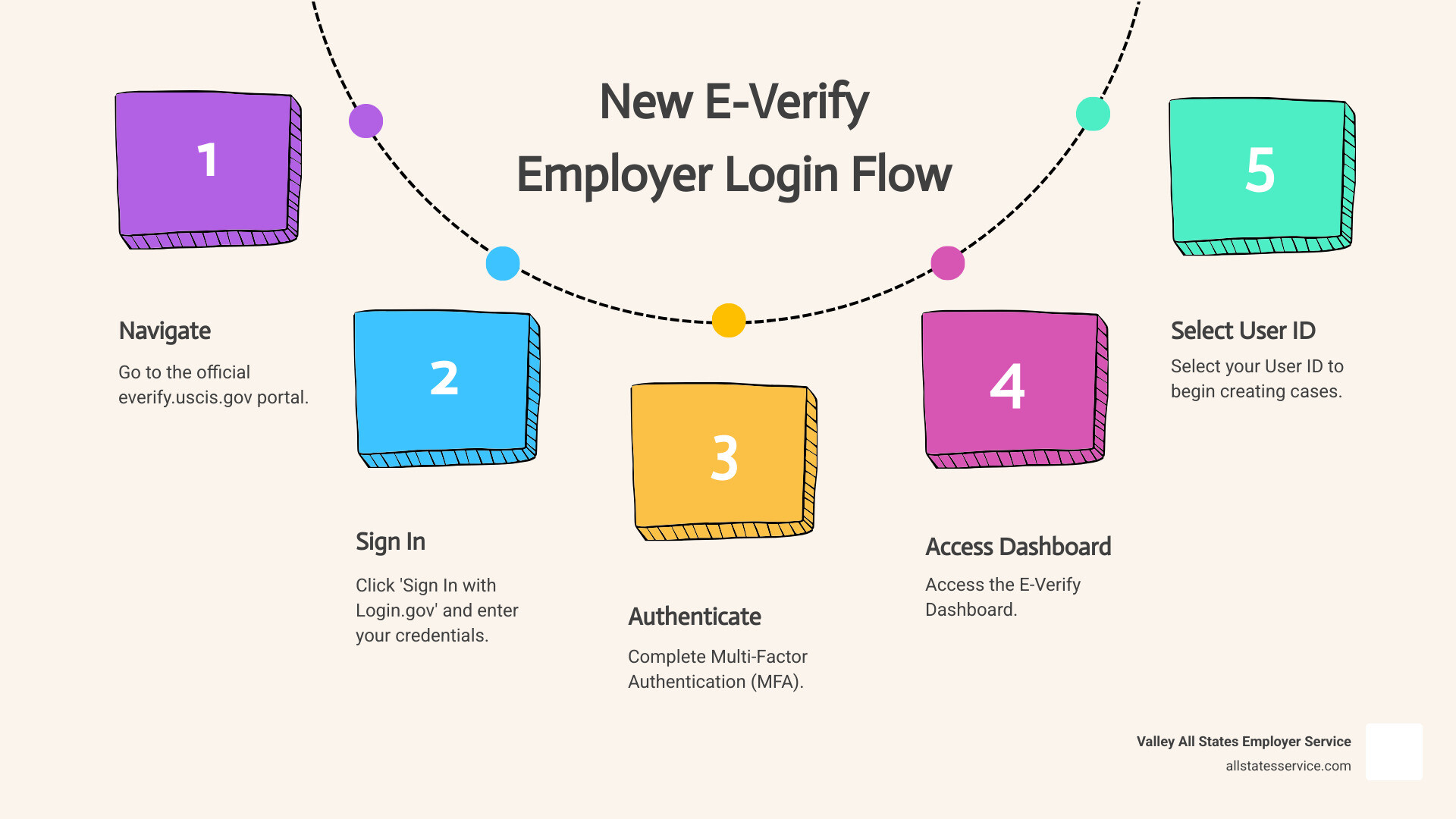
The E-Verify employer login process has changed. If you’re trying to access your account, here’s what you need to know right now:
Quick Access Guide:
- Go to everify.uscis.gov (not the old URL with a dash)
- Click “Sign In with Login.gov”
- Enter your Login.gov email and password
- Complete Multi-Factor Authentication (MFA)
- Select your User ID from the E-Verify Dashboard
Nearly 1 million employers at over 2.4 million hiring sites use E-Verify to verify the employment eligibility of new hires. But as of July 1, 2025, the E-Verify program now requires all users to sign in through Login.gov with mandatory multi-factor authentication. This means your old login credentials and bookmarked URLs may no longer work.
If you haven’t logged in recently, you’ll be required to link your E-Verify account to a Login.gov account during your next sign-in. USCIS estimates this one-time migration takes less than 10 minutes. The change is designed to strengthen account security and protect your company’s sensitive information from unauthorized access.
The shift to Login.gov also means the old URL (e-verify.uscis.gov with a dash) has been decommissioned. Using outdated bookmarks or incorrect web addresses can prevent you from accessing your account entirely.
This guide will walk you through the new login process step by step, ensuring you can access your E-Verify employer account securely and without interruption. We’ll also cover common troubleshooting issues and explain how to set up your authentication methods to avoid getting locked out.
Step 1: Steer to the Correct E-Verify Portal
Getting to your E-Verify employer login starts with one simple but critical step: making sure you’re using the right web address. It sounds basic, but with recent changes to the system, this matters more than you might think.
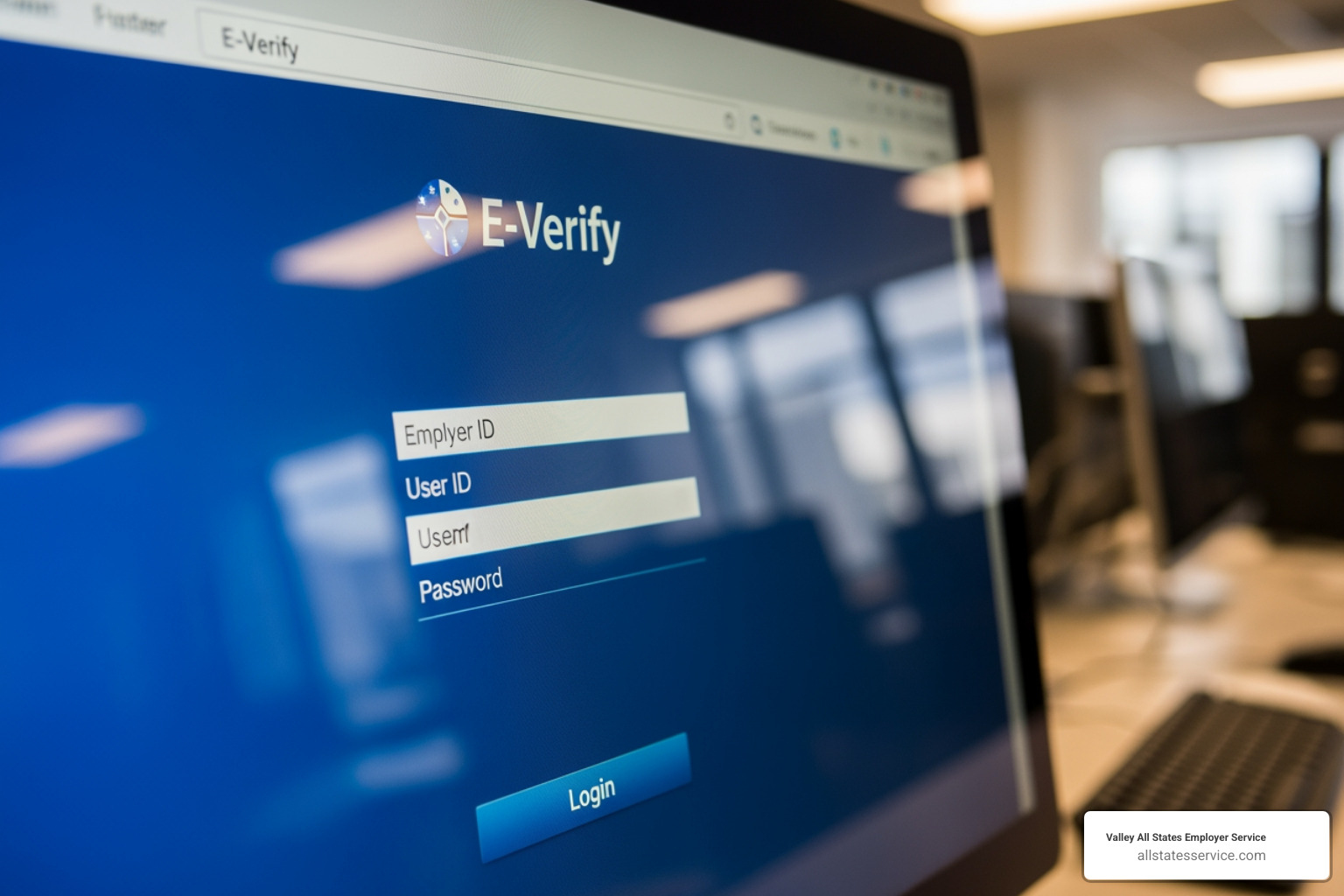
The only official login page is everify.uscis.gov. Notice there’s no dash in that URL. That’s important because the old address (e-verify.uscis.gov, with a dash) stopped working on June 25. If you have that old link bookmarked, it’s time to update it. Trying to use the outdated URL will leave you staring at an error page instead of your employer dashboard.
Take a moment right now to check your bookmarks and saved favorites. Update them to the new address. Your future self will thank you when you’re not scrambling to figure out why you can’t log in during a busy hiring week.
Why the URL Matters
You might be wondering why USCIS bothered changing the web address in the first place. It’s not just about keeping things tidy. This update is a significant security measure designed to protect your company’s sensitive information.
Using the correct .gov website ensures you’re on the official, secure government portal. Official U.S. government websites always use the .gov domain, and secure ones use HTTPS (you’ll see a padlock icon in your browser’s address bar). This encryption protects the connection between your computer and the E-Verify system.
Here’s the real concern: phishing scams. Fraudulent websites that look almost identical to the real thing can trick you into entering your login credentials, giving criminals access to your account. By always going directly to everify.uscis.gov, you protect yourself from these threats. Never click on links in unsolicited emails claiming to be from E-Verify. Always type the address yourself or use a bookmark you’ve verified is correct.
Think of it like this: you wouldn’t hand your house keys to someone just because they’re wearing a uniform. You’d make sure they’re actually from the company they claim to represent. The same principle applies here. Verify the URL before you enter any login information.
For a deeper understanding of how E-Verify works and why it’s such an important part of your hiring process, take a look at our E-Verify Program Complete Guide.
Step 2: Sign In Using Your Login.gov Account
Once you’ve steerd to the correct URL, you’ll notice something different about the E-Verify employer login process. Instead of entering your credentials directly on the E-Verify site, you’ll now sign in through Login.gov, a secure authentication service used across many federal government websites.
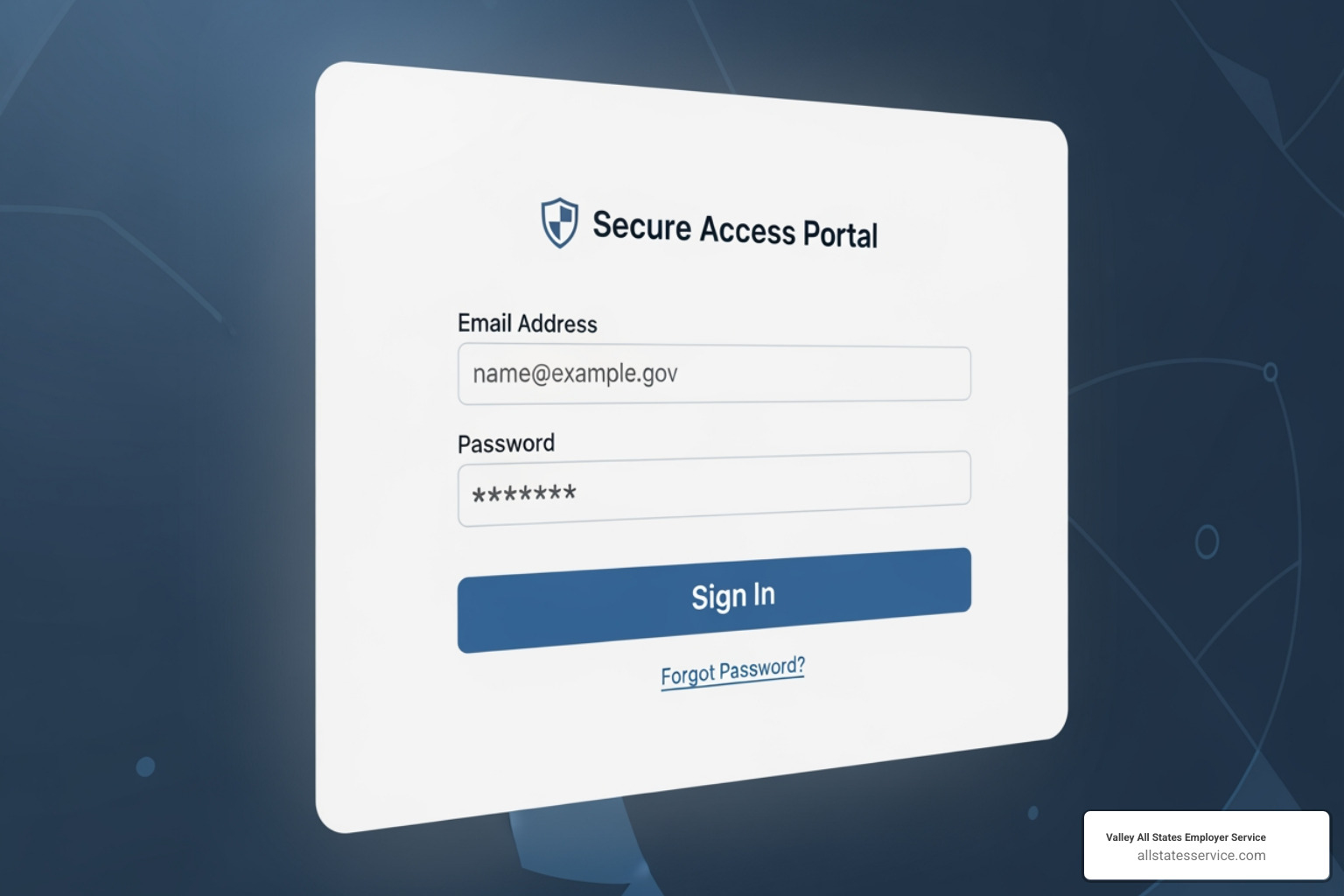
Think of Login.gov as your single key to multiple federal government doors. E-Verify now uses this centralized system to provide better account protection for all users. It’s the same trusted platform that secures access to everything from Social Security benefits to TSA PreCheck applications.
For New E-Verify Users
If this is your first time accessing E-Verify, don’t worry. The setup is simple. When you click “Sign In with Login.gov” on the E-Verify homepage, you’ll see an option to create an account. You’ll need to provide a unique email address that only you can access. This is important: shared email accounts aren’t allowed for security reasons.
You’ll also set up a strong password during this process. Here’s a tip: use a personal email address rather than a work one. If you change jobs or lose access to your company email, you could find yourself locked out of your Login.gov account, and that’s a headache nobody needs.
After creating your Login.gov account, you’ll immediately be prompted to set up your first authentication method, which we’ll cover in the next section. The whole process typically takes just a few minutes.
For Existing E-Verify Users
Already have an E-Verify account? You’ll need to link your accounts the next time you log in. This is a one-time migration process that bridges your existing E-Verify user ID and password with the new Login.gov security system. USCIS estimates it takes less than 10 minutes, and honestly, that’s pretty accurate.
Here’s what happens: You’ll start by signing into (or creating) your Login.gov account. Once Login.gov confirms who you are, you’ll be redirected back to E-Verify, where you’ll enter your existing E-Verify User ID and password. This links the two accounts together.
After that initial connection, you’re done. You’ll land on your E-Verify Dashboard, where you can select which User ID you want to access and start creating cases just like before.
If you manage multiple E-Verify user IDs (perhaps for different company locations), you can link additional accounts directly from your Dashboard after completing the first migration. This means all your E-Verify access gets consolidated under one secure Login.gov umbrella, making future logins faster and more straightforward.
The system might feel unfamiliar at first, but this change significantly strengthens your account security. You’re now protected by the same authentication standards used across the entire federal government.
Step 3: Complete Multi-Factor Authentication (MFA)
Once you’ve steerd to the correct portal and initiated your Login.gov sign-in, there’s one more security checkpoint: Multi-Factor Authentication, or MFA. Think of it as the deadbolt on your front door. Your password is the lock, but MFA is that extra layer that makes all the difference.
Multi-Factor Authentication adds a critical layer of security to your E-Verify employer login by requiring a second form of verification beyond just your password. It’s designed to protect your company’s sensitive information from unauthorized access, even if someone manages to steal or guess your password.
Here’s how it works: after you enter your password (something you know), MFA asks you to prove your identity with something you have, like your phone, or something you are, like a fingerprint. This two-step process dramatically reduces the risk of hackers gaining access to your account.
When you set up your Login.gov account, you’ll choose at least one authentication method. The most common options include an authentication application like Google Authenticator or Authy, which generates time-sensitive codes on your device. This is the method security experts recommend most often because it’s both secure and reliable. You might also choose a security key, which is a physical device that plugs into your computer’s USB port. Some people prefer text or voice messages that send a code to their phone, though this method is generally considered less secure than authenticator apps. Finally, there are backup codes, which are one-time-use codes you can print and tuck away for emergencies when your other methods aren’t available.
Managing Your Authentication Methods
Here’s a piece of advice that could save you a major headache: add at least two authentication methods to your Login.gov account. Seriously, don’t skip this step.
Why? Picture this: you lose your phone, and that’s your only way to authenticate. Suddenly, you’re locked out of your E-Verify account right when you need to verify a new hire. Not fun. Having a backup method means you can still access your account even if your primary device goes missing or stops working.
You can easily manage or add authentication methods by signing into your Login.gov account and going to “Your authentication methods.” It takes just a few minutes, but it’s worth its weight in gold when you need it. E-Verify doesn’t manage your Login.gov account, so keeping these security settings up to date is entirely in your hands. Taking a few moments now to set up that second method can prevent delays in your hiring process and keep your business running smoothly.
Troubleshooting Your E-Verify Employer Login
Even with the most straightforward systems, issues can arise. This section addresses common problems employers might face with the new Login.gov-integrated E-Verify employer login system, helping you resolve them quickly and maintain E-Verify and I-9 compliance.
What to Do If You Forget Your Login.gov Password
It happens to the best of us. You sit down to verify a new hire, and suddenly your password isn’t working. Here’s the thing: E-Verify support cannot reset your password. Since E-Verify now uses Login.gov for authentication, only Login.gov can help you with password issues.
The good news? Their password reset process is straightforward. You’ll need to use the Forgot your Password page on the Login.gov website. Their support team is available 24 hours a day, seven days a week, specifically for password-related issues. This means you can get help whenever you need it, not just during business hours.
When you reset your password, you’ll still need access to at least one of your authentication methods to verify your identity. This is where having those backup methods really matters.
How to Handle Issues with Your E-Verify Employer Login Authentication
Lost your phone? Had it stolen? Or maybe it just decided to stop working at the worst possible moment? If that phone was your primary MFA method, you might be feeling a bit panicked right now. Take a breath. This is exactly why we strongly recommended setting up multiple authentication methods back in Step 3.
If you still have access to a backup authentication method, you’re in good shape. Simply use that second method to sign in, then update your primary method once you’re logged in.
But what if you’ve lost access to all your authentication methods? This is where things get trickier. Visit the Login.gov page for issues with authentication methods to review your options. They’ll walk you through potential solutions based on your specific situation.
In the worst-case scenario, if you truly cannot access any of your authentication methods, you’ll need to delete your Login.gov account and create a new one. Here’s the catch: after deleting an account, you must wait 24 hours before you can create a new Login.gov account using the same email address. Login.gov cannot bypass this waiting period or open your account for you, even in emergencies.
Losing access to your Login.gov account means losing access to E-Verify entirely. No Login.gov access equals no E-Verify employer login. This can seriously delay your hiring process and potentially put you out of compliance. That’s why securing those backup methods isn’t just a suggestion, it’s essential protection for your business operations.
Frequently Asked Questions about E-Verify Access
You’ve made it through the login process, but we know you might still have questions. Here are the ones we hear most often from employers navigating the new E-Verify employer login system.
What is the difference between the E-Verify employer login and myE-Verify?
Think of it this way: E-Verify is for employers, myE-Verify is for employees. The E-Verify employer login gives you access to the system where you create and manage verification cases for your new hires. It’s your tool for confirming that someone is legally eligible to work in the United States.
myE-Verify, on the other hand, is a completely separate service designed for employees and job seekers. It’s free and lets individuals check their own employment eligibility status through a feature called Self Check. They can also track any open E-Verify cases that employers have created about them, upload documents if there’s a mismatch, and even lock their Social Security number to protect against identity theft.
So in short: you use E-Verify to check your new hires, while your employees can use myE-Verify to monitor and protect their own employment eligibility information.
Can I use a shared or group email for my Login.gov account?
No, and this is important for your security. Each user must have their own Login.gov account tied to a unique email address that only they can access. Shared accounts simply aren’t permitted, and for good reason. Login.gov needs to ensure that every person accessing federal systems like E-Verify can be held accountable for their actions.
Here’s a pro tip: consider using a personal email address rather than your work email. If you ever change jobs or lose access to that work email, you could find yourself locked out of your Login.gov account entirely. That means no access to E-Verify, which could bring your hiring process to a grinding halt. A personal email you control gives you continuity no matter what changes at work.
What happens to E-Verify during a federal government shutdown?
Federal government shutdowns can throw a wrench in your hiring plans. During these events, E-Verify operations may be temporarily suspended, meaning you won’t be able to create new cases or access the system at all.
The good news? Employers are typically given extended deadlines to create cases once the system comes back online. For example, after a recent shutdown, USCIS gave employers until a specific date to create E-Verify cases for employees hired while the system was down. In these situations, you would enter the hire date from Form I-9 as usual, then select “Other” as the reason for delay and note “E-Verify not available” in the comment box.
If a shutdown happens, keep an eye on official USCIS announcements for specific guidance and deadlines. Understanding your E-Verify and I-9 compliance responsibilities during these disruptions will help you stay on the right side of the law while managing the temporary inconvenience.
Simplify Your E-Verify Compliance
Navigating the E-Verify employer login and verification process is a critical part of your employer responsibilities. And while these new security steps protect your account, let’s be honest: managing day-to-day compliance can still eat up valuable time you’d rather spend growing your business.
Between keeping up with evolving regulations, maintaining meticulous records, and ensuring every case is processed correctly, E-Verify compliance is one of those necessary tasks that rarely feels urgent until something goes wrong. That’s where the real stress kicks in.
If you’re looking to offload this administrative burden entirely and ensure flawless compliance, partnering with an expert E-Verify Employer Agent like Valley All States Employer Service can be a game changer. We specialize in outsourced E-Verify workforce eligibility verification, handling the entire process on your behalf. Our impartial and efficient processing minimizes errors and administrative hassle for our clients across the United States, including Maryland and beyond.
Think of it this way: you wouldn’t try to be your own accountant, lawyer, and HR department all at once. Sometimes, bringing in a specialist just makes sense. When we manage your E-Verify compliance, you get peace of mind knowing that every case is handled correctly, every deadline is met, and every record is properly maintained. You stay focused on what you do best, and we make sure your compliance is never a worry.
Ready to streamline your employment verification and focus on what you do best? Learn more about our expert E-Verify Employer Agent Service and find how we can support your business.