
Where to Find Notary for Remote I-9: 1 Easy Guide
Why Remote I-9 Verification Creates Confusion for HR Teams
Finding where to find notary for i-9 verification for remote employees can feel like solving a puzzle with missing pieces. You hire someone in another state, they need their I-9 verified within three business days, and suddenly you’re scrambling to figure out who can legally examine their documents.
Here’s the quick answer for remote I-9 verification:
Who Can Verify Remote I-9 Documents:
- Notary Public (acting as your authorized representative, not performing notarization)
- Mobile notary services that travel to the employee
- Friends, family, or colleagues designated by you as authorized representatives
- HR consultants or third-party services
- E-Verify employers can use DHS Alternative Procedure for virtual verification
Where to Find Them:
- Banks, UPS Stores, libraries (for notaries)
- Online platforms like NotaryCam, Notarize, or FindaNotary.com
- Professional I-9 verification services
- Local business networks
The biggest misconception? That you need a notary. You don’t. Form I-9 doesn’t require notarization at all.
What makes this confusing is that while a notary can help with I-9 verification, they’re not acting as a notary when they do it. They’re acting as your “authorized representative.” And here’s the kicker: almost anyone can be your authorized representative.
But before you designate your employee’s neighbor to handle this critical compliance task, you need to understand the rules, risks, and better alternatives available to you.
The “Authorized Representative”: Your Key to Remote I-9 Compliance
Think of an authorized representative as your company’s eyes and hands in another location. When you’re wondering where to find notary for i-9 verification for remote employees, you’re really asking who can serve as this crucial role.
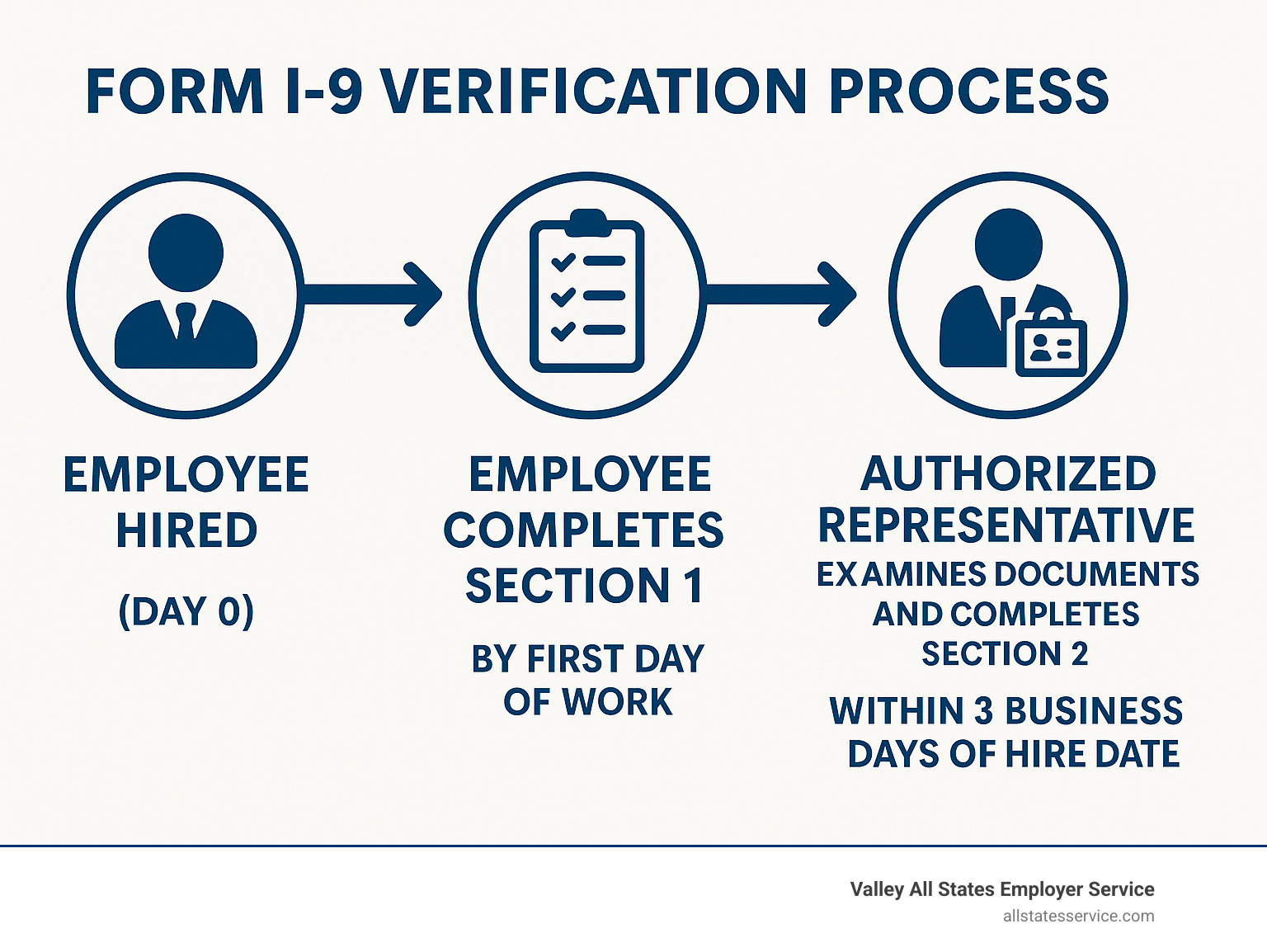
Here’s how it works: The Department of Homeland Security requires employers to verify every new hire’s identity and work authorization through Form I-9. For remote employees, someone needs to physically examine their original documents. That someone is your authorized representative.
An authorized representative is simply a person you designate to complete Section 2 or 3 of Form I-9 on your behalf. They become an extension of your company for this specific task. But here’s the important part: even when using a representative, you the employer remain fully liable for any violations. Every error, every omission, every missed deadline falls back on you.
This might sound scary, but it’s actually empowering once you understand it. You get to choose who handles this critical task, and you maintain control over the process. The key is making smart choices and providing crystal-clear guidance. Our HR Compliance Assistance can help you steer these complexities with confidence.
The representative’s core job is straightforward: physically examine the employee’s documents to ensure they look genuine and belong to the person presenting them. This hands-on verification has always been the backbone of I-9 compliance.
So, Can a Notary Public Verify a Form I-9?
Absolutely. A notary public can act as your authorized representative for I-9 verification. Many employers choose notaries because they’re generally trustworthy, widely available, and people feel comfortable working with them.
But here’s where it gets interesting: when a notary helps with I-9 verification, they’re not actually notarizing anything. They’re simply examining documents and filling out Section 2, just like any other authorized representative would. This means no notary seal should appear on the Form I-9. The form doesn’t require notarization at all.
Some states have their own quirks, though. In California, for example, a notary public can only complete an I-9 form if they’re also a bonded immigration consultant. Always check your local rules before making assumptions.
Who Else Can Be an Authorized Representative?
The federal guidelines are refreshingly flexible about who can serve as your authorized representative. The DHS doesn’t require special agreements or fancy documentation. Your options are broader than most employers realize.
Personnel officers or HR staff make ideal representatives if you have local team members near your remote employee. Foremen or other company agents work well too, especially if they already understand your business processes.
HR consultants or third-party services offer a professional middle ground. These companies specialize in I-9 compliance and often have trained staff who know the process inside and out. They can reduce your administrative headaches significantly.
Here’s where it gets interesting: friends, family members, or even neighbors of your employee can legally serve as authorized representatives. Federal guidelines absolutely permit this. However, many HR professionals avoid this option due to potential conflicts of interest or concerns about whether these individuals truly understand the I-9 requirements.
Coworkers in the same geographic area can also fill this role, assuming you trust them to handle the task properly.
The bottom line? Whoever you choose needs to be reliable, detail-oriented, and capable of following your instructions precisely.
Your Responsibilities When Using a Representative
Using an authorized representative doesn’t mean you can sit back and relax. You’re still the captain of this ship, which means you need to stay actively involved.
Provide crystal-clear instructions to your representative. Walk them through Section 2 step-by-step, explain which documents are acceptable, and emphasize why physical examination matters. Don’t assume they know what you know.
Review every completed form immediately when it comes back to you. Look for missing signatures, incorrect dates, incomplete information, or any other red flags. The sooner you catch problems, the easier they are to fix.
Ensure your representative understands the rules. They must examine original, unexpired documents in person. The temporary COVID-19 flexibility for webcam reviews ended on July 31, 2023, for non-E-Verify employers. Now it’s back to in-person physical examination, unless you’re enrolled in E-Verify and can use the alternative procedure.
Skip these responsibilities, and you could face serious I-9 Compliance Penalties. Fines range from relatively modest amounts for paperwork errors to substantial penalties for knowingly hiring unauthorized workers. The stakes are real, but the process is manageable when you stay on top of it.
Where to Find a Notary or Authorized Representative for I-9 Verification for Remote Employees
Now that you understand who can serve as your authorized representative, the next question is practical: where to find notary for i-9 verification for remote employees or other qualified individuals? The good news is you have more options than you might expect, from traditional local services to cutting-edge virtual solutions.
Traditional In-Person Options
When you need someone to physically examine your remote employee’s documents, these locations are your best bet. Banks are often the most reliable choice. Many offer notary services to customers and sometimes to the general public. Just call ahead to confirm they can act as an authorized representative for I-9 purposes, not just notarize documents.
UPS Stores have become incredibly popular for this service. They’re convenient, widely available, and their staff often understands the I-9 process. Libraries offer another budget-friendly option. Many public libraries provide notary services at low cost or even free, though availability varies by location.
Don’t overlook law offices and real estate firms. These businesses typically have notaries on staff and understand legal compliance requirements. Tax preparation offices can also be helpful, especially during busy season when they’re fully staffed.
For maximum convenience, consider mobile notaries. These professionals travel directly to your employee’s location for a fee. It’s like having I-9 verification delivered to your employee’s doorstep.
You can locate qualified notaries through reputable directories like the National Notary Association’s finder tool. Remember to clarify upfront that they’ll be acting as your authorized representative, not performing notarization.
The E-Verify Alternative: A Game-Changer for Remote Verification
Here’s where remote I-9 verification gets exciting. If you’re enrolled in E-Verify, you have access to the DHS Alternative Procedure that completely changes the game for remote hiring.
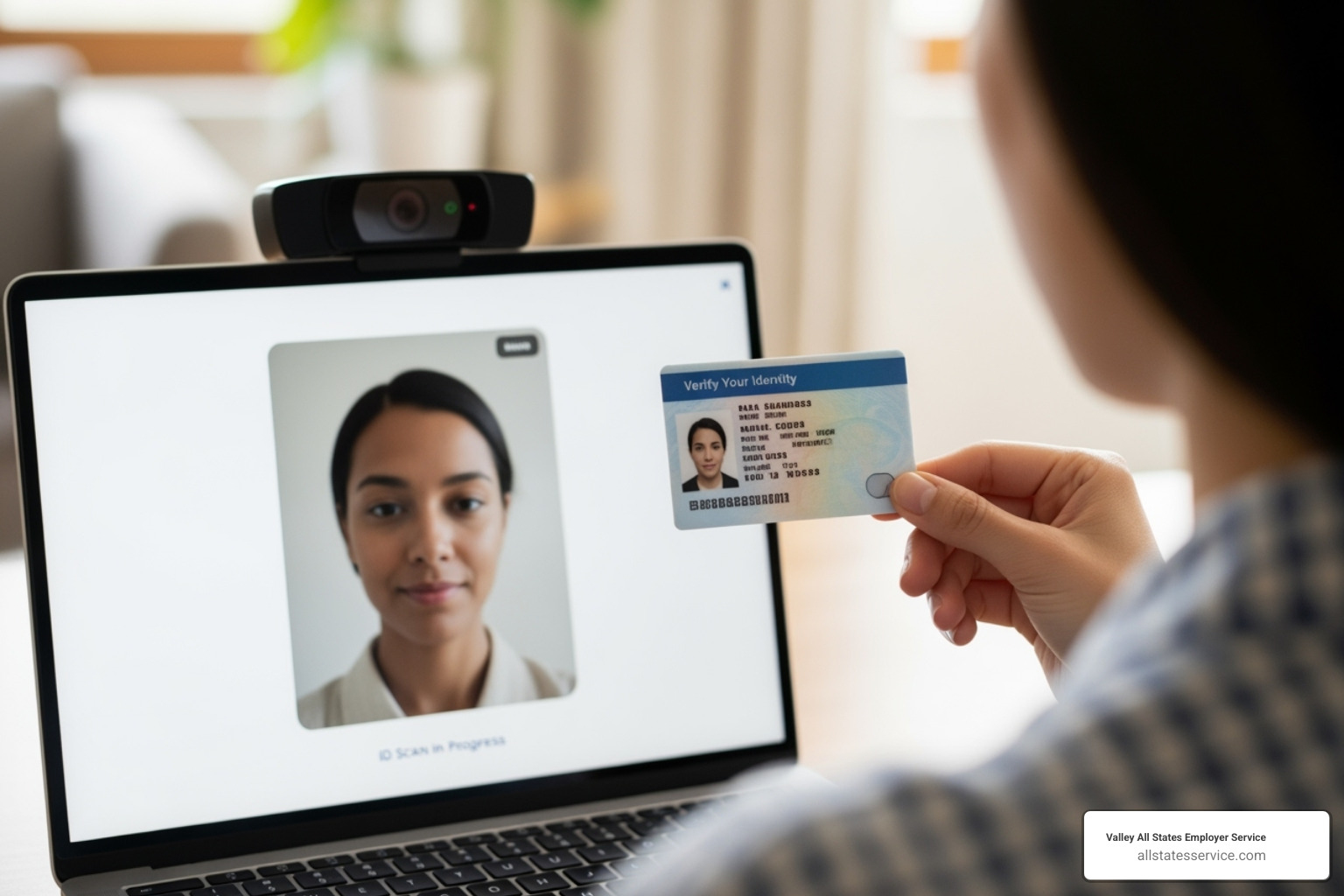
This procedure allows you to conduct live video calls with your remote employees to examine their documents virtually. No more scrambling to find local representatives or coordinating with third parties. You can handle the entire process yourself through a video conference.
The requirements are straightforward but strict. You must be an E-Verify employer in good standing. During the live video interaction, you’ll examine the employee’s documents just as you would in person. You’re required to retain clear copies of all documents the employee presents.
After completing the virtual examination, you’ll create an E-Verify case for the new hire and check the remote examination box in the “Additional Information” field on Form I-9. This simple checkbox indicates you used the alternative procedure.
This virtual approach eliminates geographic barriers and speeds up your onboarding process significantly. Instead of waiting days for a local representative to meet with your employee, you can complete verification within hours of hire. For detailed guidance on implementing this process, check out our comprehensive resource on E-Verify and I-9.
The beauty of this alternative is that it puts control back in your hands while maintaining full compliance with federal requirements. It’s particularly valuable when hiring in remote areas where finding qualified representatives might be challenging.
A Step-by-Step Guide to Remote I-9 Verification
Let’s walk through exactly how to get that I-9 completed for your remote employee. Whether you’re working with a notary public, using another authorized representative, or taking advantage of the E-Verify alternative procedure, the basic process follows the same logical flow.
Think of it like a relay race. Your employee starts with Section 1, then passes the baton to your authorized representative for Section 2. Your job as the employer? You’re the coach making sure everyone knows their role and crosses the finish line without dropping the baton.
Step 1: The Employee Completes Section 1
Your new hire has one main job here, and it needs to happen by their first day of work for pay. No pressure, right?
First, they’ll fill out their personal information accurately. Name, address, date of birth, and all those other details that make up Section 1. It sounds simple, but you’d be surprised how many people rush through this part and make mistakes that come back to haunt you later.
Next comes the citizenship attestation. Your employee needs to check the box that matches their work authorization status. Are they a U.S. citizen? A lawful permanent resident? Someone with specific work authorization? This isn’t a guessing game, and they need to be honest and accurate.
After that, they sign and date Section 1. Without this signature, the whole form falls apart from a compliance standpoint.
Finally, they need to gather their original documents. This is where many remote employees get confused. They need documents that prove both their identity and work authorization. They can use one document from List A (which covers both), or combine one document from List B (identity) with one from List C (work authorization). The USCIS list of acceptable documents spells out exactly what works and what doesn’t.
Step 2: The Representative Completes Section 2
Here’s where your authorized representative takes center stage. They have three business days from your employee’s first day of work to get this done. Miss that deadline, and you’re looking at potential compliance issues.
The representative’s first job is examining those documents. If you’re using traditional in-person verification, they need to physically handle the original documents. If you’re an E-Verify employer using the alternative procedure, they can examine documents through a live video call. Either way, they’re looking to make sure the documents appear genuine and actually belong to the person presenting them.
Once they’ve examined the documents, they record the document information in Section 2. Document titles, issuing authorities, numbers, expiration dates. All of this needs to be copied accurately from the documents themselves.
Don’t forget the hire date. Your representative needs to record your employee’s actual first day of employment for pay. This date matters for compliance tracking.
Finally, they sign and date Section 2. They’re also providing their own name, title, and your business information. When they sign, they’re attesting that they’ve done their job properly.
Step 3: Avoiding Common and Costly Mistakes
Even with the best intentions, things can go wrong. Let’s talk about the mistakes that keep HR professionals up at night.
Expired documents are probably the most common error we see. Every document presented must be current and unexpired. There are very few exceptions to this rule, and they’re specific to certain immigration statuses. When in doubt, ask for a current document.
Missing signatures and dates might seem like small oversights, but they can make your entire I-9 non-compliant. Both your employee and the authorized representative must sign and date their respective sections. No exceptions.
Here’s one that trips up many employers: forgetting key dates in Section 2. Your representative needs to fill in both the employee’s first day of employment and the date they completed Section 2. Both dates matter for compliance.
If you’re wondering where to find notary for i-9 verification for remote employees, remember this crucial point: if your notary is helping with I-9 verification, they should not use their notary seal. This is one of the most common mistakes we see. When they’re acting as your authorized representative, they’re not performing a notarial act. Using the seal suggests otherwise and can create compliance confusion.
Finally, don’t make the mistake of thinking your job is done once you’ve designated a representative. Review that completed form as soon as you get it back. Look for errors, missing information, or anything that seems off. Catching problems early is much easier than dealing with them during an audit.
The bottom line? Remote I-9 verification doesn’t have to be complicated, but it does require attention to detail and clear communication with everyone involved.
Frequently Asked Questions about Remote I-9s
Remote I-9 verification brings up plenty of questions, and honestly, that’s completely understandable. The rules can feel confusing at first, especially when you’re trying to balance compliance with practicality. Let’s tackle the questions we hear most often from employers navigating this process.
How much does it cost to find a notary for I-9 verification for remote employees?
The cost really depends on which route you choose, and the good news is you have options for every budget.
Notary fees can be tricky to pin down because technically, they’re not performing a notarization when they act as your authorized representative. Some notaries might still charge their standard fee (usually $10 to $25), while others might charge more for their time since this involves more responsibility than a typical notarization. If you go with a mobile notary, expect to pay extra for their travel time, which can add $50 to $100 or more to your total cost.
Third-party I-9 verification services typically offer more predictable pricing. These professional services usually charge a flat fee ranging from $50 to $150 per verification. Yes, it’s more expensive upfront, but you’re paying for expertise, proper training, and often electronic tracking that makes your life easier.
Here’s the money-saving secret: E-Verify is completely free. While there might be some administrative costs to set up and manage your account, the program itself doesn’t cost you a penny. For companies with multiple remote hires, this can add up to significant savings.
Can I use a family member to verify my I-9 documents?
Technically, yes. Federal guidelines allow you to designate “any person” as your authorized representative, including the employee’s family members, friends, or even neighbors.
But here’s where it gets interesting. While Uncle Bob might be perfectly willing to help out, many employers prefer to avoid this approach entirely. The concern isn’t about legality, it’s about reliability and potential conflicts of interest.
Think about it: family members might feel pressured to overlook document issues, or they might not fully understand the serious compliance requirements involved. Plus, if something goes wrong, it can create awkward personal situations on top of potential legal problems.
Most HR professionals recommend using a neutral third party instead. It’s simply safer and more professional, even if it costs a bit more upfront.
What happens if the authorized representative makes a mistake on the Form I-9?
This is where things get serious, and it’s probably the most important question you can ask. You, the employer, remain fully responsible for any mistakes on the Form I-9, regardless of who actually filled it out.
If ICE audits your I-9 forms and finds errors made by your authorized representative, they won’t shrug and say “not your fault.” You’ll face the same I-9 Compliance Penalties as if you had made the mistakes yourself.
The key is having a solid review process in place. When you receive the completed form back from your representative, review it immediately. Look for missing signatures, incorrect dates, expired documents, or incomplete sections. If you spot an error, it should be corrected by whoever made the mistake, or you can make the correction yourself as the employer.
This is exactly why many companies choose professional verification services or stick with the E-Verify alternative procedure. The extra cost often pays for itself in reduced compliance risk and peace of mind.
Conclusion: Streamline Compliance and Onboard with Confidence

Remote I-9 verification doesn’t have to feel like solving a Rubik’s cube blindfolded. When you’re wondering where to find notary for i-9 verification for remote employees, a notary is just one piece of the puzzle, not the only solution.
The game has changed significantly with the DHS Alternative Procedure for E-Verify employers. This virtual verification option reflects what many of us have known for years: remote work is here to stay, and our compliance processes need to keep up.
Here’s what matters most: you have options. Whether you choose a mobile notary who travels to your employee, designate an HR consultant as your authorized representative, or leverage the E-Verify alternative procedure for virtual verification, the key is picking the approach that fits your business needs and comfort level.
The responsibility for accurate I-9 forms will always rest on your shoulders as the employer. But that doesn’t mean you have to carry the burden alone. By understanding how authorized representatives work, knowing where to find reliable help, and following a clear process, you can onboard remote team members without losing sleep over compliance.
Whether your authorized representative makes a mistake or gets something right, you’re ultimately accountable. That’s why having a solid review process and clear instructions for your representatives isn’t just helpful, it’s essential.
At Valley All States Employer Service, we’ve built our reputation on making E-Verify processing and employment compliance straightforward for businesses like yours. We know that every minute you spend worrying about I-9 compliance is a minute you can’t spend growing your business.
Ready to take the guesswork out of remote I-9 verification? Get expert I-9 Verification Assistance from our team and onboard your remote employees with confidence.