
Your Essential Guide to the Form I-9 Process
The form i-9 process is a mandatory federal requirement for every U.S. employer hiring W-2 employees. If you are responsible for onboarding, this form is one of the first compliance steps you have to get right.
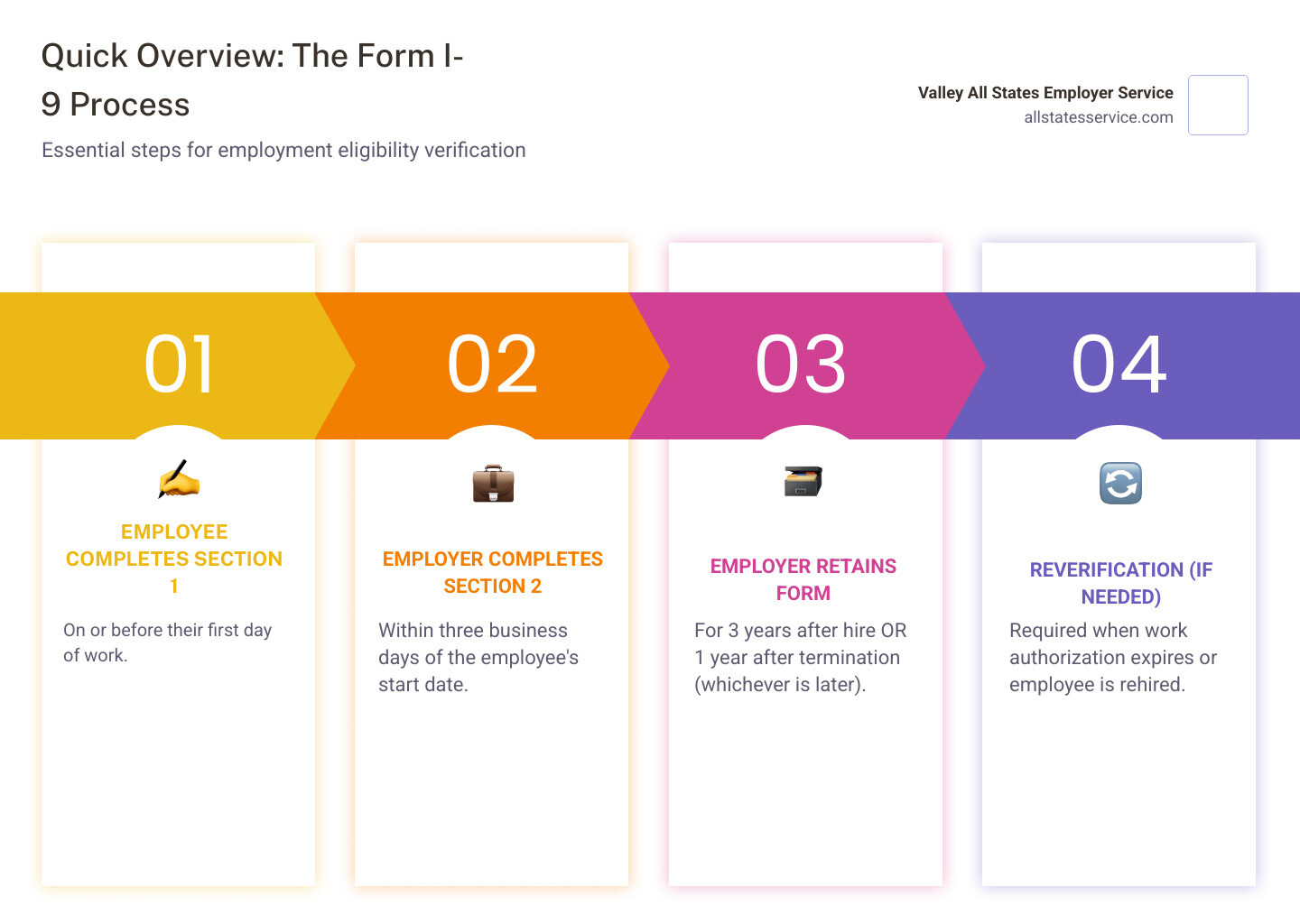
Here is what you need to know at a glance about the Form I-9 process:
- Employee completes Section 1 on or before their first day of work.
- Employer completes Section 2 within three business days of the employee’s start date.
- Employer retains the form for three years after hire OR one year after termination, whichever is later.
- Reverification (if needed) when work authorization expires or the employee is rehired.
For new employees and their employers, completing Form I-9 employment eligibility verification is an essential part of the onboarding process. Since the Immigration Reform and Control Act of 1986, all employers have had to use this form to verify both the identity and work authorization of every person they hire.
The process sounds straightforward, but the details matter. Penalties for I-9 violations can range from $272 to $2,701 per employee for a first offense, and that is just for paperwork errors. Criminal penalties apply for knowingly hiring unauthorized workers. The estimated time to complete Form I-9 is 34 minutes manually or 25 minutes using a computer, yet many HR professionals still struggle with compliance because of confusing regulations and frequent form updates.
This guide breaks down exactly what you need to do, when you need to do it, and how to avoid the costly mistakes that trigger audits and fines.
Basic form i-9 process glossary:
Understanding Form I-9: The Foundation of Employment Verification
The Form I-9, officially known as the Employment Eligibility Verification Form, is a cornerstone of federal compliance for U.S. employers. Its primary purpose is simple: to confirm that every person we hire is legally authorized to work in the United States and has an identity that matches their documentation. This isn’t just good practice, it’s a legal obligation mandated by the Immigration Reform and Control Act of 1986 (IRCA).
Under IRCA, we, as employers, cannot legally hire a W-2 employee without properly completing Form I-9. It’s a critical step in the onboarding process, ensuring we maintain a lawful workforce and avoid significant penalties. Think of it as our first line of defense against unlawful employment.
Who is Required to Complete Form I-9?
Simply put, if you’re an employer in the U.S. and you’re hiring someone for wages or other remuneration, you likely need to complete a Form I-9 for them. This requirement applies to all employers for every person hired for employment after November 6, 1986. Whether they are full-time, part-time, or even temporary, if they receive a W-2, they fall under this mandate. This includes businesses operating in Maryland, just like anywhere else in the United States.
However, there are some exceptions. We don’t typically need to complete Form I-9 for:
- Individuals hired on or before November 6, 1986, who have continuously worked for us.
- Casual domestic workers in a private home, hired on a sporadic or irregular basis.
- Independent contractors.
- Employees of contractors providing contract services.
- Individuals who are not physically working in the United States or its territories.
Independent contractors, for instance, are generally exempt from the form i-9 process because they are not considered employees for W-2 purposes. This distinction is crucial for compliance.
The Core Purpose: Verifying Identity and Work Authorization
At its heart, the Form I-9 serves two vital functions: verifying identity and confirming employment authorization. This dual verification helps prevent the unlawful employment of individuals not authorized to work in the U.S. By ensuring every new hire meets these criteria, we protect our business from legal risks and contribute to the integrity of the nation’s immigration system.
It’s equally important to approach the form i-9 process with an understanding of anti-discrimination provisions. We cannot, for example, ask employees for specific documentation to verify information in Section 1, nor can we specify which acceptable documentation employees must present for Section 2. Employees have the right to choose from the list of acceptable documents. Treating employees differently based on their citizenship, immigration status, or national origin during this process is not only unfair but also illegal. For more guidance on employee rights and anti-discrimination, the Immigrant and Employee Rights Section (IER) is an excellent resource.
Let’s clarify a common misconception: the Form I-9 is not a background check. While both are part of onboarding, they serve different purposes. Here’s a quick comparison:
| Feature | Form I-9 | Background Check |
|---|---|---|
| Purpose | Verify identity & employment authorization | Verify prior employment, education, criminal history, etc. |
| Mandate | Federal law (IRCA) | Varies by role, industry, and state law; often employer’s discretion |
| Timing | On/before first day (employee), within 3 days (employer) | Typically pre-employment, after conditional offer |
| Information | Identity, citizenship/authorization status | Criminal records, driving history, credit, education, past employment |
| Documents | Specific List A, B, C documents | Authorization forms, personal data for searches |
For comprehensive information, the USCIS I-9 Central website is always our go-to source for official guidance.
The Step-by-Step Form I-9 Process
Navigating the form i-9 process might seem daunting, but it’s manageable once we break it down into clear steps. Our goal is to ensure accuracy and timeliness, avoiding any missteps that could lead to compliance issues.
First, we need to make sure we’re using the correct form. The latest version of Form I-9 can always be downloaded directly from the USCIS website. It’s crucial to use the most current edition, as older versions may not be compliant.
When it comes to completion, we have options: manual or electronic. Many employers still complete forms manually, printing them out and filling them in by hand. However, electronic completion and storage are increasingly popular and permissible, provided they comply with DHS regulations. If we choose to go electronic, we must ensure our system meets specific DHS standards for generation, storage, and retention. Simply using a fillable PDF and signing it electronically without a compliant system won’t cut it, as manual signatures will still be required in such cases.
The form i-9 process is a shared responsibility, with distinct roles for both the employee and us, the employer.
Step 1: Employee Completes Section 1
This is where the employee kicks off the process. They must complete and sign Section 1 of Form I-9 no later than their first day of employment. They can even complete it before their first day, but only after they have accepted a job offer. This section requires them to provide their personal information and attest to their citizenship or immigration status.
The information they enter here is critical. They must use their full legal name as it appears on their identity and work authorization documents. They’ll also provide their date of birth, address, and Social Security Number (SSN). For employers participating in E-Verify, the SSN is a mandatory field. If an employee hasn’t been issued an SSN yet, they must apply for one and indicate “SSN Applied For” on the form, providing proof of application.
The employee must then attest to one of four statuses:
- A U.S. Citizen
- A Noncitizen National of the U.S.
- A Lawful Permanent Resident (and provide their USCIS Number or A-Number)
- An Alien Authorized to Work (and provide their A-Number/USCIS Number or Form I-94 Admission Number or Foreign Passport Number, along with any expiration date)
If an employee needs assistance completing Section 1, a preparer or translator may help. If so, that individual must complete and sign the “Preparer and/or Translator Certification” section, attesting that they helped the employee and that the information is accurate. For detailed instructions, we can always refer employees to the USCIS instructions for completing Section 1.
Step 2: Employer Completes Section 2
Once the employee has completed Section 1, the ball is in our court. We, or our authorized representative, must complete Section 2. This is where we physically examine the documents presented by the employee to verify their identity and employment authorization. This must be done within three business days after the employee’s first day of employment.
The employee must present original, unexpired documents from the List of Acceptable Documents. They can choose to present:
- One document from List A (which establishes both identity and employment authorization), OR
- One document from List B (which establishes identity only) AND one document from List C (which establishes employment authorization only).
We must physically examine these documents to determine if they appear genuine and relate to the person presenting them. We cannot ask for specific documents; the choice is always the employee’s.
Here are some common examples of acceptable documents:
- List A (Identity and Employment Authorization):
- U.S. Passport or U.S. Passport Card
- Permanent Resident Card (Form I-551)
- Foreign passport with a temporary I-551 stamp or printed notation
- Employment Authorization Document (EAD) with photo (Form I-766)
- Foreign passport with Form I-94 or Form I-94A bearing the same name as the passport and an endorsement of nonimmigrant status, if that status authorizes the alien to work for the employer
- List B (Identity Only):
- Driver’s license or ID card issued by a state or outlying possession of the U.S.
- ID card issued by federal, state, or local government agencies
- School ID card with a photograph
- Voter’s registration card
- U.S. Military card or draft record
- List C (Employment Authorization Only):
- Social Security card (unless it states “NOT VALID FOR EMPLOYMENT”)
- Certification of Birth Abroad issued by the Department of State (Form FS-545 or Form DS-1350)
- Original or certified copy of a birth certificate bearing an official seal
- Native American tribal document
- U.S. Citizen ID Card (Form I-197)

This list is not exhaustive, and we should always refer to the official list of acceptable documents on the USCIS website for the most up-to-date information. After reviewing the documents, we record the document title, issuing authority, document number, and expiration date in Section 2, then sign and date our attestation. If we have designated an authorized representative to complete Section 2 on our behalf, that person also signs and dates it, but we, the employer, remain liable for any violations. For guidance on our responsibilities, refer to the USCIS instructions for completing Section 2.
Key Deadlines in the Form I-9 Process
Timing is everything in the form i-9 process. Missing deadlines can lead to penalties, so we always emphasize strict adherence to these timelines:
- Section 1 Deadline: The employee must complete and sign Section 1 on or before their first day of work for pay. This ensures that their information and attestation are in place from day one.
- Section 2 Deadline: As the employer, we, or our authorized representative, must complete Section 2 within three business days after the employee’s first day of employment. For example, if an employee starts on a Monday, Section 2 must be completed by Thursday of that week.
- Short-Term Employment Rules: If an employee is hired for less than three business days (a very short engagement), both Section 1 and Section 2 must be completed no later than their first day of employment. There’s no grace period for these short-term hires.
Sticking to these deadlines is paramount for maintaining compliance and avoiding unnecessary risk.
Managing I-9s After Completion: Retention, Reverification, and Audits
Once Form I-9 is completed, our responsibilities don’t end there. Proper management, including retention and reverification, is crucial for ongoing compliance.
First, an important clarification: we do not submit completed Form I-9s to U.S. Citizenship and Immigration Services (USCIS) or U.S. Immigration and Customs Enforcement (ICE). Instead, we must keep them on file for inspection.
We have options for storing I-9s: paper or electronic. Many businesses still prefer paper files, but electronic storage is becoming more common. If we opt for electronic storage, our system must adhere to specific DHS standards for electronic generation, storage, and retention. Failing to meet these standards can lead to fines and other penalties. Regardless of the method, the forms must be stored securely. It’s often a best practice to store I-9 forms separately from general personnel files to protect sensitive information and maintain privacy.
Form I-9 Retention Requirements
One of the most critical aspects of I-9 management is knowing how long to keep the forms. The retention rule states that we must retain each completed Form I-9 for:
- Three years after the date of hire, OR
- One year after the date employment is terminated, WHICHEVER IS LATER.
Calculating this retention period correctly is vital. For example, if an employee works for us for six months, we still need to keep their Form I-9 for three years from their hire date. If they work for us for five years, we would keep it for one year after their termination date.
These retained forms must be available for inspection by authorized officials from DHS, the Department of Labor (DOL), or the Department of Justice (DOJ) during an audit. Regularly auditing our own I-9 forms can help us prepare for potential government audits and identify any errors proactively.
When to Update or Reverify a Form I-9
The form i-9 process isn’t always a one-and-done task. There are specific situations that require us to update or reverify a Form I-9:
- Expiring Documents: If an employee’s employment authorization document has an expiration date (e.g., an Employment Authorization Document or EAD), we must reverify their authorization before that document expires. We use Supplement B (formerly Section 3) of Form I-9 for this. The employee must present new, acceptable documents from List A or C showing their continued authorization to work.
- Name Changes: If an employee provides proof of a legal name change, we should update their Form I-9 using Supplement B to reflect the new information.
- Rehiring Former Employees: The rules for rehires depend on how long ago the employee last worked for us:
- If we rehire an employee within three years of their original hire date, and their previous Form I-9 is still valid, we can update the existing Form I-9 using Supplement B. This avoids completing an entirely new form.
- If we rehire an employee more than three years after their original hire date, we must complete a new Form I-9 for them.
We generally do not need to reverify U.S. citizens, noncitizen nationals, or lawful permanent residents with unexpired documentation that is not subject to reverification. Their work authorization is typically ongoing.
Avoiding Costly Mistakes: Penalties and Common Errors
The consequences of errors or non-compliance in the form i-9 process can be severe, ranging from significant fines to criminal penalties. We take these risks seriously, and so should every employer.

What are the Penalties for I-9 Violations?
Penalties for I-9 violations are steep and vary depending on the nature and severity of the offense:
- Failing to Verify: For employers who fail to properly verify employment authorization for employees hired after November 2, 2015, penalties can range from $272 to $2,701 per employee for a first offense. This means if we neglect to complete the form or accept insufficient documentation, we’re looking at fines for each individual employee.
- Paperwork Violations: Even technical or substantive errors on the Form I-9, such as missing signatures, dates, or incorrect document information, can lead to fines ranging from $230 to $2,292 per violation. These are often called “paperwork violations” but can still be costly.
- Knowingly Hiring Unauthorized Workers: The most severe penalties are reserved for employers who knowingly hire or continue to employ individuals not authorized to work in the U.S. Fines for these violations can range from $573 to $20,130 per violation.
- Criminal Penalties: Beyond civil fines, employers who demonstrate a pattern of violations, or who knowingly make false statements or accept false documentation, could face criminal penalties, including imprisonment.
It’s clear that the government means business when it comes to I-9 compliance. Proactive measures and attention to detail are our best defense.
Implications of Incorrect or Late Completion
Beyond the direct financial penalties, incorrect or late completion of Form I-9 carries other serious implications for our business:
- Risk of Fines: As mentioned, even small errors can trigger fines. These can quickly add up, especially for businesses with many employees.
- Audit Triggers: Incomplete or improperly maintained I-9 forms are red flags that can trigger government audits. An audit can be a time-consuming and disruptive process, diverting resources from our core business operations.
- Compromised Legal Workforce: If we fail to properly verify an employee’s authorization, it means we could unknowingly be employing individuals not legally permitted to work. This compromises the integrity of our workforce and exposes us to the severe penalties mentioned above.
- Employee Work Stoppage: In cases of non-compliance, particularly if an employee misses deadlines or fails to provide valid documentation, they may be required to immediately cease work until the issues are resolved. This can disrupt operations and negatively impact employee morale.
To minimize these risks, we regularly review our form i-9 process and conduct self-audits. The USCIS provides helpful information on common errors and corrections, which is an invaluable resource for maintaining accuracy.
Special Considerations and Modern Solutions
The form i-9 process isn’t static. It evolves with new regulations, technology, and changes in the workforce. Staying current is key to compliance.
The USCIS frequently updates Form I-9. For example, a new Form I-9 was issued on August 1, 2023, and employers were required to use this latest version starting November 1, 2023. We always ensure we’re using the most current edition, which usually has the edition date at the bottom of the form and instructions. Employers may use previous editions with an 08/01/23 date until their respective expiration dates.
We also consider special employee groups, such as students or non-citizens. While the core form i-9 process remains the same, specific documentation or reverification timelines might apply. For instance, student employees, like any other, must adhere to deadlines; failure to do so can lead to immediate work stoppage.
Navigating the Remote Form I-9 Process
With the rise of remote work, the traditional physical examination of documents posed a challenge. Recognizing this, the Department of Homeland Security (DHS) introduced an alternative remote procedure in August 2023. This is a game-changer for businesses with remote employees.
Under this alternative procedure, employers participating in E-Verify can examine an employee’s identity and employment authorization documents remotely via a live video call. This means we don’t necessarily need an authorized representative in the employee’s location to physically inspect documents.
Here’s how it typically works:
- The employee transmits copies of their documents to the employer.
- During a live video interaction, the employee presents the same documents to the employer.
- The employer examines the documents to ensure they appear genuine and relate to the employee.
- The employer then completes Section 2 of Form I-9, noting that the alternative procedure was used by checking a specific box.
This process offers flexibility but requires careful attention to detail and secure handling of document copies. It’s primarily available to E-Verify employers, showcasing another way E-Verify streamlines compliance.
How E-Verify Integrates with Form I-9
E-Verify is an internet-based system that compares information from an employee’s Form I-9 to data from U.S. Department of Homeland Security (DHS) and Social Security Administration (SSA) records. This helps us confirm employment eligibility electronically.
While not mandatory for all employers in every state (though some states and federal contractors, like those in Maryland, are required to use it), E-Verify works hand-in-hand with Form I-9:
- Data Comparison: E-Verify essentially takes the information provided on Form I-9 and cross-references it with federal databases. This provides an additional layer of verification.
- Mandatory SSN: For E-Verify employers, it is mandatory for employees to enter their Social Security Number in Section 1 of Form I-9.
- Photo Matching: E-Verify employers also have a specific requirement regarding List B documents: they must only accept List B documents that contain a photograph. This helps with identity verification through photo matching within the system.
Using E-Verify can significantly improve the accuracy and efficiency of our employment eligibility verification process. It provides faster results and reduces the likelihood of errors, offering greater assurance that our workforce is legally authorized. You can learn more about the program at the E-Verify Program website.
Simplify Your Compliance with Expert Support
The form i-9 process is a critical but complex part of hiring. Ensuring every form is completed accurately and on time protects your business from significant legal and financial risk. For companies looking to streamline this responsibility, especially when using E-Verify, partnering with an expert can provide peace of mind and guarantee compliance. Valley All States Employer Service offers dedicated solutions to manage your workforce eligibility verification efficiently. Ready to simplify your I-9 and E-Verify compliance? Learn more about our E-Verify and I-9 Compliance services.