
Everify Sign In: Unlock Easy in 2025
Why E-Verify Sign In Matters for Your Business
E-Verify sign in is the gateway to the federal employment eligibility verification system used by nearly 1 million employers across the United States. If you’re accessing E-Verify for the first time or returning after recent updates, here’s what you need to know:
Quick Access Guide:
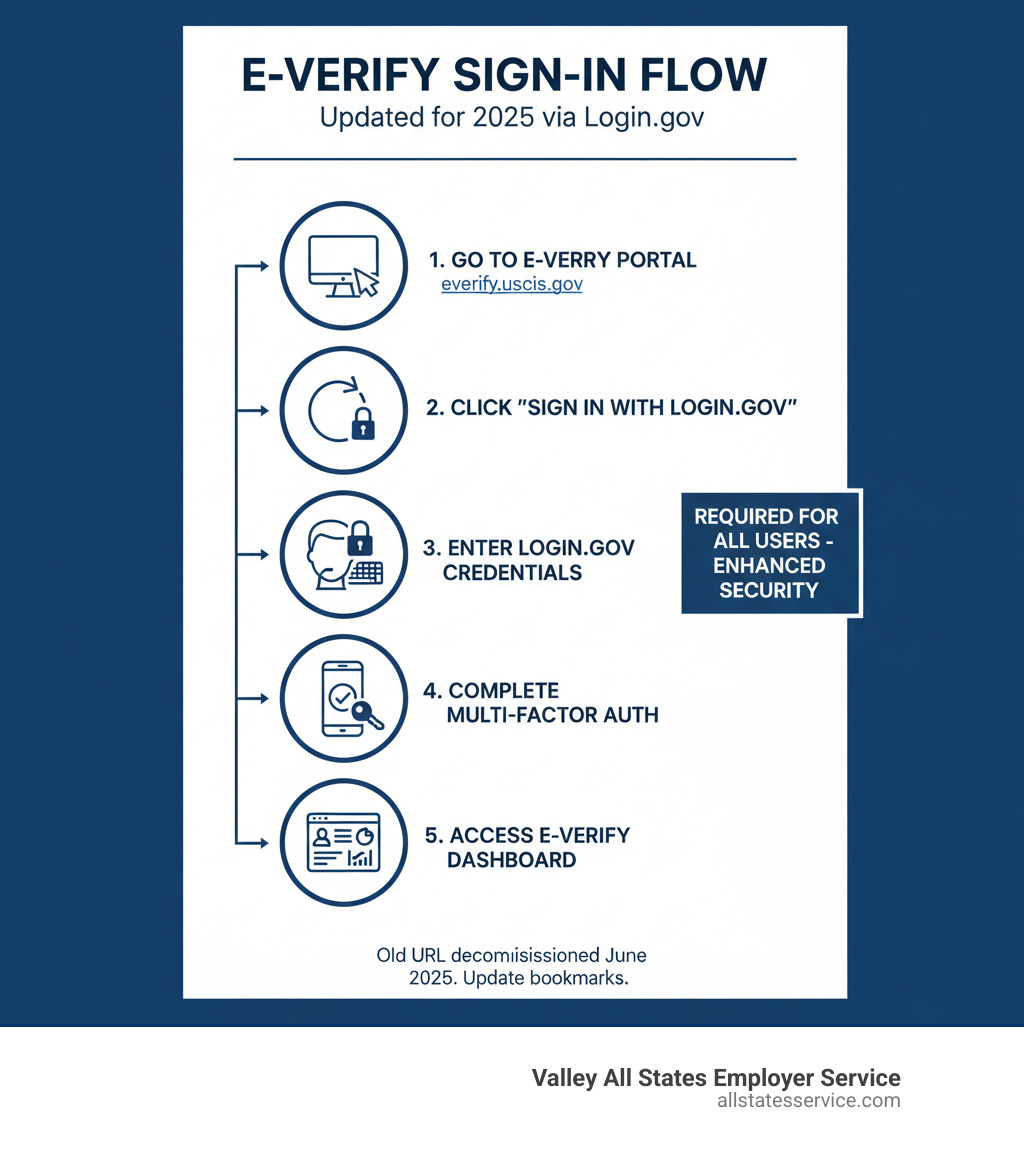
- Go to the official portal: https://everify.uscis.gov (no dash in the URL)
- Click “Sign In with Login.gov” on the E-Verify login page
- Enter your Login.gov credentials (email and password)
- Complete multi-factor authentication (code or security key)
- Access your E-Verify Dashboard to begin creating cases
Starting in 2024, E-Verify made a critical change. The system now requires all users to sign in through Login.gov with multi-factor authentication. This means you can’t access E-Verify directly anymore. You must use a Login.gov account as your secure gateway.
Why the change? The Department of Homeland Security implemented this requirement to improve account security and protect sensitive employee information. Multi-factor authentication adds an extra layer of protection beyond just your password, making it much harder for unauthorized users to access your account.
If you’ve been using E-Verify for years, you’ll need to link your existing account to a Login.gov profile. New users will create both accounts during their first sign-in. The process takes less than 10 minutes, but understanding the steps beforehand saves time and frustration.
Important: The old URL (e-verify.uscis.gov with a dash) was decommissioned in June 2025. Update your bookmarks to the correct address to avoid confusion.
Understanding the New E-Verify Sign In Process
If you’ve logged into E-Verify recently, you probably noticed things look different. The system underwent a significant security upgrade, and while change can be frustrating, this one’s actually protecting you and your employees’ sensitive information.

Let’s start with the basics. E-Verify is an online system operated by the Department of Homeland Security in partnership with the Social Security Administration. It lets employers verify that their new hires are legally eligible to work in the United States. Think of it as a digital handshake between your company and the federal government, confirming that everything’s above board. If you want to understand more about how the system works behind the scenes, check out What is E-Verify?
The biggest change you’ll encounter is the mandatory Login.gov integration and the requirement for multi-factor authentication (we’ll call it MFA for short). This isn’t just bureaucratic red tape. It’s a genuine security upgrade that protects both your business data and your employees’ personal information from unauthorized access.
Here’s what you need to remember: the official E-Verify sign in now happens exclusively through the Official E-Verify Portal (notice there’s no dash in that URL). If you have old bookmarks saved or training materials that reference the old web address with a dash (e-verify.uscis.gov), update them now. That old URL and its redirect were completely shut down on June 25, 2025. Using outdated links will just leave you staring at an error page.
What is Login.gov and Why is it Used?
Think of Login.gov as your master key to multiple government websites. Instead of creating separate usernames and passwords for every federal service you use, Login.gov gives you one secure sign-in provider that works across numerous government websites.
It’s similar to how you might use your Google account to sign into different apps, except this is specifically designed for federal services with extra security built in. By using Login.gov, E-Verify taps into a centralized access system that meets the highest government security standards.
This integration improves account protection in several ways. Instead of each agency building its own login system (with varying levels of security), Login.gov provides one standardized, thoroughly tested platform. It’s been designed from the ground up for preventing unauthorized access, which means fewer vulnerabilities and better protection for your sensitive employment data.
The Importance of Multi-Factor Authentication (MFA)
Multi-factor authentication sounds technical, but the concept is simple. It’s an extra security layer that requires you to prove your identity in two different ways before accessing your account.
Here’s why this matters: passwords get compromised all the time. Maybe someone’s watching over your shoulder at a coffee shop, or a data breach exposes your credentials, or you accidentally use the same password across multiple sites. Even with a strong password, there’s risk. MFA protects you when password compromise happens because a hacker would need more than just your password to break in.
Login.gov offers several authentication methods you can choose from. You might use an authenticator app on your smartphone (like Google Authenticator or Authy), a physical security key that plugs into your computer, or text message codes sent to your phone. Each method adds that crucial second verification step.
Here’s a pro tip: set up at least two authentication methods when you create your Login.gov account. If you lose your phone or your security key stops working, you’ll have a backup way to access your account. Trust us, future you will be grateful you took this extra minute now rather than dealing with a locked account when you’re trying to process a new hire on a deadline.
The everify sign in process is more secure than ever, and while it might take an extra 30 seconds compared to the old system, that’s a small price to pay for protecting your business and your employees from identity theft and data breaches.
How to Complete Your E-Verify Sign In: A Step-by-Step Guide
Getting into your E-Verify account through Login.gov might feel like learning a new dance at first, but once you know the steps, it becomes second nature. The good news? The process works smoothly whether you’re setting up your first account or linking an existing one. We’ll walk you through both scenarios so you can get back to what matters: running your business and staying compliant.
If you’re just getting started with E-Verify, understanding the full picture helps. Our E-Verify Onboarding Process guide covers everything from enrollment to your first case, giving you a complete roadmap for success.
For New Users: Creating and Linking Your Account
New to E-Verify? Your journey typically starts with an email. Your company’s Program Administrator will add you to the system, and you’ll receive a welcome message with instructions to get started. This email is your official invitation to join the E-Verify sign in process.
First, head over to the E-Verify login page. You’ll see a user agreement waiting for you. Read through it (we know, not the most thrilling read, but it’s important), then click “I Agree” to continue.
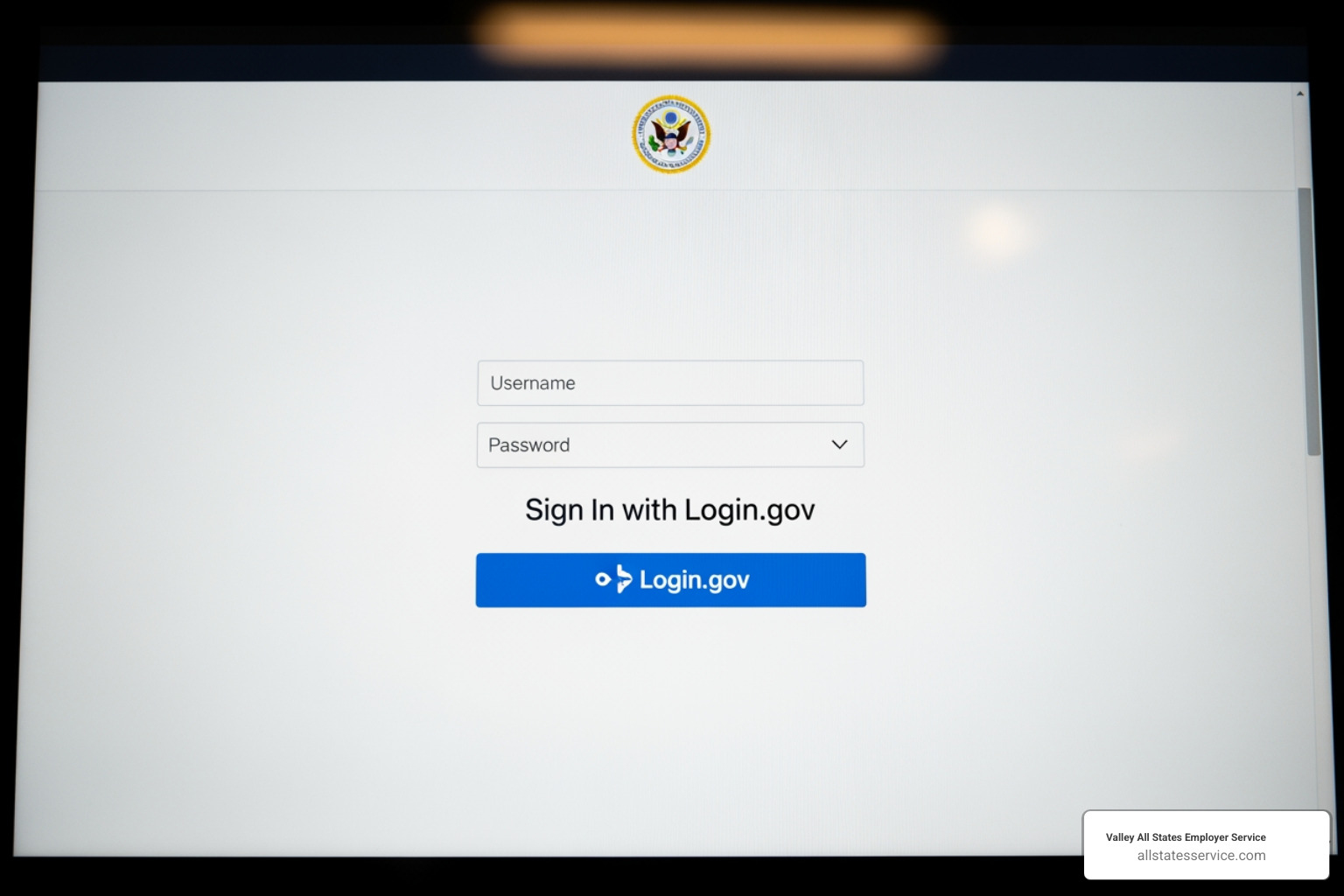
Now comes the Login.gov part. Click the blue “Sign In with Login.gov” button. If you don’t have a Login.gov account yet, select “Create an Account” and follow the prompts. You’ll need a valid email address that’s yours alone (no sharing allowed), and you’ll create a strong password.
Here’s where security gets serious. During your Login.gov account creation, you’ll set up your multi-factor authentication methods. Think of MFA as a deadbolt on your door. Your password is the regular lock, but MFA adds that extra layer of protection. Choose at least two authentication methods from the available options, whether that’s an authenticator app, text message codes, or a physical security key. Having a backup method saves you from potential headaches if you lose your phone or switch devices.
Once you’ve completed your Login.gov setup and passed the authentication check, you’ll bounce back to E-Verify. The system will ask you to link your E-Verify user ID and password to your shiny new Login.gov account. Enter those credentials, and boom, you’re connected.
The final reward? You’ll land on your E-Verify Dashboard, ready to select your User ID and start creating cases or complete any required online training. The whole process takes less than 10 minutes, and you’ll only do it once.
For Existing Users: Your First E-Verify Sign In with Login.gov
If you’ve been using E-Verify for a while, you’re probably wondering what happened to your old login. Don’t worry, your account isn’t gone. It just needs a security upgrade through Login.gov. This is a one-time linking process that protects your account going forward.
Start by visiting the E-Verify login page, just like always. You’ll see that familiar interface, but now with the “Sign In with Login.gov” button front and center. Click it, and you’ll be redirected to the Login.gov portal.
If you already have a Login.gov account from another government service (maybe you’ve used it for Social Security or IRS tools), simply enter your existing email and password. If this is your first time with Login.gov, you’ll need to create an account by selecting “Create an Account” and following the same setup steps outlined in the new user section above.
Complete your multi-factor authentication when prompted. This might mean entering a code from your authenticator app, approving a notification on your phone, or using whatever MFA method you set up.
Here’s the critical step: linking your accounts. After Login.gov authenticates you, E-Verify will ask you to connect your existing E-Verify sign in credentials. Enter your old E-Verify user ID and password. This tells the system, “Yes, this Login.gov account belongs to the same person who’s been using this E-Verify account.”
Once the linking is complete, you’ll have full access to your E-Verify Dashboard, just like before. All your cases, settings, and history remain intact. If you manage multiple E-Verify user IDs (perhaps for different company locations), you can link those additional accounts from the Dashboard too.
The entire process typically takes under 10 minutes, and you’ll never have to do it again. From now on, your everify sign in routine is simple: go to the portal, click “Sign In with Login.gov,” complete your MFA, and you’re in.
Troubleshooting Common Login Problems
Even with clear instructions, technology doesn’t always cooperate. We get it. Running into login issues when you’re trying to verify a new hire can be incredibly frustrating. The good news? Most problems have simple solutions. Here’s how to tackle the most common roadblocks you might encounter with the new everify sign in process. And remember, for E-Verify specific questions, our E-Verify Employer Customer Service team is always ready to help.

Forgot Your Login.gov Password?
Let’s be honest. We’ve all been there. You create a password, it meets all those complicated requirements, and then three weeks later you can’t remember it to save your life.
Here’s the important part: E-Verify cannot help you reset your Login.gov password. This catches a lot of people off guard. Since Login.gov is a separate platform that manages your sign-in credentials, the E-Verify support team doesn’t have access to those accounts. They physically can’t reset your password or retrieve it for you, no matter how nicely you ask.
Instead, you’ll need to go directly to the source. Login.gov has a dedicated password reset page that walks you through the recovery process step by step. The best part? Their support team is available 24/7, so whether you’re locked out at 3 PM or 3 AM, help is available. Just head to their help center, follow the prompts, and you’ll be back in business quickly.
Issues with Your Authentication Methods?
Multi-factor authentication is fantastic for security, but it can create real headaches if your phone dies, gets lost, or decides to take a swim in the toilet. This is exactly why we keep emphasizing the importance of setting up multiple authentication methods when you first create your Login.gov account. It’s like keeping a spare key under the mat, except much more secure.
If you’re having trouble with your authentication methods, whether it’s not receiving text message codes or your authenticator app isn’t working, Login.gov has a comprehensive help page for authentication issues that covers most scenarios.
Now, here’s where things get tricky. If you only set up one authentication method and you’ve lost access to it (say your phone with your only authenticator app is gone), you’re facing a more serious situation. Login.gov takes security very seriously, which means they cannot bypass your authentication or sign in on your behalf. Their support team can’t open up your account or remove the authentication requirement. It’s frustrating, but it’s also what keeps everyone’s accounts secure.
In this worst-case scenario, your only option is to delete your Login.gov account and create a new one. Before you do this, know that Login.gov requires a 24-hour waiting period before you can create a new account using the same email address. It’s a security measure, but it means you’ll be locked out for a full day. Once that waiting period passes, you can create your fresh account, set up your MFA methods (plural, please), and link it back to your E-Verify user ID.
The lesson here? Take five minutes right now to add that second authentication method. Your future self will thank you.
E-Verify vs. myE-Verify: A Quick Comparison
If you’ve ever typed “everify sign in” into a search engine, you might have stumbled across both E-Verify and myE-Verify and wondered what the difference is. It’s a common point of confusion, but understanding which system you need is essential for staying compliant and protecting your business.
Here’s the simple truth: E-Verify is for employers, and myE-Verify is for employees. They serve completely different audiences with entirely different purposes. As an employer, you’ll be using E-Verify to verify your new hires. Your employees, on the other hand, might use myE-Verify to check their own eligibility or protect their identity. If you’re running a smaller operation, our guide to E-Verify for Small Businesses can help you understand how this fits into your compliance picture.
Let’s break down the key differences:
| Feature | E-Verify | myE-Verify |
|---|---|---|
| User | Employers (or their authorized agents) | Workers and job seekers |
| Purpose | To electronically verify the employment eligibility of newly hired employees. | To protect identity, track E-Verify cases, confirm personal employment eligibility, and learn rights. |
| Key Features | Creates and manages E-Verify cases, receives Tentative Nonconfirmations and Final Nonconfirmations, accesses case history and reporting tools | Self Check (confirms own employment eligibility), Self Lock (locks Social Security Number to prevent identity theft), Case History, myUploads (submits documents to resolve cases) |
| Account Type | Employer account (requires registration with USCIS) | Individual USCIS online account |
| Access | Via Login.gov (mandatory MFA) | Via USCIS online account (may use Login.gov for USCIS account) |
When you complete your E-Verify sign in as an employer, you’re entering a system designed specifically for business use. This is where you create and manage verification cases for your new hires, compare Form I-9 information against records from the Department of Homeland Security and Social Security Administration, and handle any mismatches or nonconfirmations that arise.
Your employees won’t need access to your E-Verify account. Instead, they have their own portal called myE-Verify. This free service gives workers control over their own employment eligibility information. The Self Check feature is particularly helpful because it allows job seekers to verify their own eligibility before they even start a new position, potentially heading off problems before they occur.
One of the most valuable tools in myE-Verify is the Self Lock feature. This allows individuals to lock their Social Security Number in the E-Verify system for one year at a time. Think of it as putting a protective shield around their SSN to prevent someone from fraudulently using it for employment purposes. It’s an important identity protection tool that gives employees peace of mind. Just remember, it doesn’t change or update citizenship or immigration status. It simply prevents unauthorized use of an SSN in E-Verify.
The bottom line? As an employer, your focus stays on E-Verify. Your employees can take advantage of myE-Verify’s self-service features to protect themselves and stay informed about their own eligibility status. Both systems work together to create a more secure, transparent employment verification process.
Frequently Asked Questions about E-Verify
We often receive questions about E-Verify, especially with the recent changes and the importance of compliance. Here are answers to some of the most common questions employers have about using the system.
Is using E-Verify mandatory for my business?
The answer depends on where you operate and who you work with. While E-Verify started as a voluntary program, it has become mandatory for certain employers and in specific locations.
Federal contractors are generally required to use E-Verify for all new hires, and in some cases, for existing employees working on federal contracts. This is a firm requirement that comes with your contract obligations.
Beyond federal mandates, many states and local jurisdictions have their own E-Verify requirements. These vary widely from state to state, with some requiring all employers above a certain size to participate, while others only mandate it for specific industries or government contractors. Our E-Verify State Requirements Guide 2025 provides a comprehensive overview of state-level mandates to help you determine your obligations.
Even if your business isn’t legally required to use E-Verify, many companies choose to participate voluntarily. Why? It demonstrates a commitment to maintaining a legal workforce and helps mitigate potential risks associated with unauthorized employment. Think of it as an extra layer of protection for your business.
Can I use a shared email address for my Login.gov account?
No, you cannot use a shared email address for your Login.gov account. Each user must have their own unique email address tied to their individual Login.gov account. This is a strict security requirement, not just a suggestion.
The reason behind this rule is straightforward: your Login.gov account protects access to sensitive employee data and government systems. Using a unique email address helps confirm your identity during the multi-factor authentication process and ensures that only you can access your account. Shared accounts completely undermine the security improvements that the Login.gov integration was designed to provide.
Here’s a practical tip: if you’re using a work email for your E-Verify sign in, consider adding a personal email address as a backup authentication method. If you change jobs and lose access to your work email, recovering your Login.gov account becomes much more challenging. Planning ahead saves headaches later.
What is the new E-Verify+ service?
E-Verify+ represents the next evolution of the employment eligibility verification system, designed to meet the demands of today’s dynamic workforce. It’s particularly relevant for businesses navigating hybrid work environments and remote hiring.
The new E-Verify+ service brings several important improvements to the table. The modernized verification process is more streamlined and user-friendly, reducing the time you spend on administrative tasks. Improved privacy protections for employees are built into the system from the ground up, addressing growing concerns about data security. The service also improves defenses against identity fraud, using advanced features to detect and prevent fraudulent attempts.
What does this mean for your business? Greater transparency and efficiency in your employment verification processes. E-Verify+ is designed to make compliance easier, not harder. You can learn more about specific E-Verify+ features directly from the official E-Verify website to see how these improvements might benefit your organization.
Simplify Your E-Verify Compliance
Navigating the E-Verify system, especially with recent updates, requires attention to detail. The mandatory shift to Login.gov and multi-factor authentication is a positive step toward securing your company and employee data. It’s not just bureaucracy for its own sake. These changes genuinely protect the integrity of the employment verification system and safeguard sensitive information from unauthorized access.
By following the steps outlined in this guide, you can ensure a smooth transition and continued access. The updated everify sign in process might feel like an extra hurdle at first, but once you’ve completed the initial setup, accessing your account becomes routine. Think of it like setting up a new smartphone. The first time takes a bit of patience, but after that, it’s second nature.
For businesses juggling multiple priorities, the administrative burden of E-Verify compliance can feel overwhelming. That’s where Valley All States Employer Service comes in. We offer expert E-Verify agent services designed to handle the complexities of the verification process for you. Our team minimizes errors and administrative overhead, ensuring flawless compliance while you focus on what you do best: running your business and growing your team.
We understand that every minute spent troubleshooting login issues or navigating system updates is time away from your core operations. Our impartial, efficient E-Verify processing takes that weight off your shoulders. Whether you’re a small business handling your first hires or an established company managing high-volume verification needs, we’re here to streamline the entire process.
Ready to simplify your hiring process and ensure seamless compliance? Learn more about our E-Verify Employer Login solutions and find how we can help your business steer E-Verify with confidence.