
Top 4 how to review i 9 documents for remote employees
The New Era of Remote Onboarding: Understanding Your I-9 Obligations
How to review i 9 documents for remote employees is a critical compliance question for today’s HR teams. Here’s the quick answer:
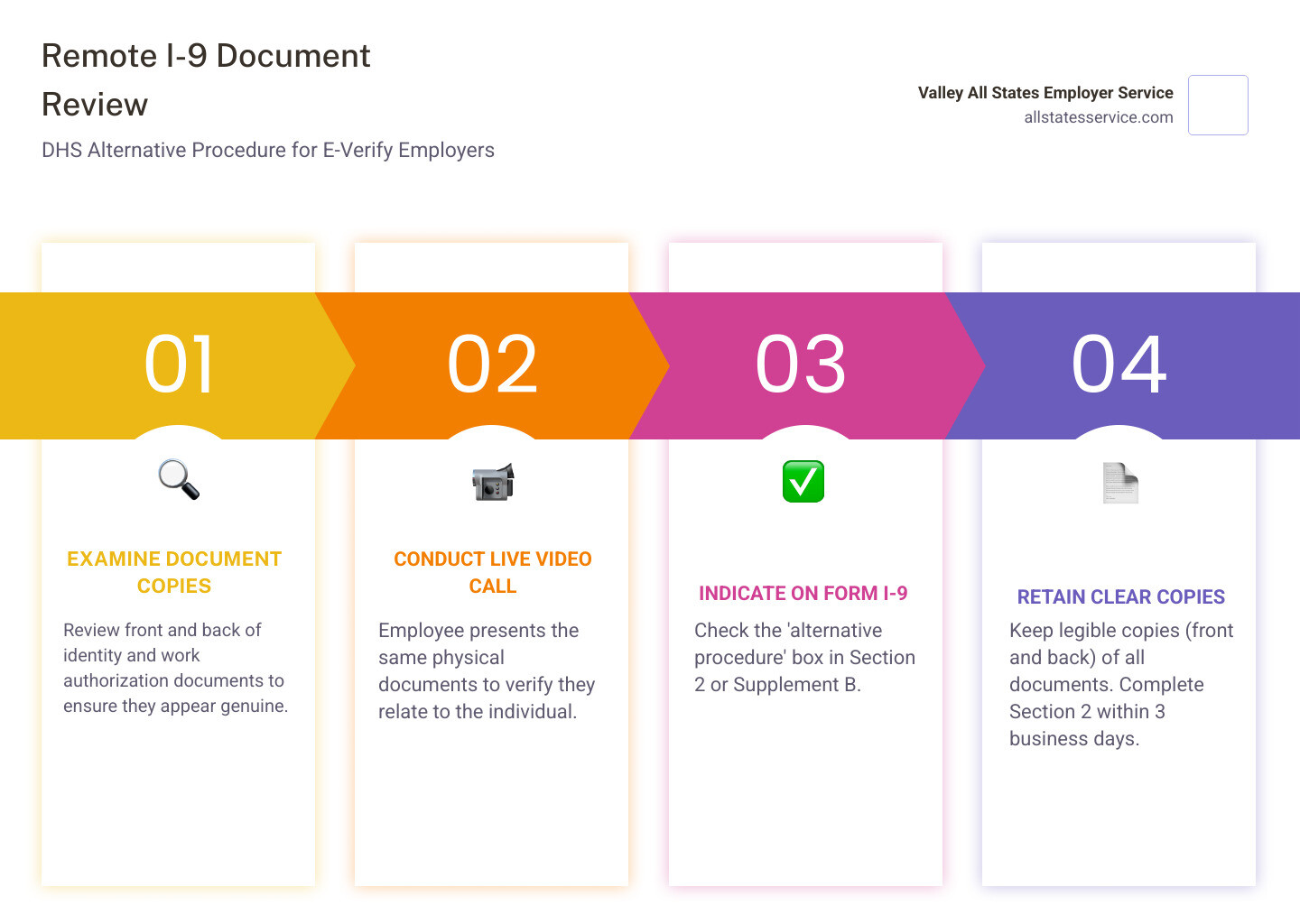
For E-Verify Employers (DHS-Authorized Alternative Procedure):
- Examine copies – Review front and back of the employee’s documents to ensure they appear genuine.
- Conduct live video – Hold a video call where the employee presents the same physical documents.
- Indicate on Form I-9 – Check the “alternative procedure” box in Section 2 or Supplement B.
- Retain copies – Keep clear copies (front and back) of all documents.
For Non-E-Verify Employers:
- You must use an authorized representative to physically examine documents in person.
- The employer remains liable for all violations.
Timeline: Complete Section 2 within three business days of the employee’s first day of work.
The landscape of employment verification changed permanently on August 1, 2023. What began as temporary COVID-19 flexibilities evolved into a new, permanent rule allowing qualified employers to examine I-9 documents remotely. This shift reflects that nearly a third of U.S. workers are now in remote or hybrid roles.
But with this flexibility comes complexity. Fines for I-9 violations can exceed $25,000 per issue, and studies show most forms contain errors. The Department of Homeland Security’s optional alternative procedure is a great solution, but it’s only available to employers enrolled in E-Verify. Understanding how to steer this is essential for any business with a distributed team.
What is Form I-9 and Why Is It Critical for Employers?
Form I-9, the Employment Eligibility Verification form, is a mandatory document used to verify the identity and work authorization of every new hire in the U.S. As an employer, you are legally responsible for completing and retaining this form correctly.
The process has two main parts:
- Section 1: The employee completes this on or before their first day of work.
- Section 2: You or an authorized representative must complete this within three business days of the employee’s start date by reviewing their documents.
Missing the three-day deadline is a common and costly mistake. For more on the financial risks, see our guide on I-9 Compliance Penalties.
The Shift from Physical to Virtual: Why I-9 Rules Changed
For decades, I-9 verification required in-person document inspection. The COVID-19 pandemic made this impractical, leading DHS to introduce temporary remote flexibilities.
Recognizing the permanent shift to remote work, DHS issued a new, permanent rule effective August 1, 2023. This “Optional Alternative 1 to the Physical Document Examination,” detailed in a a Final Rule, modernizes the I-9 process. It also coincided with a new Form I-9 (dated 08/01/23), which is now mandatory.
How to Review I-9 Documents for Remote Employees: The New Alternative Procedure
The permanent alternative procedure allows for a structured digital process to verify identity and work authorization, replacing the need for physical presence. This is a major shift for onboarding remote employees compliantly.
However, you must meet specific eligibility requirements and follow the DHS procedure exactly. There is no room for shortcuts when learning how to review i 9 documents for remote employees.

Step 1: Confirm Your Eligibility as an E-Verify Employer
First, this alternative procedure is exclusively for employers enrolled in E-Verify and in good standing.
To use the remote option, your company must be an active E-Verify participant for all hiring sites where you plan to use it. Good standing means you are compliant with all program requirements, including running timely queries for new hires. All users must also complete the free E-Verify tutorial, which covers fraudulent document awareness and anti-discrimination.
Not enrolled yet? You must complete the Enrolling in E‑Verify process before using this remote procedure.
Step 2: The Employee’s Role in the Remote I-9 Process
Clear communication with your new hire is key to meeting the three-day deadline. The employee has two main responsibilities.
First, they must complete Section 1 of Form I-9 on or before their first day of employment.
Second, within three business days of starting, they must choose documents from the List A, List B, or List C of Acceptable Documents and transmit clear, legible copies to you. You cannot tell them which documents to provide. Finally, they must present those same original documents during a live video call.
Step 3: The Employer’s 4-Step Remote Examination Process
Once you have the document copies and have confirmed your E-Verify eligibility, you can perform the remote examination. This must happen within three business days of the employee’s first day.
First, examine the document copies. Review the front and back of each document to confirm it reasonably appears to be genuine. Look for obvious signs of tampering or inconsistencies.
Second, conduct a live video interaction. During the call, the employee must present the same original documents. Your job is to verify the documents still appear genuine and relate to the individual on the video.
Third, indicate on Form I-9 that you used the alternative procedure. This is an essential documentation step for compliance.
Fourth, retain clear copies of all documents you examined, front and back. These must be kept with the employee’s Form I-9. Following these steps systematically is crucial for the Remote Employee I-9 Verification process.
Step 4: Documenting the Alternative Procedure on Form I-9
Properly marking the Form I-9 is the final piece of the puzzle.
On the current Form I-9 (dated 08/01/23), there is a checkbox in the “Additional Information” field of Section 2. When you complete the remote examination, simply check that box. This creates an official record that you followed the DHS-authorized remote process.
If you use the alternative procedure for reverification or rehire, you will find a similar checkbox in Supplement B.
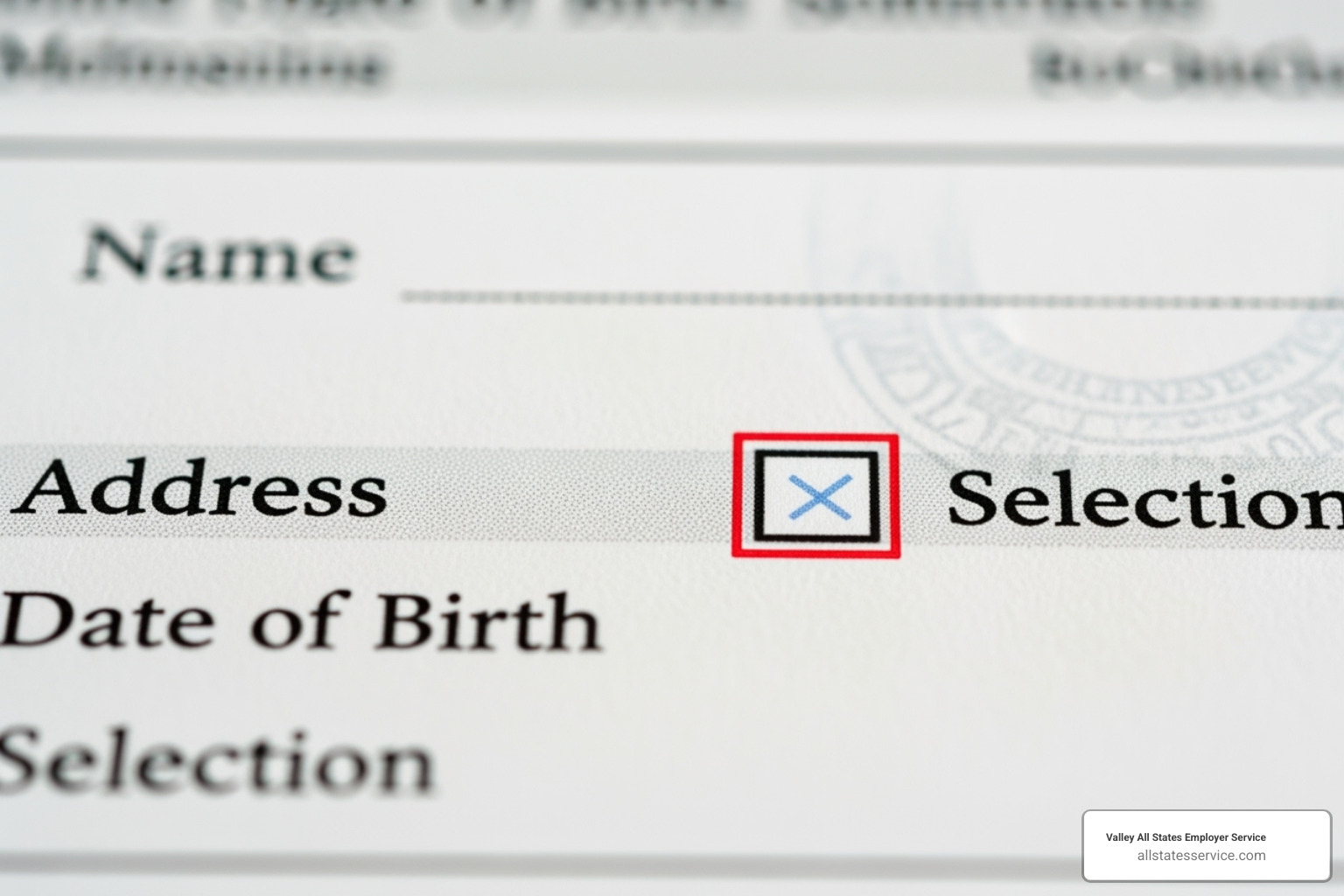
This checkbox is crucial during an audit. It distinguishes your compliant remote verification from an improper I-9 process and protects your company from significant penalties.
Compliance and Best Practices for a Flawless Remote I-9 Process
Getting the steps right is just the beginning. To truly master how to review i 9 documents for remote employees, you need a solid compliance framework. A single oversight can lead to penalties, so let’s build an audit-proof remote I-9 process.
Document Retention and Audit Readiness
Remote verification requires meticulous records. When using the alternative procedure, you must retain a clear, legible copy of every document examined (front and back).
The retention period is three years after the date of hire, or one year after employment ends, whichever is later. You must be able to produce these records quickly during an audit by agencies like ICE or the Department of Justice.
Because these documents contain sensitive personal information, your storage systems need robust security measures, including access controls and encryption. The Handbook for Employers M-274 from USCIS is an invaluable resource for general compliance.
Key Considerations for How to Review I-9 Documents for Remote Employees
The alternative procedure requires careful thought to avoid discrimination and maintain consistency.
Consistency is key. If you offer the alternative procedure at an E-Verify hiring site, you must offer it to all employees at that site. You can, however, choose to offer it only for remote hires while requiring physical exams for onsite staff. The distinction must be based on work location, not citizenship status or national origin.
Anti-discrimination rules apply strictly. Employees choose their documents from the acceptable lists. You cannot specify which ones you prefer or treat employees differently based on their choices.
Data privacy is paramount. When transmitting documents digitally, use secure file-sharing platforms with strong encryption, not casual email. This is where compliant Electronic I-9 Solutions can be invaluable, as they streamline verification, reduce errors, and improve security.
Training is non-negotiable. Everyone involved in your I-9 process needs ongoing training on current rules, fraud detection, and anti-discrimination requirements.
Here’s how the permanent procedure compares to the temporary COVID-19 flexibilities:
| Feature | COVID-19 Flexibilities (Ended 7/31/2023) | Permanent Alternative Procedure (Effective 8/1/2023) |
|---|---|---|
| Eligibility | All employers operating remotely due to COVID-19. | E-Verify employers in good standing. |
| Method | Remote inspection (e.g., video call) of documents. | Remote inspection (live video interaction) of original documents + digital copies. |
| Physical Re-inspection | Required within 3 business days once normal operations resumed. | Not required if the alternative procedure is followed. |
| Form I-9 Notation | “COVID-19” or “documents physically examined” with date. | Check “alternative procedure” box in Section 2 (or Supplement B). |
| Duration | Temporary, tied to COVID-19 emergency. | Permanent option. |
Common Pitfalls and How to Avoid Costly Penalties
Studies show 60-80% of Form I-9s contain mistakes, with fines from $224 to $2,236 per error. Here are common pitfalls to avoid:
- Incomplete forms: A missing date or signature can trigger a violation. Use a thorough review process or an electronic solution that flags empty fields.
- Missed deadlines: Section 1 is due on day one; Section 2 is due within three business days. Use automated reminders to stay on track.
- Accepting invalid documents: Expired documents are a red flag. Train your team on the List A, List B, or List C of Acceptable Documents.
- Inconsistent procedures: Applying different standards to different employees can appear discriminatory. Create a clear, written policy and apply it uniformly.
- Document over-requesting: Never ask for more documents than required or specify which ones an employee must provide.
- Improper storage: Failing to store forms securely for the required retention period is a violation. Use a centralized, secure system.
- Forgetting the checkbox: Not marking the “alternative procedure” box on the Form I-9 means you have no record of compliant remote verification. Make it a mandatory checklist item.
These mistakes are preventable with proper systems and training. For more tips, see our guide on Remote I-9 Verification Best Practices 2025.
Frequently Asked Questions about Remote I-9 Verification
The evolving rules for remote I-9 verification can bring up many questions. Here are answers to some of the most common inquiries.
Can I use the remote procedure for some employees but not others?
Yes, but with specific conditions to avoid discrimination.
- Consistency at a hiring site: If you offer the alternative procedure, you must do so for all employees at that E-Verify hiring site.
- Remote vs. onsite employees: You can offer the alternative procedure only for remote hires while requiring physical inspection for onsite or hybrid employees.
- Non-discriminatory purpose: Your policy must not be based on an employee’s citizenship, immigration status, or national origin.
- Create a clear policy: It is a best practice to have a written policy outlining when the remote procedure will be used.
What if my company is not enrolled in E-Verify?
If you are not enrolled in E-Verify, you are not eligible to use the alternative procedure. You must still conduct a physical, in-person examination of documents for all employees.
Your options are:
- Use an authorized representative: Designate someone to physically examine the employee’s original documents in person. This can be another employee, a third-party agent, or a notary public (acting as a representative, not a notary).
- You remain liable: As the employer, you are responsible for any errors your authorized representative makes. Choose a reliable and well-trained individual or service.
- Consider enrolling in E-Verify: If you hire remotely often, enrolling may be a strategic move to gain access to the remote verification option.
For help finding a representative, you can explore Third-Party I-9 Verification services.
What happens if the employee’s documents look suspicious during the video call?
If documents presented during the video call do not reasonably appear to be genuine or relate to the individual, you should follow a clear protocol.
- Do not accept them: Inform the employee the documents are not acceptable.
- Ask for other documents: Allow the employee to present other acceptable documents from the official lists. Do not specify which documents they should provide.
- Document the interaction: Keep a record of the event, the documents presented, and why they were not accepted.
- Follow anti-discrimination rules: Ensure your actions are based only on the document’s appearance, not on any protected characteristic of the employee.
- Use E-Verify tools: The E-Verify photo matching feature can be an additional tool to help verify identity.
Simplify Your Compliance and Master Remote I-9s
The shift to remote work has changed how we handle employment eligibility verification. Learning how to review i 9 documents for remote employees is now a core skill for any organization with a distributed team.
The good news is that remote I-9 verification doesn’t have to be overwhelming. By understanding the DHS alternative procedure, staying in good standing with E-Verify, and following best practices, you can create a compliant onboarding experience.
However, most HR teams are already stretched thin. The complexity of remote I-9 compliance, with its strict deadlines and documentation rules, adds another significant burden. The stakes are high, with costly fines and audit risks.
At Valley All States Employer Service, we take this burden off your shoulders. We specialize in outsourced E-Verify workforce eligibility verification, designed to minimize errors and streamline the process. Our team knows the ins and outs of the alternative procedure and brings that expertise to every verification we handle.
Think of us as an extension of your HR team, dedicated to getting I-9 compliance right so you can focus on building your business. You don’t have to become an I-9 expert overnight; you just need a partner who already is.
Ready to simplify your I-9 process and ensure flawless compliance for your remote workforce? Learn more about Verifying I-9 Documents with our expert assistance.