
E-Verify registration process: Easy 2025 Guide
What is E-Verify and Why Does It Matter?
The E-Verify registration process is how employers enroll in a crucial online system to confirm that new hires are authorized to work in the United States. It’s a key step for maintaining a legal workforce and ensuring compliance with federal immigration laws.
Managed by the U.S. Department of Homeland Security (DHS) and the Social Security Administration (SSA), E-Verify is a free, web-based tool that goes a step beyond Form I-9. While Form I-9 collects an employee’s eligibility information, E-Verify electronically compares that data against government records for quick confirmation. This helps employers avoid penalties and uphold fair hiring practices.
For most businesses, using E-Verify is voluntary. However, it is mandatory for certain federal contractors and employers in some states. Understanding the E-Verify registration process is the first step toward confidence in your hiring.
Preparing for Enrollment: Checklist, Access Methods, and Key Roles
Before starting the E-Verify registration process, it’s smart to gather your documents. Enrollment must be completed in a single web session, as you cannot save your progress. Being prepared is the key to a smooth experience.

Your Checklist for the E-Verify Registration Process
To ensure your E-Verify registration process is successful, have this information ready:
- Company’s legal name
- Employer Identification Number (EIN)
- Primary physical address and mailing address (if different)
- North American Industry Classification System (NAICS) code
- Total number of current employees
- Contact information (name, phone, email) for a Program Administrator and a Signatory
Federal contractors subject to the FAR E-Verify Clause will also need their Unique Entity Identifier (UEI). Having these details organized will save you time during the single-session enrollment. For more on federal requirements, see our guide on More info about E-Verify for Federal Contractors.
Choosing the Right Access Method
A key decision in the E-Verify registration process is selecting the right access method. E-Verify offers four options designed for different business needs.
- Employer Access: The most common choice for businesses that verify their own employees directly. The new E-Verify+ service is currently only available with this method.
- E-Verify Employer Agent Access: For third-party service providers who verify employment eligibility for other employers.
- Corporate Administrator Access: For large organizations that need to manage multiple employer accounts centrally. This is a more complex setup and not needed by most companies.
- Web Services Access: An advanced option for integrating E-Verify with existing HR software. This requires significant technical expertise.
E-Verify will help you determine the best fit. If you’re considering a third-party provider, you can Learn about E-Verify Employer Agents.
Understanding Key E-Verify Roles
During the E-Verify registration process, you must assign people to key roles to ensure your account is managed properly.
- Program Administrator: Every account needs at least one. This person manages the company profile, registers new users, creates cases, and handles other administrative tasks. They must complete a required online training after enrollment.
- Signatory: This person is authorized to sign the Memorandum of Understanding (MOU), legally agreeing to E-Verify’s rules. In smaller companies, the Program Administrator and Signatory can be the same person.
- General Users: These users primarily create and manage E-Verify cases. They do not have administrative permissions and must also complete an online tutorial.
Clearly defining these roles is crucial for effective E-Verify management and compliance.
A Guided Walkthrough: The Step-by-Step E-Verify Registration Process
Now that you’re prepared, let’s walk through the actual E-Verify registration process step by step. This must be completed in one session.
Step 1: Visit the Official Website and Accept the Terms
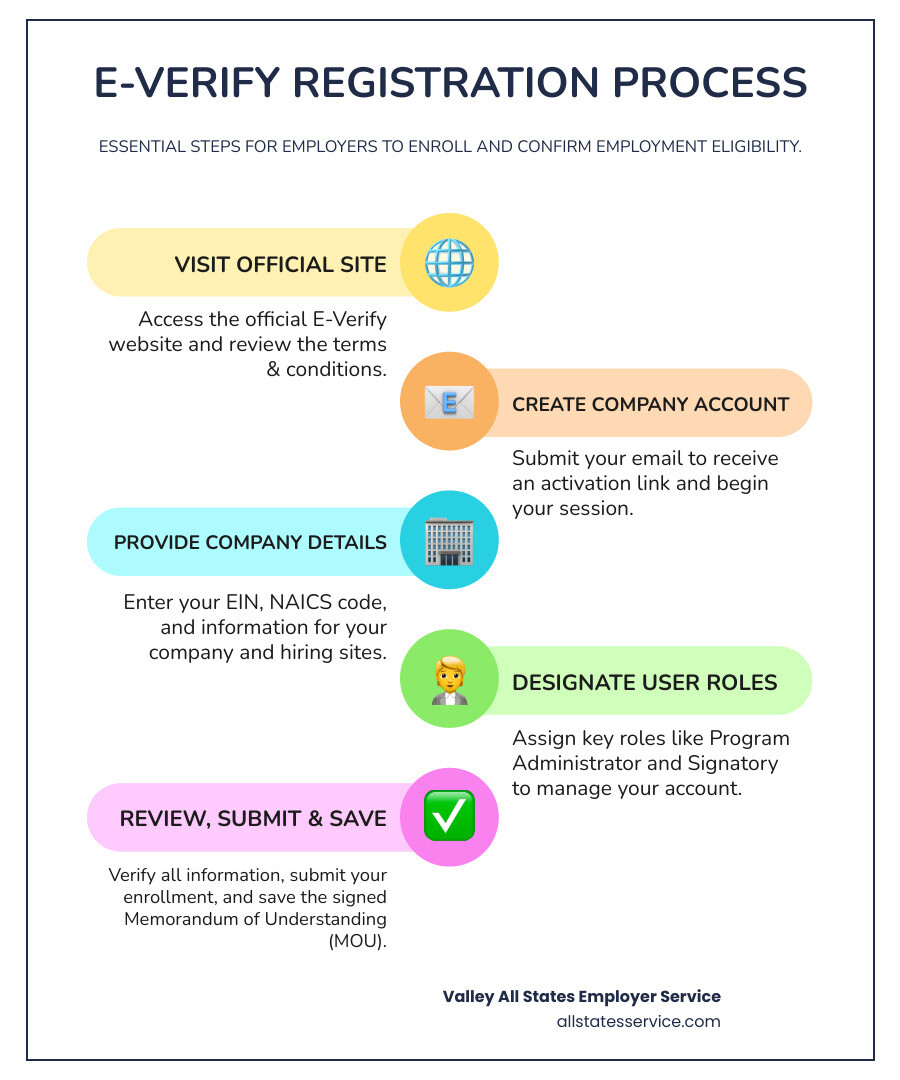
Your journey begins at the official E-Verify website. Always ensure you’re on a secure “.gov” site. On the enrollment page, you will be presented with the Terms and Conditions of the Memorandum of Understanding (MOU). This document outlines your responsibilities, so it is essential to read and understand it before proceeding.
Ready to get started? Begin your enrollment on the official E-Verify site.
Step 2: Create Your Company Account
After accepting the terms, you’ll submit an email address to receive a one-time use activation link. Clicking this link initiates your E-Verify registration process. From this point, you must complete the enrollment in a single web session, so make sure you have uninterrupted time.
Step 3: Provide Company and Hiring Site Details
Here, you’ll input your business information using the checklist you prepared.
First, identify your employer category (e.g., Employer, Federal contractor). This is vital as it determines specific compliance obligations.
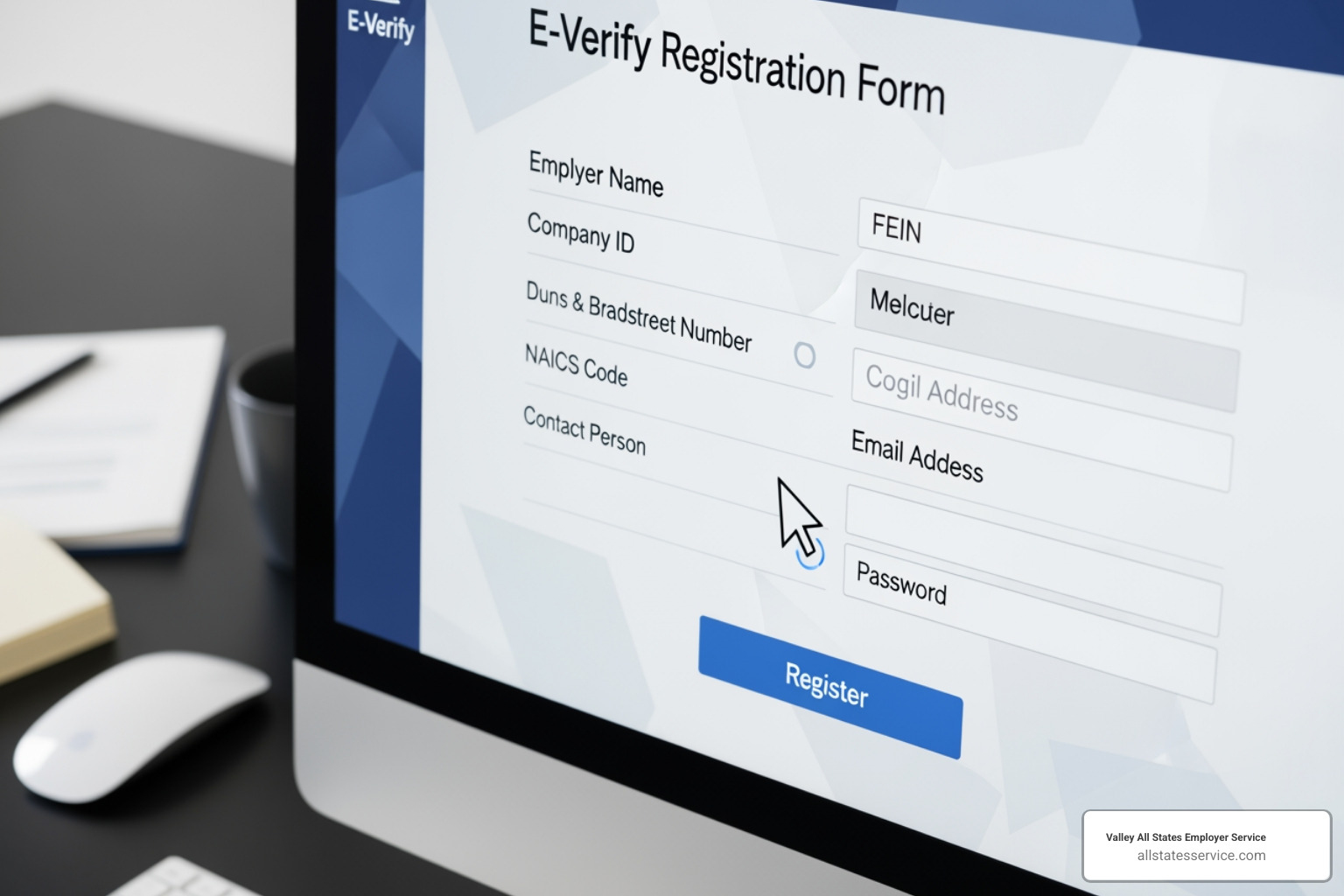
Next, enter your company information, including legal name, primary physical verification location, mailing address, Employer Identification Number (EIN), total number of employees, and NAICS code.
Then, provide your hiring site information. A hiring site is where employees complete Form I-9. A verification location is where staff create the E-Verify case. These may be the same place. If you have multiple hiring sites but process E-Verify centrally, you will list all hiring sites and designate the central office as the verification location. For many locations, E-Verify offers a bulk upload option using a CSV file to save time.
Step 4: Designate Users and Finalize Enrollment
The final steps involve assigning user roles and submitting your application.
You will enter contact details for at least one Program Administrator and a Signatory. The Signatory is the individual who will electronically sign the MOU. This can be the same person as the Program Administrator.
Before submitting, carefully review all information for accuracy. A typo in your EIN or address can cause delays. Once you are confident everything is correct, submit your enrollment.
After submission, E-Verify provides a copy of your electronically signed Memorandum of Understanding (MOU). It is crucial to save or print this document for your records as proof of your enrollment.
Post-Enrollment: Staying Compliant and Managing Your Account
Completing the E-Verify registration process is just the beginning. The real work of maintaining compliance and managing your account starts now.
First Steps After Approval
Once your enrollment is approved, you must take a few essential steps to activate your account.
Each Program Administrator will receive a confirmation email with login instructions. They will need to create or use an existing Login.gov account for secure access.
Next is the mandatory Program Administrator training. This required online tutorial covers E-Verify policies, procedures, and best practices. After completing it, Program Administrators can register new General Users, who must also complete their own tutorial before creating cases. Getting these steps right ensures your team can use E-Verify confidently. For more on integrating E-Verify into your hiring, see our guide on the E-Verify Onboarding Process.
Ongoing E-Verify Compliance Essentials
E-Verify compliance requires consistent attention to the rules.
- Displaying required posters: You must post the E-Verify Participation poster and the Right to Work poster where employees and applicants can see them. Use the current versions provided by DHS.
- Record retention: Keep your signed Memorandum of Understanding (MOU) and file every E-Verify case record with its corresponding Form I-9. This is critical for proving compliance during an audit.
- USCIS records disposal deadline: On January 6, 2025, USCIS will permanently delete E-Verify cases last updated before December 31, 2014. You must download your Historic Records Reports for these cases before the deadline.
- State-specific mandates: Some states have their own rules about who must use E-Verify. Stay informed about local requirements in Maryland or any other state where you operate. Our Guide to E-Verify State Requirements can help.
Staying on top of these activities helps you avoid penalties and maintain a legal workforce.
Practical Tips for a Smooth E-Verify Registration Process
We’ve learned what makes the E-Verify registration process smoother for employers.
- Double-check all information: A single typo in your EIN or company name can cause rejection. Since you can’t save your progress, accuracy is vital.
- Understand your hiring site structure: Know where Form I-9s are completed versus where E-Verify cases are created. This clarity helps you input information correctly.
- Keep records organized: Download and save your signed MOU immediately. File every E-Verify case record with its matching Form I-9.
- Train your HR team thoroughly: Ensure all Program Administrators and General Users complete their training and stay updated on E-Verify policies.
- Use available help resources: The E-Verify Contact Center can provide support. Don’t guess when you can get clarification.
Following these tips builds a solid foundation for long-term compliance. For more guidance, explore our E-Verify Best Practices.
Frequently Asked Questions about E-Verify Enrollment
Let’s address some common questions about the E-Verify registration process.
What is the difference between E-Verify enrollment and registration?
The terms can be confusing, but the distinction is simple.
- E-Verify enrollment is the one-time process where your company signs up for the E-Verify program and agrees to the Memorandum of Understanding (MOU).
- E-Verify registration (or user registration) happens after enrollment. This is when a Program Administrator creates individual user accounts for employees who will use the system.
In short, the company enrolls first, then individual users register within the company’s account.
How do I handle E-Verify for a company with multiple locations?
For multiple locations, you must distinguish between hiring sites (where Form I-9 is completed) and verification locations (where E-Verify cases are created). You can either process cases at each site (decentralized) or at a single main office (centralized).
Your choice of access method depends on your structure. Most multi-location businesses use Employer Access, often with a centralized verification location. Corporate Administrator Access is a more complex option for overseeing multiple, separate legal entities and is not usually necessary. The best approach depends on your operational needs, staffing, and desired level of control.
Where can I get help if I have trouble with enrollment?
If you need assistance, several resources are available.
The E-Verify Contact Center is the primary resource for technical support, policy questions, and case issues. They are available on business days via phone and email. The official E-Verify website also offers user manuals and FAQs.
At Valley All States Employer Service, we also provide expert assistance. If the E-Verify registration process or ongoing management feels complex, our team can make it smooth and error-free. Learn more about our dedicated support through our E-Verify Customer Support resources.
Conclusion: Simplify Your E-Verify Compliance
You now have a solid foundation for navigating the E-Verify registration process and maintaining a compliant workforce. Accuracy is key to protecting your business from compliance risks and penalties. The process is a commitment to fair hiring practices and federal law.
However, managing E-Verify on top of running your business can be a challenge, especially with changing regulations like the 2025 USCIS records disposal deadline. That’s where we come in.
At Valley All States Employer Service, we specialize in taking this burden off your shoulders. Our outsourced E-Verify services provide expert, impartial, and efficient processing, minimizing errors and your administrative load. We give you peace of mind knowing your compliance is handled by professionals, so you can focus on what you do best. We’ll handle the E-Verify details and ensure you’re always audit-ready.
Ready to make E-Verify easier? Streamline your compliance with our E-Verify Services.