
Completing I-9 section 2: Master 3 Simple Steps
Your Role in Employment Verification
Completing I-9 section 2 is a critical compliance task for any HR manager. This section, “Employer Review and Verification,” requires you or an authorized representative to physically examine an employee’s documents and certify they appear genuine and relate to the person presenting them.
Here’s a quick overview:
- Who completes it: You, the employer, or an authorized representative.
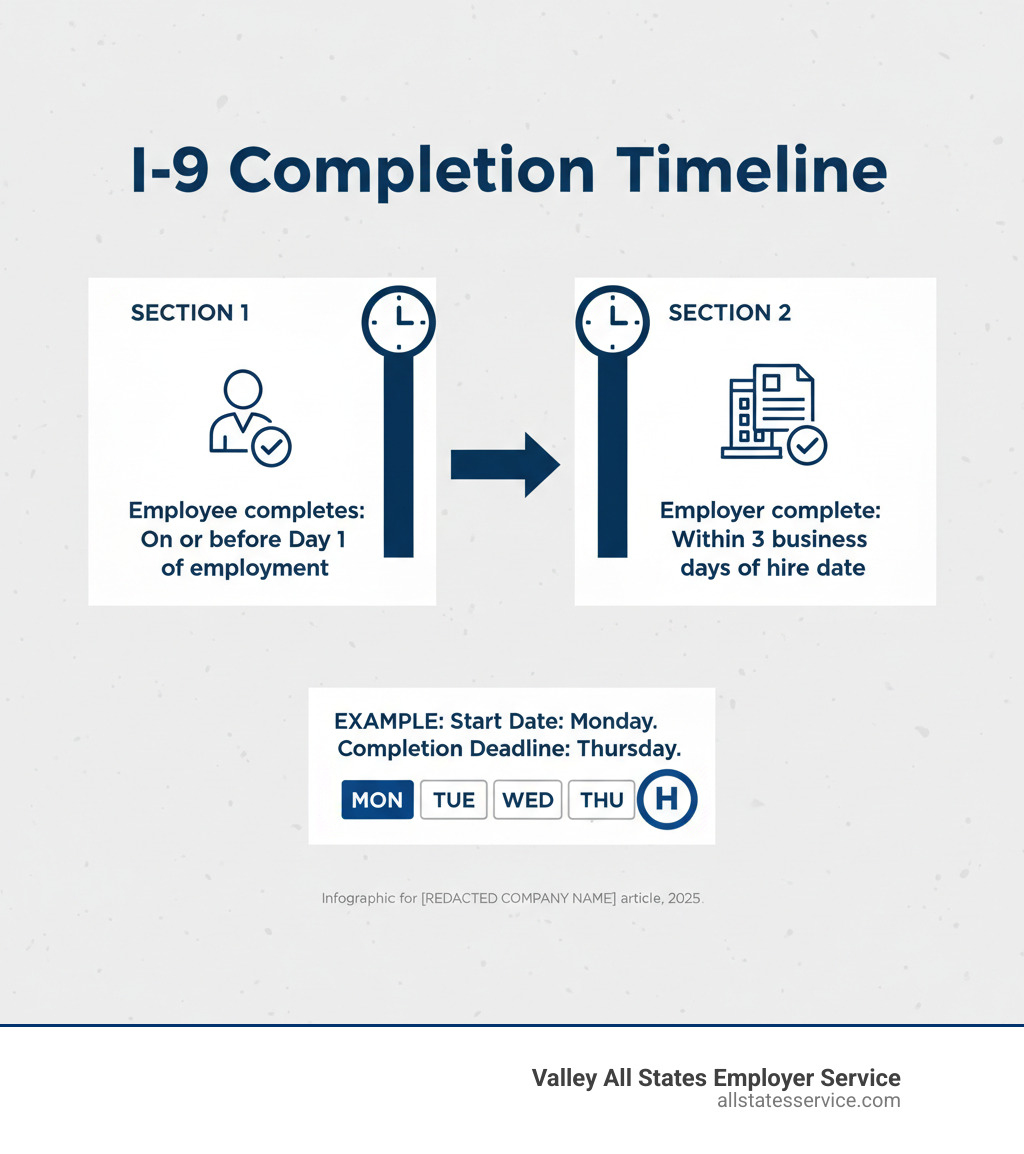
- When to complete it: Within 3 business days of the employee’s first day of work.
- What you must do: Physically examine original, unexpired documents from List A, or one from List B plus one from List C.
- What you must record: Document title, issuing authority, document number, and expiration date.
- Final step: Sign and date the form to certify the documents appear genuine.
The stakes are high, as federal law requires this for every hire, and penalties for errors range from $230 to over $20,000 per violation. Many employers feel overwhelmed by the technical requirements, discrimination risks, or remote verification rules.
However, once you understand the process, Section 2 becomes manageable. You don’t need to be an immigration expert, just have a clear system for examining documents, recording information, and meeting deadlines.
This guide breaks down everything you need for completing Section 2 correctly, from the three-day deadline to handling remote employees and E-Verify. We’ll walk through each field, explain common mistakes, and show you how to protect your business from costly penalties.
First Things First: Deadlines, Roles, and Responsibilities
Before completing I-9 section 2, you must understand when it’s due and who can do it. Getting these wrong can lead to penalties, so let’s clarify the timeline and roles for this crucial step.

Key Deadlines for Completing I-9 Section 2
Once a new employee starts work for pay, you have three business days to complete Section 2. This is a strict federal law, not a suggestion. For example, if someone starts on Monday, you must finish Section 2 by the end of business on Thursday. Weekends and federal holidays don’t count toward the three days.
Missing this deadline can result in steep penalties, even if the employee is fully authorized to work. The government takes this timeline seriously. For a deeper look at the entire process, see our Employment Eligibility Verification Complete Guide.
An important exception exists for jobs lasting less than three business days. In this case, you must complete Section 2 on the employee’s first day of work. If you need more context on the I-9 form, our guide on What is an I-9 covers the essentials.
Who Can Complete Section 2? The Employer vs. Authorized Representative
You don’t have to personally complete Section 2 for every hire. You can designate an authorized representative to handle the verification. This can be a personnel officer, office manager, or a third-party service provider. You are giving them permission to act on your behalf.
However, you remain fully liable for any mistakes your representative makes. If they accept an expired document or record information incorrectly, your company is held accountable. This makes proper training critical.
A notary public can act as your representative, but they should not use their notary seal on the I-9. They are acting as your agent, not performing a notarial act.
Remember this absolute rule: the employee cannot be their own authorized representative. They cannot complete Section 2 or verify their own documents. This is especially relevant for remote hires, where you must find someone local to the employee to physically examine their documents. Our article on Where to Find Notary for I-9 Verification for Remote Employees offers solutions.
A Detailed Walkthrough for Completing I-9 Section 2
Let’s walk through the hands-on work of completing I-9 section 2. This is where you examine your employee’s documents and record the information correctly. The process is straightforward once you know the steps.
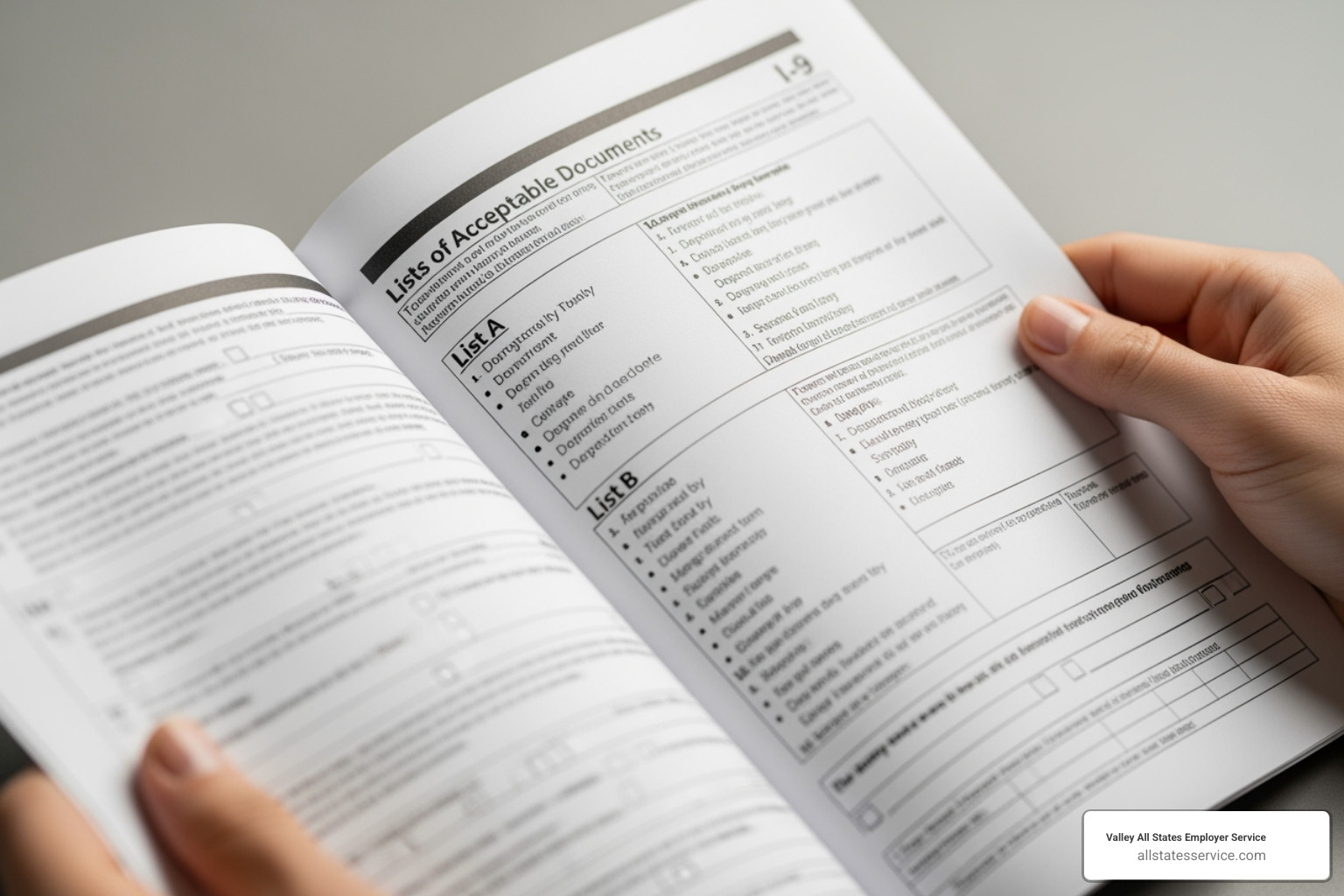
The official USCIS Handbook for Employers, M-274, offers detailed guidance on Completing Section 2: Employer Review and Verification. Here is a breakdown of those steps.
Step 1: Examining Employee Documents
You or your authorized representative must physically examine the original, unexpired documents your employee presents. Photocopies, faxes, or pictures on a phone are not acceptable. The only exception is a certified copy of a birth certificate.
Your job is to determine if the documents reasonably appear genuine and relate to the person presenting them. You are not expected to be a fraud expert, but you should look for obvious red flags:
- Laminated Social Security cards
- Obvious alterations, like erasures or white-out
- Photos that do not resemble the employee
- Severely damaged or homemade-looking documents
- Inconsistent information between documents
Do not accept a document you believe is fraudulent. For E-Verify employers, an alternative procedure may allow for remote document examination. We cover this in our guide on Verifying I-9 Documents.
Step 2: Recording Document Information for Completing I-9 Section 2
After examining the documents, you must record the details in Section 2. The employee has the right to choose which acceptable documents to present; you cannot specify which ones they must provide.
- List A documents establish both identity and work authorization (e.g., U.S. Passport). If a List A document is presented, you only need to complete that section.
- List B documents establish identity only (e.g., Driver’s License). List C documents establish work authorization only (e.g., Social Security card).
If the employee does not present a List A document, they must provide one from List B and one from List C. For each document, you must accurately record the:
- Document Title
- Issuing Authority
- Document Number
- Expiration Date (if any; otherwise, write “N/A”)
Accuracy is critical, so double-check your entries. Our I-9 Document Requirements Complete Guide offers more detail on acceptable documents.
Step 3: The Certification and Additional Information Field
The final step is the certification. By signing, you attest under penalty of perjury that you examined the documents and they appear genuine and relate to the employee.
In this section, enter the employee’s first day of employment. Then, sign and date the form, and print your full name, title, and your employer’s business name and address. Use your company’s legal name and physical street address.
The “Additional Information” field is useful for noting E-Verify case numbers, information about employment authorization extensions (like for TPS), or details for F-1 or J-1 nonimmigrants. You can also use it to note the date of a physical examination that followed a remote one. For more on employer responsibilities, see our article on Filling Out an I-9 Employer.
Handling Special Situations and E-Verify Requirements
While the core steps for completing I-9 section 2 are consistent, some situations require special handling. Remote employees, E-Verify mandates, and accommodations for minors or individuals with disabilities add unique wrinkles to the process.
Remote Employees and Alternative Procedures
Remote work makes in-person document examination difficult. If your company participates in E-Verify, you may be eligible to use an alternative procedure to review documents via live video. This allows you to conduct the review yourself instead of finding a local representative for the employee.
If you don’t use E-Verify, you must still use an authorized representative to physically examine the original documents in person. You remain liable for their errors. Our article on How to Review I-9 Documents for Remote Employees offers more detail. You can also find up-to-date guidance on remote examination at E-Verify.gov.
Managing remote I-9s can be overwhelming, which is why many companies in Maryland, Lutherville, and across the U.S. turn to us for expert E-Verify processing. Learn more in our I-9 E-Verify Compliance Guide.
E-Verify Employer Specifics
E-Verify employers have additional requirements when completing I-9 section 2. First, if an employee presents a List B document, it must contain a photograph. Second, you must make photocopies of any photo-matching documents the employee presents, such as a U.S. Passport or Permanent Resident Card.
Finally, you must create a case in the E-Verify system no later than the third business day after the employee starts work, using the information from their Form I-9. For more details, see our E-Verify Employer Requirements guide.
Accommodations for Minors and Employees with Disabilities
Federal law provides accommodations for minors under 18 and individuals with disabilities who may not have standard ID documents. For minors, acceptable List B documents can include a school record, report card, or doctor’s record. A parent or legal guardian completes and signs Section 2 on their behalf.
For employees with disabilities who cannot present a standard List B document, similar flexibility exists. They may present other forms of identification as specified in the Instructions for Form I-9. Honoring these provisions is a key part of your responsibility as an employer.
Common Pitfalls and How to Avoid Costly Penalties
Even experienced HR professionals can make mistakes when completing I-9 section 2. Minor oversights can lead to penalties from a few hundred to over $20,000 per violation. Fortunately, most errors are preventable.
Common mistakes include document discrimination, over-documentation, accepting expired documents, missing the three-day deadline, and recording information incorrectly. Understanding these pitfalls protects your business, maintains employee trust, and ensures a smooth onboarding process. For a look at potential consequences, see our guide on I-9 Compliance Penalties.
The Anti-Discrimination Rule: Never Specify Documents
Federal law gives employees the right to choose which documents they present from the Lists of Acceptable Documents. You cannot tell them which documents to bring, request more documents than required, or refuse a document that reasonably appears genuine.
If a new hire presents a driver’s license and Social Security card, you must accept them. Demanding a U.S. Passport instead is illegal discrimination. Likewise, you cannot discriminate against someone because their work authorization has a future expiration date.
If a document seems questionable, you can reject it and ask the employee to present a different acceptable document. You are not a forensic expert, but you should look for obvious red flags. If you need to train your team on these rules, our I-9 Compliance Training can help build consistency.
After You Sign: Retention and Storage Rules
Your I-9 duties continue after Section 2 is signed. You must retain each Form I-9 for three years after the hire date or one year after employment ends, whichever is later. For example, if an employee works for seven years, you keep their I-9 for one year after they leave.
Store I-9s securely and separately from other personnel files to protect privacy and simplify audit access. You can use locked paper files or a compliant electronic system. Regular internal audits are your best defense against compliance issues, allowing you to correct errors before an official inspection.
Our resources on I-9 Record Keeping and our Internal I-9 Audit Complete Guide can help you establish robust practices.
Frequently Asked Questions about Completing I-9 Section 2
Here are answers to common questions about completing I-9 section 2.
What happens if an employee fails to present documents within three days?
If an employee does not provide acceptable documentation (or a receipt for a replacement document) within three business days of their start date, federal law requires you to terminate their employment. While it’s a difficult step, it is necessary to protect your business from compliance violations. Clear communication about deadlines and requirements can help prevent this situation.
Can I accept a photocopy or a picture of a document on a phone?
No. You must physically examine original, unexpired documents. You are certifying that you have seen the actual document and it appears genuine. The only exception is a certified copy of a birth certificate. E-Verify employers using the alternative remote procedure can inspect documents via live video, but this is a specific process with its own rules.
What is the most common mistake employers make on Section 2?
The most frequent error is failing to complete Section 2 within the three-business-day deadline. This can trigger penalties even if the employee is authorized to work.
Other common mistakes include:
- Not physically examining original documents.
- Specifying which documents an employee must present (this is discriminatory).
- Incorrectly entering document information (e.g., document numbers, expiration dates).
- Forgetting to sign and date the certification section.
These errors can lead to significant penalties during an audit. Having a clear process for completing I-9 section 2 is crucial. Many employers outsource their I-9 and E-Verify process to experts like Valley All States Employer Service to avoid these costly mistakes.
Simplify Your I-9 and E-Verify Compliance
Completing I-9 section 2 is just one piece of the compliance puzzle. Tracking deadlines, examining documents, and navigating E-Verify can be overwhelming, and small mistakes can lead to costly audits and penalties.
Your business deserves your full attention, not the stress of becoming an immigration compliance expert. That’s where Valley All States Employer Service can help. We specialize in outsourced E-Verify workforce eligibility verification and HR compliance services. Our team handles the details of I-9 verification so you don’t have to.
Partnering with us means gaining a dedicated compliance ally. We reduce errors, free up your HR team’s time, and provide peace of mind knowing your I-9s are handled by professionals. We help you focus on what you do best: supporting your people and growing your business.
The compliance burden doesn’t have to weigh you down. We tailor our services to fit your needs, whether you’re a small business or a growing company. For a deeper dive into this topic, explore our comprehensive I-9 Section 2 Complete Guide.
Ready to simplify your I-9 and E-Verify compliance? Contact our team today to learn how our expert outsourced solutions can protect your business and streamline your hiring process.