
Virtual I-9 Process: Seamless Onboarding 2025
Why the Virtual I-9 Process Matters for Your Business
The Virtual I-9 process is a DHS-authorized alternative procedure that allows employers enrolled in E-Verify to remotely examine employee identity and work authorization documents via live video call, replacing the traditional in-person verification. Here’s what you need to know:
Key Requirements:
- Must be enrolled in E-Verify in good standing
- Must examine copies of documents first
- Must conduct a live video interaction with the employee
- Must indicate use of alternative procedure on Form I-9
- Must retain clear copies of all examined documents
Timeline:
- Employee completes Section 1 by first day of work
- Employer completes Section 2 within 3 business days
- E-Verify case created within 3 business days of hire
The shift to remote work changed everything. One day, HR managers were verifying documents in person across a desk. The next, they were scrambling to onboard employees they’d never meet face-to-face.
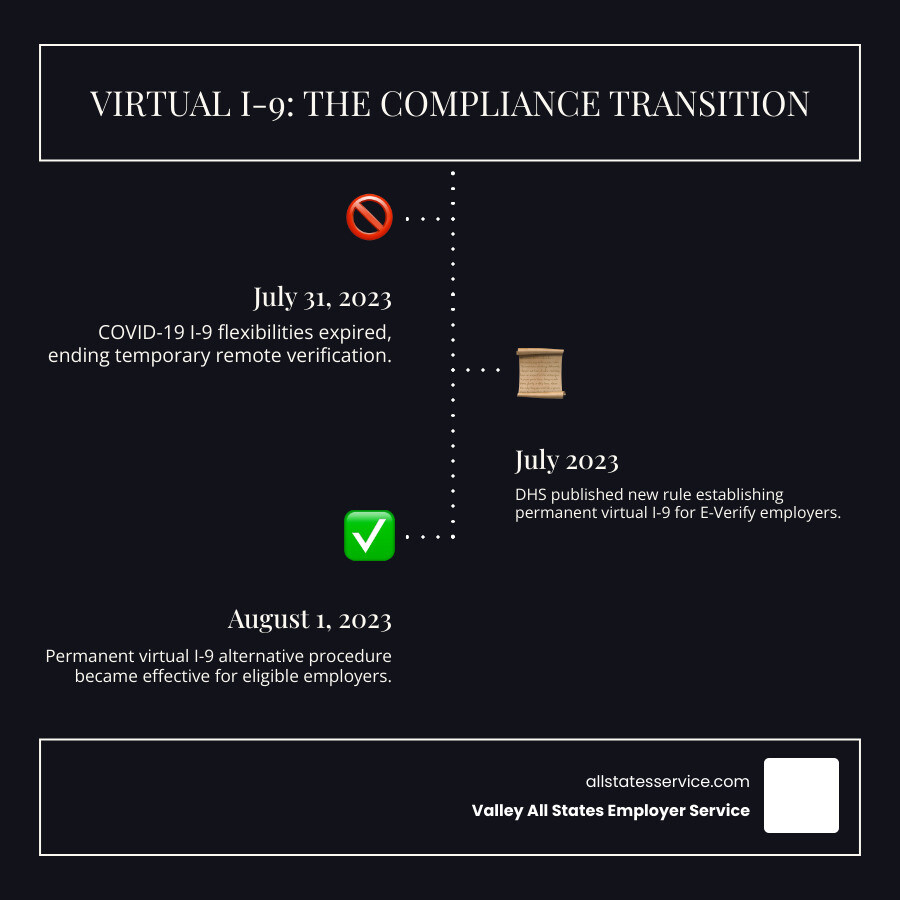
For a while, temporary COVID-19 flexibilities helped bridge the gap. But those expired on July 31, 2023, leaving many employers wondering: How do we verify I-9 documents for remote employees now?
The answer is a permanent solution. In July 2023, the Department of Homeland Security published a new rule establishing the virtual I-9 process for qualified employers. This isn’t a temporary workaround or emergency measure. It’s a modern compliance tool designed for today’s distributed workforce.
If you’re an HR manager juggling remote hires, complex E-Verify requirements, and the constant worry of compliance penalties, this guide is for you. We’ll walk you through exactly how the virtual I-9 process works, who can use it, and how to implement it without adding stress to your already full plate.
What is the Virtual I-9 Process and Who is Eligible?
Think back to how I-9 verification used to work. An employee would walk into your office, hand you their driver’s license and Social Security card, and you’d examine them right there. Maybe you’d turn the documents over, hold them up to the light, check that the photo matched the person standing in front of you. It was straightforward, but it required everyone to be in the same room.
The Virtual I-9 process changes that equation entirely. Instead of a physical, in-person review, you’re now examining copies of documents that your employee transmits to you electronically. Then, during a live video call, the employee holds up those same documents to the camera so you can verify they match what you received and that they appear genuine. This isn’t some workaround or shortcut. It’s an official DHS alternative procedure designed specifically for our modern, distributed workforce.
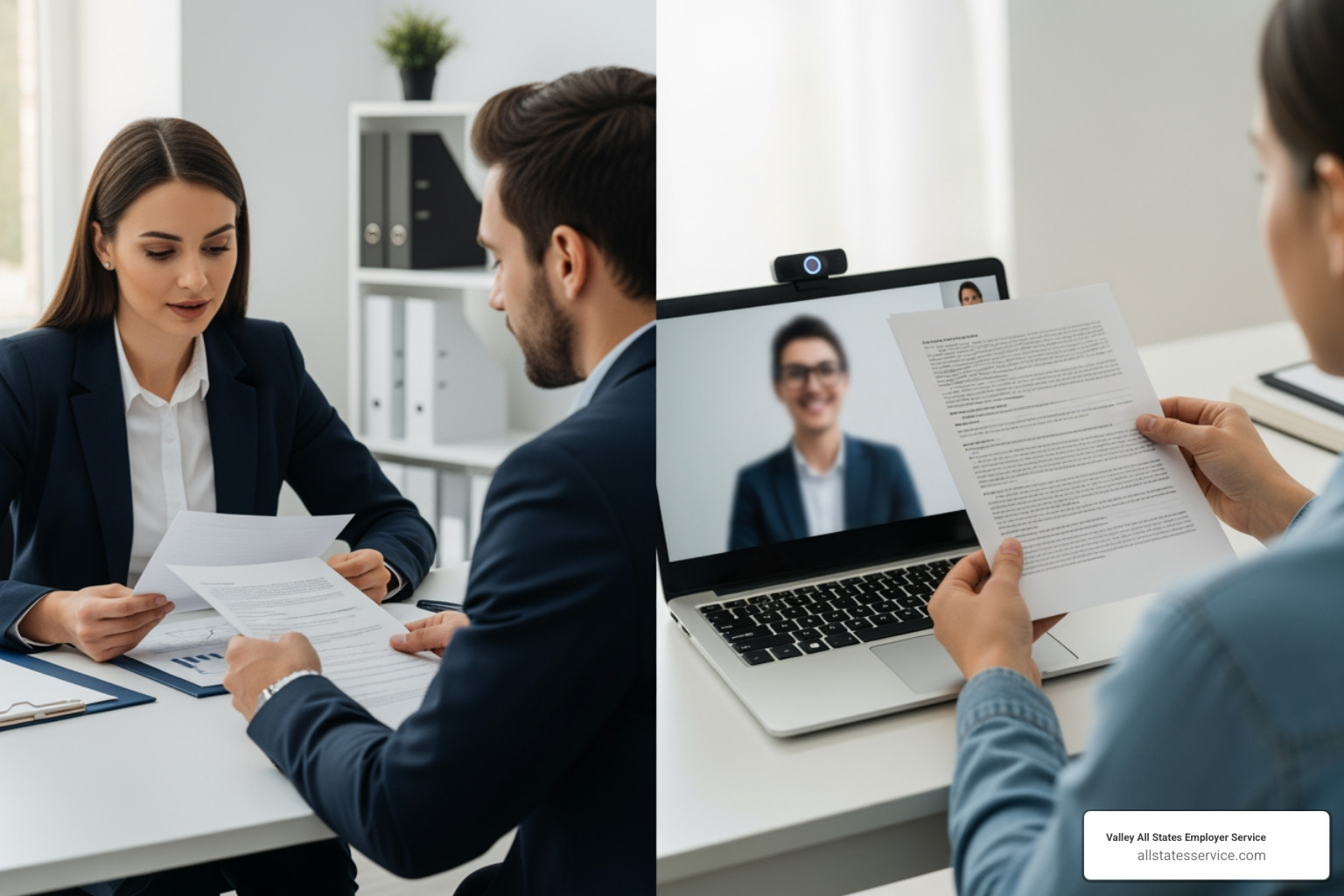
For companies with remote teams, hybrid workforces, or employees spread across multiple states, this is nothing short of a game-changer. You can onboard a new hire in Seattle while sitting in your office in Phoenix. Geography no longer dictates your hiring decisions or complicates your compliance responsibilities.
But here’s the catch: not every employer can use this option. The eligibility requirements are specific, and you need to meet all of them.
Your company must be enrolled in E-Verify. If you’re not familiar with it, E-Verify is an internet-based system run by DHS and the Social Security Administration. After you complete the I-9, you enter the employee’s information into E-Verify, which then checks government databases to confirm they’re authorized to work in the United States. It’s an extra verification step that happens electronically.
Just being enrolled isn’t enough, though. You also need to be in good standing with the E-Verify program. What does that mean in practice? You must be enrolled at all hiring sites where you plan to use the virtual process. You need to follow all E-Verify program requirements, which includes submitting queries for every new hire at those E-Verify locations within the required timeframe. And you have to maintain this good standing continuously while using the Virtual I-9 process. If you fall out of compliance with E-Verify, you lose the ability to use the virtual option.
There’s one more critical piece: you must apply your policy consistently. This is where discrimination concerns come into play. You have some flexibility in how you structure your approach. You could decide to use the virtual process for every single new hire across your organization. Or you might choose to offer it only to employees who work remotely, while continuing in-person verifications for anyone who comes into the office.
What you absolutely cannot do is pick and choose based on who the employee is or where they’re from. Requiring certain employees, say those with green cards, to come in for physical verification while letting U.S. citizens use the virtual process? That’s discriminatory and illegal. The choice of who gets virtual verification must be based on legitimate business reasons, like where they work, not on protected characteristics like national origin or citizenship status.
This flexibility is particularly valuable for employers navigating the complexities of Remote Employee I-9 Verification. You can create a policy that fits your business model, as long as you apply it fairly across the board.
A Step-by-Step Guide to the Virtual I-9 Process
Let’s walk through exactly how the Virtual I-9 process works from start to finish. Think of it as a recipe where each step matters, but none of them are particularly complicated once you know what you’re doing.
Step 1: Employee Completes Section 1
Your new hire kicks things off by completing Section 1 of Form I-9. This is where they provide basic information like their name, address, date of birth, and Social Security number. They’ll also attest to their employment authorization status by checking the appropriate box.
Here’s the critical deadline: Section 1 must be completed by the employee’s first day of work for pay. Not after. Not during lunch on day one. By the time they start earning a paycheck, this section needs to be done.
The good news? Employees can complete this section either digitally or on paper, depending on how your company handles forms. Since August 1, 2023, there’s a new version of Form I-9 (edition date 08/01/23) that’s actually easier to use, with clearer instructions and a more streamlined layout. If you’re still figuring out the basics of this form, our guide on Filling Out An I-9 Employer breaks down everything you need to know.
Step 2: Conducting the Live Video Examination
Now it’s your turn as the employer, and the clock is ticking. You have three business days from the employee’s first day of work to complete Section 2. This is where the virtual aspect really comes into play.
First, the employee sends you clear, legible copies of their identity and work authorization documents. If the documents are two-sided (like most driver’s licenses), you need copies of both the front and back. You’ll review these digital copies to make sure they look genuine and appear to belong to the person you hired.
Next comes the live video call. This isn’t just a friendly “welcome to the team” chat. During this interaction, the employee must hold up the same physical documents they sent you digitally. You’re comparing what you see on screen with the copies you received, checking that the documents look authentic and match the person you’re talking to.
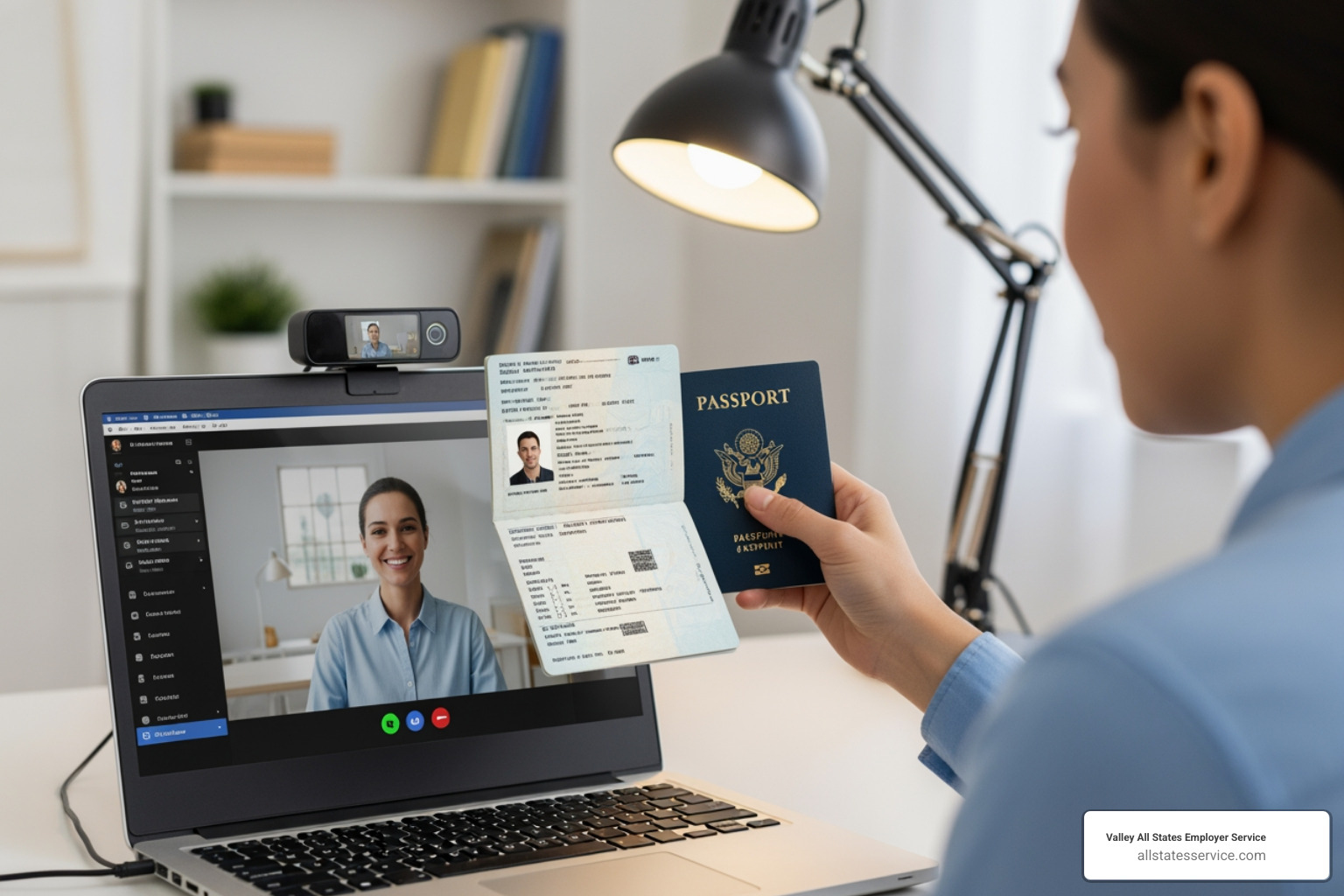
This live video interaction is the heart of the Virtual I-9 process. It’s your opportunity to verify what you’re seeing is real. The USCIS provides detailed guidance on these Remote Document Examination Procedures if you want to dive deeper into the specifics.
You can also use an authorized representative to conduct this examination on your behalf. Maybe you have a trusted HR partner, or perhaps you work with a third-party authorized representative like us. Just remember that as the employer, you’re still fully responsible for any mistakes or violations, even if someone else is doing the actual document review. That’s why proper training is so important.
Step 3: Finalizing Section 2 for the Virtual I-9 Process
After you’ve completed the live video examination, it’s time to finish up Section 2. The new Form I-9 makes this easier with a dedicated checkbox in the “Additional Information” field. Simply check the box labeled “alternative procedure” to indicate you used the remote examination method.
If you’re using an older version of the form (which was acceptable until October 31, 2023), you’d write “Alternative Procedure” along with the date of the live video call in the Additional Information field.
Here’s something you absolutely cannot skip: you must keep copies of all the documents the employee presented. Front and back of everything. These copies stay with the employee’s Form I-9 and need to be clear enough that someone could review them later during an audit. Think of it as your insurance policy. Our Form I-9 Section 2 Complete Guide walks through all the details of properly completing and documenting this section.
Step 4: Creating the E-Verify Case
The final piece of the puzzle is E-Verify, and yes, the three-business-day deadline applies here too. Once Section 2 is complete, you need to create an E-Verify case for your new employee.
You’ll enter the information from the Form I-9 into the E-Verify system, which then checks it against records from the Department of Homeland Security and Social Security Administration. Most of the time, you’ll get an instant “Employment Authorized” result, and you’re done.
But sometimes you might receive a Tentative Nonconfirmation, or TNC. This doesn’t necessarily mean there’s a problem with the employee. It just means the information doesn’t match what’s in the government databases. Maybe there’s a typo, or perhaps the employee recently changed their name and the records haven’t updated yet.
When you get a TNC, you need to notify the employee right away and give them a “Further Action Notice.” The employee then has the right to contest the TNC by contacting DHS or SSA to resolve the mismatch. You can learn more about this process at the official Tentative Nonconfirmation (TNC) page.
The beauty of combining the Virtual I-9 process with E-Verify is the efficiency. Everything flows together smoothly. But it also means your remote document examination needs to be thorough. Blurry photos or documents that are hard to read can lead to data entry errors, which can trigger unnecessary TNCs. This is exactly the kind of administrative headache we help our clients avoid through our outsourced E-Verify workforce eligibility verification services.
Benefits, Risks, and Compliance Best Practices
The Virtual I-9 process offers a modern solution for a modern workforce, but like any powerful tool, it comes with both advantages and potential pitfalls. Understanding both sides of this equation helps us make informed decisions about implementation and gives us the confidence to move forward.

Benefits of a Virtual I-9 Process
The shift to a Virtual I-9 process brings real, tangible benefits that make everyone’s life easier. For those of us managing HR functions, this isn’t just about checking boxes, it’s about creating a better experience from day one.
From an employer perspective, the efficiency gains are immediate. No more playing phone tag to schedule that awkward “can you come in just to show me your driver’s license” meeting. The virtual process lets us verify documents on the employee’s schedule and ours, which is especially valuable when we’re hiring across different time zones or bringing someone on board who lives three states away. USCIS itself notes that this approach brings “peace of mind” and “simplicity” to the onboarding process.
When we have multiple locations or hire across state lines (something our Maryland-based clients know all about), the Virtual I-9 process creates a centralized, consistent approach. Everyone follows the same protocol, which means fewer mistakes and easier audits down the road. Plus, we’re no longer limited to hiring people within driving distance of our office. The best candidate might be in another state entirely, and now that’s not a problem.
For new employees, the benefits are equally compelling. They can complete their verification from home, avoiding the stress of finding time to visit an office during their first hectic week. It’s a small thing that makes a big difference in how welcomed and valued they feel. A smooth I-9 process sets the tone for everything that follows.
Potential Risks and How to Mitigate Them
Now, let’s talk honestly about the challenges. The Virtual I-9 process isn’t risk-free, and pretending otherwise would do us no favors.
Document fraud becomes trickier to detect when we’re looking at documents through a screen instead of holding them in our hands. Sophisticated fakes can be harder to spot during a video call. The solution? Invest in thorough training for anyone conducting these examinations. They need to know what to look for and when something doesn’t feel right.
Technology can fail us at the worst possible moments. A dropped video call or blurry document scan doesn’t just cause frustration, it can delay onboarding and potentially put us out of compliance with our three-day deadline. Having backup plans and clear troubleshooting procedures helps, as does testing your technology before you need it in a real situation.
Data security deserves serious attention. We’re transmitting and storing copies of documents that contain sensitive personal information. Every platform we use needs robust security measures, and we need to be confident that we’re meeting data protection requirements. A breach here isn’t just embarrassing, it’s potentially devastating.
Employer liability doesn’t disappear just because we’re using authorized representatives or third-party vendors. We remain fully responsible for any errors or violations. This is why choosing reliable partners and providing crystal-clear instructions matters so much.
The consequences of non-compliance are real and expensive. Material violations can result in fines ranging from hundreds to thousands of dollars per error. In severe cases, criminal penalties are possible. Our I-9 Audit Penalties Complete Guide walks through these risks in detail, because we believe in being prepared rather than surprised.
Best Practices for a Compliant Program
Building a compliant Virtual I-9 process program isn’t complicated, but it does require attention to detail and consistency.
Consistent policy application protects us from discrimination claims and ensures fairness. If we offer the virtual option to remote employees, it should be available to all remote employees at that hiring site. The only exception would be if an employee specifically requests an in-person verification, which is their right. Any inconsistency in application needs a clear, documented, non-discriminatory reason behind it.
Staff training is non-negotiable. Everyone involved in the I-9 process needs to understand Form I-9 requirements, document examination procedures, E-Verify protocols, and fraud detection. This isn’t a one-time orientation topic, it’s an ongoing commitment. Our I-9 Compliance Training services are built around this principle, because we’ve seen how proper training prevents costly mistakes.
Non-discrimination rules extend beyond consistent application. We actively watch for any practices or policies that might disadvantage employees based on citizenship status or national origin. This is a core principle of employment eligibility verification, not just a legal requirement.
Preparing for an ICE I-9 audit becomes even more important when we’re using alternative procedures. Everything needs to be organized and accessible: Forms I-9, supporting documentation, process protocols, training records. When an auditor asks to see our files, we want to hand them over confidently. Our ICE I-9 Audit guide helps with this preparation.
Document retention follows strict rules. We must keep clear, legible copies of all examined documents for either three years from the date of hire or one year after employment ends, whichever is later. These documents need to be stored securely but remain readily available. A disorganized filing system is a compliance risk waiting to happen.
The Virtual I-9 process works beautifully when we respect both its capabilities and its limitations. It’s about finding that sweet spot between efficiency and thoroughness, between modern convenience and careful compliance.
Frequently Asked Questions about Virtual I-9 Verification
We often hear similar questions from employers navigating this new landscape. Let’s address some of the most common concerns to help you feel confident about implementing the Virtual I-9 process.
Can I use the virtual process for remote employees only?
Yes, you absolutely can. The Department of Homeland Security (DHS) explicitly permits employers to apply the alternative procedure only to remote hires while continuing physical examination for onsite or hybrid employees. This flexibility makes sense for many businesses, especially those with a mix of in-office and remote workers.
The critical caveat is that this choice must be applied consistently to all employees at a specific hiring site, or consistently for all remote hires, and it cannot be for a discriminatory purpose. If you have a policy stating that all employees hired for fully remote positions will use the Virtual I-9 process, that’s perfectly acceptable. What’s not okay? Requiring certain groups of employees, perhaps based on citizenship status or national origin, to undergo in-person verification while others use the virtual method. Consistency and fairness are the guiding principles here.
What if my company is not enrolled in E-Verify?
If your company is not enrolled in E-Verify, you cannot use this DHS-authorized alternative procedure. Period. Enrollment in E-Verify in good standing is a non-negotiable prerequisite for utilizing the Virtual I-9 process. You can learn more about enrolling at What is E-Verify?
Without E-Verify participation, you must stick with the traditional in-person physical examination of original documents. This can be done by a company agent or, if the employee is remote, by designating a third-party authorized representative to perform the physical inspection on your behalf. Just remember, even with a third-party representative handling the verification, you as the employer retain full liability for compliance. It’s your responsibility to ensure they’re doing it correctly.
How does this new rule relate to the old COVID-19 flexibilities?
The new permanent Virtual I-9 process directly addresses the expiration of the temporary COVID-19 flexibilities that many employers relied on during the pandemic. Those temporary measures, which allowed for remote inspection of documents without the E-Verify requirement for some employers, expired on July 31, 2023.
This permanent rule, detailed in a Federal Register notice published on July 25, 2023, is the official replacement for qualified E-Verify employers. It’s not a temporary workaround. It’s a long-term solution designed for the modern workforce.
For employers who used the COVID-19 flexibilities, there was a deadline of August 30, 2023, to conduct in-person physical examination or use the new alternative procedure for employees whose documents were initially inspected remotely during the flexibility period. If you were an E-Verify employer in good standing at the time of the initial remote inspection (between March 20, 2020, and July 31, 2023) and created an E-Verify case for the employee, you could use this new alternative procedure to satisfy that re-verification requirement. If not, a physical in-person inspection was, and remains, necessary. The transition period has passed, but understanding this history helps clarify why this permanent option exists today.
Conclusion: Simplify Onboarding with Confidence
The Virtual I-9 process represents more than a simple procedural update. It’s a practical response to how we actually work today. For employers across Maryland and the rest of the country, this permanent solution offers a real chance to streamline onboarding, reach talented people wherever they live, and create a better experience for new hires, all without compromising on compliance.
We know that managing these requirements, especially when E-Verify is part of the equation, can feel overwhelming. Between staying current with regulations, training staff, maintaining documentation, and ensuring consistency, it’s a lot to juggle alongside everything else on your plate. That’s exactly where Valley All States Employer Service comes in.
As specialists in outsourced E-Verify workforce eligibility verification, we handle the complex parts so you don’t have to. Our team provides impartial, efficient processing that minimizes errors and cuts down on the administrative burden that often weighs down HR departments. We help make sure your virtual I-9s are completed accurately, applied consistently, and kept in full compliance with federal requirements. Think of us as your compliance partner, someone who understands the rules inside and out and helps you steer them with confidence.
The future of onboarding is here, and it’s more flexible than ever. Whether you’re hiring your first remote employee or managing a fully distributed team, the Virtual I-9 process can work for you when implemented correctly.
Ready to turn complex regulations into seamless processes? We’re here to help. Dive deeper with our Form I-9 Ultimate Guide for comprehensive insights, or reach out for expert HR Compliance Consulting custom to your specific business needs. Let’s simplify your compliance together.