
I-9 document review: Flawless 3-Day Compliance
Why Your I-9 Process Matters More Than Ever
I-9 document review is how employers verify that every new hire is legally authorized to work in the United States. Getting it right is crucial.
Key Requirements:
- Who: All U.S. employers must complete Form I-9 for every employee
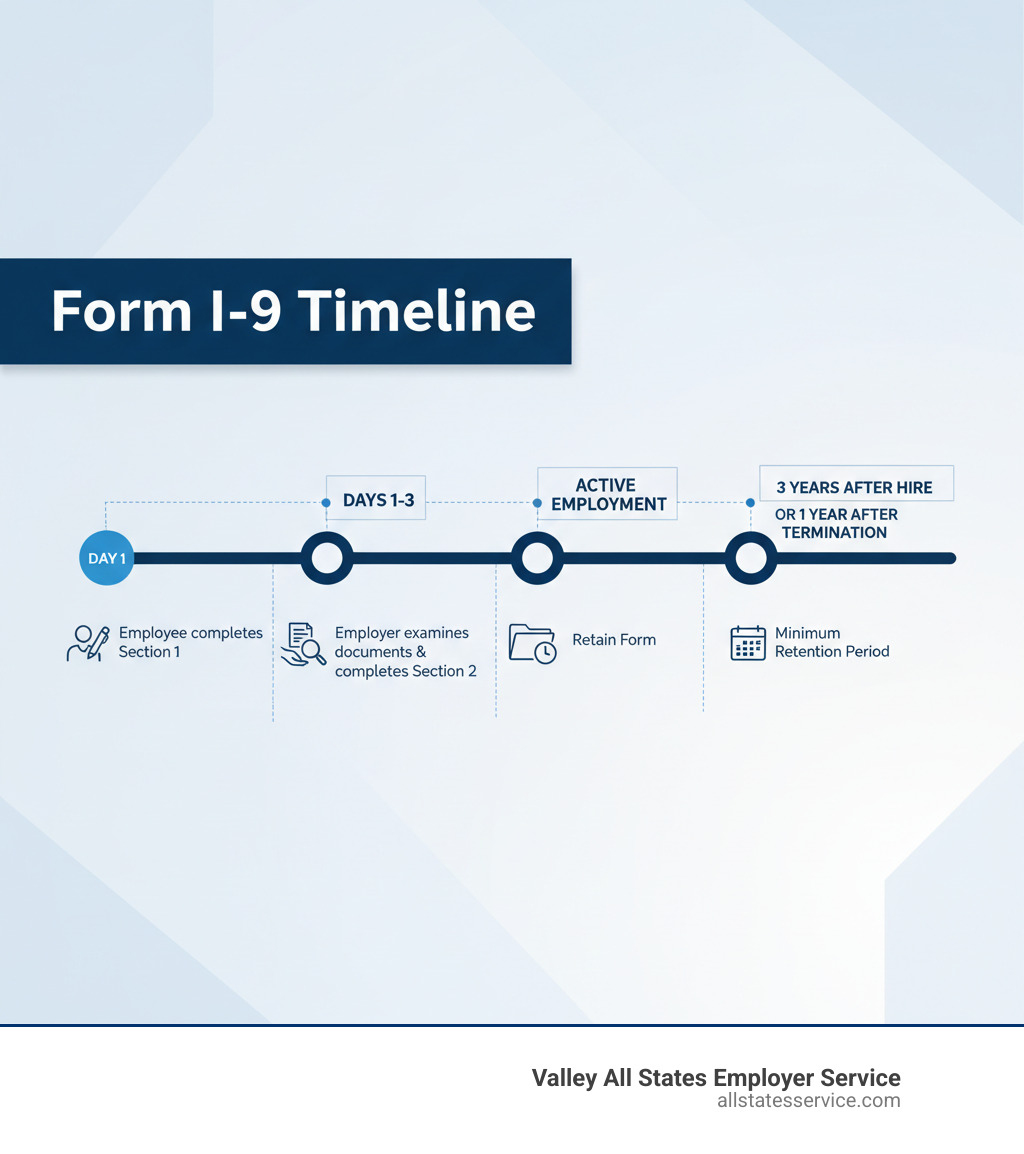
- When: Within 3 business days of the employee’s first day of work
- What: Examine original documents proving identity and work authorization
- Where: In-person or remotely (if enrolled in E-Verify)
- Penalty: Fines range from $288 to $2,619 per incorrect form
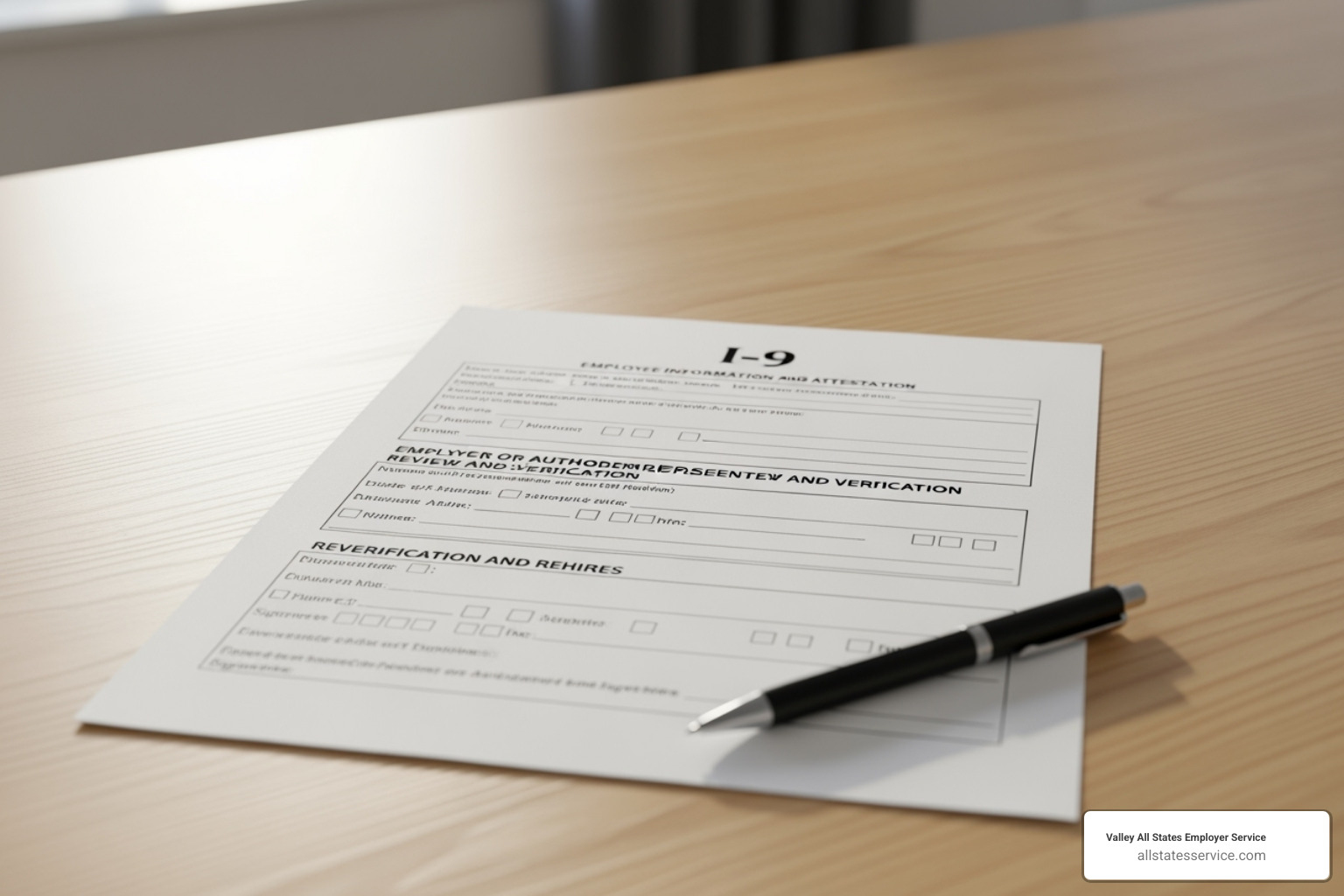
The 3 Sections of Form I-9:
- Section 1 – Employee completes on or before their first day
- Section 2 – Employer reviews documents within 3 days
- Section 3 – Used for reverification or rehires
If you’re reading this, you probably know that I-9 mistakes can cost your company thousands in fines. What you might not know is that 76% of I-9 forms contain at least one error that could trigger penalties.
The stakes are higher than ever. ICE issued over $20 million in civil penalties for I-9 violations in 2023 alone. New remote verification rules and increased enforcement mean HR teams are under more pressure to get every detail right. The good news is that most I-9 errors are preventable with a clear process.
This guide covers everything you need for I-9 document review, from legal obligations under the Immigration Reform and Control Act (IRCA) to conducting compliant reviews, correcting errors, and preparing for audits. You’ll learn how to protect your business and streamline onboarding.
Understanding Form I-9: The Foundation of Employment Verification
Form I-9 is a legal requirement from the Immigration Reform and Control Act (IRCA) of 1986. Its purpose is to verify that every person you hire is legally authorized to work in the United States. It’s your shield against hiring unauthorized workers and facing hefty penalties. Every U.S. employer must complete and retain a Form I-9 for every hire.
The form has three sections, each with its own timeline and responsibilities. Getting one wrong can lead to fines, but getting them right builds a solid foundation for compliance.
For a deeper look at the basics, check out our guides on What is an I-9? and New Hire Paperwork I-9.
Employee Responsibilities: Completing Section 1
Section 1 is for your new hire. They must complete it on or before their first day of work for pay.
They provide their full legal name, address, date of birth, and Social Security number. The most important part is the attestation, where they check a box under penalty of perjury to confirm their work status: U.S. citizen, a noncitizen national of the U.S., a lawful permanent resident, or an alien authorized to work.
If an employee needs help due to a language barrier or disability, a preparer or translator can assist. That person must also complete the Preparer and/or Translator Certification block, adding a layer of accountability. It’s the employee’s duty to complete Section 1, but your job to ensure it’s done on time.
Employer Responsibilities: Completing Section 2
Once Section 1 is done, you have three business days from the employee’s first day to complete Section 2. This is the core of the I-9 document review and where most errors occur.
Your job is to physically examine the original documents your employee presents to prove their identity and work authorization. The employee chooses from the Lists of Acceptable Documents: one document from List A, or one from List B and one from List C. You cannot tell them which documents to bring, as this is illegal document abuse.
You must check that the documents reasonably appear to be genuine and relate to the person presenting them. You are not a forensic expert, but you should look for obvious issues like a mismatched photo or signs of tampering.
After your review, you record the document title, issuing authority, document number, and expiration date in Section 2. Then you sign and date the form, attesting that you have completed the verification.
Need more detailed guidance? Our Employer I-9 Verification Guide walks you through the entire process to help you avoid costly mistakes.
How to Conduct an I-9 Document Review: In-Person vs. Remote
The way we handle I-9 document review has changed. For decades, it meant a physical, in-person inspection of documents. The rise of remote work has created new options.
The traditional method is straightforward: you or an authorized representative physically inspect the employee’s original documents. You check for authenticity and ensure the photo matches the person. But what about a remote hire? The Department of Homeland Security now allows flexibilities for employers enrolled in E-Verify.
An authorized representative can be anyone you designate to handle the review, like a notary or a local colleague. You remain liable for any mistakes they make. For more on this, see our insights on Third-Party I-9 Verification.

Here’s how the two approaches compare:
| Feature | In-Person I-9 Document Review | Remote I-9 Document Review (E-Verify Employers Only) |
|---|---|---|
| Document Inspection | Physical examination of original documents | Examination of copies (front and back) via live video interaction |
| Verification Timeline | Within 3 business days of hire | Within 3 business days of hire |
| Required Interaction | Face-to-face with employee | Live video interaction with employee presenting same documents |
| Required Enrollment | Not specifically required | Mandatory E-Verify enrollment for all hiring sites |
| Document Retention | Retain Form I-9 | Retain Form I-9 and clear, legible copies of documents (front and back) |
| Form Annotation | Standard completion | Check the “alternative procedure” box in the Additional Information field |
| Liability | Employer remains liable for compliance | Employer remains liable for compliance, even if using authorized representative |
| Flexibility | Traditional method, less flexible for remote hires | Highly flexible for remote or distributed workforces |
Step-by-Step In-Person I-9 Document Review
Most I-9 document reviews still happen in person. Here’s the process:
Examine original documents. Your new hire presents their choice of documents from the official lists (List A, or List B and C). You must examine originals, not copies, with the exception of a certified copy of a birth certificate.
Check for authenticity. Use common sense. Does the document look real? Are there signs of tampering? If something seems off, you can reject it and ask for different documents.
Ensure documents relate to the employee. Does the name match Section 1? Does the photo look like the person? For minor discrepancies, you can accept the document with a reasonable explanation from the employee, which you should note in a memo attached to the Form I-9.
Record document details. Accurately write down the document title, issuing authority, number, and expiration date. A single mistake can become a violation.
Sign and date Section 2. Add your signature, the date, and the employee’s first day of work to attest that you’ve completed the process.
Our page on Verifying I-9 Documents covers these scenarios in more detail.
The Remote I-9 Document Review Process
The permanent alternative for remote I-9 document review is a great option for distributed teams, but it has strict rules.
E-Verify enrollment is mandatory. To verify documents remotely, your company must be enrolled in E-Verify for that hiring site. No exceptions.
Live video interaction is required. You must have a live video call where the employee holds up the documents they sent you. This is the virtual equivalent of an in-person review.
Document examination via video follows the same standards. The “reasonably genuine” test still applies. Use good cameras and have the employee show you the front and back of each document.
Retaining document copies is non-negotiable. Unlike in-person reviews, you must keep clear copies of the front and back of every document presented. These stay with the Form I-9.
Check the “alternative procedure” box. In the Additional Information field of Section 2, you must mark that you used an alternative procedure. Forgetting this can cause audit headaches.
You can find comprehensive guidance on our Remote I-9 Verification page, the official USCIS I-9 Remote Verification resource, and the Remote Document Examination guidance from USCIS.
Acceptable Documents: What You Can and Cannot Accept
Knowing which documents to accept during an I-9 document review can be tricky. The USCIS provides a “Lists of Acceptable Documents,” but one rule is paramount.

The employee chooses which documents to present, not you. Telling an employee which documents to bring can lead to discrimination claims. Your role is only to verify what they choose to show you.
List A documents establish both identity and employment authorization. If an employee presents a valid List A document, like a U.S. Passport or Permanent Resident Card, the process is complete.
If they don’t have a List A document, they must show one document from List B and one from List C. List B proves identity (like a driver’s license), while List C proves work authorization (like an unrestricted Social Security card).
Documents must generally be unexpired. However, USCIS sometimes grants automatic extensions for certain documents. Always check the latest USCIS guidance on the official list of Form I-9 Acceptable Documents.
If an employee’s documents were lost, stolen, or damaged, you can accept a receipt for a replacement document. The employee then has 90 days from their hire date to show you the actual replacement, and you must update Section 2.
Special Considerations for Documents
Some situations require extra care during your I-9 document review.
Foreign national employees may present documents like a foreign passport with a U.S. visa and I-94 record. Carefully verify the visa type and dates. Our Work Authorization Verification service can help steer these complexities.
An EAD that looks expired might still be valid. USCIS sometimes announces automatic extensions for certain Employment Authorization Document categories. Check the USCIS website before rejecting a document that appears expired.
Not all Social Security cards are the same. Cards with restrictions like “NOT VALID FOR EMPLOYMENT” cannot be accepted as a List C document without accompanying DHS authorization. You need an unrestricted card.
Name discrepancies are common. If a name on a document differs slightly from Section 1, ask for an explanation. If it’s reasonable and the document appears genuine, you can accept it. Attach a memo to the Form I-9 explaining the discrepancy. Your job is to ensure the documents reasonably belong to the person, not to be a legal expert on name changes.
Staying Compliant: Correcting Errors, Facing Audits, and Avoiding Penalties
Mistakes on Form I-9 happen. Knowing how to fix them and prepare for audits is as important as the initial I-9 document review. Most errors are fixable if you catch them early.

Correcting I-9 Errors
Not all errors are equal. A technical error is a minor issue, like a missing date, that doesn’t undermine the verification. ICE typically gives you 10 business days to correct these during an audit.
A substantive violation is a serious problem, like failing to complete Section 2 on time or accepting an invalid document. These can trigger immediate fines.
To fix errors on paper forms, draw a single line through the incorrect information, write the correct info nearby, then initial and date the change. Never use white-out. For a severely flawed form, it may be better to complete a new one. Attach the original to the new form with a memo explaining the correction.
For more detailed guidance, check out our resource on Auditing I-9 Forms.
Preparing for an ICE I-9 Audit
An “ICE audit” sounds intimidating, but diligence is your best defense. Government inspections have increased dramatically, so the odds of an audit are higher than ever.
ICE issues a Notice of Inspection (NOI), giving you just three business days to produce all requested I-9s. This tight deadline makes proactive preparation essential.
Conduct regular self-audits to find and fix problems before ICE does. Keep your I-9s organized, with active employee forms stored separately from those of terminated employees.
Demonstrating “good faith efforts” to comply, such as having an internal audit program, can potentially reduce fines. It’s not about perfection, but about showing you take compliance seriously. Our ICE I-9 Audit page walks you through what to expect.
Penalties for Non-Compliance
The consequences for I-9 non-compliance are severe. Fines for paperwork errors range from $288 to $2,619 per incorrect form. You can learn more on our I-9 Compliance Penalties page.
Knowingly hiring unauthorized workers carries even steeper penalties, with fines starting at $548 and reaching up to $22,000 per unauthorized employee in some cases. Owners and managers can also face criminal charges, and the company can be barred from federal contracts.
ICE issued over $20 million in civil penalties for I-9 violations in 2023 alone. Investing in a robust I-9 document review process is not an expense; it’s insurance. For more information, the official Government inspections information page from ICE is an excellent resource.
E-Verify, Record Retention, and Advanced I-9 Management
After mastering the basics of I-9 document review, you can streamline the process with tools like E-Verify and electronic record-keeping. These can transform your compliance program from a paperwork burden into an efficient operation.
Integrating E-Verify with Your I-9 Process
E-Verify is a web-based system that compares your Form I-9 data against government records to confirm work authorization. Enrolling in E-Verify is what allows you to use the remote I-9 document review process.
The system also streamlines verification. You create a case from the I-9, and E-Verify quickly checks the data. This significantly improves accuracy; electronic I-9 systems can lead to 93% fewer technical errors. E-Verify also includes a photo matching tool for certain documents, adding another layer of security.
Sometimes you may get a Tentative Nonconfirmation (TNC). This means there is a data mismatch that the employee needs to resolve with the appropriate government agency (SSA or DHS). It does not automatically mean the person is unauthorized to work.
Our I-9 E-Verify Ultimate Guide covers everything from enrollment to creating cases. You can also explore how these systems work together on our E-Verify and I-9 page or check out our Electronic I-9 Solutions.
I-9 Storage and Retention Rules
Correctly completing Forms I-9 is only half the job. You must also store them for the legally required period.
The rule is known as the “3-year/1-year” rule. You must keep a completed Form I-9 for three years after the date of hire OR one year after employment ends, whichever date is later.
It’s a best practice to store forms for active and terminated employees separately. This simplifies retention calculations and makes it easier to respond to an audit.
You can use paper or electronic storage. If using paper, keep I-9s in a secure location separate from general personnel files to avoid potential discrimination claims. Electronic systems must have controls to ensure data integrity, provide an audit trail, and be able to produce legible paper copies upon request.
Once the retention period expires, securely destroy the old forms by shredding paper copies or using a secure deletion process for electronic records to protect sensitive personal information.
Our comprehensive guide on I-9 Record Keeping walks through all the details of these retention requirements.
Conclusion: Protect Your Business with Flawless I-9 Document Review
Getting I-9 document review right protects your business from steep fines, the stress of an ICE audit, and helps build a trustworthy hiring process.
You know the risks: 76% of I-9 forms have errors, and ICE audits have increased by 1,100% in recent years. These are clear signs that compliance is more important than ever. Proactive management, regular self-audits, and understanding your responsibilities can turn a compliance burden into a streamlined system.
You don’t have to manage this alone. At Valley All States Employer Service, we make employment eligibility verification simpler and more accurate. You started your company to grow your business, not to become an immigration compliance expert. That’s where we come in. Our expert, impartial, and efficient E-Verify processing and I-9 solutions minimize your administrative burden.
Whether you’re hiring your first employee or managing a large workforce, we’re here to help you get it right. Your peace of mind is worth protecting.