
Why Perfect I-9s Are Non-Negotiable
Error-free I-9 processing is essential for lawful hiring in the United States. Employers must complete a Form I-9 for every new hire, and the stakes for getting it wrong are higher than ever.
Here’s what error-free I-9 processing requires:
- Use the current form version (Rev. 08/01/2023)
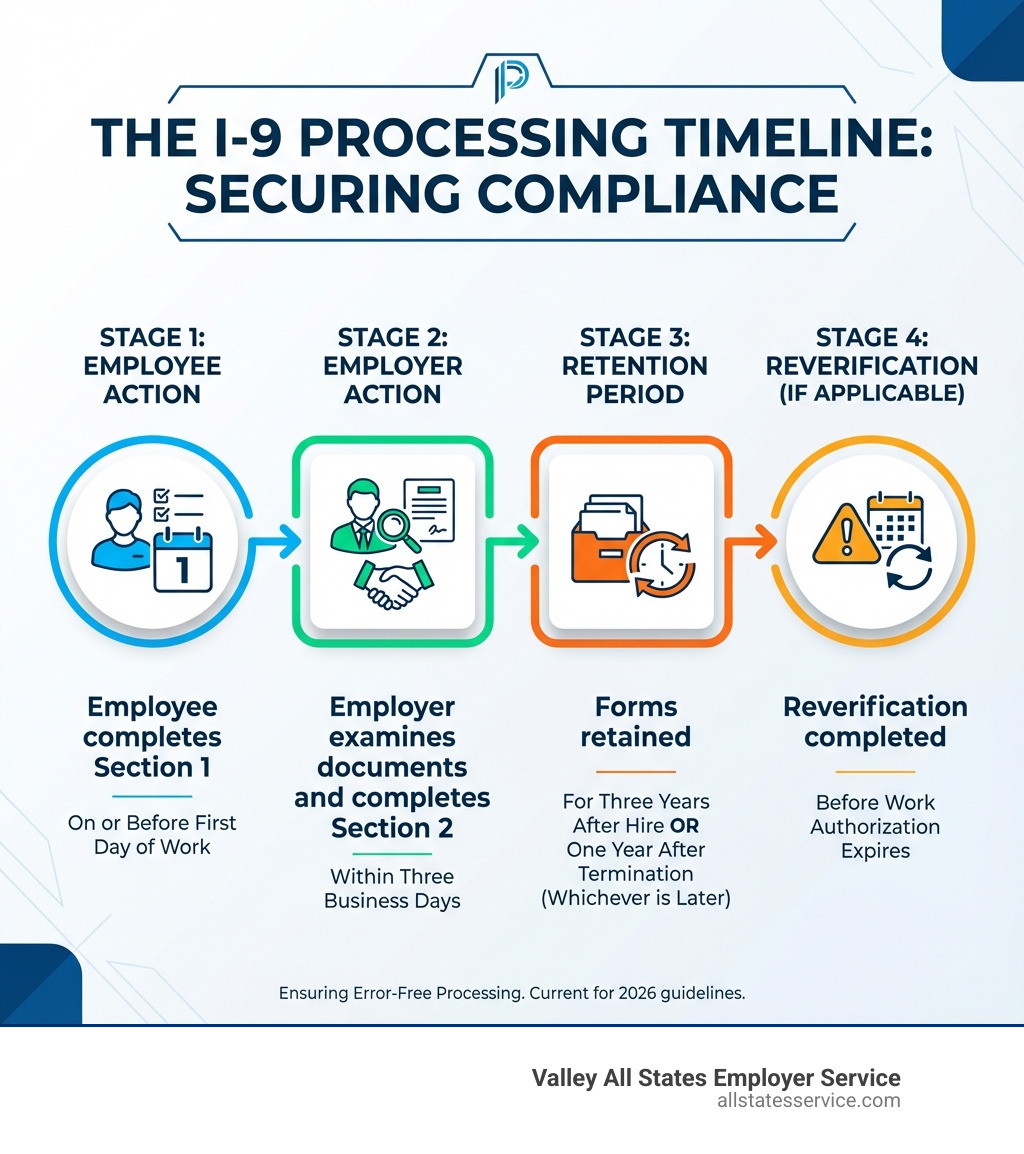
- Complete Section 1 by the employee’s first day of work
- Complete Section 2 within three business days of hire
- Physically examine original, unexpired documents
- Retain forms for three years after hire or one year after termination (whichever is later)
- Conduct regular audits to catch and correct errors proactively
The cost of mistakes is steep. Fines for I-9 violations can range from $230 to over $20,000 per form. Immigration and Customs Enforcement (ICE) has increased I-9 audits in recent years. A single audit can uncover numerous violations, leading to penalties that quickly add up to tens of thousands of dollars.
Beyond fines, I-9 errors can lead to debarment from government contracts, reputational damage, and increased scrutiny from immigration authorities. The process also has anti-discrimination rules. Employers who request specific documents or treat employees differently based on citizenship status face additional penalties from the Department of Justice.
The good news is that most I-9 errors are preventable. With the right systems, training, and attention to detail, you can protect your business and ensure a smooth onboarding experience for new hires.
Mastering the Fundamentals: Your I-9 Compliance Checklist
Achieving error-free I-9 processing starts with understanding the basic requirements. It’s not just about filling out a form; it’s about adhering to a precise legal framework that ensures everyone working for you is authorized to do so.
Using the Correct and Current Form I-9
Using the correct form is a fundamental step, but it’s a common pitfall. Many versions of Form I-9 exist, but not all are valid.
To be sure you’re using the correct version, check the revision date in the bottom left corner of the form. The current version has a revision date of Rev. 08/01/2023. The revision date, not the expiration date at the top, is what matters for validity. For example, forms with the Rev. 08/01/2023 can have an expiration date of 07/31/2026 or 05/31/2027. On August 1, 2026, employers must only use the version with the 05/31/2027 expiration date.
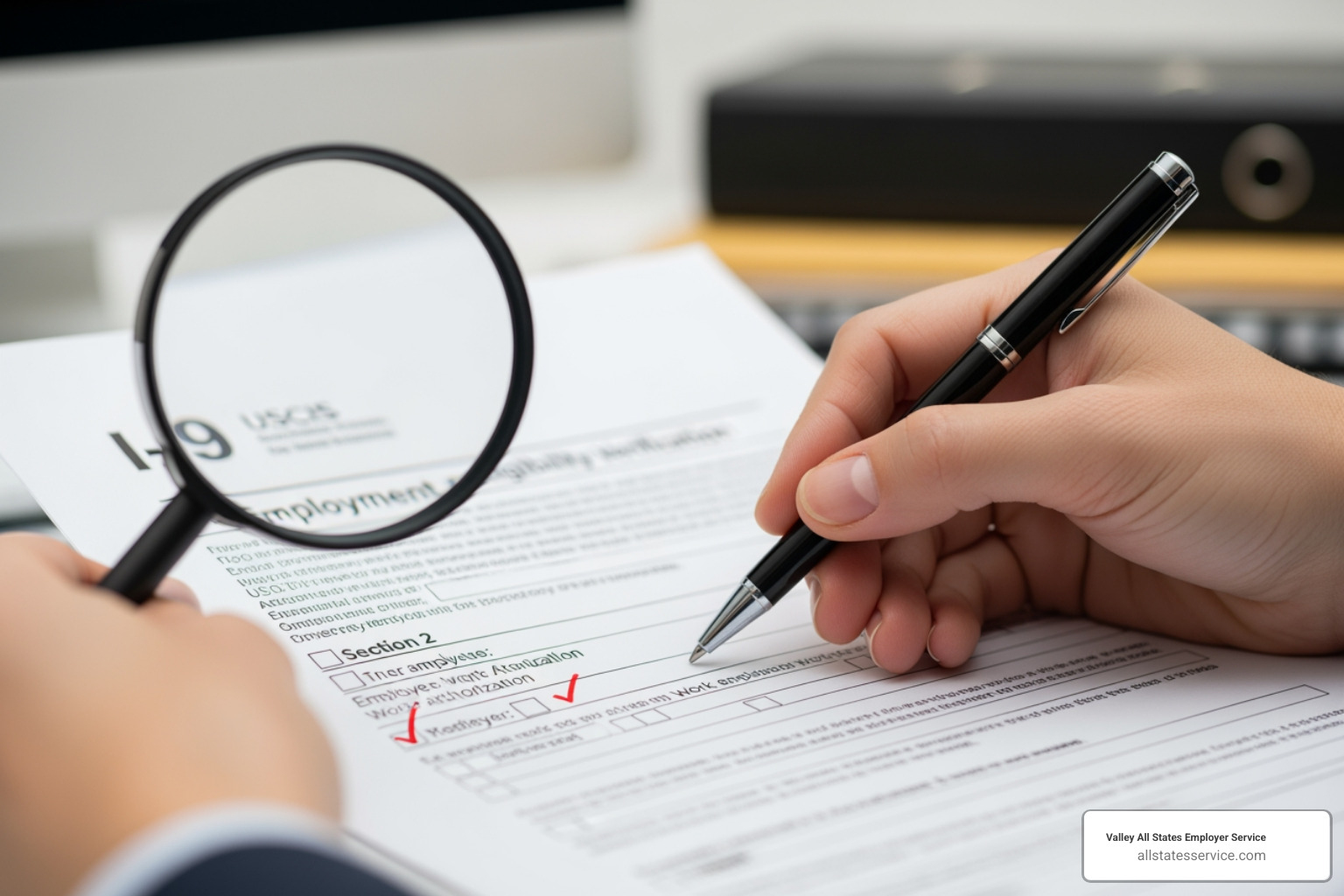
The standard English version of Form I-9 must be used by all employers in the United States. A Spanish version exists, but only employers in Puerto Rico can use it for official records. Other U.S. employers, like those in Lutherville, MD, can use it as a translation guide, but the completed, signed form must be the English version.
For the most up-to-date information, always check I-9 Central on the USCIS website.
Understanding the Stakes: Penalties and Anti-Discrimination Rules
The legal and financial penalties for I-9 non-compliance are substantial. The U.S. government takes employment eligibility verification very seriously.
Penalties vary by the violation’s severity:
- Technical or Procedural Errors: Minor mistakes like a missing date. Uncorrected errors can lead to fines from $230 to $2,292 per violation.
- Knowingly Hiring Unauthorized Workers: The most severe violation. Knowingly hiring unauthorized workers brings penalties from $573 to $20,130 per violation.
- Debarment: Serious or repeated violations can lead to debarment from federal contracts.
Beyond fines, there’s the risk of reputational damage and increased scrutiny. The anti-discrimination rules, enforced by the DOJ’s Immigrant and Employee Rights Section (IER), are also critical. Employers must not:
- Discriminate based on citizenship status or national origin.
- Specify which documents an employee must present. Employees have the right to choose from the Lists of Acceptable Documents.
- Request more documents than necessary. Only one document from List A, or one from List B and one from List C, is required.
Avoiding discrimination is a legal requirement. For more information, visit the Immigrant and Employee Rights Section (IER) website.
The I-9 Retention Rule: How Long to Keep Forms
Properly retaining Form I-9s is another critical part of compliance. The rule for retaining completed forms is often called the “3-1 Rule”:
- You must keep the Form I-9 for as long as the individual works for you.
- After employment ends, you must retain their Form I-9 for either three years after the date of hire or one year after the date employment ends, whichever date is later.
For example:
- An employee starts on January 1, 2023, and leaves on January 1, 2024.
- Three years from hire: January 1, 2026.
- One year from termination: January 1, 2025.
- The later date is January 1, 2026, so you must retain the form until then.
Store I-9s securely and separately from personnel files for privacy and easy audit access. Your storage system, paper or electronic, must be organized and protected.
A Step-by-Step Guide to Perfect I-9 Completion
Achieving error-free I-9 processing requires a meticulous approach to each section. Let’s walk through the key steps for completing the form accurately.
Section 1: The Employee’s Responsibility
Section 1 is completed by the employee to attest to their identity and work authorization.
- Deadline: The employee must complete and sign Section 1 no later than their first day of employment for pay. Late completion is a compliance violation.
- Employee Information: The employee provides their full legal name, address, date of birth, and Social Security Number (SSN). The SSN is optional unless you use E-Verify, but it is highly recommended.
- Attestation of Status: The employee must check one of four boxes to attest to their status: a citizen, a noncitizen national, a lawful permanent resident, or an alien authorized to work.
- Signature and Date: The employee must sign and date Section 1. A missing signature or date is a common error.
Common Employee Mistakes in Section 1:
- Not completing all required fields.
- Forgetting to sign or date the attestation.
- Not completing Section 1 by the first day of employment.
Preparer/Translator (Supplement A): If anyone helps the employee complete Section 1, they must fill out and sign Supplement A (Preparer and/or Translator Certification). This is required if the employee needed assistance, for example, due to a language barrier.
For detailed guidance, refer to Completing Form I-9.
Section 2: The Employer’s Verification
In Section 2, the employer or an authorized representative must physically examine the employee’s documents and certify them.
- Deadline: The “Three-Day Rule”: You must complete Section 2 within three business days of the employee’s first day. For jobs shorter than three days, it must be completed by the first day.
- Physical Document Examination: You must physically inspect original, unexpired documents. Photocopies are not allowed (except for certified copies of a birth certificate), and documents must appear genuine.
- Lists of Acceptable Documents: Employees can present:
- One document from List A (establishes identity and employment authorization).
- One document from List B AND one from List C (List B establishes identity, List C establishes employment authorization).

- Recording Document Details: Accurately record the document title, issuing authority, document number, and expiration date in Section 2.
- Employer Signature and Certification: You or your representative must sign and date Section 2, providing your title and business information. Your signature attests, under penalty of perjury, that the documents appear genuine and that the employee seems authorized to work.
Common Employer Mistakes in Section 2:
- Missing the three-business-day deadline.
- Missing document details.
- Accepting expired documents.
- Forgetting to sign or date the form.
- Specifying which documents an employee must present.
Authorized Representative: An authorized representative can be anyone you designate to complete Section 2. However, you, the employer, remain liable for any errors they make. Choose and train them carefully.
Handling Special Cases: Rehires and Reverification (Supplement B)
Supplement B, “Reverification and Rehires,” is used for rehires, name changes, and expiring work authorizations.
- Rehiring within 3 Years: If you rehire an employee within three years of the original I-9 date, you can use Supplement B to update the form. Otherwise, a new Form I-9 is required.
- Expiring Work Authorization: For employees with expiring work authorization, you must use Supplement B to reverify their eligibility before the expiration date.
- Name Changes: Legal name changes can be recorded on Supplement B.
Ensure Supplement B is fully completed, signed, and dated to maintain an accurate record.
The Modern Approach to Error-free I-9 processing
The landscape of work is evolving, and so are the tools for achieving error-free I-9 processing. Leveraging technology and adapting to remote work are key to staying compliant.
Leveraging Technology for Flawless I-9s
Manual I-9 processing is time-consuming and prone to error. Electronic I-9 software is an invaluable solution. Technology streamlines the I-9 process and improves accuracy in several ways:
- Automation: Reduces manual data entry and associated errors.
- Error-Flagging: Built-in validation checks flag missing information or invalid data in real-time, preventing mistakes. As one of our partners noted, “Human errors are virtually eliminated due to validation checks, built right into the software.”
- Digital Storage: Eliminates the risk of lost paper forms and allows for quick retrieval during audits.
- Audit Trails: Documents every action on a form, which is crucial for demonstrating due diligence.
- Efficiency: An easy-to-use system makes the process more efficient for everyone.
While software is a powerful tool, the employer remains responsible for ensuring the program meets all legal requirements. For more details, refer to the Joint guidance on I-9 software.
Navigating I-9s for a Remote Workforce
Remote work created challenges for the physical document examination requirement. In response, the Department of Homeland Security (DHS) created an alternative procedure for remote verification for employers in the United States, including those in Maryland.
- E-Verify Requirement: To use the alternative procedure, you must be an E-Verify participant in good standing.
- Virtual Inspection: Eligible employers can inspect documents via a live video call. You must also obtain and examine copies of the front and back of the documents.
- Permanent Virtual Inspection: The alternative procedure is now permanent for eligible E-Verify employers, simplifying remote onboarding.
- Authorized Representative: If you don’t use the alternative procedure, you can designate an authorized representative to complete Section 2 in person. You remain liable for their work, so training is essential.
Navigating remote I-9s can be complex, but error-free I-9 processing for your remote workforce is achievable.
The Role of E-Verify in achieving Error-free I-9 processing
E-Verify is a DHS web-based system that lets employers electronically confirm a new hire’s employment eligibility. It’s a key tool that complements Form I-9 for error-free I-9 processing.
Here’s how E-Verify helps:
- Confirmation: After completing Form I-9, you enter the data into E-Verify, which checks it against DHS and Social Security Administration (SSA) records.
- Real-time Feedback: E-Verify provides a result almost immediately, helping you quickly confirm eligibility or identify issues.
- Tentative Nonconfirmation (TNC): A TNC indicates a data mismatch. It is not a final determination, and the employee must be given the chance to resolve it with the appropriate agency.
- Federal Contractor Requirements: Federal contractors are generally required to use E-Verify.
- State Mandates: While voluntary for most private employers in Maryland, some states mandate E-Verify. Always check local and state laws.
E-Verify acts as an additional layer of verification, helping prevent the hiring of unauthorized workers. Our I-9 solutions often integrate seamlessly with E-Verify, streamlining the entire process.
Maintaining Compliance: Audits, Corrections, and Training
Even with the best systems, errors can occur. A proactive approach to identifying, correcting, and preventing mistakes is vital for error-free I-9 processing.
How to Conduct an Internal I-9 Audit
Regular internal audits are your best defense against non-compliance, allowing you to find and fix errors before a government audit.
Here’s how to conduct an internal audit:
- Schedule Regularly: Make audits a routine part of your HR calendar.
- Review Systematically: Methodically review each Form I-9, either all of them or a significant sample.
- Check for Completeness: Ensure all fields, signatures, and dates are present in all sections and supplements.
- Verify Document Details: Confirm document information is accurately recorded and consistent with the Lists of Acceptable Documents.
- Confirm Timeliness: Check that Section 1 was completed by the first day of employment and Section 2 within three business days.
- Review for Discrimination: Ensure employees were allowed to choose their documents.
- Check Retention: Verify that forms are retained according to the “3-1 Rule.”
For comprehensive guidance, review the Guidance for Employers Conducting Internal Employment Eligibility Verification Form I-9 Audits.
The Right Way to Correct I-9 Errors
Finding errors is an opportunity to correct them. How you make corrections is as important as finding them.
- Do Not Obscure Original Information: Never use white-out or erase information, as this can look like concealment.
- Line Through, Correct, Initial, Date: Draw a single line through the error, write the correct information, and then initial and date the change. This preserves the audit trail.
- Attach a Note: For significant or late corrections, attach a signed and dated memo explaining the change.
- When to Complete a New Form: For major errors, it may be best to complete a new Form I-9. Attach it to the old one with a signed explanation of why it was necessary.
The goal is to demonstrate good faith and a commitment to compliance. Proper correction procedures are detailed by USCIS in resources like 9.0 Correcting Errors or Missing Information on Form I-9 | USCIS.
Essential Training for Error-free I-9 processing
Trained HR staff are your first line of defense. Even the best systems need knowledgeable operators.
Training should cover:
- I-9 Procedures: Understanding each section, deadlines, and acceptable documents.
- Document Review: How to examine documents for authenticity and spot issues like expiration or tampering.
- Anti-Discrimination Training: How to avoid unlawful practices like specifying documents or discrimination.
- E-Verify Procedures: How to create cases, handle TNCs, and follow all rules.
- Correction Protocols: How to correctly identify and fix errors.
Training should be ongoing. Regular refreshers on I-9 regulation changes are crucial to keep your team in Maryland proficient and ensure error-free I-9 processing.
Frequently Asked Questions about I-9s
We often encounter common questions about I-9 processing. Here are some of the most frequent inquiries to help clarify any doubts.
What happens if an employee can’t provide their documents within three days?
If a new hire doesn’t have their documents within the three-day window, you can follow the “receipt rule”:
- The Receipt Rule: An employee can present a receipt for a replacement document (e.g., a lost driver’s license) within the three-business-day timeframe.
- 90-Day Window: The employee then has 90 days from their hire date to present the actual document. You must update the Form I-9 at that time.
- Consequences: If the employee provides neither the documents nor a valid receipt within three business days, federal law generally requires you to terminate their employment.
For more information on acceptable receipts, consult resources like replacement documents.
Can an employee fill out Form I-9 before their first day of work?
Yes, an employee can complete Section 1 after accepting a job offer but before their first day. Many employers prefer this to ensure timely completion. However, completing it too early has risks:
- Changing Details: Information could become outdated before the start date.
- Pre-Offer Completion: Completing the form before a job offer is accepted can be seen as discriminatory.
Best practice is to have Section 1 completed on or just before the employee’s start date to ensure accuracy.
What’s the difference between an authorized representative and a preparer/translator?
These two roles are often confused, but they are distinct:
- Authorized Representative (Section 2): Designated by the employer to complete Section 2. They physically examine documents and certify them. The employer remains liable for their errors.
- Preparer/Translator (Supplement A): Helps an employee complete Section 1, often for language reasons. They must complete and sign Supplement A, certifying their assistance. They do not examine documents or complete Section 2.
Understanding these distinctions is crucial for proper delegation and maintaining error-free I-9 processing.
Conclusion: Make Flawless I-9s Your Standard
Achieving error-free I-9 processing is a strategic imperative for any U.S. business, including our clients in Maryland. A proactive approach with systematic processes and modern technology can turn a compliance headache into a seamless part of onboarding.
Valley All States Employer Service specializes in expert, impartial, and efficient E-Verify workforce eligibility verification. We minimize your errors and administrative burden, so you can focus on growing your business.
Ready to simplify your I-9 and E-Verify compliance? Let us help you steer the intricacies with confidence and ease.